
Dyurwa Smart Watch T60 User Manual
Modèle : T60
1. Introduction
Thank you for choosing the Dyurwa Smart Watch T60. This manual provides essential information for setting up, operating, and maintaining your new smartwatch. Please read it thoroughly to ensure proper use and to maximize your device's potential.
2. Contenu de la boîte
Upon opening your Dyurwa Smart Watch T60 package, you should find the following items:
- Dyurwa Smart Watch T60
- Câble de chargement
- Manuel de l'utilisateur (ce document)

Image: Package contents showing the Dyurwa Smart Watch T60, an extra strap, a charging cable, and the user manual.
3. Installation
3.1 Installation de l'application
- Scan the QR code provided in the quick start guide or search for the "GloryFit" app in your smartphone's app store (Apple App Store for iOS, Google Play Store for Android).
- Download and install the "GloryFit" app.
- Ouvrez l'application et suivez les instructions à l'écran pour créer un compte et configurer votre profil personnel.file.
3.2 Appairage de l'appareil (connexion Bluetooth)
To connect your Dyurwa Smart Watch T60 to your smartphone:
- Assurez-vous que le Bluetooth de votre smartphone est activé.
- Open the "GloryFit" app.
- Dans l'application, accédez à la section appareil et sélectionnez « Ajouter un appareil » ou «Rechercher Device."
- The app will search for available devices. Select "T60" from the list to initiate pairing.
- Confirmez la demande de jumelage sur votre smartphone et sur votre montre connectée si vous y êtes invité.
For iOS 13.0 and above, and Android 5.0 and above, a single connection through the GloryFit app is usually sufficient for all functions. For older iOS versions (13.0 and below), an additional Bluetooth connection for audio functions (answer/make calls) may be required:
- After successful binding in the GloryFit app, go to your phone's Bluetooth settings.
- Find "T60" in the list of available devices and tap to connect.
- Une fois connectée, vous pouvez utiliser la montre pour répondre aux appels et en passer.

Image: Visual guide for connecting the smartwatch to your phone, showing app download, Bluetooth activation, device search, and binding confirmation.
4. Mode d'emploi
4.1 Display and Dials
The Dyurwa Smart Watch T60 features a 1.91-inch HD full touch screen. You can customize your watch face:
- Changer les cadrans de la montre : Access over 200 designs through the "GloryFit" app.
- Cadrans personnalisés : Upload your favorite picture via the app to set it as your watch face.
- Réglage de la luminosité : Manually adjust the screen brightness through the watch settings (4 levels available) for optimal visibility in various lighting conditions.

Image : La smartwatch présenteasing its large 1.91-inch HD display and several customizable watch face options, including data like steps, heart rate, and weather.

Image: A user customizing their watch face with a personal photo through the companion app, demonstrating the DIY dial feature.
4.2 Appels et messages
With Bluetooth 5.3, the watch offers stable connectivity for communication features:
- Appels Bluetooth : Make and receive calls directly from your watch using the built-in microphone and Hi-Fi speaker.
- Notifications de messages : Receive alerts for text messages and notifications from social media applications (e.g., Facebook, WhatsApp, Twitter) directly on your watch.

Image: The smartwatch displaying its Bluetooth call features, including a dial pad, contact list, incoming call screen, and call history.

Image: The smartwatch displaying notifications from various social media platforms and other apps, indicating its smart notification capabilities.
4.3 Surveillance de la santé
The Dyurwa Smart Watch T60 provides comprehensive health tracking features:
- Moniteur de fréquence cardiaque : Continuously monitors your heart rate 24/7. Data is for reference only and not for medical diagnosis.
- Suivi du sommeil : Automatically measures your sleep patterns, including awake, light, and deep sleep stages, to help you understand and improve your sleep habits.
- Surveillance de l'oxygène dans le sang : Mesure votre taux d'oxygène dans le sang.
- Suivi de la santé des femmes : Manage and track menstrual cycles and predict fertile periods through the app.
- Exercices de respiration : Guided breathing sessions to help with relaxation.

Image: A split image showing the smartwatch's sleep monitoring function with sleep duration, and heart rate and blood oxygen monitoring displays.

Image: A woman exercising while wearing the smartwatch, with a close-up of the watch displaying heart rate data and a corresponding app screen.

Image: Demonstrates breathing exercises and blood oxygen monitoring features of the smartwatch, showing users engaging with these functions.
4.4 modes sportifs
The watch supports over 110 built-in sports modes. During exercise, it records data such as steps, calories burned, distance, and heart rate.

Image: A cyclist wearing the smartwatch, with an overlay showing various sports icons and the watch displaying real-time exercise data like calories, steps, distance, and heart rate.

Image: A collage of people participating in various sports like running, cycling, yoga, and tennis, illustrating the wide range of supported sport modes.
4.5 Autres fonctions
The Dyurwa Smart Watch T60 includes several practical features:
- Assistant vocal: Accédez à l'assistant vocal de votre téléphone directement depuis votre montre.
- Contrôle de la musique : Contrôlez la lecture de musique sur votre smartphone.
- Contrôle de la caméra : Déclenchez à distance l'obturateur de l'appareil photo de votre smartphone.
- Prévisions météorologiques: View Conditions météorologiques actuelles et prévisions.
- Réveil et minuterie : Programmez des alarmes et utilisez la fonction minuterie.
- Chronomètre: Pour la planification des activités.
- Trouvez votre téléphone : Retrouvez votre smartphone égaré en le faisant sonner.
- Calculatrice: Fonctions de calcul de base.
- Lampe de poche: Utilise l'écran comme source de lumière.

Image: A comprehensive display of the smartwatch's various utility features, including calendar, stopwatch, camera remote, weather, alarm, timer, flashlight, calculator, breathing exercises, phone finder, voice assistant, and music control.
5. Batterie et charge
The Dyurwa Smart Watch T60 is equipped with a large capacity battery, offering extended usage times:
- Temps de charge : Environ 2 heures pour une charge complète.
- Utilisation régulière : Jusqu'à 7 à 10 jours.
- Autonomie en veille : Jusqu'à 30 jours.
Use the provided magnetic charging cable to charge your device. Connect the magnetic end to the charging points on the back of the watch and the USB end to a standard USB power adapter (not included).
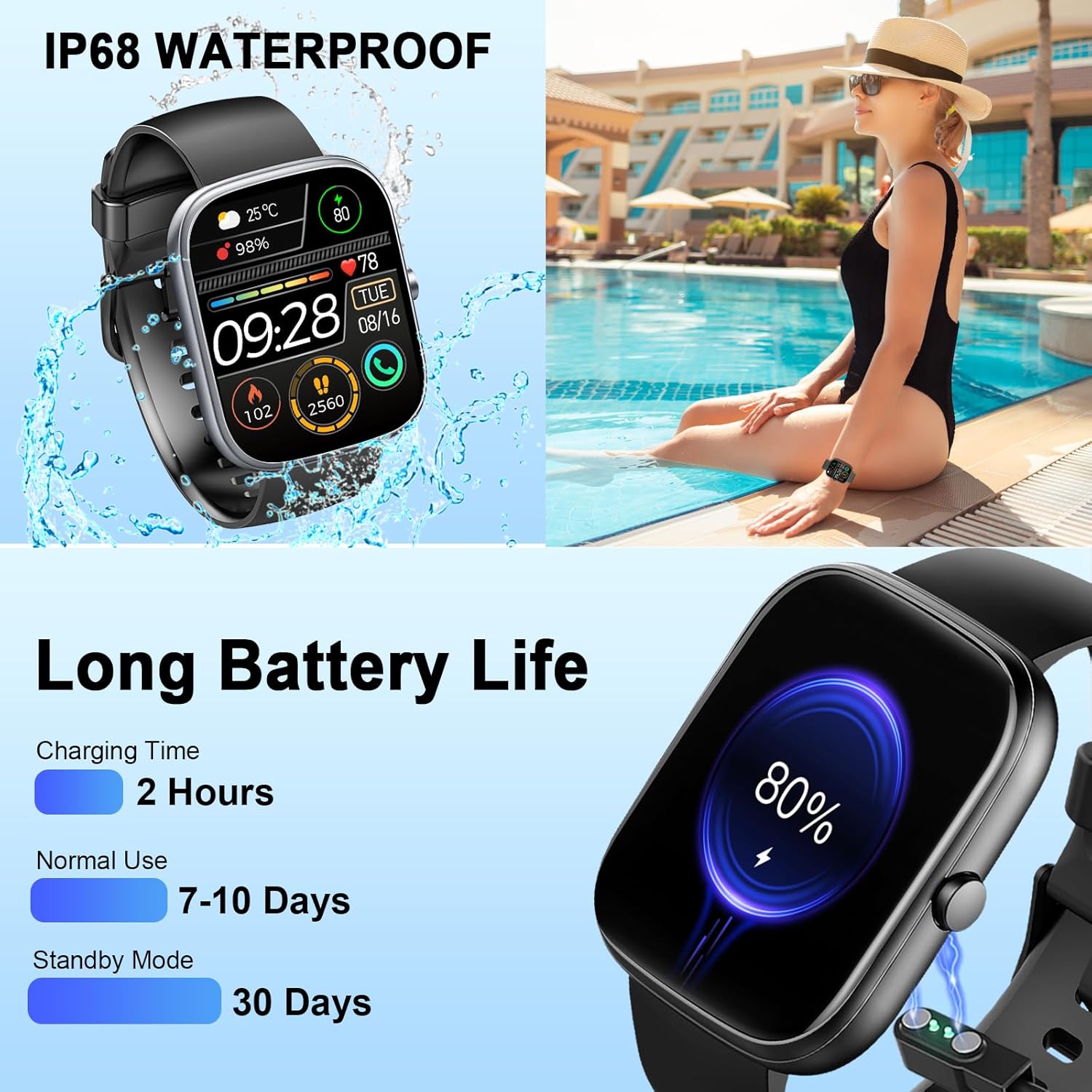
Image: The smartwatch connected to its magnetic charging cable, illustrating the charging process and highlighting its long battery life specifications.

Image: The smartwatch on its magnetic charger, with text indicating a daily use time of 7 days and a standby time of 30 days.
6. Informations sur l'étanchéité
The Dyurwa Smart Watch T60 is IP68 waterproof. This means it is resistant to dust and can withstand immersion in water up to 1.5 meters for up to 30 minutes. It is suitable for daily use, such as hand washing, bathing, and swimming.
Note:
- Not suitable for hot water, saunas, or diving.
- Avoid exposure to high humidity or corrosive liquids.
- L'étanchéité peut diminuer avec le temps en raison de l'usure normale.

Image: The smartwatch being splashed with water, accompanied by icons indicating its IP68 waterproof rating for activities like bathing and swimming.
7. Entretien
- Nettoyage: Essuyez régulièrement la montre et le bracelet avec un chiffon doux et sec. Si nécessaire, utilisez un chiffon légèrement humidifié.amp chiffon et séchez soigneusement.
- Évitez les produits chimiques : N’utilisez pas de produits chimiques agressifs, de solvants de nettoyage ou de détergents puissants, car ils peuvent endommager la finition et les joints de la montre.
- Contacts de charge : Veillez à ce que les contacts de charge situés à l'arrière de la montre restent propres et exempts de débris afin de garantir une charge correcte.
- Stockage: Rangez la montre dans un endroit frais et sec lorsqu'elle n'est pas utilisée.
8. Dépannage
| Problème | Solution possible |
|---|---|
| La montre ne s'allume pas | Assurez-vous que la montre est complètement chargée. Branchez-la au chargeur pendant au moins 10 minutes. |
| Impossible de jumeler avec le smartphone | 1. Assurez-vous que Bluetooth est activé sur votre téléphone. 2. Assurez-vous que la montre se trouve à portée de votre téléphone. 3. Redémarrez à la fois la montre et votre téléphone. 4. Try unpairing and re-pairing the device through the GloryFit app and phone's Bluetooth settings. |
| Données inexactes sur la fréquence cardiaque et le sommeil | Ensure the watch is worn snugly on your wrist, not too tight or too loose. Clean the sensor on the back of the watch. Note that data is for reference and not medical use. |
| Notifications non reçues | 1. Check app permissions for GloryFit on your phone (notifications, background activity). 2. Ensure Bluetooth connection is stable. 3. Verify notification settings within the GloryFit app. |
| Durée de vie de la batterie courte | Reduce screen brightness, limit continuous heart rate monitoring, and disable unnecessary notifications. Ensure proper charging. |
9. Spécifications
| Fonctionnalité | Spécification |
|---|---|
| Modèle | T60 |
| Taille de l'écran | 1.91 inches (4.85 cm) HD Full Touch Screen |
| Connectivité | Bluetooth 5.3 |
| Système opérateur | Android Wear 1.0 (compatible avec iOS 9.0+ et Android 4.0+) |
| Indice d'étanchéité | IP68 |
| Type de batterie | Lithium-ion (1 batterie A incluse) |
| Temps de charge | Environ 2 heures |
| Durée d'utilisation typique | 7-10 jours |
| Temps de veille | Jusqu'à 30 jours |
| Poids de l'article | 3.2 onces |
| GPS | Pas de GPS |
10. Garantie et assistance
For warranty information and customer support, please refer to the documentation included with your purchase or contact Dyurwa customer service directly. Details for contacting support are typically available on the product packaging or the official Dyurwa website.