
1. Introduction
The IEE P1800 Portable Power Station is a versatile and high-capacity power solution designed for both home and outdoor use. Featuring a 1024Wh capacity and 1800W AC output (3600W surge), it utilizes advanced LiFePO4 battery technology for long-lasting performance and safety. This manual will guide you through its features, setup, operation, and maintenance.

Image 1.1: The IEE P1800 Portable Power Station, showcasing its robust design and user interface.
2. Consignes de sécurité
Please read and understand all safety instructions before operating the IEE P1800 Portable Power Station. Failure to follow these instructions may result in electric shock, fire, or serious injury.
- Ne démontez pas, ne réparez pas ou ne modifiez pas l'unité.
- Tenir l'appareil éloigné du feu, de l'eau et des températures extrêmes.
- Assurez une ventilation adéquate pendant l'utilisation et la charge.
- Évitez de faire tomber l'appareil ou de le soumettre à des chocs violents.
- Tenir hors de portée des enfants.
2.1. LiFePO4 Battery Safety
The IEE P1800 uses high-quality LiFePO4 (Lithium Iron Phosphate) batteries, known for their safety and longevity. These batteries offer approximately 4000 charge/discharge cycles, maintaining over 80% capacity. The integrated Battery Management System (BMS) provides multiple protections:
- Protection contre la surchauffe
- Protection basse température
- Protection contre les décharges excessives
- Protection contre les surcharges
- Protection contre les courts-circuits
- Survoltagprotection électronique
- Protection contre les surintensités

Image 2.1: The internal structure highlighting the durable LiFePO4 battery cells, designed for safety and extended lifespan.
3. Produit terminéview
3.1. Composants et ports
The IEE P1800 is equipped with a variety of input and output ports to power multiple devices simultaneously. The intuitive display provides real-time information on battery status, input/output power, and remaining usage time.

Image 3.1: Detailed diagram illustrating the various ports and display elements of the P1800.
- Sortie CA: 2x AC outlets (100V/1800W Pure Sine Wave, 3600W surge)
- Sortie USB-A: 3x USB-A ports (30W each)
- Sortie USB-C : 1x Type-C port (100W), 2x Type-C ports (30W each)
- DC Sortie: 1x Cigarette Lighter socket, 2x DC5521 ports
- Ports d'entrée: AC input, Solar input (XT90), Car input
- Afficher: Ultra-precise screen showing input/output wattage, pourcentage de batterietage, remaining hours, and Wi-Fi status.
- Lumière LED : Lampe torche intégrée pour l'éclairage.
4. Installation
4.1. Charge initiale
Before first use, fully charge the IEE P1800. It supports rapid charging, reaching 80% in approximately 40 minutes and a full charge in about 1 hour via AC input. You can also charge it using solar panels or a car charger.

Image 4.1: The P1800 connected for rapid AC charging, demonstrating its quick power replenishment capability.
4.2. Connexion à l'application (Wi-Fi/Bluetooth)
The IEE P1800 can be remotely controlled and monitored via the dedicated IEE app. This allows you to check charging/discharging status, schedule charging times (e.g., during off-peak hours for energy saving), and manage settings from your smartphone. The app supports both Bluetooth and Wi-Fi connections (2.4GHz Wi-Fi networks only).
- Download the IEE app from the App Store or Google Play.
- Ensure both Bluetooth and Wi-Fi are enabled on your smartphone and the P1800 unit.
- Press the DC button and LED button simultaneously on the P1800. The Wi-Fi icon on the display will start blinking.
- Open the IEE app, add a new device, and follow the on-screen instructions to connect to the P1800. You will need to enter your Wi-Fi network's SSID and password.
Video 4.1: Demonstrates the process of connecting the IEE P1800 to the mobile application for remote control and monitoring.
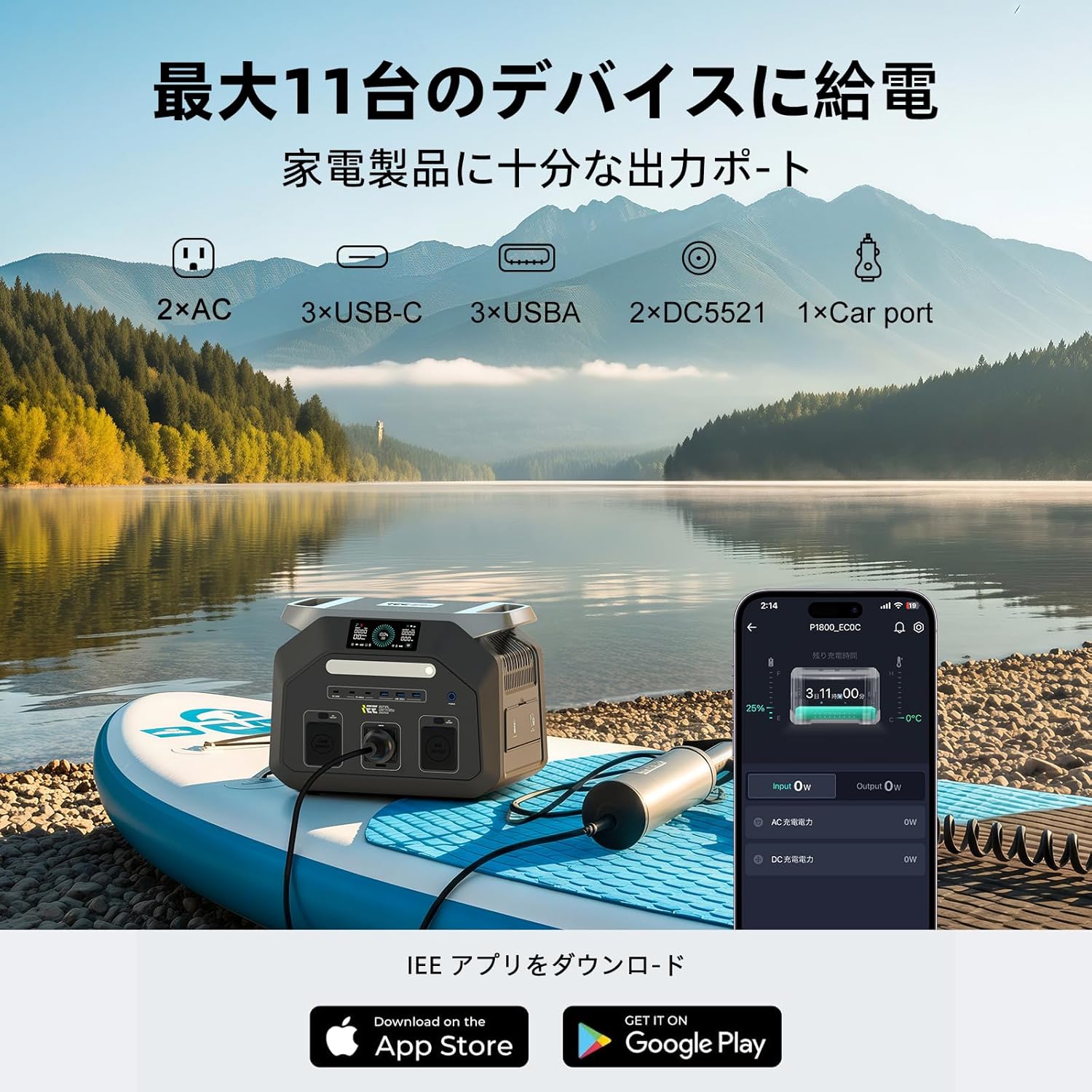
Image 4.2: The IEE app interface on a smartphone, showing real-time power status and control options for the P1800.
5. Mode d'emploi
5.1. Alimentation des appareils
The IEE P1800 can power up to 11 devices simultaneously through its various output ports. Simply plug your devices into the appropriate ports and ensure the corresponding output (AC, DC, USB) is turned on.

Image 5.1: The P1800 in an outdoor setting, providing power for a mini-fridge and charging a smartphone, ideal for campactivités de plein air et de plein air.
5.2. Fonction EPS (Alimentation de secours)
The P1800 features an EPS function that provides uninterrupted power to connected devices. In the event of a power outage, the unit automatically switches to battery power within 0.01 seconds, ensuring continuous operation for critical equipment like surveillance systems or office devices.
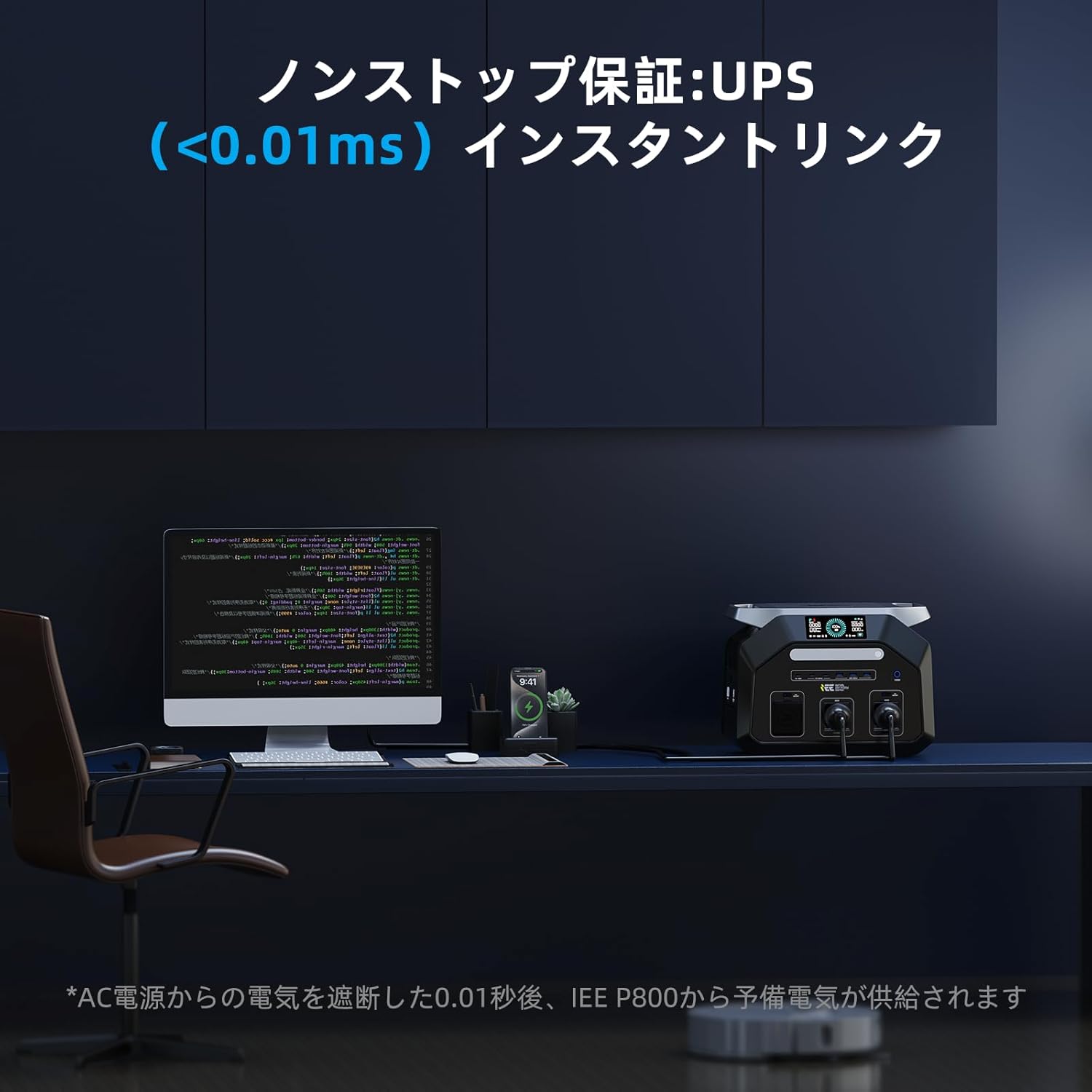
Image 5.2: The P1800 demonstrating its EPS function, seamlessly providing power to a desktop computer during a power interruption.
Video 5.3: A demonstration of the IEE P1800 powering various devices in a camping setting, including a fan and a hair dryer, highlighting its versatility.
5.3. Méthodes de charge
The P1800 offers flexible charging options:
- Chargement CA : Connect to a standard wall outlet using the provided AC charging cable.
- Charge solaire: Connect compatible solar panels (up to 500W) using the provided solar charging cable. This is ideal for outdoor use and off-grid power.
- Recharge de voiture : Charge the unit from your vehicle's 12V cigarette lighter socket.

Image 5.4: The P1800 being charged by solar panels in an outdoor environment, showcasing its renewable energy compatibility.
6. Entretien
6.1. Nettoyage et stockage
- Essuyez l'appareil avec un chiffon doux et sec. N'utilisez pas de nettoyants abrasifs ni de solvants.
- Store the unit in a cool, dry place, away from direct sunlight and moisture.
- Pour un stockage à long terme, chargez l'appareil à 50-80 % tous les 3 à 6 mois afin de prolonger la durée de vie de la batterie.
6.2. Portabilité
Weighing only 12.7 kg, the IEE P1800 is designed for easy transport. It features a convenient carry handle, making it suitable for various outdoor activities.

Image 6.1: A user easily transporting the P1800, emphasizing its lightweight and portable design for outdoor adventures.
7. Dépannage
If you encounter issues with your IEE P1800, please refer to the following common troubleshooting steps:
- L'appareil ne s'allume pas : Assurez-vous d'appuyer fermement sur le bouton d'alimentation. Vérifiez si la batterie est complètement déchargée et essayez de la recharger.
- Aucun signal provenant des ports : Verify that the specific output (AC, DC, USB) is enabled. Check if the device you are trying to power exceeds the port's maximum output or the unit's total output.
- Problèmes de charge : Ensure all charging cables are securely connected. Check the power source (wall outlet, solar panel, car charger) for proper function.
- Problèmes de connexion à l'application : Confirm your smartphone's Bluetooth and Wi-Fi are on. Ensure the P1800's Wi-Fi icon is blinking. Restart both the app and the power station. Remember the app only supports 2.4GHz Wi-Fi.
- Protection contre les surcharges activée : Si l'appareil s'arrête en raison d'une surcharge, débranchez certains périphériques et redémarrez-le.
Si le problème persiste, veuillez contacter le service client pour obtenir de l'aide.
8. Spécifications
| Fonctionnalité | Spécification |
|---|---|
| Numéro de modèle | P1800 |
| Type de batterie | LiFePO4 (lithium fer phosphate) |
| Capacité | 1024 Wh (320000 XNUMX mAh) |
| Sortie CA (nominale) | 1800 W (onde sinusoïdale pure) |
| Sortie CA (surtension) | 3600 W |
| Vol ACtage | 100V |
| Fréquence CA | 50Hz/60Hz (Switchable) |
| Sortie USB-A | 3x 30W ports |
| Sortie USB-C | 1x 100W port, 2x 30W ports |
| Sortie DC | 1x Cigarette Lighter, 2x DC5521 |
| Entrée solaire maximale | 500 W |
| Temps de charge (CA) | Approx. 1 hour (full charge) |
| Fonction EPS | Automatic switchover within 0.01s |
| Niveau de bruit | 25dB (Quiet Design) |
| Poids | 12.7 kg |
| Dimensions | 46 x 41.4 x 32.6 cm |
| Connectivité | Wi-Fi, Bluetooth (2.4GHz only) |
9. Contenu de la boîte
The IEE P1800 Portable Power Station package includes:
- 1x centrale électrique portable P1800
- 1x câble de chargement secteur
- 1x Flashlight
- 1 câble de charge solaire
- 1x Manuel d'utilisation
- 1x Carte de garantie
- 1x 4-in-1 Data Cable

Image 9.1: All items included in the IEE P1800 product package, neatly arranged.
10. Garantie et assistance
The IEE P1800 Portable Power Station comes with a 5-year manufacturer's warranty. We maintain a domestic after-sales service department to ensure product quality. In the unlikely event of a defect, damage, or incorrect product delivery under normal use, free repair or exchange will be provided.
For any inquiries or support needs after purchase, please contact our customer support or email address. We are committed to providing prompt assistance.