
1. Introduction
This manual provides essential information for setting up, operating, maintaining, and troubleshooting your NIMO 17.3-inch FHD Laptop N171. Please read this guide thoroughly to ensure proper use and to maximize the lifespan of your device.
2. Contenu de la boîte
- 1 x ordinateur portable NIMO N171
- 1 chargeur rapide USB-C 65 W PD
- 1 x Manuel d'utilisation
- Windows 11 Famille (préinstallé)
3. Installation
3.1 Mise sous tension et charge initiales
Before first use, ensure your laptop is fully charged. Connect the provided 65W Type-C PD Fast Charger to the laptop's Type-C charging port and then to a power outlet. The charging indicator light will illuminate.

Image: The 65W Type-C PD charger, illustrating its compatibility with laptops, tablets, and smartphones, and emphasizing a clutter-free charging solution.
Press the power button located on the keyboard to turn on the laptop. Follow the on-screen instructions to complete the initial Windows 11 setup, including language, region, network connection, and user account creation.
3.2 Configuration du lecteur d'empreintes digitales
For enhanced security and quick login, set up the fingerprint reader. During the Windows 11 setup or later via Windows Settings (Accounts > Sign-in options), you can register your fingerprints. The fingerprint sensor is integrated into the touchpad.

Image: Close-up of the fingerprint sensor integrated into the laptop's touchpad, highlighting its secure one-touch login capability.
4. Mode d'emploi
Affichage 4.1
Your NIMO N171 features a 17.3-inch Full HD (1920x1080) IPS anti-glare display. This screen provides wide viewing angles and vibrant colors for an immersive visual experience. The narrow bezels contribute to an 85% screen-to-body ratio.

Image: The NIMO laptop showcasing its 17.3-inch FHD IPS display with narrow bezels, emphasizing visual enjoyment and eye protection features.
4.2 Clavier et pavé tactile
The laptop is equipped with a full-size backlit keyboard, allowing for comfortable typing in various lighting conditions. It also includes a numeric keypad for efficient data entry. The integrated touchpad supports multi-touch gestures for navigation.

Image: The NIMO laptop's backlit keyboard and touchpad with an integrated fingerprint reader, illustrating ease of use in low-light conditions and secure login.
4.3 Ports et connectivité
The NIMO N171 offers a variety of ports for connecting peripherals and external displays:
- USB 3.2 Gen1 ports (multiple)
- Port USB 2.0
- USB Type-C 3.2 Gen1 port (data and charging)
- Standard HDMI 1.4 port
- Prise audio
- Emplacement pour carte Micro SD
- Fente pour verrou Kensington

Image: A detailed diagram showing the various ports on the NIMO laptop, including USB, HDMI, Type-C, Audio Jack, and Micro SD slot, highlighting versatility.
4.4 Gestion de la batterie
The laptop is equipped with a 53.58 Wh battery, providing up to 7 hours of usage. For optimal battery life, avoid extreme temperatures and do not overcharge. Use only the provided 65W Type-C PD charger.

Image: Two individuals using the NIMO laptop in different settings, illustrating the laptop's large capacity battery and its suitability for extended use.
4.5 WebConfidentialité de la caméra
L'ordinateur portable comprend un commutateur de confidentialité intégré pour la caméra de 2.0 MP webcam. Slide the switch to physically disable the camera when not in use, ensuring your privacy.
5. Entretien
- Nettoyage: Utilisez un chiffon doux et non pelucheux légèrement dampPour nettoyer l'écran, utilisez de l'eau ou un nettoyant pour écrans. Pour le clavier et le châssis, utilisez un chiffon doux et sec. Évitez les produits chimiques agressifs.
- Stockage: Rangez l'ordinateur portable dans un endroit frais et sec, à l'abri de la lumière directe du soleil et des températures extrêmes.
- Protection: Use a protective case when transporting the laptop. Avoid placing heavy objects on top of it.
- Mises à jour logicielles : Mettez régulièrement à jour votre système d'exploitation et vos pilotes pour garantir des performances et une sécurité optimales.
6. Dépannage
- L'ordinateur portable ne s'allume pas : Vérifiez que le chargeur est correctement branché et que la batterie est suffisamment chargée. Essayez une autre prise de courant.
- L'écran est vide : Connect an external monitor to check if the display output is working. Restart the laptop.
- Performances lentes : Fermez les applications inutiles, vérifiez la présence de logiciels malveillants et assurez-vous d'avoir suffisamment d'espace de stockage libre.
- Problèmes de connectivité (Wi-Fi/Bluetooth) : Check if wireless features are enabled. Restart your router or Bluetooth device.
- Surchauffe: Assurez-vous que les aérations de l'ordinateur portable ne sont pas obstruées. Utilisez l'ordinateur portable sur une surface dure et plane.
For persistent issues, refer to the NIMO support section or contact customer service.
7. Spécifications
| Fonctionnalité | Spécification |
|---|---|
| Nom du modèle | NIMO N171 |
| Afficher | 17.3 Inches FHD (1920x1080) IPS Anti-Glare |
| Processeur | Intel Core i3-1215U (6 Cores, 8 Threads, up to 4.4GHz) |
| BÉLIER | 16 Go DDR4 (3200 MHz) |
| Stockage | SSD PCIe 256 Go |
| Graphique | Intel Integrated Graphics |
| Système opérateur | Windows 11 Famille |
| Connectivité sans fil | 802.11a/b/g/n/ac, Bluetooth 5.2 |
| Ports | USB 3.2 Gen1, USB 2.0, USB Type-C (PD), HDMI 1.4, Audio Jack, Micro SD |
| Autonomie de la batterie | Up to 9 Hours (53.58 Wh) |
| Webcame | 2 MP with Privacy Switch |
| Caractéristiques spéciales | Lecteur d'empreintes digitales, clavier rétroéclairé, pavé numérique |
| Dimensions (L x l x H) | 15.61 x 9.84 x 0.76 pouces |
| Poids | 4.6 livres |
8. Garantie et assistance
Your NIMO N171 laptop comes with comprehensive support:
- Garantie de 2 ans : Nimo Direct Inc. provides a 2-year warranty covering manufacturing defects.
- Politique de retour de 90 jours : You may return any Nimo product for any reason within 90 days of purchase from Nimo Direct Inc.
- Assistance clientèle 24h/7 et XNUMXj/XNUMX : Dedicated support is available for instant issue resolution.
Coordonnées:
For product-related questions or support, please contact us:
- E-mail: service@nimopc.com
- En ligne: Visitez le site officiel de NIMO webPour connaître les options de contact, veuillez consulter le site ou la page produit.
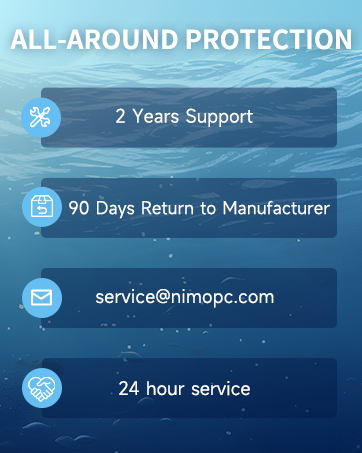
Image: Two customer service representatives with headsets, representing professional customer assistance.

Image: A technician working on a circuit board, symbolizing the 2-year support provided for Nimo products.

Image: A delivery person handing a package to a customer, representing the 90-day return policy.
9. Consignes de sécurité
Please adhere to the following safety guidelines to prevent damage to your laptop and ensure personal safety:
- Utilisez uniquement des chargeurs d'origine et inspectez régulièrement les câbles pour détecter tout dommage.
- Handle the laptop by its base and consider using a protective case.
- Avoid placing heavy items on the laptop.
- Place the laptop on a hard, flat surface to prevent overheating. Keep it away from extreme temperatures and moisture.
- Ne surchargez pas la batterie. Cessez l'utilisation si la batterie gonfle ou présente des signes de dommages.
- Définissez des mots de passe robustes, maintenez vos logiciels à jour, utilisez une protection antivirus et sauvegardez régulièrement vos données.
- En cas de déversement de liquide, débranchez immédiatement l'ordinateur portable et laissez-le sécher complètement avant de tenter de le rallumer.
- For any issues, consult professionals. Do not attempt to disassemble or repair the laptop yourself.
This laptop is provided "as is," with no express or implied warranties except the manufacturer's limited warranty (if applicable). Implied warranties of merchantability or fitness for a specific purpose are disclaimed. We are not liable for damages resulting from misuse (e.g., non-approved chargers, unauthorized repairs), physical damage, or failure to follow safety rules, including data loss or business interruption. Users must back up data regularly. This disclaimer does not exclude liability for manufacturing defects or violations of mandatory local laws. Using the laptop signifies your acceptance of these terms, governed by applicable jurisdiction laws.