
Introduction
Thank you for choosing the Dekala Smart Sunrise Alarm Clock. This device combines a sunrise simulation alarm, a wireless charging station, a white noise sleep sound machine, and a versatile night light. This manual provides instructions for setup, operation, and maintenance to ensure optimal performance.
Contenu du colis
Vérifiez que tous les éléments sont présents dans le colis :
- 1x Smart Sunrise Alarm Clock with Wireless Charging
- 1x Wireless Charging Dock for iWatch
- 1x adaptateur de charge
- 1x Manuel d'instructions
Note: Please use the original Dekala adapter included in the package for proper functionality.
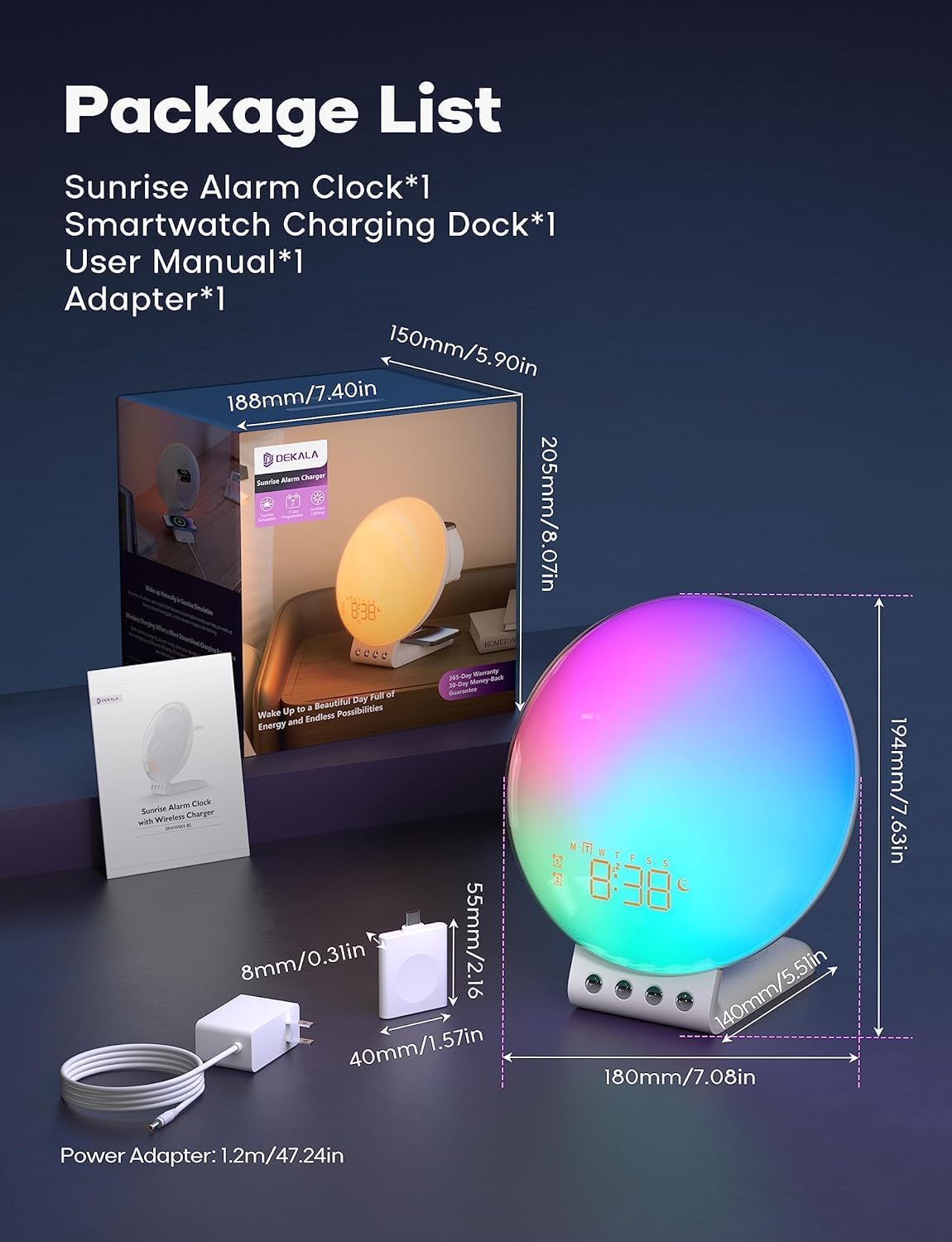
Image: Package contents and dimensions of the Dekala Smart Sunrise Alarm Clock.
Installation
- Connexion électrique : Connect the provided charging adapter to the alarm clock and plug it into a power outlet.
- iWatch Charging Dock: Attach the iWatch wireless charging dock to the designated port on the alarm clock.
- Mise sous tension initiale : L'affichage de l'horloge s'illuminera une fois la connexion électrique établie.
- Connexion à l'application (facultatif) : For advanced features and easier control, download the Dekala App. A 2.4G WiFi connection is required for the initial setup of the app. Follow the in-app instructions to pair your device.
Mode d'emploi
1. Réveil simulateur de lever de soleil
The sunrise simulation feature gradually increases light intensity before your set alarm time, mimicking a natural sunrise to gently wake you up. The alarm clock supports 7-day programmable dual alarms.
- Réglage des alarmes : Use the controls on the device or the Dekala App to set up to two independent alarms.
- Sons personnalisables : Choose from various alarm sounds including Bird chirping, Ocean, Valley Stream, Melodic, Music Box, Wind Chimes, and Beeping.
- Fonction de répétition: Tap the top of the device to activate the snooze function, which provides an additional 9 minutes of sleep, up to 5 times.

Image: Visual representation of the gradual sunrise simulation feature.
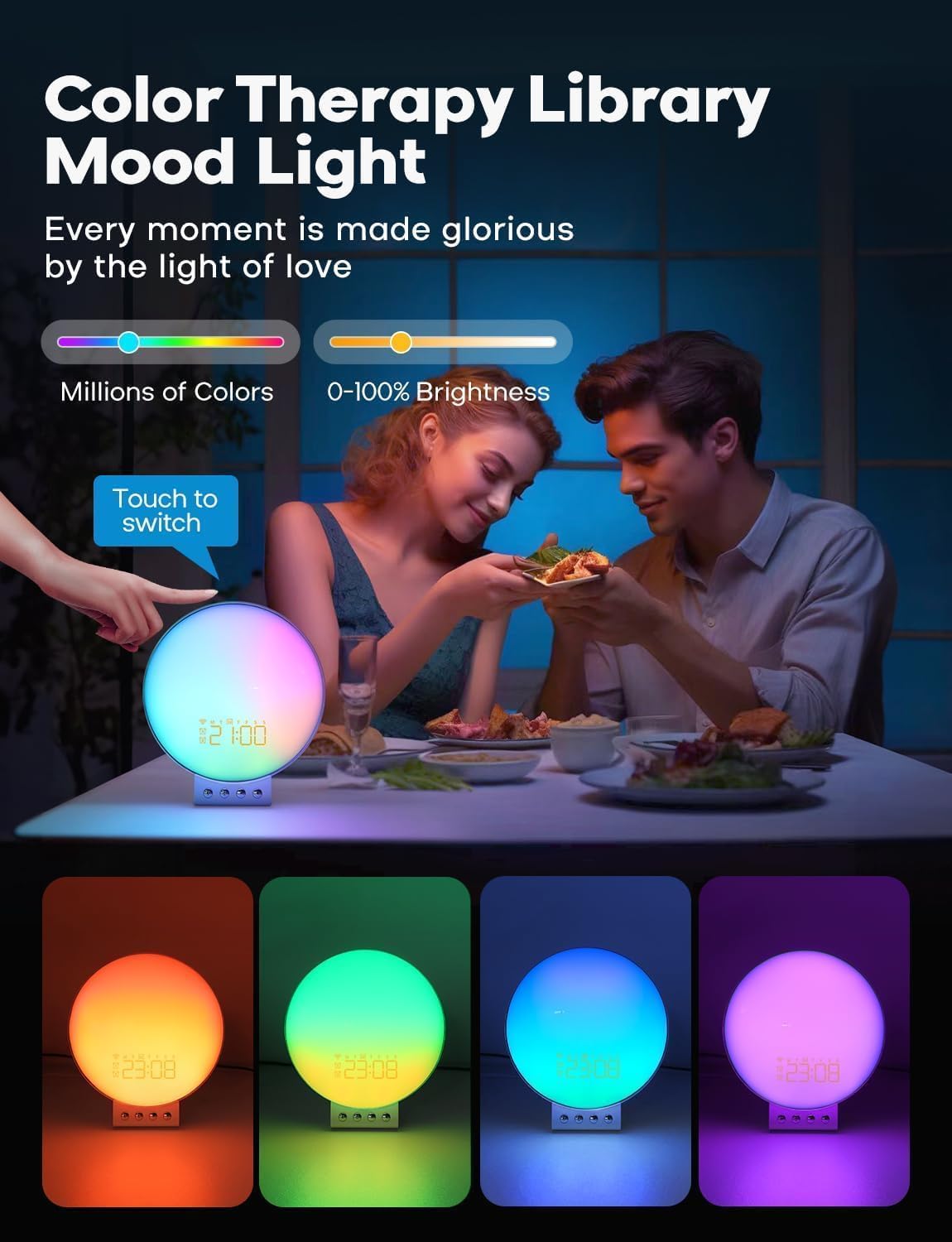
Image: Illustration of 7-day programmable dual alarms and the snooze function.
2. Wireless Charging Station
The alarm clock features an integrated wireless charging station for compatible devices.
- Téléphones portables : Supports up to 15W wireless charging for iPhone 14/13/12/11/X Series, Samsung Galaxy S23/S22/S21/S20/Note 20/Note 10, Google Pixel 7 Pro/6 Pro, and other Qi-enabled wireless charging cellphones.
- Apple Watch : Provides 3W charging for Apple Watch SE/8/7/6/5/4/3/2. Note: Does not support Samsung Watch and iWatch 1.
- Écouteurs: Offers 5W charging for AirPods 2/3/Pro.
- Charge optimale : For optimal phone charging, ensure your phone case thickness is within 8mm (0.2 inches).

Image: The alarm clock functioning as a multi-device wireless charging station.
3. Sleep Sound Machine
Enhance your sleep environment with 8 calming sleep sounds. Sounds can be played throughout the night or set to gradually fade out with a countdown timer.
- Sons disponibles : White noise, Pink noise, Brown noise, Wind, Rain, Bonfire, Night Whispers, Yoga, and Zen.
- Fade-Out Timer: As the timer progresses, both the sound and night light will diminish, promoting a peaceful transition to sleep.

Image: The alarm clock used as a sleep aid with various sound options.
4. Personalized Lighting Experience
Customize the ambiance with adjustable brightness levels and multiple light modes.
- Luminosité: Adjust brightness from 0-100%.
- Modes d'éclairage : Includes warm yellow night light, breathing regulation light, and colorful ambient light for various settings.
- Color Therapy: Explore millions of colors to create different moods. Touch the device to switch between colors.

Image: The alarm clock providing color therapy and mood lighting.
5. Commande vocale intelligente
Control your alarm clock using simple voice commands through compatible voice assistants or the Dekala App.
- Compatibilité: Works with Hey Google and Alexa.
- Dekala App: Use the dedicated app for comprehensive control and customization.
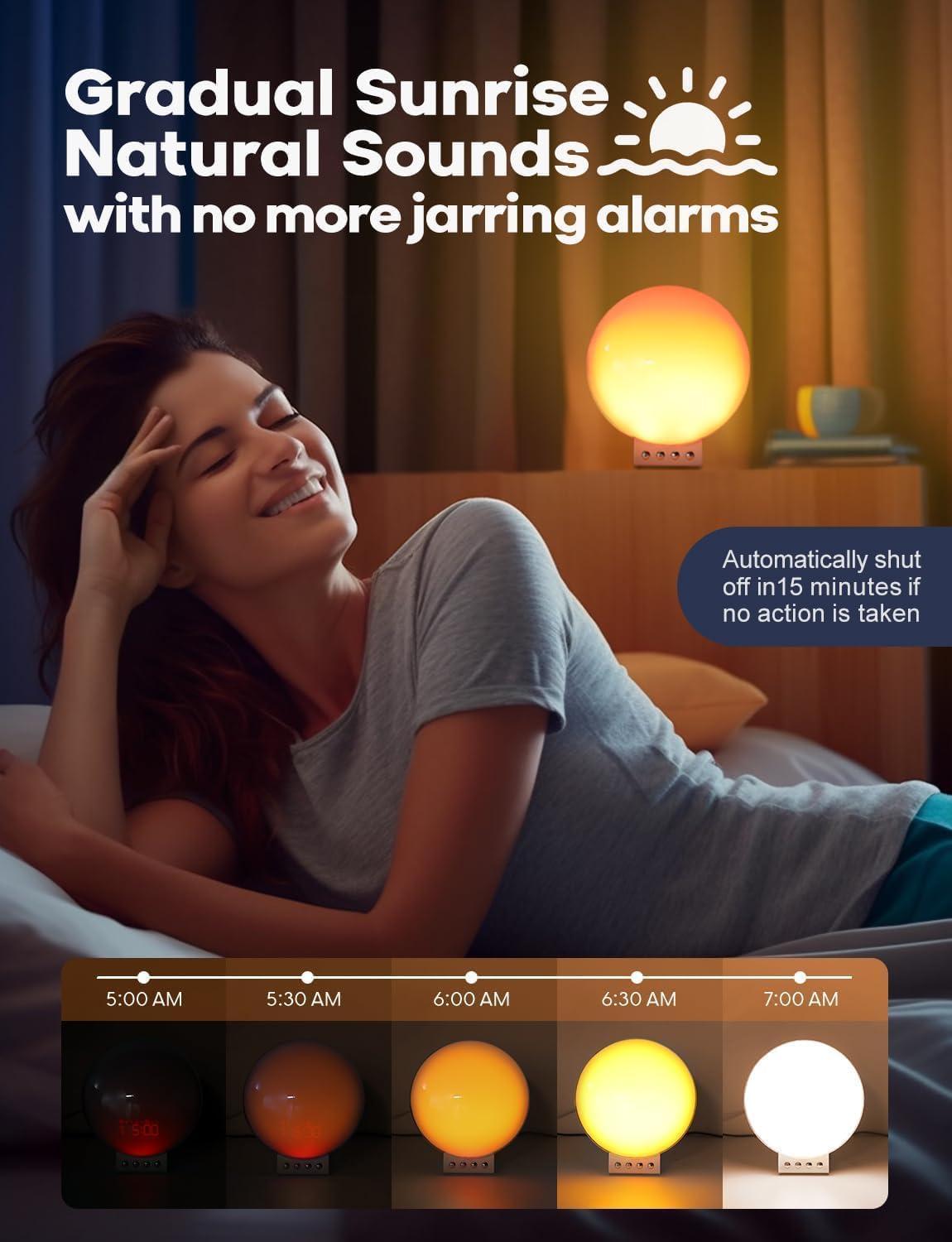
Image: Demonstrating smart voice control integration with the alarm clock.
6. Veilleuse
The device functions as a night light with adjustable brightness levels (L1-L20).
Video: Demonstrating the night light function and adjustable brightness levels of the Dekala Smart Sunrise Alarm Clock.
Caractéristiques
| Marque | Décala |
| Numéro de modèle | SRWW-S |
| Couleur | Blanc |
| Type d'affichage | Numérique |
| Source d'énergie | Électrique avec fil |
| Dimensions du produit | 6 po L x 6 po H |
| Matériel | Plastique, Acrylique |
| Réveil | Oui |
| Chargement sans fil | Yes (Phone, Apple Watch, Earbuds) |
| Sons pour dormir | White noise, Pink noise, Brown noise, Wind, Rain, Bonfire, Night Whispers, Yoga, Zen |
| Contrôle vocal | Hey Google, Alexa, Dekala App |
Dépannage
- L'appareil ne s'allume pas : Ensure the power adapter is securely connected to both the device and a working power outlet. Use only the provided Dekala adapter.
- Le chargement sans fil ne fonctionne pas :
- Verify your device is Qi-enabled and placed correctly on the charging pad.
- Remove any thick phone cases (over 8mm) that may interfere with charging.
- Ensure no metal objects are between the device and the charging pad.
- Confirm the iWatch charging dock is properly attached.
- Problèmes de connexion à l'application :
- Ensure your smartphone is connected to a 2.4G WiFi network during initial setup.
- Restart the app and the alarm clock.
- Vérifiez les mises à jour de l'application.
- Alarme non déclenchée/lumière non allumée :
- Verify alarm settings (time, days, sound, light intensity) are correctly configured.
- Vérifiez que le volume n'est pas réglé sur zéro.
- Light Too Bright: Adjust the brightness levels using the device controls or the Dekala App. The device offers 0-100% brightness adjustment.
Entretien
- Nettoyage: Essuyez l'appareil avec un chiffon doux et sec. N'utilisez pas de nettoyants abrasifs ni de solvants.
- Stockage: Rangez l'appareil dans un endroit frais et sec lorsqu'il n'est pas utilisé pendant une période prolongée.
- Adaptateur secteur : Utilisez uniquement l'adaptateur secteur d'origine fourni avec l'appareil.
Garantie et assistance
For warranty information, technical support, or customer service inquiries, please refer to the contact details provided on the product packaging or visit the official Dekala website. Conservez votre reçu d’achat pour les réclamations au titre de la garantie.