
1. Introduction
The ATTACK SHARK X11SE is a high-performance wireless gaming mouse designed for precision and comfort. It features a lightweight design, advanced sensor technology, and versatile connectivity options to enhance your gaming and productivity experience.

Image : Terminéview of the ATTACK SHARK X11SE's key features including PAW3311 sensor, 63g lightweight design, 22000 DPI, HUANO switches, tri-mode switch, BK52820 chip, TTC encoders, and 65 hours of battery life.
Caractéristiques principales :
- Capteur de jeu PAW3311 : Equipped with the flagship PixArt PAW3311 sensor, offering up to 22,000 DPI with 6 adjustable levels, 400 IPS tracking speed, 35G acceleration, and a 1000Hz/1ms polling rate.
- Ultralight 63g Design: Weighing only 63 ± 3g, this mouse features a minimalist, full-casing design optimized for reduced weight without compromising build quality.
- Connectivité tri-mode : Supports 2.4 GHz wireless, USB-C wired, and Bluetooth connections for versatile use across various devices.
- Durable Switches & Encoder: Features HUANO switches with a lifespan of 20 million clicks and an optimized TTC encoder for precise scroll wheel feedback.
- Conception ergonomique : Dimensions (128 x 64 x 40 mm) suitable for medium to large hands, accommodating palm, claw, and fingertip grip styles for extended comfort.
- Dual Driver Support: Compatible avec Web Driver and proprietary ATTACK SHARK driver for advanced customization of buttons, DPI, polling rate, and macros.
2. Installation
Contenu du colis :
- ATTACK SHARK X11SE Wireless Gaming Mouse
- Câble USB-C
- Récepteur USB (2.4 GHz)
- Ruban adhésif
- Manuel d'utilisation
Charger la souris :
Connect the mouse to your computer using the provided USB-C cable. The mouse has a 300mAh battery, providing up to 65 hours of uninterrupted use on a full charge (2-3 hours charging time).

Image: The ATTACK SHARK X11SE mouse illustrating its efficient battery management, offering up to 65 hours of use from a 300mAh battery, fully charged in 2-3 hours.
Modes de connectivité :
The X11SE mouse supports three connection modes: 2.4GHz Wireless, Bluetooth, and USB-C Wired.

Image: The ATTACK SHARK X11SE mouse highlighting its lightning-fast 2.4G wireless connection, wired mode via USB-C, and Bluetooth 5.2 capabilities.
- Mode sans fil 2.4 GHz :
- Repérez le récepteur USB, généralement rangé dans un compartiment situé sous la souris.
- Branchez le récepteur USB dans un port USB disponible sur votre ordinateur.
- Allumez la souris à l'aide de l'interrupteur situé en dessous. Sélectionnez le mode 2.4 GHz.
- La souris devrait se connecter automatiquement.
- Mode Bluetooth:
- Allumez la souris et sélectionnez le mode Bluetooth à l'aide du commutateur situé en dessous.
- Press and hold the Bluetooth toggle button (often located near the mode switch) for 3 seconds to enter pairing mode. The indicator light will flash.
- Sur votre ordinateur ou appareil, accédez aux paramètres Bluetooth et recherchez de nouveaux appareils.
- Select "ATTACK SHARK X11SE" from the list to pair.
- Mode filaire USB-C :
- Connect the USB-C cable to the front port of the mouse and the other end to a USB port on your computer.
- La souris passera automatiquement en mode filaire et commencera à se charger.
3. Fonctionnement
Fonctions des boutons :
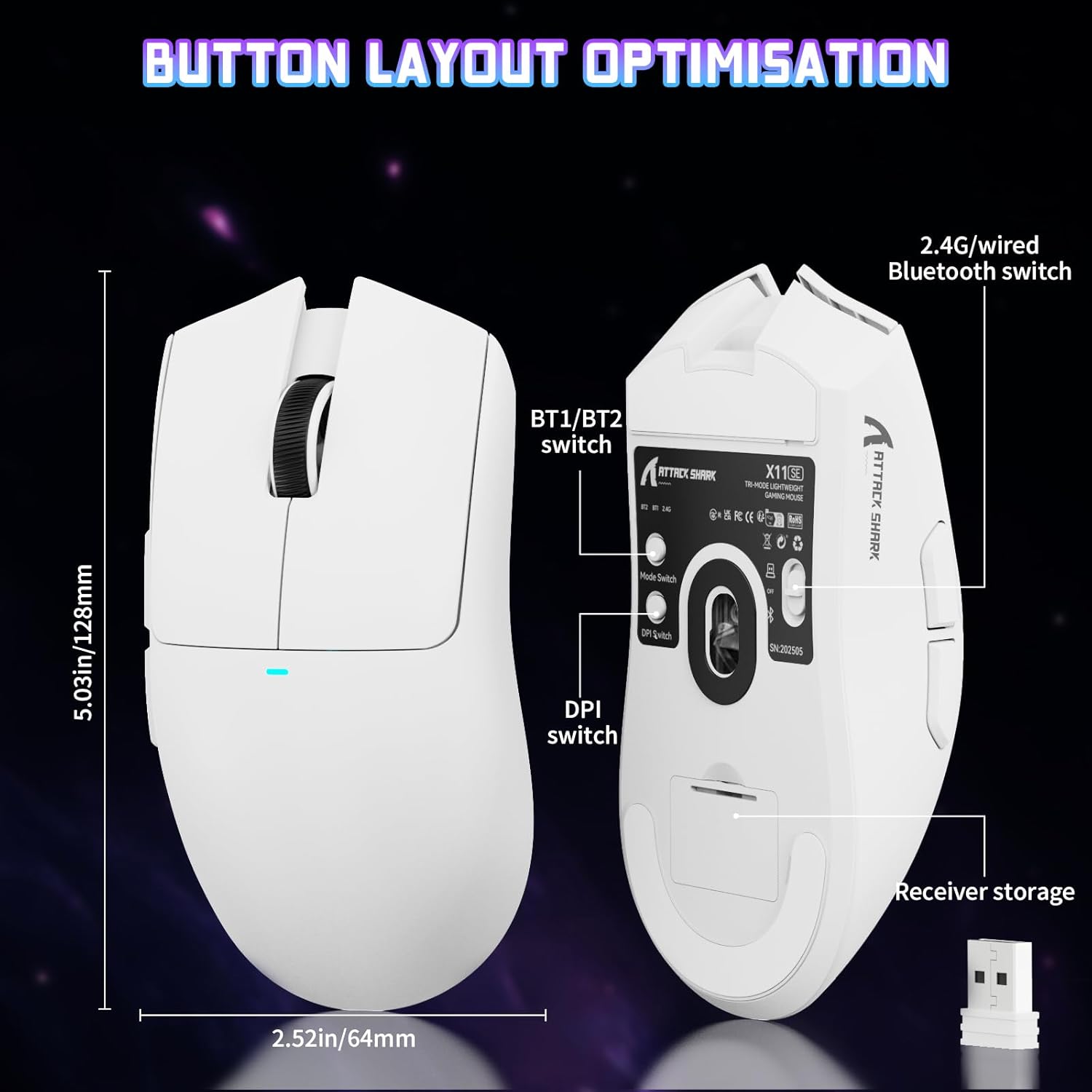
Image: The ATTACK SHARK X11SE mouse displaying its button layout, including the BT1/BT2 switch, DPI switch, and receiver storage, along with its dimensions (128mm length, 64mm width).
- Click gauche: Bouton d'action principal.
- Clic-droit: Bouton d'action secondaire, généralement pour les menus contextuels.
- Molette: Scrolls up/down. Can also be pressed for a middle-click function.
- Boutons latéraux (Avance/Retour) : Used for navigation in web browsers or in-game actions.
- Commutateur PPP : Located on the underside of the mouse, this button cycles through preset DPI levels.
- Changement de mode : Located on the underside, this switch allows you to select between 2.4G wireless, Bluetooth, and Off modes.
Ajustement PPP :
The X11SE features a PixArt PAW3311 sensor with up to 22,000 DPI. You can adjust the DPI sensitivity using the dedicated DPI switch on the bottom of the mouse. For more precise control and custom DPI levels, use the official software.
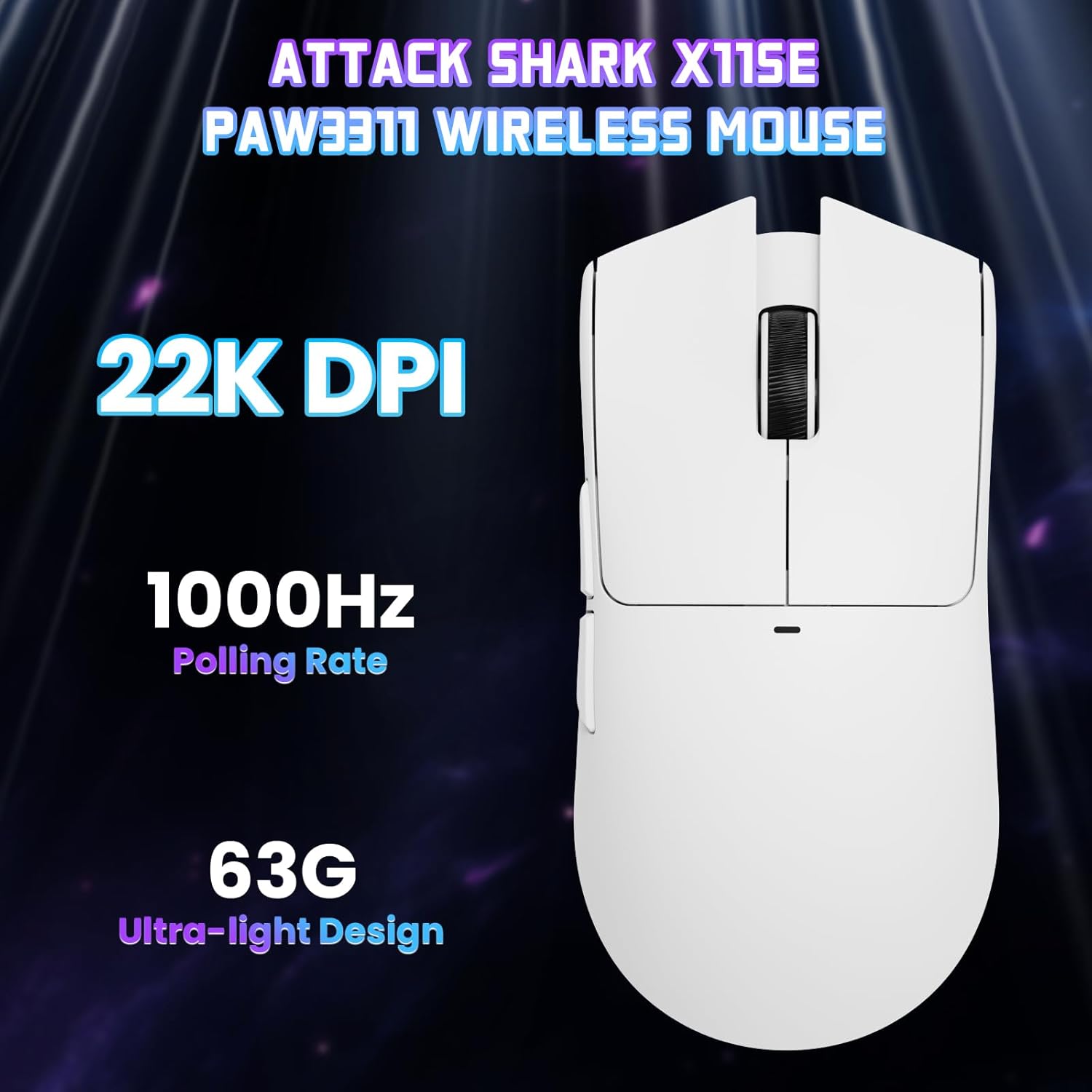
Image : Vue de dessus view of the ATTACK SHARK X11SE mouse, emphasizing its 22,000 DPI capability and 1000Hz polling rate for high-performance gaming.
4. Personnalisation
The ATTACK SHARK X11SE mouse offers extensive customization options through its dedicated software. This allows you to personalize button assignments, DPI settings, polling rate, and create macros.
Installation du pilote :
The mouse supports two drivers:
- Web Conducteur: Accès via http://szslxd-tech.com/#/
- ATTACK SHARK Proprietary Driver: Télécharger depuis https://attackshark.com/pages/dirver-download
Download and install the preferred driver software on your Windows, macOS, or Linux system.
Les caractéristiques du logiciel:

Image: The ATTACK SHARK X11SE software interface, demonstrating options for mouse settings, DPI adjustments, parameter settings, macro editing, and personal profiles.
- Programmation des boutons : Reassign functions to any of the 5 buttons.
- Paramètres DPI : Créez un DPI personnalisé profiles and adjust sensitivity levels.
- Taux de sondage : Ajustez la fréquence d'interrogation pour une réactivité optimale.
- Éditeur de macros : Enregistrez et assignez des séquences de commandes complexes à un seul bouton.
- Profile Gestion: Save and switch between different profiles pour divers jeux ou applications.
5. Entretien
Nettoyage:
- Utilisez un chiffon doux et sec pour essuyer la surface de la souris.
- Pour les saletés tenaces, appliquez légèrementampNettoyez le chiffon avec de l'eau ou une solution nettoyante douce. Évitez les produits chimiques agressifs.
- Clean the optical sensor area on the bottom of the mouse with a cotton swab to ensure accurate tracking.
Entretien de la batterie:
- Évitez de décharger complètement la batterie fréquemment afin de prolonger sa durée de vie.
- Rangez la souris dans un endroit frais et sec lorsqu'elle n'est pas utilisée pendant une période prolongée.
6. Dépannage
Problèmes courants et solutions :
- Souris ne répondant pas :
- Assurez-vous que la souris est chargée.
- Check the mode switch on the bottom of the mouse to ensure it's in the correct mode (2.4G, BT, or Wired).
- For 2.4GHz mode, ensure the USB receiver is securely plugged in. Try a different USB port.
- For Bluetooth mode, ensure Bluetooth is enabled on your device and the mouse is paired correctly. Try re-pairing.
- En mode filaire, assurez-vous que le câble USB-C est correctement connecté.
- DPI inchangé :
- Press the DPI switch on the bottom of the mouse.
- If using custom DPI settings, ensure the driver software is running and the correct profile est actif.
- Connexion lente ou intermittente :
- Ensure the mouse is close to the USB receiver (for 2.4GHz) or your device (for Bluetooth).
- Évitez les interférences provenant d'autres appareils sans fil.
- Assurez-vous que la batterie de la souris est suffisamment chargée.
- Update mouse drivers if available.
7. Spécifications
| Fonctionnalité | Spécification |
|---|---|
| Marque | ATTAQUER LE REQUIN |
| Nom du modèle | X11SE |
| Couleur | Blanc |
| Technologie de connectivité | 2.4 GHz Wireless/USB-C Wired/Bluetooth |
| Caractéristiques spéciales | 63g ultralight, BK52820 Chip, TTC Encoder, Dual Driver |
| Technologie de détection de mouvement | Optique (PixArt PAW3311) |
| Nombre de boutons | 5 |
| Orientation de la main | Ambidextre |
| Utilisation recommandée du produit | Jeux d'ordinateur |
| Appareils compatibles | Desktop Computer, MAC |
| Système opérateur | Windows, macOS, Linux |
| Nombre de batteries | 1 lithium polymère (inclus) |
| Source d'énergie | Alimenté par batterie |
| Maximum Mouse Sensitivity | 22000 DPI |
| Gamme | 300 centimètres |
| Style | Ergonomique |
| Matériel | Plastique |
| Pays d'origine | Chine |
| Composants inclus | USB-C Cable, Manual, Grip Tape |
| Code UPC | 752010613663 |
8. Garantie et assistance
Informations sur la garantie :
The ATTACK SHARK X11SE Wireless Gaming Mouse comes with a six-month warranty from the date of purchase. Please retain your proof of purchase for warranty claims.
Téléchargements de pilotes :
For the latest drivers and software updates, please visit:
- Web Conducteur: http://szslxd-tech.com/#/
- ATTACK SHARK Driver: https://attackshark.com/pages/dirver-download
Related Product Video:
Vidéo : Une vidéo officielle du vendeurasing the ATTACK SHARK X11 Mouse, demonstrating its features and functionality. While specifically for the X11, it provides relevant insights into the X11SE's design and operation.