
1. Introduction
The EDIFIER MP330 is a portable Bluetooth speaker designed to deliver a high-quality audio experience with its retro aesthetic and advanced features. It supports Hi-Res audio and offers versatile connectivity options.

Image: The EDIFIER MP330 portable Bluetooth speaker, showcasing its brown finish and integrated leather handle.
2. Contenu du colis
Veuillez cocher la case correspondant aux éléments suivants :
- EDIFIER MP330 Speaker x 1
- Câble USB-C vers USB-C x 1
- Guide de démarrage rapide x 1
- Important Safety Information x 1

Image: A visual representation of the EDIFIER MP330 speaker and its included accessories: USB-C cable, quick start guide, and safety information.
3. Produit terminéview
3.1 Commandes et ports
The EDIFIER MP330 features intuitive controls and essential ports for various audio sources.
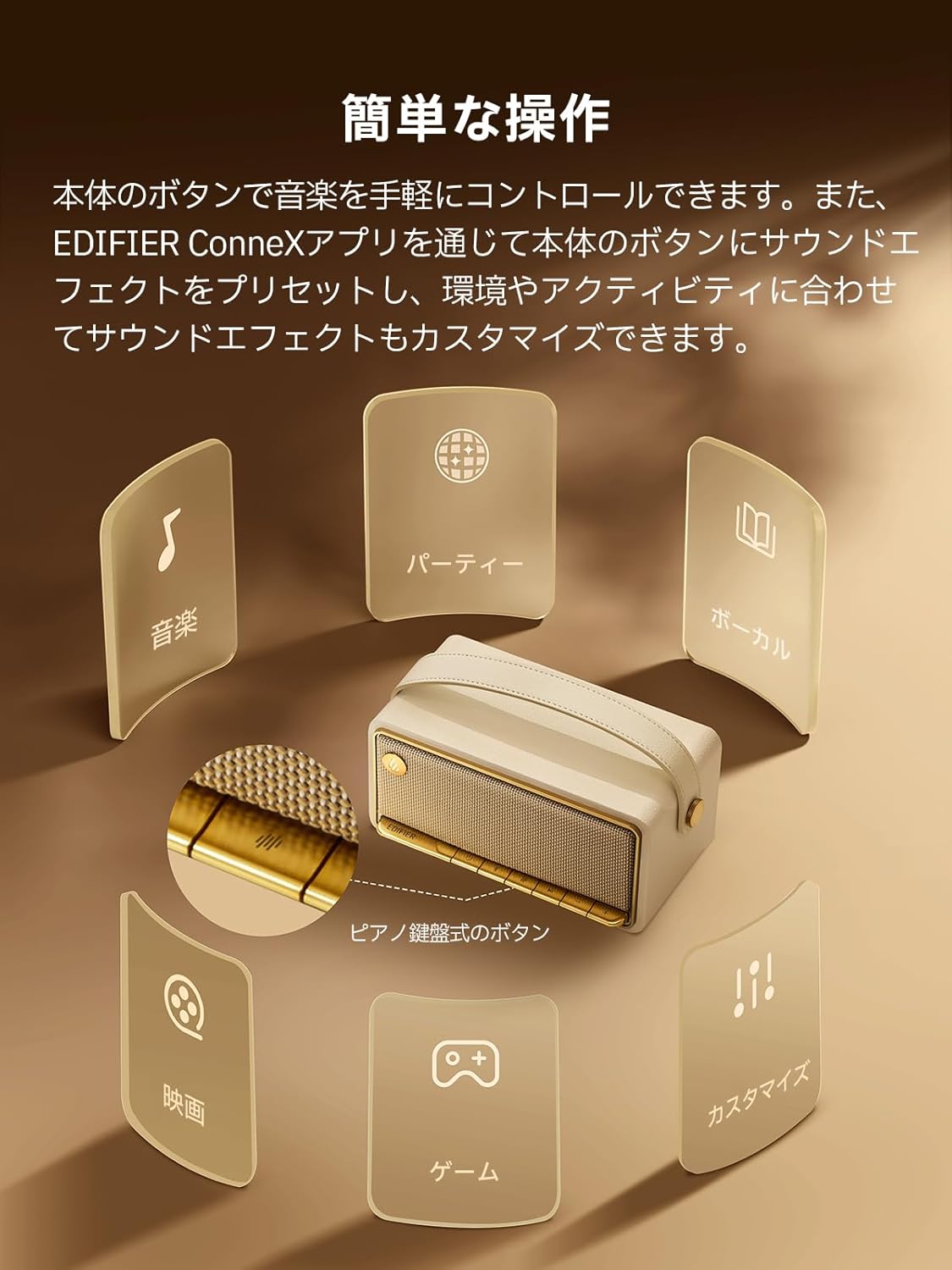
Image: A diagram illustrating the control buttons and indicator lights on the EDIFIER MP330 speaker, showing their functions for power, mode selection, playback, and volume.
- Bouton d'alimentation : Appuyez et maintenez pour allumer/éteindre.
- Bouton Mode : Short press to cycle through Bluetooth, USB-C, and microSD card input modes.
- Bouton Lecture/Pause : Appuyez brièvement pour lire ou mettre en pause l'audio.
- Bouton Volume +/Piste suivante : Appuyez brièvement pour augmenter le volume, appuyez longuement pour la piste suivante.
- Bouton de diminution du volume/piste précédente : Appui court pour baisser le volume, appui long pour revenir au morceau précédent.
- Port USB-C : For charging and audio input.
- Emplacement pour carte microSD : Pour la lecture audio files directly from a microSD card.
4. Installation
4.1 Chargement de l'enceinte
Before first use, fully charge the speaker using the provided USB-C cable and a compatible power adapter (not included). The indicator light will show charging status.
4.2 Mise sous/hors tension
- Pour allumer l'appareil : maintenez le bouton d'alimentation enfoncé jusqu'à ce que le voyant s'allume.
- Pour éteindre l'appareil : maintenez le bouton Marche/Arrêt enfoncé jusqu'à ce que le voyant s'éteigne.
4.3 Couplage Bluetooth
Pour connecter votre appareil via Bluetooth :
- Power on the MP330 speaker. The Bluetooth indicator will flash, indicating it is in pairing mode.
- Sur votre appareil (smartphone, tablette, etc.), activez le Bluetooth et recherchez les appareils disponibles.
- Select "EDIFIER MP330" from the list of devices.
- Une fois connecté, l'indicateur Bluetooth restera fixe.
4.4 Connexion multipoint
The MP330 supports connecting to two Bluetooth devices simultaneously. After connecting the first device, put the speaker back into pairing mode and connect the second device. You can then switch between audio sources by pausing playback on one device and starting it on the other.

Image: Two mobile phones displaying music playback interfaces, indicating a multipoint Bluetooth connection to the EDIFIER MP330 speaker.
4.5 Appairage stéréo (TWS)
For an enhanced stereo sound experience, you can pair two MP330 speakers together:
- Ensure both MP330 speakers are powered on and not connected to any Bluetooth device.
- On one speaker, press and hold the Bluetooth button until it enters TWS pairing mode (indicator light will flash a specific pattern).
- The two speakers will automatically connect to each other. One speaker will become the left channel and the other the right.
- Une fois appariés, connectez votre appareil à l'enceinte principale via Bluetooth comme décrit dans la section 4.3.

Image: Two EDIFIER MP330 speakers, one black and one ivory, positioned to illustrate stereo pairing, with a Bluetooth logo and arrows indicating connection.
5. Mode d'emploi
5.1 Changement de mode d'entrée
Short press the Mode button to switch between Bluetooth, USB-C, and microSD card input modes. The indicator light will change color to reflect the active mode.
5.2 USB-C Audio Playback
Connect the MP330 to your computer using the provided USB-C cable. The speaker will automatically switch to USB-C audio mode. Select "EDIFIER MP330" as the audio output device on your computer.

Image: A diagram showing the EDIFIER MP330 speaker connected to a computer via a USB-C cable, indicating USB-C audio playback.
5.3 microSD Card Playback
Insérez une carte microSD contenant de l'audio files into the microSD card slot. The MP330 will automatically switch to microSD card mode and begin playback.

Image: A diagram illustrating how to insert a microSD card into the dedicated slot on the EDIFIER MP330 speaker.
5.4 Using the EDIFIER Connex App
Download the EDIFIER Connex app to unlock extended features and customize your listening experience. The app allows you to:
- Changez de source d’entrée.
- Contrôler la lecture.
- Customize sound effects (equalizer presets or custom settings).
- Access the electronic user manual and other settings.

Image: Multiple smartphone screens displaying the EDIFIER Connex app interface, highlighting various control and customization options for the speaker.
6. Entretien
To ensure the longevity and optimal performance of your EDIFIER MP330 speaker, follow these maintenance guidelines:
- Nettoyage: Use a soft, dry cloth to clean the speaker's surface. Avoid using abrasive cleaners, solvents, or strong chemicals, as they may damage the finish.
- Stockage: Rangez l'enceinte dans un endroit frais et sec, à l'abri de la lumière directe du soleil, des températures extrêmes et d'une forte humidité.
- Exposition à l'eau : The speaker is not waterproof. Avoid exposing it to water, rain, or excessive moisture.
- Manutention: Manipulez l'enceinte avec précaution. Évitez de la faire tomber ou de la soumettre à des chocs violents.
- Entretien de la batterie: Pour une durée de vie optimale de la batterie, évitez de la décharger complètement fréquemment. En cas de stockage prolongé, rechargez-la à environ 50 % tous les deux ou trois mois.
7. Dépannage
If you encounter issues with your EDIFIER MP330 speaker, refer to the following common troubleshooting steps:
- Pas d'alimentation :
- Assurez-vous que le haut-parleur est complètement chargé.
- Check if the power button is pressed and held correctly to turn on the device.
- Pas de son :
- Verify the volume level on both the speaker and your connected device.
- Ensure the correct input mode (Bluetooth, USB-C, microSD) is selected.
- Si vous utilisez le Bluetooth, assurez-vous que l'enceinte est correctement appariée et connectée à votre appareil.
- If using a microSD card, ensure the card is inserted correctly and contains playable audio files.
- Problèmes de couplage Bluetooth :
- Assurez-vous que l'enceinte est en mode de couplage Bluetooth (voyant clignotant).
- Désactivez et réactivez Bluetooth sur votre appareil.
- Rapprochez le haut-parleur de votre appareil et éloignez-le des sources d'interférences potentielles.
- Essayez de déconnecter puis de reconnecter l'enceinte depuis les paramètres Bluetooth de votre appareil.
- L'appairage stéréo ne fonctionne pas :
- Assurez-vous que les deux enceintes ne sont connectées à aucun autre appareil Bluetooth avant de lancer le jumelage TWS.
- Suivez attentivement les étapes d'appairage TWS (Section 4.5).
- Problèmes de connectivité des applications :
- Ensure Bluetooth is enabled and the speaker is connected to your device.
- Update the EDIFIER Connex app to the latest version.
- Redémarrez le haut-parleur et votre appareil.
If the problem persists after trying these steps, please contact Edifier customer support for further assistance.
8. Spécifications
Detailed technical specifications for the EDIFIER MP330 speaker:

Image: A comparison chart highlighting key specifications of the EDIFIER MP330 and MP230 models, including output power, Bluetooth version, battery capacity, playback time, and Hi-Res audio support.
| Fonctionnalité | Spécification |
|---|---|
| Nom du modèle | MP330 |
| Type de haut-parleur | Portable Speaker |
| Matériel | Bois (MDF) |
| Couleur | Brun |
| Puissance de sortie | 40 W RMS |
| Version Bluetooth | 6.0 |
| Capacité de la batterie | 4800mAh |
| Durée de lecture | Jusqu'à 19 heures (à 50% du volume) |
| Réponse en fréquence | 53 Hz-40 kHz |
| Audio haute résolution | Supported (up to 24bit/96kHz) |
| Connectivité | Bluetooth, USB-C, microSD card |
| Dimensions (L x P x H) | 20.7 x 11.6 x 10.1 cm |
| Poids | 1.13 kg |
| Méthode de contrôle | Application, bouton poussoir |
| Rapport signal sur bruit (S/N) | 85 dB |

Image: A technical drawing showing the dimensions (width, depth, height) and weight of the EDIFIER MP330 speaker.
9. Garantie et assistance
For warranty information, please refer to the warranty card included in your product packaging or visit the official Edifier website. If you require technical support or have questions about your EDIFIER MP330 speaker, please contact Edifier customer service through their official channels.
Edifier Officiel Website: www.edifier.com