
1. Introduction
This manual provides essential information for the safe and effective use of your Philips 2200 Series AC2220/10 Air Purifier. Please read it thoroughly before operating the appliance and retain it for future reference.
The Philips 2200 Series AC2220/10 Air Purifier is designed to improve indoor air quality by filtering out various airborne pollutants, allergens, and odors. It features a multi-layer filtration system, intelligent sensing technology, and quiet operation.
2. Informations importantes sur la sécurité
Read all instructions carefully before use. Failure to follow these instructions may result in electric shock, fire, or injury.
- Assurer le voltage indiqué sur l'appareil correspond au volume d'alimentation localtage avant de connecter.
- N’utilisez pas l’appareil si la prise, le cordon d’alimentation ou l’appareil lui-même sont endommagés.
- Tenez l'appareil éloigné de l'eau et de tout autre liquide. Ne l'immergez pas dans l'eau.
- Cet appareil n'est pas destiné à être utilisé par des personnes (y compris les enfants) ayant des capacités physiques, sensorielles ou mentales réduites, ou manquant d'expérience et de connaissances, à moins qu'elles ne bénéficient d'une surveillance ou d'instructions concernant l'utilisation de l'appareil par une personne responsable de leur sécurité.
- Les enfants doivent être surveillés pour s’assurer qu’ils ne jouent pas avec l’appareil.
- Ne bloquez pas les entrées ou sorties d’air.
- Débranchez toujours l'appareil avant de le nettoyer ou d'effectuer toute opération d'entretien.
- Use only original Philips replacement filters (FY2200) for optimal performance.
3. Produit terminéview
3.1. Appliance Components
The Philips 2200 Series AC2220/10 Air Purifier consists of the main unit, a multi-layer filter system, and a power cord.
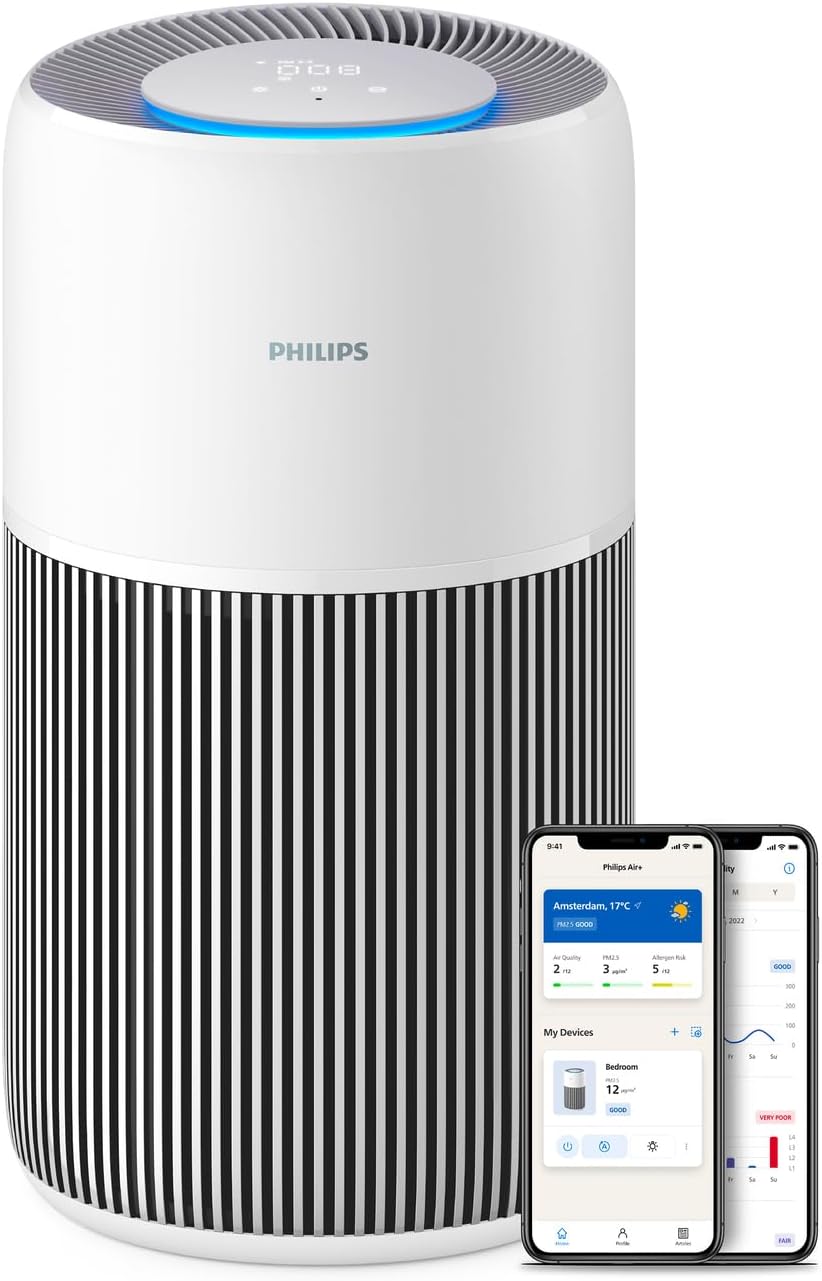
Figure 1 : Philips 2200 Series AC2220/10 Air Purifier. The image shows the cylindrical white and black air purifier with a digital display on top, alongside two smartphones displaying the Philips Air+ app interface.
3.2. Panneau de commande et indicateurs
The control panel is located on the top of the appliance and features touch controls and a digital display for real-time air quality information.
- Bouton d'alimentation : Allume ou éteint l'appareil.
- Bouton Mode : Cycles through different operating modes (Auto, Sleep, Manual).
- Indicateur de vitesse du ventilateur : Affiche le réglage actuel de la vitesse du ventilateur.
- Affichage PM2.5 : Shows the real-time PM2.5 level in the room.
- Anneau lumineux de la qualité de l'air : Changes color to indicate air quality (e.g., blue for good, red for poor).
- Indicateur de remplacement du filtre : Illuminates when the filter needs replacement.

Figure 2 : The top control panel of the air purifier, showing the digital display and touch controls. The display shows numerical values and a blue light ring, indicating current air quality and settings.
4. Configuration et installation
4.1. Déballage et préparation du filtre
- Retirez l'appareil de son emballage.
- Open the filter cover (usually at the bottom or back of the unit).
- Remove all packaging materials from the filter(s). The filter is typically wrapped in plastic for protection during shipping.
- Insert the filter(s) back into the appliance. Ensure they are correctly seated.
- Fermez bien le couvercle du filtre.

Figure 3 : A person's hands are shown inserting the cylindrical filter into the base of the Philips air purifier. This illustrates the filter installation process.
4.2. Placement
Place the air purifier on a stable, flat surface. Ensure there is sufficient space (at least 20 cm) around the air inlets and outlets for effective air circulation.
4.3. Connexion électrique
Plug the power cord into a wall outlet. The appliance is now ready for operation.
4.4. Connecting to Philips Air+ App
For enhanced control and monitoring, download the Philips Air+ app from your device's app store. Follow the in-app instructions to pair your air purifier. This allows for remote control, real-time air quality tracking, and smart scheduling.

Figure 4 : A person is shown holding a smartphone displaying the Philips Air+ app, with the air purifier visible in the background. The app interface shows air quality data and control options, demonstrating remote control capabilities.
5. Mode d'emploi
5.1. Marche/Arrêt
Appuyez sur le bouton marche/arrêt du panneau de commande pour allumer ou éteindre l'appareil.
5.2. Modes de fonctionnement
Press the mode button to cycle through the available operating modes:
- Mode automatique: The appliance automatically adjusts fan speed based on real-time air quality detected by the AeraSense sensor.
- Mode veille: Operates at the lowest fan speed with reduced display brightness for quiet operation, ideal for nighttime use. Noise level is approximately 13 dB(A).
- Mode manuel : Allows you to manually select a desired fan speed.

Figure 5 : The air purifier is shown in a bedroom setting, with a graphic illustrating its low noise output in Sleep Mode (13 dB) compared to other sounds like rustling leaves or library noise. This highlights the quiet operation feature.
5.3. Nightlight Function
The appliance may feature a gentle nightlight. Refer to the app or specific product documentation for activation and customization of this feature, often integrated with Sleep Mode.
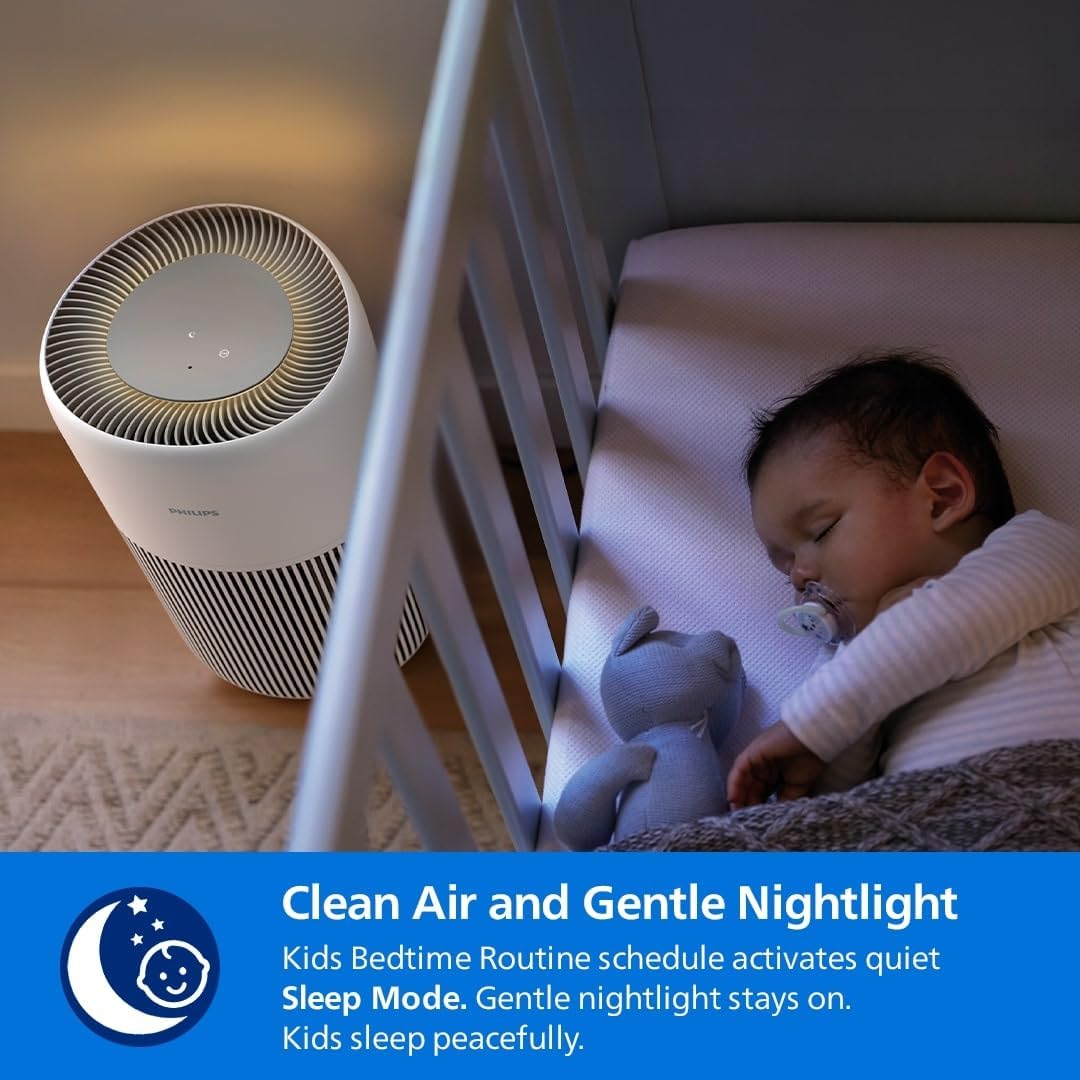
Figure 6 : The air purifier is positioned beside a baby's crib, emitting a soft glow from its top panel, indicating the gentle nightlight feature. This image emphasizes its suitability for use in children's rooms.
6. Entretien
Un entretien régulier garantit des performances optimales et prolonge la durée de vie de votre purificateur d'air.
6.1. Nettoyage de l'appareil
- Débranchez toujours l’appareil avant de le nettoyer.
- Wipe the exterior surface with a soft, dry cloth. Do not use abrasive cleaners or solvents.
- Nettoyez les grilles d'entrée et de sortie d'air avec une brosse douce ou un aspirateur pour enlever la poussière.
6.2. Filter Replacement (FY2200)
The Philips 2200 Series AC2220/10 uses a 3-layer HEPA NanoProtect + Active Carbon Filter (model FY2200). The filter has an estimated lifespan of up to 3 years, depending on usage and air quality. The appliance will indicate when a filter replacement is due.
- Débranchez le purificateur d’air.
- Ouvrez le couvercle d'accès au filtre.
- Remove the used filter. Dispose of it according to local regulations.
- Unpack the new Philips FY2200 filter and insert it into the appliance.
- Fermez le couvercle d'accès au filtre.
- Plug in the appliance and reset the filter lifetime counter (refer to the app or specific product instructions for reset procedure).
Figure 7 : A person's hands are shown inserting the cylindrical filter into the base of the Philips air purifier. This image is relevant for both initial installation and replacement.

Figure 8 : A close-up of the Philips air purifier filter, highlighting its long-lasting nature with a "36M" (36 months) icon, indicating its extended lifespan.
7. Dépannage
| Problème | Cause possible | Solution |
|---|---|---|
| L'appareil ne s'allume pas. | Power cord not properly plugged in. No power at the outlet. | Vérifiez le branchement du cordon d'alimentation. Testez la prise avec un autre appareil. |
| La qualité de l'air ne s'améliore pas. | Filter is dirty or incorrectly installed. Room size exceeds capacity. Air inlets/outlets blocked. | Check and replace filter if necessary. Ensure proper filter installation. Verify room size is within 104m². Clear any obstructions. |
| Unusual noise from the appliance. | Filtre mal installé. Corps étranger à l'intérieur. | Ensure filter is securely in place. Unplug and check for any foreign objects. |
| Filter replacement indicator remains on after replacement. | Filter lifetime counter not reset. | Reset the filter lifetime counter via the control panel or Philips Air+ app. |
8. Spécifications
- Modèle: AC2220/10
- Marque: Philips
- Zone de couverture : Up to 104 m² (CADR 400 m³/h)
- Filtration: 3-layer HEPA NanoProtect + Active Carbon Filter
- Compatible Filter: Exercice 2200
- Niveau de bruit : As low as 13 dB(A) (Sleep Mode)
- Source d'alimentation : Électrique avec fil
- Méthode de contrôle : Touch, Philips Air+ App
- Dimensions (L x l x H) : 28 cm x 28 cm x 48.6 cm
- Poids de l'article : 4.1 kg
- Certifications: AHAM Certified, ECARF Certified
9. Garantie et assistance
For detailed warranty information, please refer to the warranty card included with your product or visit the official Philips website. If you encounter any issues or require assistance, please contact Philips customer support.
You can find contact information and frequently asked questions on the Philips support website: www.philips.com/support


