
Introduction
This manual provides essential information for the safe and efficient use of your Samsung QLED 4K Vision AI Smart TV, model QE50Q8FAAUXZT. Please read these instructions thoroughly before operating the device and retain them for future reference.
Contenu du colis
Vérifiez que tous les composants sont présents dans la boîte :
- 1x Samsung Smart TV 50'' Serie Q8F, QLED 4K
- 1x câble d'alimentation
- 1x Standard Remote Control
- 1x Solar-powered Remote Control
- 1x Manuel d'utilisation (ce document)
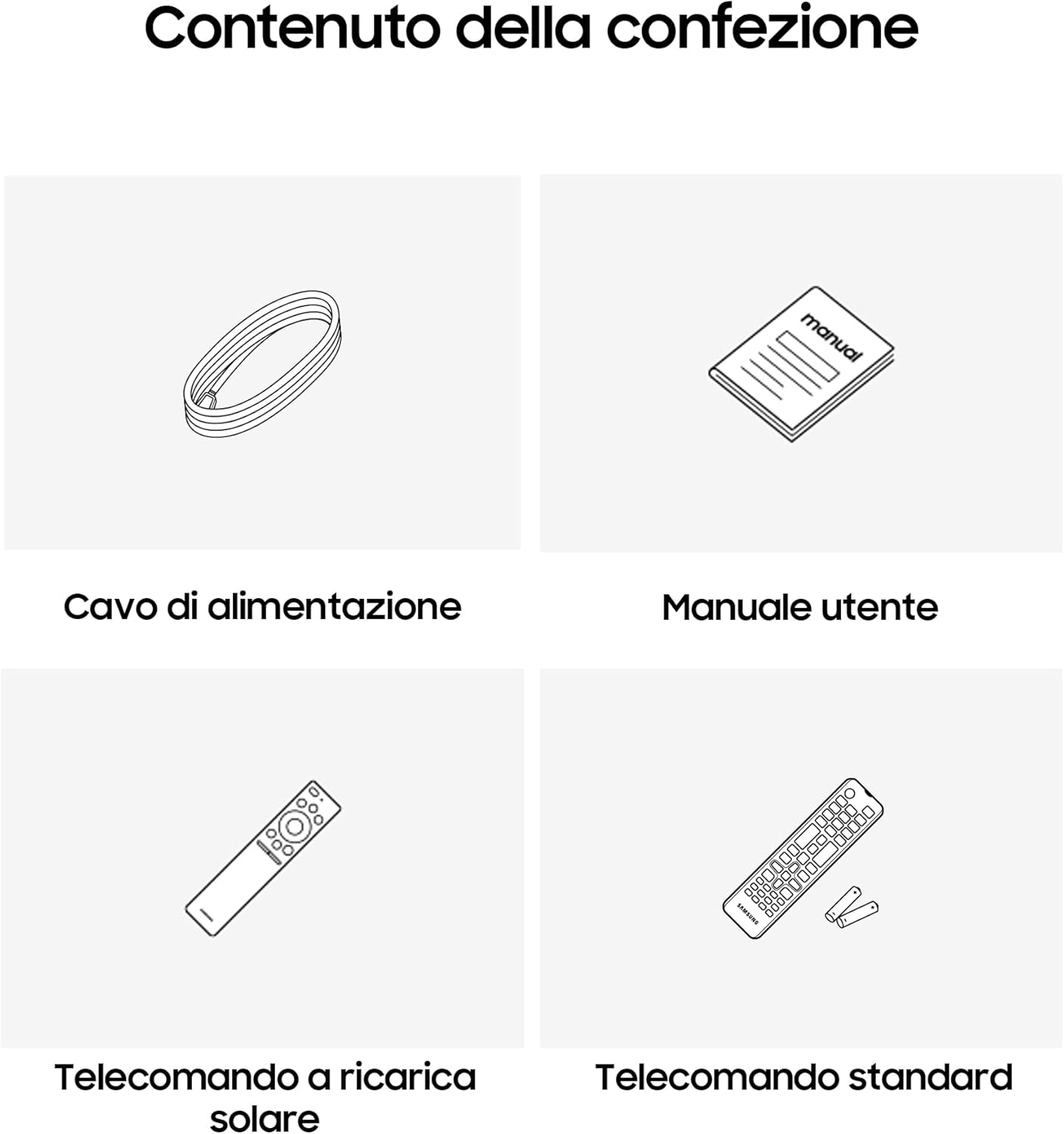
Image: Diagram showing the included items: power cable, user manual, solar-powered remote, and standard remote.
Installation
Déballage et placement
Retirez délicatement le téléviseur de son emballage. Placez-le sur une surface stable et plane ou fixez-le au mur à l'aide d'un support VESA compatible (vendu séparément). Assurez une ventilation adéquate autour du téléviseur.
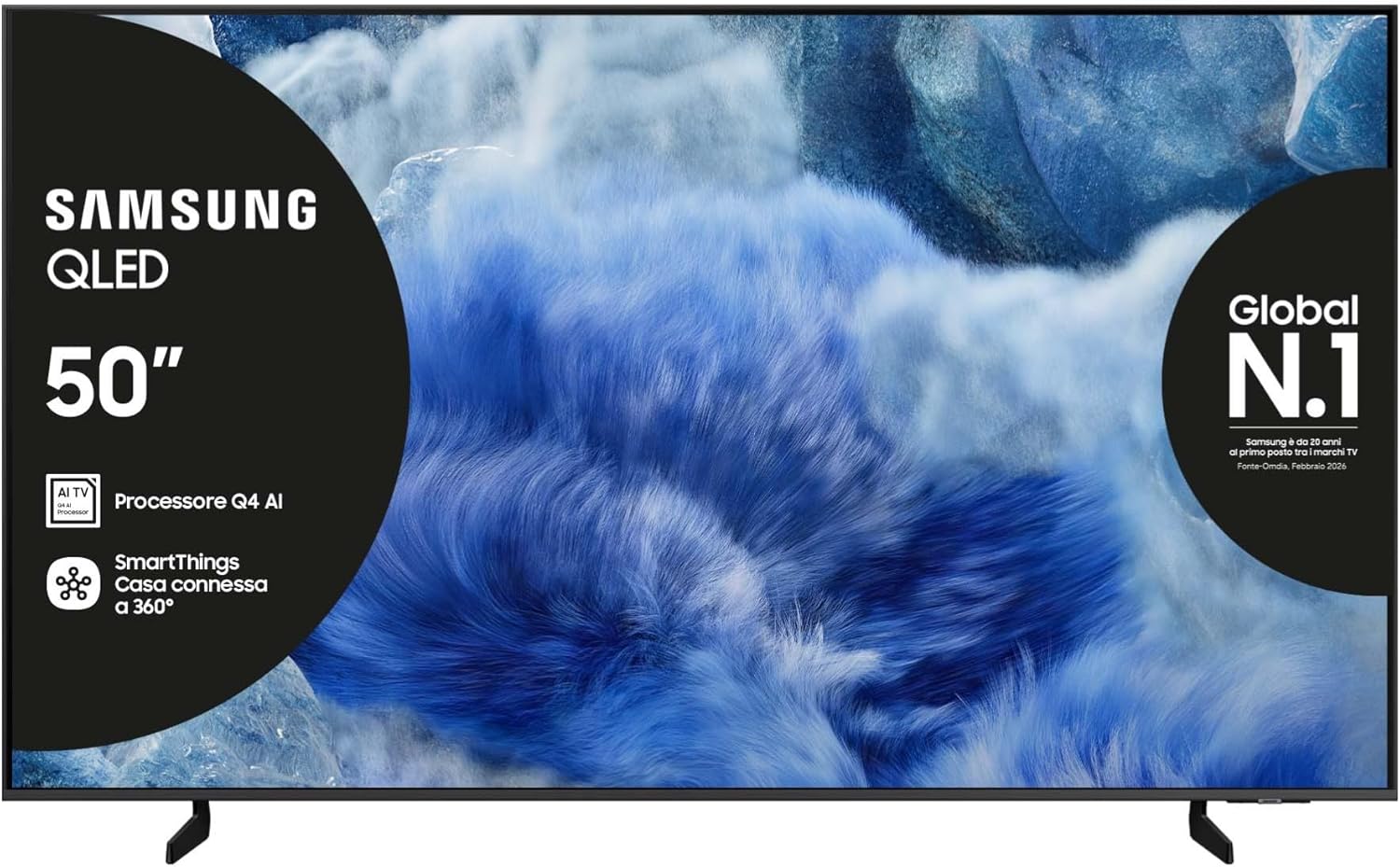
Image : Avant view of the Samsung QLED TV with its stand.

Image : Côté view of the Samsung QLED TV, showcasing its Air Slim Design.
Connexion des périphériques
Connectez vos appareils externes (par exemple, décodeur câble, lecteur Blu-ray, console de jeux) aux ports appropriés situés à l'arrière du téléviseur.

Image: Rear panel connections of the TV, showing HDMI, USB, LAN, and antenna ports.
- HDMI: For high-definition audio and video devices. The TV features multiple HDMI ports, including HDMI 3 with eARC support.
- USB: Pour connecter des périphériques de stockage USB.
- LAN: Pour connexion Internet filaire.
- FOURMI DANS : Pour connecter une antenne ou un câble.
Connexion électrique
Branchez le câble d'alimentation à l'entrée d'alimentation du téléviseur, puis à une prise murale.
Assistant de configuration initiale
Lors de la première mise en marche, le téléviseur vous guidera tout au long du processus de configuration initiale, notamment la sélection de la langue, la connexion réseau et la recherche des chaînes.
Utilisation du téléviseur
Fonctions de la télécommande
Your TV comes with two remote controls. The solar-powered remote offers convenience and reduces battery waste. Familiarize yourself with the buttons for power, volume, channel, navigation, and smart features.

Image: The Samsung Vision AI Companion interface displayed on the TV screen, alongside a remote control, illustrating voice command capabilities.
Smart Hub and AI Features
Access the Smart Hub for applications, streaming services, and connected devices. The Q4 AI Processor enhances picture and sound quality through 4K Upscaling and AI Mode. Utilize Vision AI for personalized entertainment and real-time suggestions.

Image : Une image détaillée view of the Samsung Q4 AI Processor chip, emphasizing its role in 4K upscaling and optimizing visual and audio experience.

Image: Icons representing Samsung Knox Security, SmartThings, Samsung Vision AI, and Endless Free Content, highlighting key features of the TV's ecosystem.
Paramètres d'image et de son
Adjust picture modes (e.g., Standard, Dynamic, Movie) and sound settings (e.g., Standard, Adaptive Sound, OTS Lite) to suit your preferences. OTS Lite provides 3D surround sound, and Q-Symphony synchronizes TV speakers with a compatible soundbar.

Image: A vibrant image on the QLED screen, illustrating the 100% Color Volume with Quantum Dot technology for optimal viewing.
Centre de jeux
Access the Gaming Hub to play games from various platforms directly on your TV, enhanced by Motion Xcelerator for smooth visuals.
Entretien
Nettoyer le téléviseur
Gently wipe the screen and frame with a soft, dry, lint-free cloth. Do not use abrasive cleaners or solvents. For stubborn marks, lightly dampet le chiffon avec de l'eau.
Mises à jour logicielles
Ensure your TV's software is up to date for optimal performance and security. Updates can be performed via the TV's settings menu or automatically when connected to the internet.
Dépannage
Pas de courant
- Vérifiez que le câble d'alimentation est bien branché à la fois au téléviseur et à la prise murale.
- Vérifiez le bon fonctionnement de la prise murale en y branchant un autre appareil.
Pas d'image ou de son
- Assurez-vous que la source d'entrée correcte est sélectionnée.
- Vérifiez que toutes les connexions des câbles (HDMI, antenne, etc.) ne sont pas desserrées.
- Redémarrez le téléviseur et tous les appareils connectés.
La télécommande ne fonctionne pas
- For the solar-powered remote, ensure it has sufficient light exposure to charge.
- For the standard remote, replace the batteries if necessary.
- Assurez-vous qu'aucun obstacle ne se trouve entre la télécommande et le téléviseur.
Problèmes de connexion réseau
- Redémarrez votre routeur et votre modem.
- Check the Wi-Fi password if connecting wirelessly.
- If using a wired connection, ensure the LAN cable is properly connected.
Caractéristiques
| Fonctionnalité | Spécification |
|---|---|
| Taille de l'écran | 50 pouces |
| Technologie d'affichage | QLED |
| Résolution | 4K (3840 x 2160) |
| Taux de rafraîchissement | 50 Hz |
| Processeur | Processeur d'IA Q4 |
| Connectivité | Bluetooth, Ethernet, HDMI (multiple, dont eARC), USB, Wi-Fi |
| Caractéristiques spéciales | Built-in Speaker, Multi-voice Assistant, Browser, Parental Controls, Flat Panel |
| Rapport hauteur/largeur | 16:9 |
| Dimensions du produit (LxPxH) | 111.8 cm x 23.9 cm x 70.2 cm (avec support) |

Image: Energy label for the Samsung QE50Q8FAAU, indicating an energy class of E and power consumption details. More details can be found at eprel.ec.europa.eu/qr/2204814.

Image: Detailed product information sheet, including supplier name, model identification, energy efficiency classes, power consumption, display technology, screen dimensions, and other technical data.
Garantie et assistance
Your Samsung TV is covered by a manufacturer's warranty. Please refer to the warranty card included in your package for specific terms and conditions. For technical support, service, or warranty claims, please contact Samsung Customer Service.
Coordonnées:
- Fournisseur: Samsung
- Adresse du fournisseur : Public Contact, Samsung PO Box 12987, Blackrock, Co Dublin Ireland
- Website: www.samsung.com (general web(Le lien d'assistance spécifique peut varier selon la région.)
- E-mail: eprel@samsung.com (for EPREL related inquiries)
The product information sheet indicates a minimum availability of spare parts for 7 years and minimum support for product software for 7 years.