
1. Introduction
Welcome to your Karlsson Brisk Alarm Clock. This manual provides detailed instructions for the proper setup, operation, and maintenance of your new timepiece. Please read this manual thoroughly before use and retain it for future reference.
1.1 Contenu du paquet
- Karlsson Brisk Alarm Clock (Dark Grey)
- Support intégré
- Manuel de l'utilisateur (ce document)

Figure 1 : Face avant view of the Karlsson Brisk Alarm Clock, Dark Grey.
2. Installation
2.1 Insertion de la batterie
The Karlsson Brisk Alarm Clock requires one AA battery (not included) for operation.
- Localisez le compartiment à piles à l'arrière de l'horloge.
- Open the battery compartment cover by sliding or gently prying it open.
- Insert one AA battery, ensuring the correct polarity (+/-) as indicated inside the compartment.
- Fermez soigneusement le couvercle du compartiment à piles.

Figure 2 : Retour view de l'horloge, mettant en évidence le compartiment des piles et les boutons de commande.
2.2 Réglage de l'heure
Once the battery is inserted, set the current time:
- Locate the time setting knob (usually the rightmost knob) on the back of the clock (refer to Figure 2).
- Gently turn this knob clockwise or counter-clockwise to adjust the hour and minute hands to the current time.
3. Utilisation du réveil
3.1 Réglage de l'alarme
Pour régler l'heure de votre alarme :
- Locate the alarm setting knob (usually the leftmost knob) on the back of the clock (refer to Figure 2).
- Turn the alarm setting knob to move the small alarm hand to your desired alarm time.
- Ensure the alarm ON/OFF switch (located on the back, typically a slider) is in the "ON" position to activate the alarm.
3.2 Turning the Alarm On/Off
Use the ON/OFF switch on the back of the clock to activate or deactivate the alarm function.
- Slide the switch to "ON" to enable the alarm. The alarm will sound at the set time.
- Slide the switch to "OFF" to disable the alarm. The alarm will not sound.
4. Entretien
4.1 Nettoyage
To clean the clock, gently wipe the surface with a soft, dry cloth. Do not use abrasive cleaners, chemical solvents, or excessive moisture, as these may damage the finish or internal components.
4.2 Remplacement de la batterie
Replace the AA battery when the clock hands slow down or stop moving, or if the alarm sound weakens. Follow the "Inserting the Battery" instructions in Section 2.1.
5. Dépannage
| Problème | Cause possible | Solution |
|---|---|---|
| L'horloge ne fonctionne pas / Les aiguilles ne bougent pas | Battery incorrectly inserted or depleted. | Vérifiez la polarité de la pile. Remplacez-la par une pile AA neuve. |
| L'alarme ne sonne pas | Alarm switch is OFF, battery low, or alarm time incorrectly set. | Ensure alarm ON/OFF switch is in "ON" position. Replace battery. Verify alarm hand is set to the desired time. |
6. Spécifications
| Fonctionnalité | Détail |
|---|---|
| Marque | Karlsson |
| Modèle | Brisk Alarm Clock |
| Couleur | Gris foncé |
| Matériel | Fer |
| Dimensions (L x H x P) | 11 cm x 13.8 cm x 6.5 cm |
| Poids | 300 g |
| Source d'énergie | 1 piles AA (non incluses) |
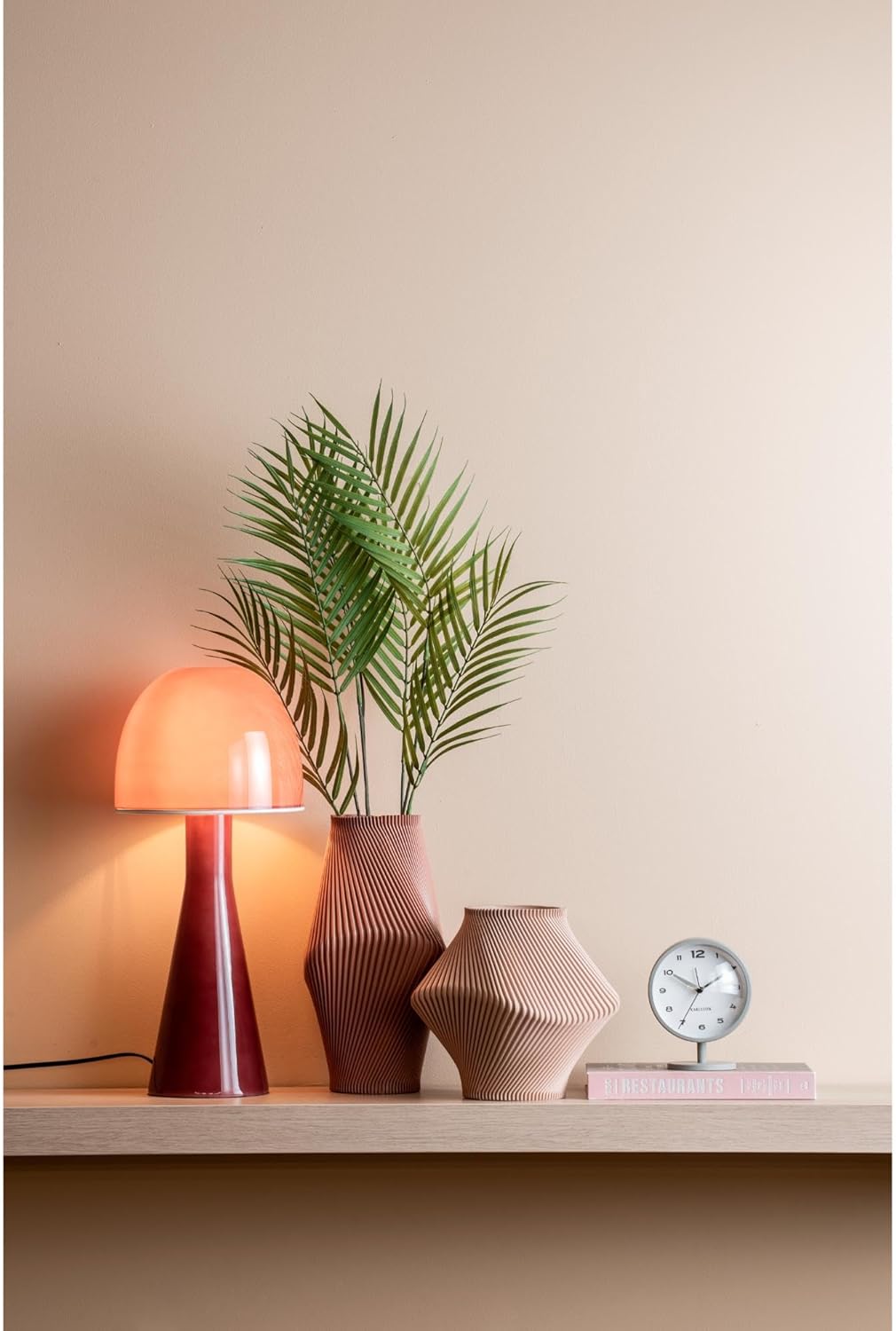
Figure 3: The Karlsson Brisk Alarm Clock displayed in a contemporary interior, illustrating its size and aesthetic.
7. Garantie et assistance
For warranty information, technical support, or service inquiries, please refer to the retailer where the product was purchased. It is recommended to keep your proof of purchase for any warranty claims. You may also visit the official Karlsson website pour des ressources d’assistance supplémentaires.