
Samsung E1SAMQN55S95F
Manuel d'utilisation du téléviseur intelligent Samsung OLED 4K S95F de 55 pouces (2025)
Model: E1SAMQN55S95F
Introduction
This manual provides detailed instructions for the setup, operation, maintenance, and troubleshooting of your Samsung 55-inch OLED 4K S95F Smart TV (2025). This television features a NQ4 AI Gen3 Processor for enhanced picture and sound, OLED HDR Pro for vibrant contrast, and Glare-Free technology for an optimal viewing experience. Please read this manual thoroughly to ensure proper use and to maximize your television's capabilities.
Déballage et contenu du colis
Carefully unpack your new Samsung S95F OLED TV. Ensure all components listed below are present before proceeding with setup.
- Samsung OLED 4K S95F Vision AI Smart TV (2025)
- Télécommande SolarCell (Modèle : TM2560E)
- One Connect Box
- Câble d'alimentation
- Manuel de l'utilisateur (ce document)
- Composants du stand
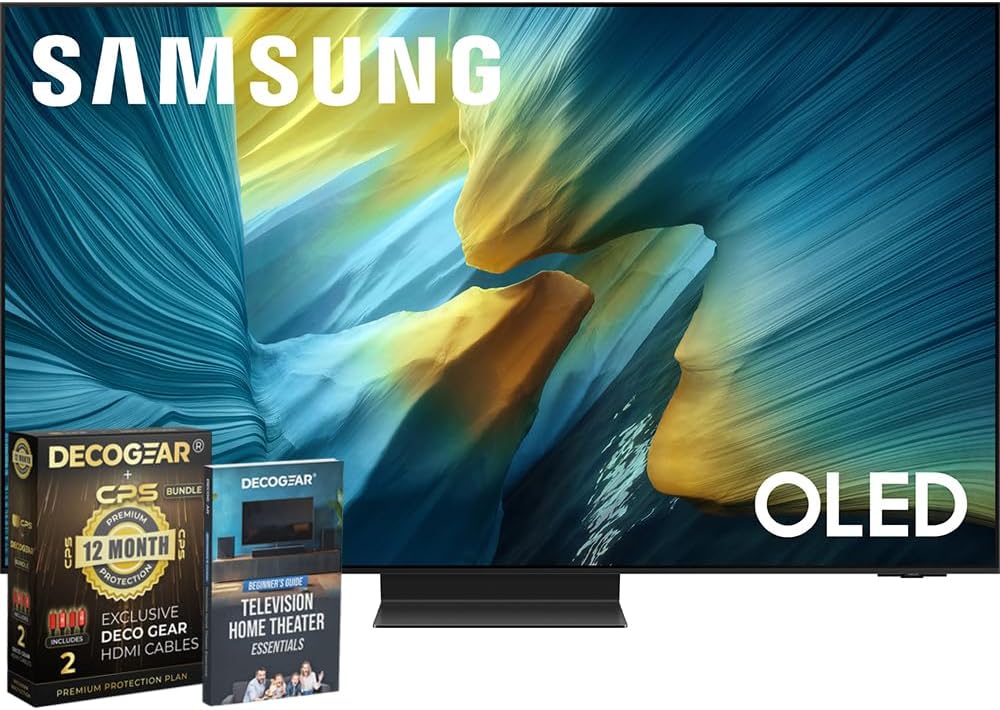
Figure 1: Samsung S95F OLED TV and included accessories.
Configuration et installation
1. Assemblage du support (facultatif)
If you are not wall-mounting the television, attach the stand according to the instructions provided in the separate stand assembly guide. Ensure all screws are securely fastened.
2. Connecting the One Connect Box
The One Connect Box centralizes all your connections. Connect the One Connect Cable from the TV to the One Connect Box. Then, connect your external devices (cable box, gaming console, Blu-ray player, etc.) to the appropriate HDMI ports on the One Connect Box.

Figure 2 : Arrière view of the One Connect Box showing various input ports.
3. Connexion électrique
Connect the power cable to the One Connect Box, and then plug the other end into a wall outlet. The TV will automatically power on or enter standby mode.
4. Configuration initiale
Follow the on-screen instructions to complete the initial setup, including network connection, channel scanning, and smart features configuration. Use the SolarCell Remote for navigation.
Mode d'emploi
Fonctionnalités de qualité d'image
The Samsung S95F OLED TV incorporates advanced technologies to deliver a superior visual experience.
- Processeur NQ4 AI Gen3 : This processor utilizes 128 neural networks to upscale content to 4K resolution, optimizing both picture and sound.
- OLED HDR Pro: Experience deep blacks and bright highlights for dramatic contrast and vivid detail.
- Technologie anti-éblouissement : The screen is designed to minimize reflections, allowing for clear viewing even in brightly lit rooms.
- Mise à l'échelle de l'IA 4K : Content that is not native 4K is intelligently upscaled to near-4K quality.

Figure 3: Glare-Free screen technology minimizes reflections for improved viewing.
Caractéristiques de la qualité sonore
The television's audio system is designed to complement its visual performance.
- Vision AI for Sound: The NQ4 AI Gen3 Processor also optimizes sound based on the content you are watching.
- Q-Symphonie : When paired with a compatible Samsung soundbar, Q-Symphony allows the TV speakers and soundbar to operate simultaneously for a more immersive audio experience.

Figure 4: Q-Symphony enhances audio by synchronizing TV and soundbar speakers.
Fonctionnalités intelligentes et système d'exploitation Tizen
The Samsung S95F runs on the Tizen OS, providing access to a wide range of streaming services, apps, and smart home integration.
- Téléviseur Samsung Plus : Accédez gratuitement aux chaînes de télévision en direct et aux contenus à la demande.
- Intégration SmartThings : Connectez et contrôlez vos appareils domotiques compatibles directement depuis votre téléviseur.
Fonctionnalités de jeu
For gamers, the S95F offers features designed for responsive and smooth gameplay.
- Motion Xcelerator 165 Hz : Supports up to 4K 165Hz for ultra-smooth motion and reduced blur.
- Taux de rafraîchissement variable (VRR) : Compatible with VRR technologies for tear-free and stutter-free gaming.
Produit terminéview Vidéo
Regardez ce produit officiel surview video for a visual demonstration of the Samsung S95F OLED TV's key features and design.
Video 1: Official Samsung S95D Product Overview, highlighting design and features.
Entretien
Nettoyage de l'écran
Essuyez délicatement l'écran avec un chiffon doux et sec en microfibre. Pour les traces tenaces, frottez légèrement.ampNettoyez le chiffon avec de l'eau distillée. Évitez d'utiliser des produits chimiques agressifs ou des matériaux abrasifs.
Cleaning the Frame and Stand
Use a soft, dry cloth to wipe dust from the TV frame and stand. Do not use liquid cleaners directly on the TV.
Mises à jour logicielles
Ensure your TV's software is up-to-date for optimal performance and security. Navigate to Settings > Support > Software Update to check for and install available updates.
Dépannage
| Problème | Solution possible |
|---|---|
| Pas de courant | Check if the power cable is securely connected to the TV/One Connect Box and the wall outlet. Ensure the outlet is functional. |
| Pas d'image/son | Verify that the correct input source is selected. Check all cable connections between the TV/One Connect Box and external devices. Restart connected devices. |
| La télécommande ne fonctionne pas | Check the remote's battery level. Ensure there are no obstructions between the remote and the TV. Re-pair the remote if necessary. |
| Mauvaise qualité d'image | Adjust picture settings (brightness, contrast, sharpness). Check the quality of the input source. Ensure the TV's software is updated. |
| Problèmes de connexion réseau | Redémarrez votre routeur et votre modem. Vérifiez votre mot de passe Wi-Fi. Si possible, essayez une connexion par câble Ethernet. |
Caractéristiques
| Fonctionnalité | Détail |
|---|---|
| Marque | Samsung |
| Numéro de modèle | E1SAMQN55S95F |
| Taille de l'écran | 54.6 pouces (classe 55 pouces) |
| Technologie d'affichage | OLED |
| Résolution | 4K (3840 x 2160) |
| Taux de rafraîchissement | 120 Hz (up to 165Hz with Motion Xcelerator) |
| Processeur | Processeur NQ4 AI Gen3 |
| Caractéristiques spéciales | Eye Comfort Mode, Glare Free, Motion Xcelerator 165Hz, OLED HDR Pro |
| Connectivité | Bluetooth, Wi-Fi, HDMI 2.1 (4 ports) |
| Poids de l'article | 52.7 livres |
| Dimensions du produit | 10.5"P x 48.2"L x 30.4"H |
Garantie et assistance
Your Samsung S95F OLED TV comes with a manufacturer's protection plan. Additionally, this bundle includes a 1-Year Extended Protection Plan. For detailed warranty information, please refer to the documentation provided with your purchase or visit the official Samsung support website.
For technical assistance, troubleshooting, or service requests, please contact Samsung Customer Support. Contact information can typically be found on the Samsung websur le site ou dans la documentation de votre produit.
Ask a question about this manual
Ask about setup, troubleshooting, compatibility, parts, safety, or missing instructions. Manuals+ will review the question and use this page’s manual context to help answer it.