
1. Introduction
This manual provides essential information for the setup, operation, maintenance, and troubleshooting of your ViewSonic IFP55G1 55-inch 4K UHD ViewBoard Interactive Display. Please read this manual thoroughly before using the product to ensure proper and safe operation.
Le ViewSonic IFP55G1 is a 55-inch 4K Ultra HD (3840x2160p) interactive display designed for educational and business environments. It features multi-point touch recognition, an OPS slot for external PCs, 10W dual speakers, and versatile connectivity options including HDMI, VGA, USB Hub, and USB-C inputs. Its OS-free design allows flexibility with various computing solutions.
Caractéristiques principales :
- Résolution Ultra HD : 55 Inch 4K Ultra HD (3840x2160p) interactive display for crisp visuals.
- Advanced Multi-Touch: Allows multiple users to write and interact simultaneously with fingers and passive pens.
- Connectivité flexible : Equipped with a powerful quad-core processor and versatile ports including HDMI, VGA, RJ45, and USB.
- OS-Free Design: Provides enhanced security and flexibility to integrate with your preferred operating system via external PC or OPS device.
- Write-Away Technology: Enables instant writing with the stylus without extended setup.
2. Contenu de la boîte
Verify that all items listed below are included in your package. If any items are missing or damaged, please contact your dealer immediately.
- ViewSonic IFP55G1 Interactive Display
- 3m USB 2.0 touch cable x 1
- Touch pen (Passive pen) x 2 (VB-PEN-002)
- Câble d'alimentation de 3 m
- HDMI 2.0 cable 3m x 1
- Guide de démarrage rapide + Déclaration de conformité
- Adaptateur RS232
- Screw (wall mount 4)
- Plaque de caméra
- Remote control with AAA battery (Optional)
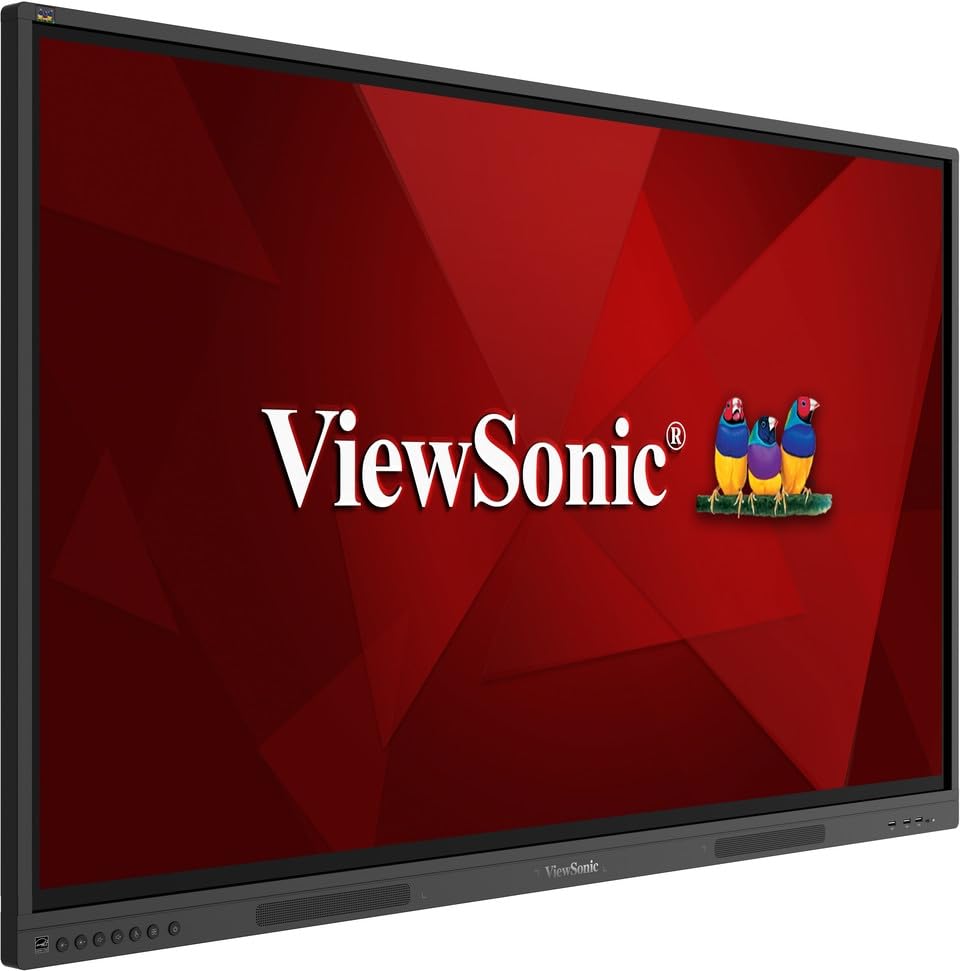
Image: ViewSonic IFP55G1 55-inch ViewBoard Interactive Display, front view.
3. Instructions de configuration
3.1 Montage de l'écran
The IFP55G1 can be wall-mounted or installed on a compatible mobile cart (sold separately). Ensure the mounting solution supports the display's weight (approximately 59.3 lbs / 26.9 kg) and dimensions (3.37 x 49.7 x 30.3 inches).
- For wall mounting, use the provided wall mount screws and ensure the wall structure is robust enough.
- Follow the instructions provided with your specific wall mount or mobile cart.
3.2 Connexion de périphériques
The display offers various ports for connecting external devices. Refer to the image below for port locations.

Image : Côté view de la ViewSonic IFP55G1 interactive display showing various input ports including HDMI, VGA, and USB.
- Connexion électrique : Connect the 3m power cable to the display and a grounded power outlet.
- Entrée vidéo: Connect your external PC or media player to the display using an HDMI 2.0 cable (provided), VGA cable, or USB-C cable. The display has 3 HDMI ports, 1 VGA port, and USB-C connectivity.
- Fonctionnalité tactile : For interactive touch features with an external PC, connect the 3m USB 2.0 touch cable from the display's USB-B (Touch) port to a USB-A port on your PC.
- Emplacement OPS : If using an optional ViewSonic Slot-in PC (OPS device), insert it into the dedicated OPS slot on the rear of the display. This provides an integrated computing solution.
- Réseau: Connectez un câble Ethernet au port RJ45 pour un accès réseau filaire.
- Périphériques USB : Use the available USB-A ports to connect USB drives, keyboards, mice, or other peripherals.

Image : La ViewSonic IFP55G1 display demonstrating connectivity with various external devices, including laptops and mini PCs, highlighting its 'Bring Your Own Devices' capability.
4. Mode d'emploi
4.1 Mise sous/hors tension
- Mise sous tension : Press the power button located on the display's front or side panel, or use the remote control. The display will power on and show the input source.
- Éteindre: Press the power button again. A confirmation message may appear; select 'Power Off'. For complete power disconnection, unplug the power cable.
4.2 Sélection de la source d'entrée
Use the 'Source' button on the display or remote control to cycle through available input sources (HDMI 1, HDMI 2, HDMI 3, VGA, USB-C, OPS).
4.3 Utilisation de la fonctionnalité tactile
Once the USB touch cable is connected to your external PC, the display will function as a multi-touch input device. You can use your fingers or the provided passive pens for interaction.
- Finger Touch: Use gestures similar to a tablet or smartphone for navigation, zooming, and drawing.
- Passive Pens: The two included passive pens (VB-PEN-002) allow for precise writing and drawing on the screen. The display's Write-Away technology enables instant use of the pens.

Image: A group of individuals collaborating around a ViewSonic IFP55G1 interactive display in a modern meeting room, demonstrating its multi-touch capabilities for instantaneous collaboration.
4.4 Contrôle audio
The display features integrated 10W dual speakers. Adjust volume using the remote control or the buttons on the display panel.
5. Entretien
5.1 Nettoyage de l'écran
- Écran: Essuyez délicatement l'écran avec un chiffon doux non pelucheux. Pour les taches tenaces, frottez légèrement.ampen the cloth with water or a non-abrasive, ammonia-free screen cleaner. Do not spray cleaner directly onto the screen.
- Casing: Essuyez le casinNettoyez avec un chiffon doux et sec. Évitez d'utiliser des produits chimiques agressifs ou des matériaux abrasifs.
5.2 Entretien général
- Évitez de placer des objets lourds sur l'écran.
- Do not block ventilation openings on the rear of the display.
- Tenez l'écran à l'écart de la lumière directe du soleil, des sources de chaleur et de l'humidité excessive.
6. Dépannage
Si vous rencontrez des problèmes avec votre ViewSonic IFP55G1, refer to the following common problems and solutions.
6.1 Aucun affichage / Écran noir
- Ensure the power cable is securely connected to both the display and a working power outlet.
- Verify that the display is powered on (power indicator light should be active).
- Check that the video cable (HDMI, VGA, USB-C) is securely connected to both the display and the source device (PC, OPS).
- Select the correct input source using the 'Source' button on the display or remote control.
- Ensure the source device (PC, OPS) is powered on and outputting a video signal.
6.2 Fonctionnalité tactile non fonctionnelle
- Confirm the USB touch cable is securely connected from the display's USB-B (Touch) port to a USB-A port on your external PC.
- Ensure your external PC's operating system has the necessary drivers installed for touch input.
- Restart both the display and the connected PC.
6.3 Pas de son
- Check the volume level on the display and the connected source device.
- Ensure the audio output from your source device is routed correctly to the display (e.g., via HDMI).
- If using an external audio system, ensure it is properly connected and powered on.
7. Spécifications
Vous trouverez ci-dessous les spécifications techniques du ViewSonic IFP55G1 interactive display.
| Fonctionnalité | Spécification |
|---|---|
| Marque | ViewSonique |
| Nom du modèle | IFP55G1 |
| Taille de l'écran | 55 pouces |
| Résolution d'affichage maximale | 3840x2160 Pixels (4K UHD) |
| Résolution native | 3840 x 2160 |
| Type d'affichage | Écran LCD |
| Rapport hauteur/largeur | 16:9 |
| Entrée par interface humaine | Écran tactile |
| Technologie de connectivité | Ethernet, HDMI, USB Type C, VGA |
| Total Number of HDMI Ports | 3 |
| Nombre total de ports USB | 9 |
| Interface de sortie vidéo | DisplayPort |
| Sortie audio | Integrated 10W Dual Speakers |
| Dimensions de l'article (LxlxH) | 3.37 x 49.7 x 30.3 pouces |
| Poids de l'article | 59.3 livres |
| Couleur | Noir |
| Caractéristiques spéciales | All-in-one USB port, Anti Glare Display, Light Sensor, Speakers, Touchscreen |
| Appareils compatibles | Ordinateur de bureau, ordinateur portable |
| Code UPC | 766907024654 |
8. Garantie et assistance
8.1 Informations sur la garantie
Le ViewSonic IFP55G1 interactive display comes with an industry-leading Garantie limitée de 3 ans on parts, labor, and backlight. Onsite warranty service may also be available. Please refer to the warranty card included in your package or visit the official ViewSonique website for detailed terms and conditions, and information on optional warranty extensions.
8.2 Assistance clientèle
Pour toute assistance technique, question sur les produits ou réclamation au titre de la garantie, veuillez contacter ViewSonic's award-winning customer service team. Contact information can be found on the official ViewSonique website ou dans le guide de démarrage rapide fourni avec votre produit.