
Macap MI40 Touch
Manuel d'utilisation du moulin à café instantané à meules Macap MI40 Touch
Model: MI40 Touch
Brand: Macap
1. Produit terminéview
The Macap MI40 Touch Instant Burr Coffee Grinder is a high-performance appliance designed for precise and consistent coffee grinding. Featuring 65mm flat burrs, a responsive 3.5-inch touchscreen, and multiple operating modes, it is suitable for various brewing methods from espresso to cold brew. Its robust construction ensures quiet operation and stability.
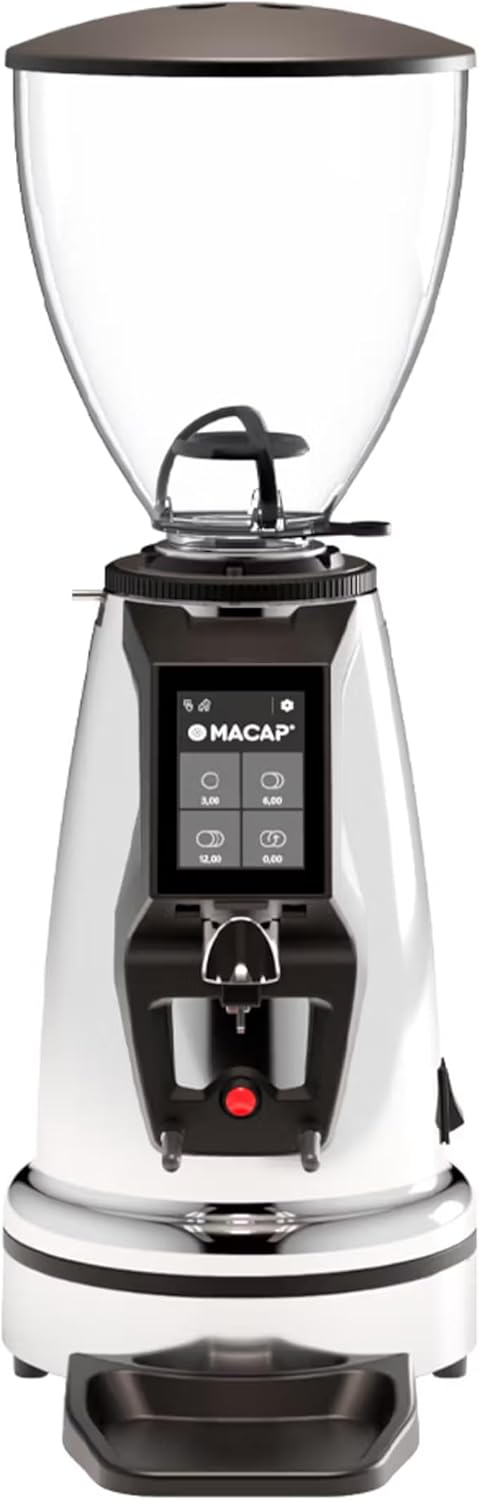
Devant view of the Macap MI40 Touch Instant Burr Coffee Grinder, showcasing its sleek chrome finish and integrated touchscreen display.
2. Consignes de sécurité
Please read all safety instructions carefully before operating the grinder to prevent injury or damage.
- Always unplug the grinder from the power outlet before cleaning, maintenance, or if it will be left unattended.
- Ne plongez pas le broyeur, le cordon d'alimentation ou la prise dans l'eau ou tout autre liquide.
- Keep hands and utensils out of the bean hopper and grind chute during operation.
- Ensure the bean hopper lid is securely in place before grinding.
- Cet appareil est conçu exclusivement pour moudre des grains de café entiers torréfiés. Ne pas moudre d'autres substances.
- N’utilisez pas le broyeur si le cordon ou la prise est endommagé(e), ou si l’appareil fonctionne mal ou a été endommagé de quelque manière que ce soit.
- Gardez l’appareil hors de portée des enfants.
3. Composants
Familiarize yourself with the main components of your MI40 Touch coffee grinder:
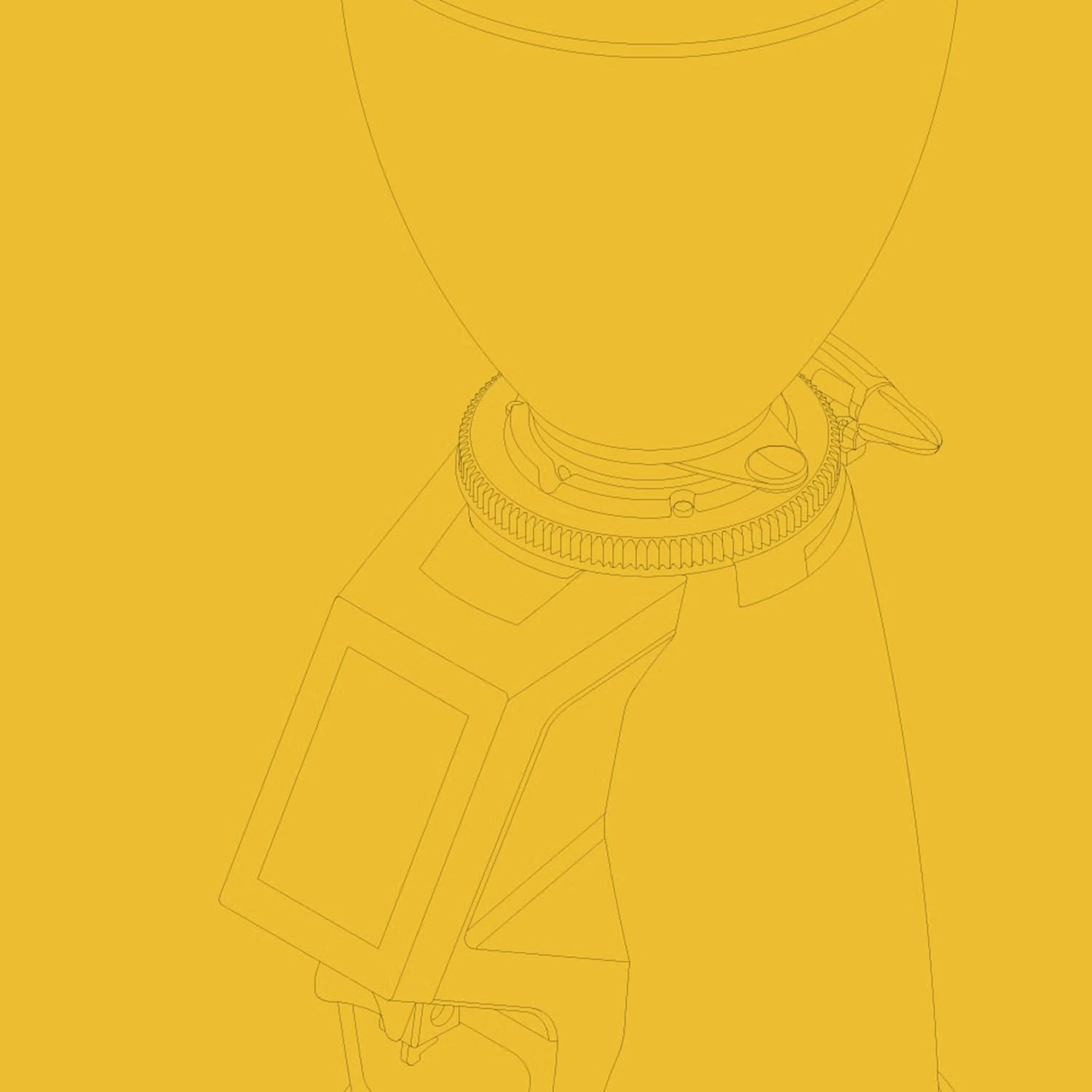
Trémie à grains : Transparent container for holding whole coffee beans. Capacity: 1.2 Kilograms.

3.5'' Touchscreen Display: Intuitive interface for controlling grind settings, dose programming, and operating modes.

Bague de réglage de la meule : Stepless micrometric adjustment for precise control over grind particle size.

Portafilter Fork & Drip Tray: Adjustable fork to hold your portafilter for hands-free grinding, with a removable drip tray for easy cleaning.
4. Installation
Follow these steps to set up your Macap MI40 Touch grinder:
- Déballage: Carefully remove the grinder and all accessories from the packaging. Retain the packaging for future transport or storage.
- Placement: Placez le broyeur sur une surface stable, plane et sèche. Assurez-vous qu'il y ait une ventilation adéquate autour de l'appareil.
- Installation de la trémie : Place the bean hopper onto the grinder body, aligning the tabs. Rotate the hopper clockwise until it locks securely into place.
- Installation du bac d'égouttage : Slide the removable drip tray into its designated slot at the base of the grinder.
- Connexion électrique : Branchez le cordon d’alimentation sur une prise électrique reliée à la terre.
- Premier nettoyage : Avant la première utilisation, essuyez l'extérieur avec le produit.amp cloth. Ensure the burrs and grind chute are free of any packing debris.

Côté view of the Macap MI40 Touch grinder, illustrating its compact design and the placement of the bean hopper and drip tray.
5. Mode d'emploi
5.1. Réglage de la mouture
The MI40 Touch features stepless micrometric grind adjustment, allowing for precise control over particle size. To adjust the grind:
- Ensure the grinder is off or not actively grinding.
- Rotate the grind adjustment collar located below the bean hopper.
- Tourner dans le sens des aiguilles d'une montre for a finer grind (e.g., for espresso).
- Tourner dans le sens antihoraire for a coarser grind (e.g., for drip, French press, or cold brew).
- Make small adjustments and test the grind to achieve the desired consistency for your brewing method.
Gros plan view of the grind adjustment collar, showing the numerical markings for reference.
5.2. Interface à écran tactile
The 3.5-inch touchscreen allows for intuitive control and customization of your grinding experience. It features four programmable dose buttons and various settings.
The 3.5-inch touchscreen display showing the main interface with programmable dose buttons.
For a detailed demonstration of the touchscreen interface and its functionalities, please refer to the official video below:
This video demonstrates the various features and customization options of the 3.5-inch touchscreen interface on the Macap MI Series coffee grinders, including dose programming, color customization, and different operating modes.
5.3. Modes de fonctionnement
The MI40 Touch offers three primary operating modes:
- Mode standard : Allows you to select a pre-programmed dose by pressing the corresponding button on the touchscreen. The grinder will dispense the set amount of coffee.
- Mode pousser et meuler : Grinding starts when the portafilter activates the button on the fork and stops when the portafilter is removed. This mode is ideal for manual control.
- Barista Hands-Free Mode: Similar to Push and Grind, but designed for continuous grinding as long as the portafilter is in place, allowing baristas to multitask.
6. Entretien et nettoyage
Regular cleaning and maintenance will ensure optimal performance and longevity of your grinder.
6.1. Nettoyage quotidien
- Chute de broyage : Use a brush or vacuum to clear any residual coffee grounds from the grind chute after each use.
- Bac de récupération: Remove and empty the drip tray regularly. Wipe it clean with a damp chiffon et séchez soigneusement.
- Extérieur: Essuyez l'extérieur du broyeur avec un chiffon doux et sec.amp chiffon. N'utilisez pas de nettoyants abrasifs ou de solvants.

The removable drip tray and portafilter fork area, designed for easy cleaning.
6.2. Deep Cleaning (Weekly/Bi-Weekly)
- Débranchez le broyeur.
- Supprimer la trémie à grains : Empty any remaining beans. Rotate the hopper counter-clockwise to unlock and remove it.
- Meules propres : Use a stiff brush or a specialized grinder brush to remove accumulated coffee oils and grounds from the burrs. You may need to remove the upper burr for thorough cleaning (refer to specific instructions in the full manual for burr removal).
- Clean Grind Chamber: Use a vacuum cleaner with a narrow attachment to remove grounds from the grind chamber.
- Remonter: Reinstall the burrs (if removed) and the bean hopper securely.
7. Dépannage
If you encounter issues with your MI40 Touch grinder, refer to the table below for common problems and solutions.
| Problème | Cause possible | Solution |
|---|---|---|
| Le broyeur ne s'allume pas. | Non branché ; interrupteur d'alimentation éteint ; disjoncteur déclenché. | Check power connection; ensure power switch is on; reset circuit breaker. |
| Pas de distributeur de café. | Hopper empty; grind chute clogged; burrs jammed. | Fill hopper; clean grind chute; clear any foreign objects from burrs (unplug first). |
| Un travail irrégulier. | Burrs dirty or worn; grind setting too coarse/fine. | Clean burrs thoroughly; adjust grind setting incrementally. Consider burr replacement if worn. |
| Le broyeur est excessivement bruyant. | Corps étranger dans les bavures ; composants détachés. | Unplug and inspect burrs for foreign objects; check for loose parts. If noise persists, contact support. |
| L'écran tactile ne répond plus. | Problème logiciel temporaire ; problème d’alimentation. | Unplug the grinder for 30 seconds, then plug back in. If issue persists, contact support. |
8. Spécifications
Key technical specifications for the Macap MI40 Touch Instant Burr Coffee Grinder:
| Fonctionnalité | Spécification |
|---|---|
| Modèle | MI40 Touch |
| Type de fraise | Fraises plates |
| Diamètre de la fraise | 65 mm |
| Puissance du moteur | 480 W |
| Capacité de la trémie | 1.2 kilogrammes |
| Réglage de la mouture | Micrométrique à paliers |
| Afficher | 3.5'' Touchscreen |
| Dimensions du produit (L x l x H) | 12" x 7.63" x 22" |
| Poids de l'article | 19.58 livres |
| Pays d'origine | Italie |
9. Garantie et assistance
Macap products are manufactured to high standards and undergo rigorous quality control. For warranty information, technical support, or service inquiries, please refer to the warranty card included with your product or visit the official Macap website. Please have your model number (MI40 Touch) and purchase date available when contacting support.
Ask a question about this manual
Ask about setup, troubleshooting, compatibility, parts, safety, or missing instructions. Manuals+ will review the question and use this page’s manual context to help answer it.