
Introduction
Thank you for choosing the Netzu K028B Digital Alarm Clock. This manual provides detailed instructions for setting up, operating, and maintaining your new alarm clock. Please read this manual thoroughly before use to ensure optimal performance and longevity of the product.
Caractéristiques principales
- Digital Time Display with 5 Brightness Levels
- Integrated Night Light with 5 Brightness Levels
- 10 Selectable Ringtones with 10 Volume Settings
- 9-Minute Snooze Function
- Adjustable Nap Timer (15 to 120 minutes)
- Child Lock Feature to prevent accidental setting changes
- Plug-in Use with CR2025 Battery for Power-Off Memory
Installation
1. Connexion électrique
The Netzu K028B Digital Alarm Clock is designed for plug-in use. Connect the provided USB cable to the clock's power port and plug the adapter into a standard electrical outlet. The clock will power on automatically.

Image: The Netzu K028B Digital Alarm Clock connected to a wall outlet via its power cable, illustrating its plug-in operation.
2. Battery Memory Function
A built-in CR2025 battery (not included for initial setup, but typically pre-installed for memory) preserves your time and alarm settings during power outages or when the clock is unplugged. This battery is for memory backup only and does not power the main display or night light.

Image: The underside of the alarm clock, highlighting the CR2025 battery compartment for memory backup.
3. Réglage initial de l'heure
Upon first power-on or after a prolonged power loss without battery backup, the display may show a default time. Refer to the 'Operating Instructions' section for detailed steps on setting the current time.
Mode d'emploi
The control buttons are located on the back of the alarm clock. Familiarize yourself with their functions:
| Icône | Fonction |
|---|---|
| ENSEMBLE | Enter/Confirm settings mode |
| ▲ / ▼ | Adjust values (Up/Down) |
| MARCHE/ARRÊT | Activer/désactiver l'alarme |
| 12/24 | Switch between 12-hour and 24-hour time format |
| ♪ | Select alarm ringtone |
| Zz | Activate Nap Timer |
| 🔒 | Activer/désactiver le verrouillage parental |
| 🔆 | Régler la luminosité de l'écran |
| 💡 | Ajuster la luminosité de la veilleuse |
1. Réglage de l'heure
- Appuyez et maintenez enfoncé le ENSEMBLE appuyer sur le bouton jusqu'à ce que les chiffres de l'heure clignotent.
- Utilisez le ▲ or ▼ boutons pour régler l'heure.
- Presse ENSEMBLE à nouveau pour passer au réglage à la minute. Utilisez ▲ or ▼ pour régler les minutes.
- Presse ENSEMBLE pour confirmer et quitter le réglage de l'heure.
- Pour basculer entre le format 12 heures et le format 24 heures, appuyez sur la touche correspondante. 12/24 bouton.
2. Réglage de l'alarme
- Appuyez sur le ENSEMBLE button once (do not hold) to enter alarm setting mode. The alarm time will flash.
- Utiliser ▲ or ▼ pour régler l'heure de l'alarme. Appuyez sur ENSEMBLE pour confirmer.
- Utiliser ▲ or ▼ pour régler la durée de l'alarme. Appuyez sur ENSEMBLE pour confirmer.
- Appuyez sur le ♪ button to cycle through 10 different alarm ringtones.
- Utiliser ▲ or ▼ pour régler le volume de l'alarme (10 niveaux).
- Presse ENSEMBLE to save and exit alarm setting.
- Pour activer ou désactiver l'alarme, appuyez sur le bouton. MARCHE/ARRÊT bouton. Une icône d'alarme apparaîtra/disparaîtra sur l'écran.

Image: The alarm clock's display showing different ringtone options and volume settings, indicating customization features.
3. Fonction Snooze
When the alarm sounds, press the top 'toast' part of the clock or the dedicated snooze button (if available, otherwise the main button used for light/snooze) to activate the 9-minute snooze function. The alarm will temporarily stop and sound again after 9 minutes.
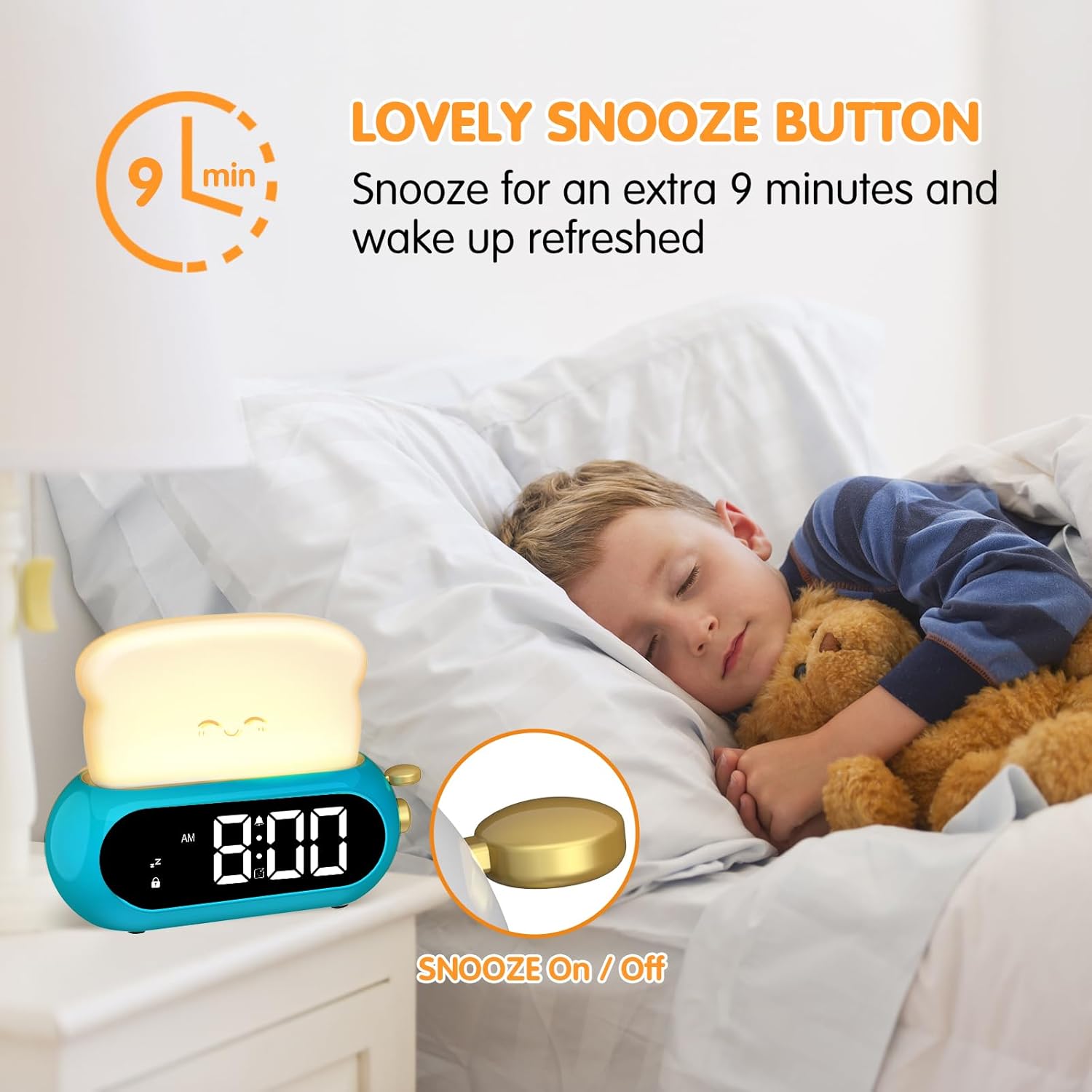
Image: The alarm clock on a bedside table, with the snooze function indicated by a hand pressing the top 'toast' part.
4. Fonctionnement de la veilleuse
The night light is integrated into the 'toast' part of the clock. Press the 💡 button to turn the night light on/off. Continue pressing the 💡 button to cycle through 5 brightness levels.

Image: The alarm clock functioning as a night light, illustrating its 5 adjustable brightness levels for both the light and the clock display.
5. Réglage de la luminosité de l'affichage
To adjust the brightness of the digital time display, press the 🔆 button. There are 5 brightness levels to choose from, allowing you to find a comfortable setting for day or night.
6. Minuteur de sieste
The nap timer allows you to set a countdown for short periods. Press the Zz button to activate the nap timer. Repeatedly press Zz to cycle through preset durations: 15, 30, 60, 90, or 120 minutes. The timer will count down and sound an alarm when finished.
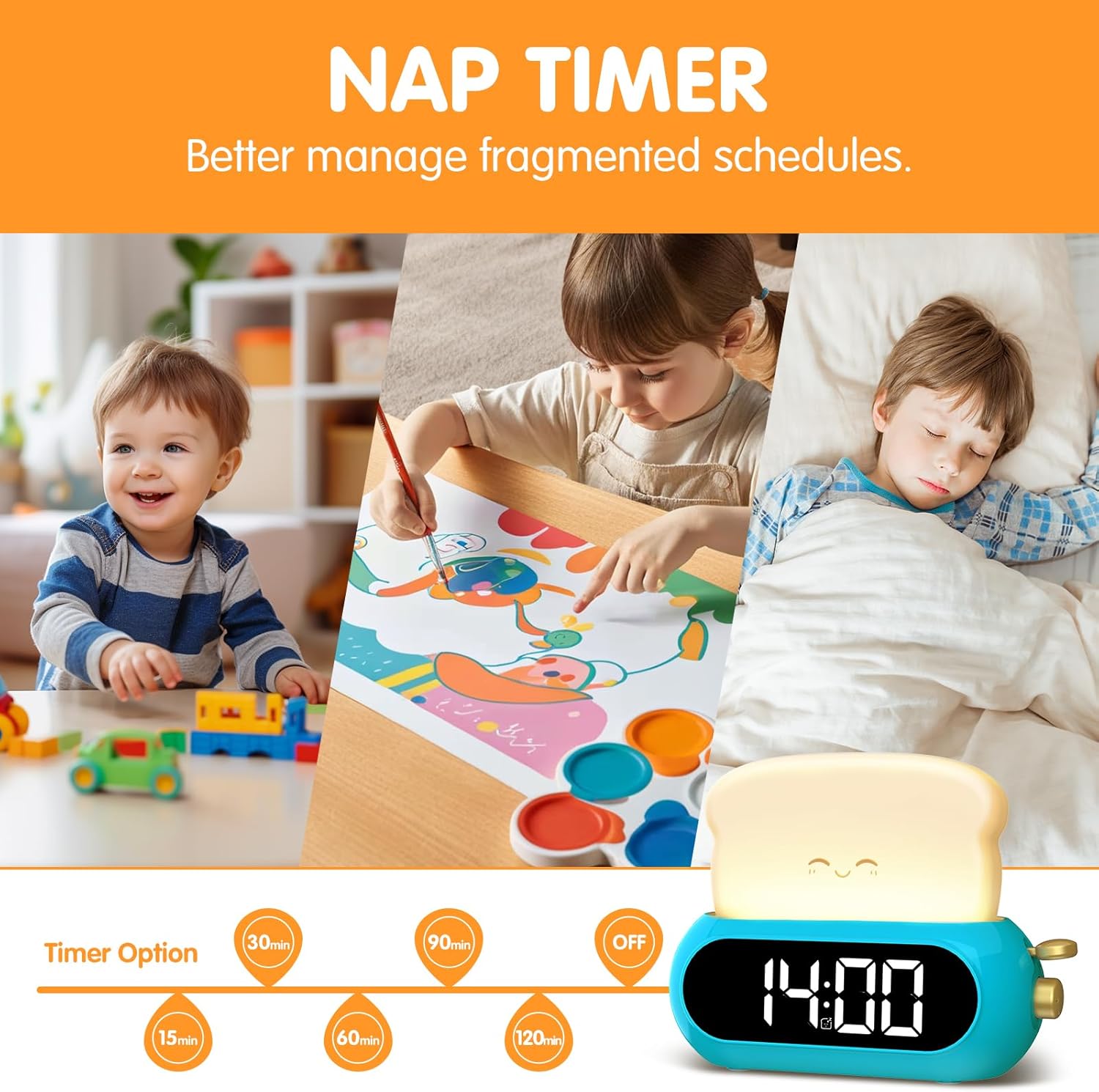
Image: The alarm clock displaying various nap timer options, from 15 to 120 minutes, for managing fragmented schedules.
7. Verrouillage enfant
To prevent accidental changes to settings, activate the child lock. Press and hold the 🔒 button until the lock icon appears on the display. In child lock mode, only the night light and screen brightness adjustments are functional. To deactivate, press and hold the 🔒 Appuyez à nouveau sur le bouton jusqu'à ce que l'icône de verrouillage disparaisse.

Image: The alarm clock with its various features including child lock, shown alongside its dimensions and accessories.
Entretien
1. Nettoyage
To clean the alarm clock, gently wipe the surface with a soft, dry cloth. Do not use abrasive cleaners, solvents, or immerse the device in water.2. Battery Replacement (Memory)
If the clock loses its time and alarm settings immediately after a power outage, the internal CR2025 memory battery may need replacement. Carefully open the battery compartment on the underside of the clock and replace the battery with a new CR2025 cell, ensuring correct polarity.
Dépannage
- L'horloge ne s'allume pas : Assurez-vous que l'adaptateur secteur est bien branché à la fois à l'horloge et à une prise électrique fonctionnelle.
- L'alarme ne sonne pas : Verify that the alarm is turned ON (alarm icon visible on display) and the volume is set to an audible level.
- Les paramètres changent de manière inattendue : Check if the Child Lock feature is deactivated. Activate it to prevent unintended adjustments.
- Time/settings reset after unplugging: The CR2025 memory battery may be depleted or missing. Replace it if necessary.
Caractéristiques
| Fonctionnalité | Détail |
|---|---|
| Marque | Netzu |
| Numéro de modèle | K028B |
| Couleur | Bleu |
| Type d'affichage | Numérique |
| Caractéristiques spéciales | Adjustable Brightness, Illuminated Night Light, Nap Timer, Snooze, Child Lock |
| Dimensions du produit | 5.51 po L x 4.13 po H |
| Source d'énergie | Électrique avec fil |
| Batterie mémoire | CR2025 (for settings backup) |
| Matériel | Plastique |
| Type de chambre | Chambre à coucher |
Garantie et assistance
For warranty information or technical support, please refer to the product packaging or contact Netzu customer service through the retailer where the product was purchased. Keep your purchase receipt as proof of purchase.