
1. Introduction
Thank you for choosing the suevery AMD Ryzen5 5600GT Gaming PC. This high-performance desktop computer is designed to provide a seamless experience for gaming, e-learning, video and audio streaming, home entertainment, business office tasks, video conferencing, photo and video editing, and daily trading. This manual provides essential information for setting up, operating, maintaining, and troubleshooting your new PC to ensure optimal performance and longevity.

Illustration 1 : Avant view of the suevery AMD Ryzen5 5600GT Gaming PC, showcasinavec son panneau latéral transparent et ses ventilateurs RGB aux couleurs vives.
2. Consignes de sécurité
Please read and follow these safety guidelines carefully to prevent damage to your PC and ensure personal safety:
- Alimentation: Utilisez uniquement le bloc d'alimentation fourni avec votre PC. Assurez-vous que la prise de courant est correctement mise à la terre.
- Ventilation: Do not block any ventilation openings. Maintain adequate space around the PC for proper airflow to prevent overheating.
- Liquide et humidité : Keep the PC away from liquids, moisture, and extreme temperatures. Do not operate the PC with wet hands.
- Placement: Placez l'ordinateur sur une surface stable et plane. Évitez de le placer près de sources de chaleur ou en plein soleil.
- Entretien: Do not attempt to service the PC yourself. Refer all servicing to qualified service personnel. Opening the PC case may void your warranty.
- Nettoyage: Débranchez le cordon d'alimentation avant de nettoyer l'appareil. Utilisez un chiffon doux et sec. N'utilisez pas de nettoyants liquides ni en aérosol.
3. Contenu du colis
Lors du déballage, veuillez vérifier que tous les éléments suivants sont inclus :
- suevery AMD Ryzen5 5600GT Gaming PC (Model: SUSU-V900W)
- Câble d'alimentation
- Documentation (Guide de démarrage rapide, Carte de garantie)
- RGB Lighting (Integrated feature)
If any items are missing or damaged, please contact your retailer or suevery customer support immediately.
4. Guide de configuration
Follow these steps to set up your suevery Gaming PC:
- Déballez le PC : Retirez délicatement l'ordinateur de son emballage. Conservez tous les matériaux d'emballage pour tout transport ou réparation ultérieur.
- Connectez les périphériques :
- Moniteur: Connect your monitor to the PC using an HDMI or VGA cable. The PC features one HDMI port and one VGA port.
- Clavier et souris : Connect your keyboard and mouse to the available USB ports. The PC has 4 USB 2.0 ports and 2 USB 3.0 ports.
- Autres appareils: Connectez tout autre périphérique tel que des haut-parleurs, un casque ou des disques durs externes.
- Connexion à l'alimentation : Plug the power cable into the PC's power input and then into a grounded electrical outlet.
- Connexion réseau: The PC supports Wi-Fi 802.11ax for wireless internet connectivity. An Ethernet port is also available for a wired connection.

Image 2: Rear panel of the PC, illustrating the available USB, HDMI, VGA, and audio ports for connecting peripherals.

Image 3: Diagram detailing the PC's dimensions and the location of front and rear USB ports, along with signal interfaces.
5. Mode d'emploi
This section outlines the basic operation of your suevery Gaming PC.
5.1 Mise sous/hors tension
- Pour allumer : Press the power button located on the front of the PC. The system will boot up, and the operating system (Windows) will load.
- Pour éteindre : It is recommended to shut down the PC through the operating system's shutdown procedure (Start Menu > Power > Shut down). Avoid direct power disconnection unless absolutely necessary.
5.2 Caractéristiques du système
- Processeur: Equipped with an AMD Ryzen5-5600GT 6-core, 12-thread processor (3.6GHz base, up to 4.6GHz Turbo) for efficient multitasking and gaming.
- Mémoire: 16GB of high-speed DDR4 RAM at 3200MHz ensures smooth performance across multiple applications and demanding games.
- Stockage: A 512GB NVMe SSD provides ultra-fast boot times, rapid application loading, and ample rangement pour votre files et jeux.
- Graphique: Integrated AMD Radeon RX Vega7 Graphics (1.9G) supports popular games and provides clear visuals for 1080P gaming and 4K content streaming.
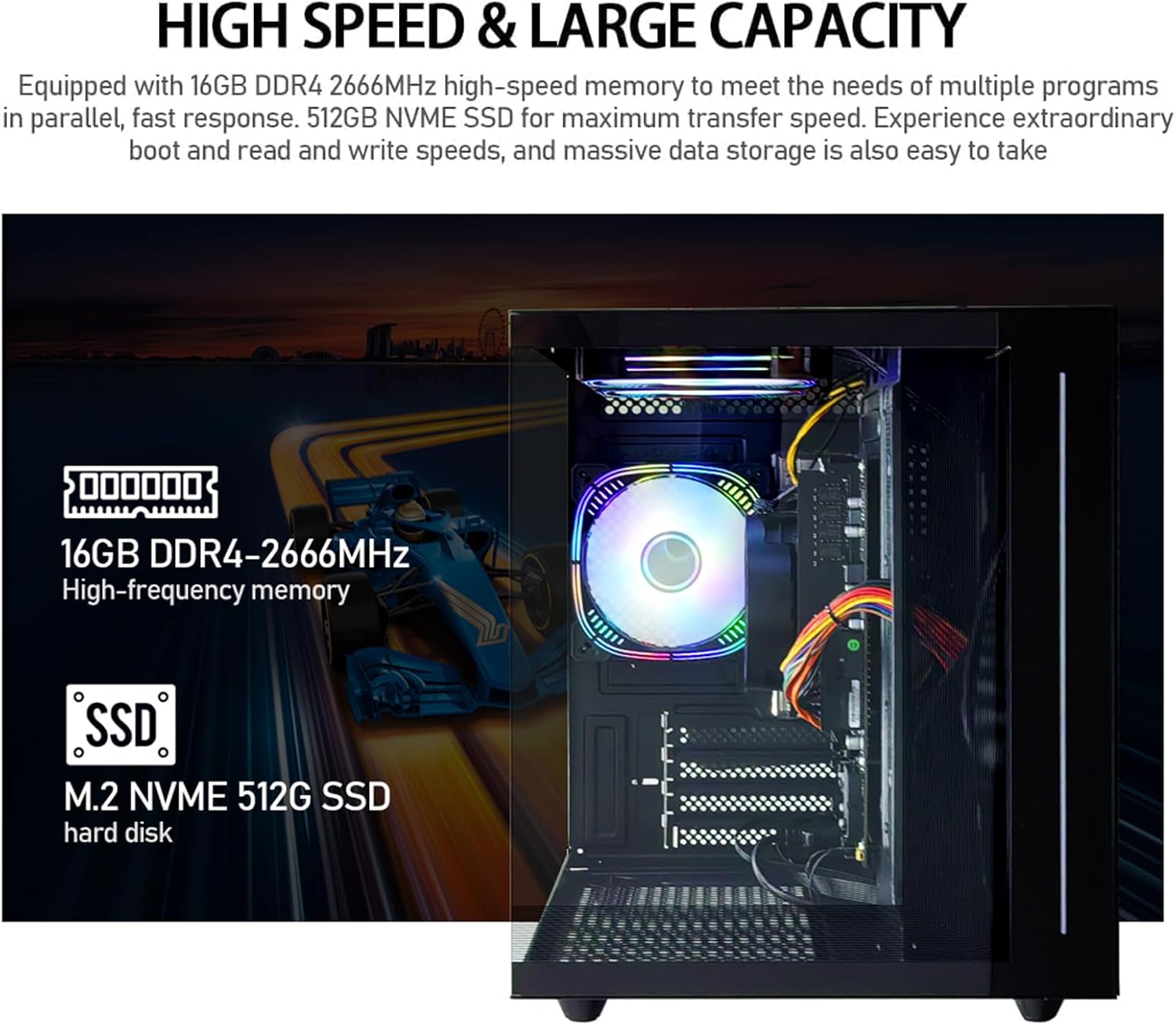
Image 4 : Interne view of the PC, emphasizing the 16GB DDR4 high-frequency memory and the M.2 NVMe 512GB SSD for high-speed data transfer.

Image 5: Visual representation of the AMD Radeon Vega Graphics 7 capabilities, suitable for esports games, video clips, graphic design, and corporate office tasks.
6. Entretien
Proper maintenance ensures the longevity and performance of your PC.
6.1 Nettoyage
- Extérieur: Use a soft, lint-free cloth to wipe the exterior surfaces. For stubborn marks, slightly dampet le chiffon avec de l'eau.
- Ventilation: Regularly check and clean the ventilation grilles to prevent dust buildup, which can impede airflow and cause overheating. Use compressed air to gently clear dust from fan blades and vents.
6.2 Ventilation et refroidissement
The PC is equipped with three built-in 120mm chassis fans for rapid heat dissipation and cooling, ensuring stable performance during intensive use. Ensure these fans are not obstructed.

Image 6: Illustration of the PC's cooling system, highlighting the RGB-enabled fans designed for rapid and silent heat dissipation.
6.3 Mises à jour logicielles
Keep your operating system, drivers, and applications updated to ensure security, stability, and optimal performance. Windows updates are managed through the operating system settings.
7. Dépannage
Cette section propose des solutions aux problèmes courants que vous pourriez rencontrer.
- Pas d'alimentation :
- Assurez-vous que le câble d'alimentation est correctement branché à la fois à l'ordinateur et à la prise électrique.
- Vérifiez le bon fonctionnement de la prise de courant en y branchant un autre appareil.
- Check the power switch on the back of the PC (if present) is in the 'On' position.
- Aucun affichage sur le moniteur :
- Confirm the monitor is powered on and correctly connected to the PC's HDMI or VGA port.
- Assurez-vous que la source d'entrée correcte est sélectionnée sur votre moniteur.
- Try connecting the monitor to a different port if available, or test with another monitor.
- Le système est lent ou ne répond pas :
- Fermez les applications inutiles qui s'exécutent en arrière-plan.
- Vérifiez que vous disposez de suffisamment d'espace libre sur votre SSD.
- Effectuez une analyse antivirus pour vérifier la présence de logiciels malveillants.
- Assurez-vous que votre système d'exploitation et vos pilotes sont à jour.
- Pas de connexion Internet:
- For Wi-Fi, ensure the Wi-Fi adapter is enabled and you are connected to the correct network with the correct password.
- For wired connection, ensure the Ethernet cable is securely connected to both the PC and the router/modem.
- Redémarrez votre routeur/modem.
If you encounter issues not covered here, or if the problem persists, please contact suevery customer support.
8. Spécifications
| Composant | Spécification |
|---|---|
| Numéro de modèle | SUSU-V900W |
| Processeur | AMD Ryzen5-5600GT (6 Cores, 12 Threads, 3.6GHz up to 4.6GHz Turbo) |
| Prise de processeur | Prise AM4 |
| BÉLIER | 16GB DDR4 3200MHz (Max. 32GB) |
| Stockage | 512GB NVMe SSD (PCIE x 4 interface) |
| Graphique | Integrated AMD Radeon RX Vega 7 Graphics (1.9G) |
| Système opérateur | Fenêtres |
| Connectivité sans fil | Wi-Fi 802.11ax |
| Ports USB 2.0 | 4 |
| Ports USB 3.0 | 2 |
| Ports HDMI | 1 |
| Ports VGA | 1 |
| Chassis Fans | 3 x 120mm (Built-in) |
| Dimensions (L x l x H) | 39.62 x 35.81 x 33.27 cm |
| Poids | 6.89 kg |
9. Garantie et assistance
Your suevery AMD Ryzen5 5600GT Gaming PC comes with a standard manufacturer's warranty. Please refer to the warranty card included in your package for specific terms and conditions, including warranty duration and coverage details.
For technical support, service inquiries, or to report any issues, please contact suevery customer support through the contact information provided on your warranty card or the official suevery website. Please have your model number (SUSU-V900W) and purchase details ready when contacting support.