
Introduction
This manual provides detailed instructions for the installation, operation, and maintenance of your Zyyini B150M V3 Computer Motherboard. Please read this manual thoroughly before proceeding with installation to ensure proper setup and to prevent damage to the components. This motherboard is designed for desktop computers, supporting LGA 1151 CPUs and DDR4 memory, offering a stable and efficient platform for various computing needs.
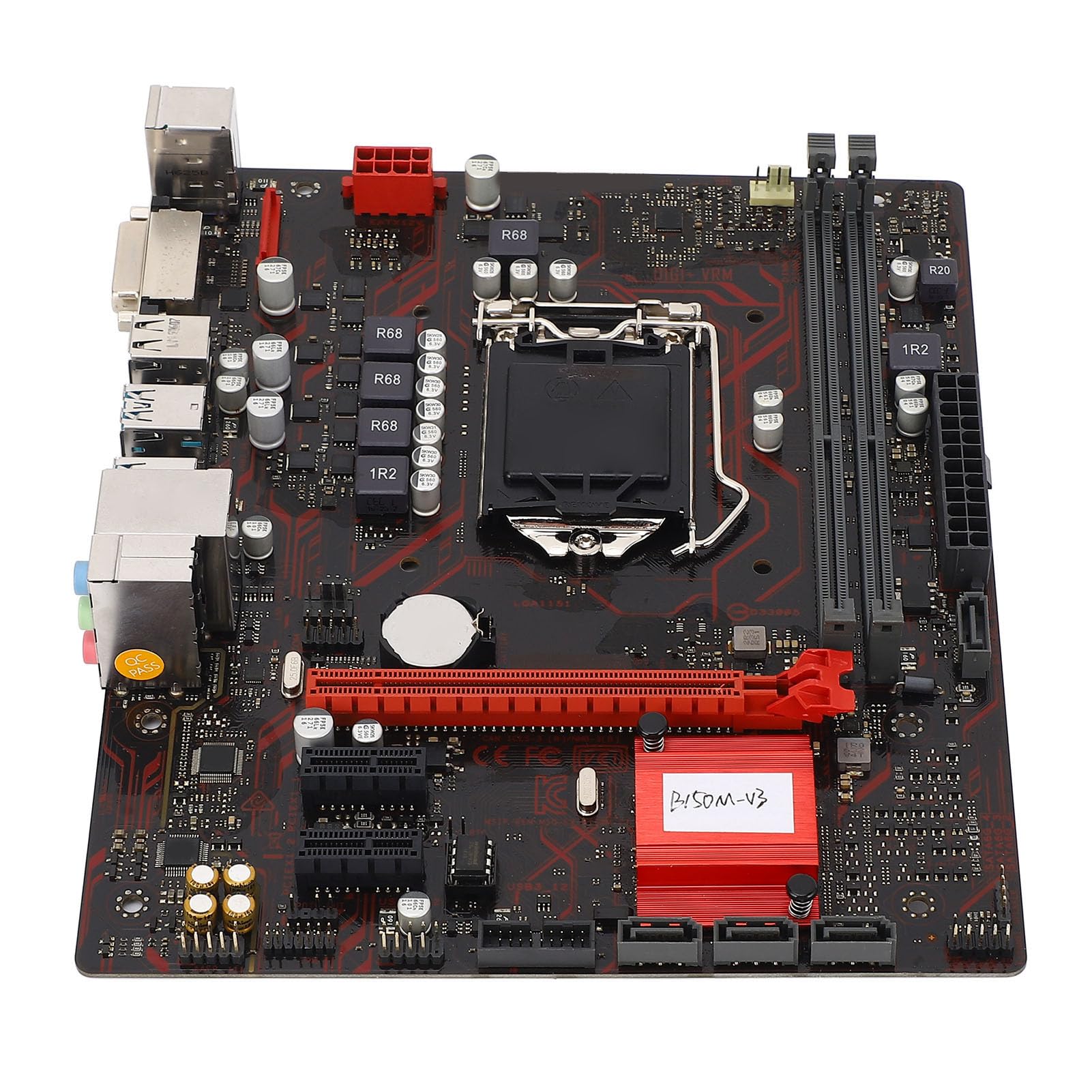
Figure 1 : Plusview of the Zyyini B150M V3 Motherboard.
Configuration et installation
Before beginning installation, ensure your workspace is clean and static-free. It is recommended to wear an anti-static wrist strap to prevent electrostatic discharge (ESD) damage to components.
1. Précautions de sécurité
- Débranchez toujours l'alimentation électrique de la prise murale avant d'installer ou de retirer un composant.
- Handle components by their edges to avoid touching sensitive circuits.
- Ensure proper grounding to prevent ESD.
- Refer to the CPU, memory, and other component manuals for specific installation instructions.
2. Disposition de la carte mère

Figure 2 : Vue de dessus view highlighting key components and connectors on the motherboard.
Familiarize yourself with the locations of the CPU socket, memory slots, PCI-E slots, SATA ports, and power connectors before installation.
3. Installation du processeur (LGA 1151)
- Repérez le socket du processeur LGA 1151 sur la carte mère.
- Appuyez doucement sur le levier de chargement et tirez-le latéralement pour ouvrir le couvercle du socket du processeur.
- Carefully align the notches on your Intel Core i7/i5/i3/Pentium/Celeron (14nm) processor with the corresponding keys on the socket. Ensure the gold triangle on the CPU matches the triangle on the socket.
- Insérez délicatement le processeur dans le socket sans forcer.
- Fermez la plaque de chargement et repoussez le levier de chargement en place jusqu'à ce qu'il s'enclenche.

Figure 3 : Gros plan view of the LGA 1151 CPU socket, ready for processor installation.
4. Memory Installation (DDR4 DIMM)
The motherboard features two DDR4 DIMM slots, supporting dual-channel DDR4 2133MHz memory up to a maximum of 32GB.
- Ouvrez les clips situés aux deux extrémités de l'emplacement DIMM.
- Alignez l'encoche du module de mémoire DDR4 avec le loquet de l'emplacement DIMM.
- Insérez fermement le module de mémoire dans son emplacement jusqu'à ce que les clips s'enclenchent. Assurez-vous que les deux clips sont bien fermés.

Figure 4: The two DDR4 DIMM slots for memory installation.
5. Storage Device Installation (SATA III & M.2)
The motherboard provides 4 x Serial ATA III interfaces and 1 x M.2 slot for storage devices.
- Périphériques SATA : Connect one end of a SATA data cable to a SATA III port on the motherboard and the other end to your SATA hard drive or SSD. Connect the SATA power cable from your power supply to the drive.
- Périphériques M.2 : Insert your M.2 SSD into the M.2 slot, securing it with the provided screw.
6. Expansion Card Installation (PCI-E)
The motherboard includes 1 x PCI-E x16 graphics card slot and 2 x PCI-E x1 slots for expansion cards.
- Align your PCI-E expansion card (e.g., graphics card, sound card, network card) with the desired PCI-E slot.
- Press the card firmly into the slot until it is fully seated. Secure the card with a screw to the chassis.
7. Connexion des périphériques et du panneau avant
Connect your USB devices, DVI display, audio devices, and Ethernet cable to the rear I/O panel. Connect the front panel connectors (power button, reset button, USB ports, audio jacks) from your PC case to the corresponding headers on the motherboard.

Figure 5 : Détaillé view of the rear I/O panel, showing USB, DVI, Ethernet, and audio ports.
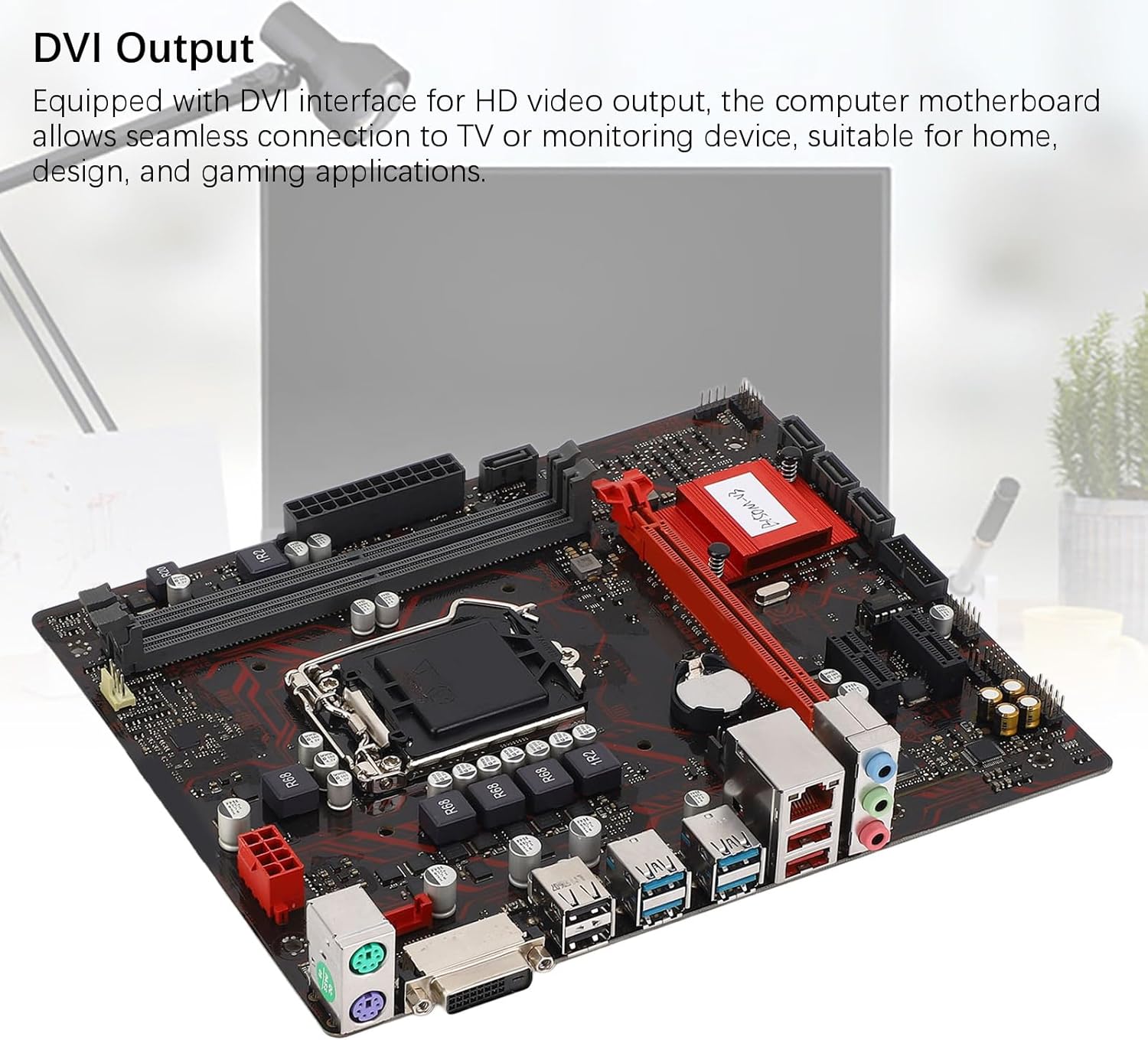
Figure 6: The DVI interface for connecting a display.
8. Connexions d'alimentation
Connect the 24-pin ATX power connector and the 8-pin CPU power connector from your power supply to the respective ports on the motherboard. Ensure they are firmly seated.

Figure 7 : Angulaire view showing the location of power connectors and other ports.
Mode d'emploi
1. Démarrage initial
After all components are installed and connected, power on your system. The system should initiate the boot process. If no display appears, refer to the troubleshooting section.
2. Configuration BIOS/UEFI
Au démarrage, appuyez sur la touche désignée (généralement DEL or F2) to enter the BIOS/UEFI setup. Here you can configure boot order, system time, and other advanced settings. Save changes before exiting.
3. Installation du pilote
After installing your operating system, install the necessary drivers for the motherboard chipset, network, and audio. These are typically provided on a driver CD or available for download from the manufacturer's website.
Entretien
1. Nettoyage de la poussière
Regularly clean the inside of your computer case to prevent dust buildup, which can lead to overheating and component failure. Use compressed air to gently remove dust from fans, heatsinks, and motherboard surfaces.
2. Mises à jour du BIOS
Vérifiez périodiquement les instructions du fabricant. webSite dédié aux mises à jour du BIOS. Les mises à jour du BIOS peuvent améliorer la stabilité du système, ajouter la prise en charge de nouveaux matériels ou corriger des bogues. Suivez attentivement les instructions de mise à jour afin d'éviter d'endommager la carte mère.
Dépannage
1. Pas d'alimentation
- Vérifiez que l'alimentation électrique est branchée à la prise murale et allumée.
- Verify that the 24-pin and 8-pin power connectors are securely attached to the motherboard.
- Vérifiez la connexion de l'interrupteur d'alimentation du panneau avant à la carte mère.
2. Aucun affichage
- Confirm that the monitor is connected to the correct video output (DVI) on the motherboard or graphics card and is powered on.
- Réinsérez les modules de mémoire. Essayez de démarrer avec un seul module de mémoire installé.
- Réinstallez la carte graphique (le cas échéant).
- Ensure the CPU is properly installed and the CPU cooler is securely attached.
3. Instabilité du système / Plantages
- Check for overheating. Ensure all fans are working and heatsinks are clean.
- Verify that all components (CPU, RAM, storage) are properly seated.
- Exécutez des outils de diagnostic de mémoire pour vérifier si la RAM est défectueuse.
- Assurez-vous que tous les conducteurs sont à jour.
Caractéristiques

Figure 8: The motherboard's robust construction ensures stable performance and longevity.
| Fonctionnalité | Détail |
|---|---|
| Modèle de carte mère | B150M-V3 |
| Jeu de puces | Jeu de puces B150 |
| Prise de processeur | LGA 1151 |
| Compatible CPU Type | Intel Core i7, i5, i3, Pentium, Celeron (14nm processors) |
| Type de mémoire | 2 x DDR4 DIMM (double canal) |
| Vitesse de la mémoire | 2133 MHz |
| Capacité de mémoire maximale | 32 Go |
| Norme PCI-E | PCI-E 3.0 |
| Emplacements PCI-E x16 | 1 |
| Emplacements PCI-E x1 | 2 |
| Interfaces de stockage | 4 x Serial ATA III, 1 x M.2 |
| USB Interfaces (Rear) | 4 x USB3.0, 4 x USB2.0 |
| USB Interfaces (Internal) | 1 x USB3.0 header, 1 x USB2.0 header |
| Interface vidéo | 1 x DVI |
| Network Chip | Realtek RTL8111GR Gigabit Ethernet |
| Puce sonore | Realtek ALC887 8-Channel |
| Interfaces d'alimentation | One 8-Pin, One 24-Pin |
| Facteur de forme | M-ATX |
| Mode d'alimentation | 5 Phase |
| Autres interfaces | RJ45, Chassis Fan, Internal Speaker, System Panel, Sound, PS/2 Mouse, PS/2 Keyboard, COM |
Informations sur la garantie
For specific warranty terms and conditions, please refer to the documentation provided with your purchase or visit the official Zyyini website. La garantie couvre généralement les défauts de matériaux et de fabrication dans des conditions normales d'utilisation.
Assistance clientèle
If you encounter any issues that cannot be resolved using this manual, please contact your retailer or visit the Zyyini official support channels for assistance. Have your product model number (B150M-V3) and purchase details ready when seeking support.