
Produit terminéview
The Gravity C28 Rugged Smartwatch is designed for durability and comprehensive health and fitness tracking. It features a 2.02-inch TFT high-resolution display, AI-generated watch faces, and over 100 sports modes. This device also includes Bluetooth calling, smart notifications, and robust water, shock, and dust resistance.

Image : Avant view of the Gravity C28 Rugged Smartwatch, showcasing sa conception robuste et son affichage numérique.
Caractéristiques principales
- Écran HD de 2.02 pouce : Clear visuals with 320x390 resolution and customizable watch faces.
- Suivi complet de la santé : Monitors heart rate, sleep patterns, step count, and calories.
- Plus de 100 modes sportifs : Tracks various activities including running, cycling, and hiking.
- Bluetooth Calling & Smart Alerts: Answer calls and receive notifications directly from the wrist.
- Durable et résistant aux intempéries : 1 ATM waterproof, shockproof, and dustproof design.
- Longue durée de vie de la batterie : Up to 25 days standby time with a 410mAh battery.
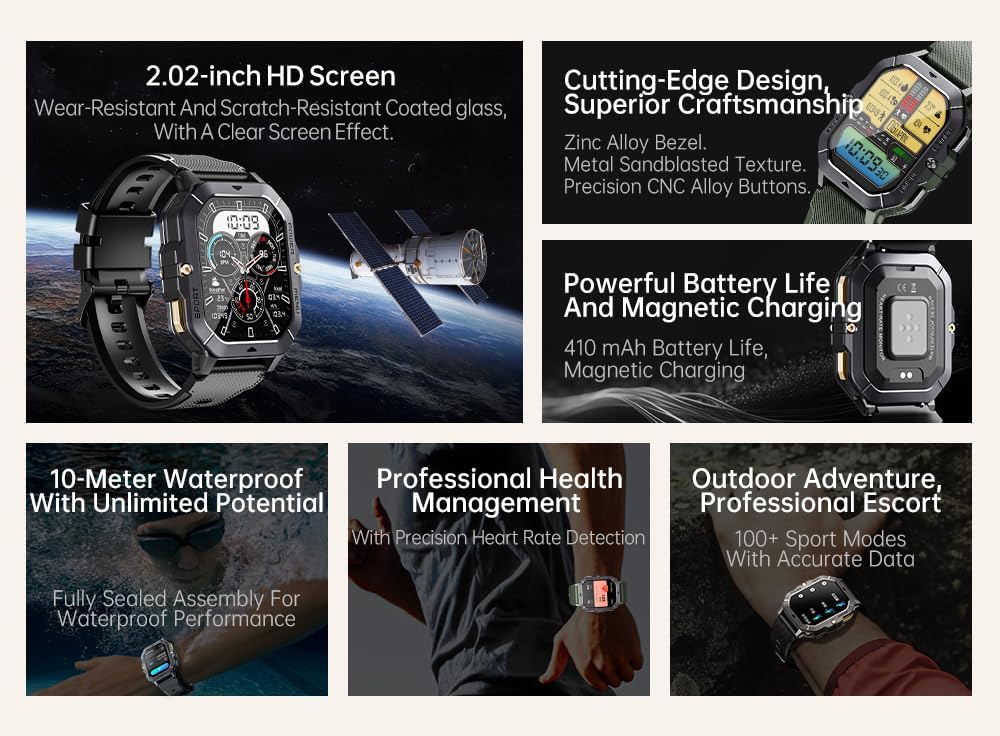
Image: Visual summary of the smartwatch's features, including HD screen, craftsmanship, battery life, waterproofing, health management, and sports modes.
Qu'y a-t-il dans la boîte
Upon unboxing your Gravity C28 Smartwatch, please ensure all components are present:
- Gravity C28 Smartwatch
- Câble de chargement
- Manuel de l'utilisateur (ce document)
Installation
1. Chargement de l'appareil
Before first use, fully charge your Gravity C28 Smartwatch. Connect the magnetic charging cable to the charging points on the back of the watch and plug the USB end into a compatible power adapter (not included) or a computer USB port.

Image: Close-up of the smartwatch's rear, showing the magnetic charging pins and the charging cable attached.
2. Mise sous/hors tension
- Mise sous tension : Maintenez enfoncé le bouton « POWER » (généralement le bouton en haut à droite) jusqu’à ce que l’écran s’illumine.
- Éteindre: Press and hold the 'POWER' button, then select 'Power Off' on the screen, or continue holding until the device shuts down.
3. Installation et appairage de l'application
The Gravity C28 Smartwatch uses the En forme application for full functionality and data synchronization. The app is compatible with both Android and iOS devices.
- Download the 'Da Fit' app from your device's app store (Google Play Store for Android, Apple App Store for iOS).
- Ouvrez l'application Da Fit et suivez les instructions à l'écran pour créer un compte ou vous connecter.
- Assurez-vous que Bluetooth est activé sur votre smartphone.
- In the Da Fit app, navigate to 'Add Device' or 'Bind Device'.
- Select 'C28' from the list of available devices.
- Confirmez la demande de jumelage sur votre smartphone et sur votre montre connectée.
Utilisation de la montre connectée
Navigation
- Écran tactile : Swipe left, right, up, or down to navigate through menus and access different functions. Tap to select.
- Bouton « POWER » : Appuyez brièvement pour revenir à l'écran d'accueil ou le réactiver. Appuyez longuement pour accéder aux options d'alimentation.
- 'MENU' Button: Short press to access the main menu.
- Bouton « SPORT » : Appuyez brièvement pour accéder rapidement aux modes sportifs.

Image : Examples of different menu display modes available on the smartwatch, such as Grid View, Surface, Parallel, and Helm.
Bluetooth Calling and Smart Alerts
Once paired with your smartphone, the Gravity C28 allows you to manage calls and notifications directly from your wrist.
- Répondre aux appels : Lors de la réception d'un appel, la montre affichera l'identité de l'appelant. Appuyez sur l'icône verte du téléphone pour répondre.
- Passer des appels: Access the dial pad or contact list through the watch's menu to initiate calls.
- Notifications: Receive alerts for messages, social media, and other app notifications. Swipe down from the watch face to view notifications récentes.

Image: Two Gravity C28 smartwatches displaying an incoming call and a message alert, demonstrating the Bluetooth call and message alert features.
AI Watch Face and DA GPT
The smartwatch supports AI-generated watch faces for personalization and integrates with DA GPT for interactive features.
- Cadran de montre IA : Customize your watch face by providing text prompts to the AI, which will generate unique designs.
- DA GPT: Interact with the DA GPT feature to explore new ideas or learn new things directly from your watch.

Image: Diagram illustrating the DA GPT interaction flow and the AI Watch Face generation process, showing how users can request custom watch face backgrounds.
Modes sportifs
The Gravity C28 offers over 100 sports modes to accurately track your physical activities. Access these modes via the 'SPORT' button or the main menu.
- Select your desired sport (e.g., running, cycling, swimming).
- The watch will begin tracking relevant metrics such as duration, distance, calories burned, and heart rate.
- End your workout by following the on-screen prompts. Data will sync with the Da Fit app.
Surveillance de la santé
The smartwatch provides continuous monitoring of various health metrics.
- Fréquence cardiaque : Surveillance de la fréquence cardiaque en temps réel.
- Surveillance du sommeil : Analyse les cycles de sommeil, notamment le sommeil profond, le sommeil léger et les périodes d'éveil.
- Step Counter & Calories: Tracks daily steps and estimated calories burned.
- SpO2, Blood Pressure, Stress: Provides readings for blood oxygen saturation, blood pressure, and stress levels.

Image: Screenshots of the smartwatch display showing various health metrics: Heart Rate, SpO2, Blood Pressure, Stress, Sleep, and Cycle Tracking.
Entretien
Nettoyage
Regular cleaning helps maintain the smartwatch's appearance and functionality.
- Essuyez l'écran et le boîtier avec un chiffon doux non pelucheux.
- Pour les saletés tenaces, appliquez légèrementampNettoyez le chiffon avec de l'eau. Évitez les produits chimiques agressifs et les matériaux abrasifs.
- Avant de procéder à la charge, assurez-vous que les contacts de charge sont propres et secs.
Résistance à l'eau
The Gravity C28 is 1 ATM waterproof, meaning it can withstand splashes, rain, and brief immersion in shallow water. It is suitable for daily cleaning, sweating, and getting wet by rain.

Image: The smartwatch being used underwater, illustrating its 1 ATM waterproof capability for activities like snorkeling, and icons for daily cleaning, sweat, and rain resistance.
Important: While waterproof, avoid prolonged exposure to hot water, steam, or high-pressure water jets. Do not operate buttons underwater.
Stockage
Rangez la montre connectée dans un endroit frais et sec, à l'abri de la lumière directe du soleil et des températures extrêmes lorsqu'elle n'est pas utilisée pendant une période prolongée.
Dépannage
- La montre ne s'allume pas : Assurez-vous que la montre est complètement chargée. Branchez-la au chargeur pendant au moins 30 minutes.
- Impossible de connecter le téléphone :
- Assurez-vous que le Bluetooth est activé sur votre téléphone et votre montre.
- Assurez-vous que la montre se trouve à portée Bluetooth (environ 10 mètres).
- Redémarrez à la fois la montre et votre téléphone.
- Videz le cache Bluetooth de votre téléphone (Android) ou oubliez l'appareil et réappairez-le (iOS).
- Données sanitaires inexactes :
- Assurez-vous que la montre soit bien ajustée à votre poignet, ni trop lâche ni trop serrée.
- Nettoyez le capteur situé à l'arrière de la montre.
- Évitez les mouvements excessifs pendant les mesures.
- Les notifications ne s'affichent pas :
- Check notification permissions in the Da Fit app and your phone's settings.
- Ensure the Da Fit app is running in the background.
- Vérifiez que la montre est connectée via Bluetooth.
- Autonomie courte de la batterie :
- Réduire la luminosité de l'écran.
- Désactivez la surveillance continue de la fréquence cardiaque si elle n'est pas nécessaire.
- Limitez le nombre de notifications actives.
- Ensure background app refresh for Da Fit is enabled on your phone.
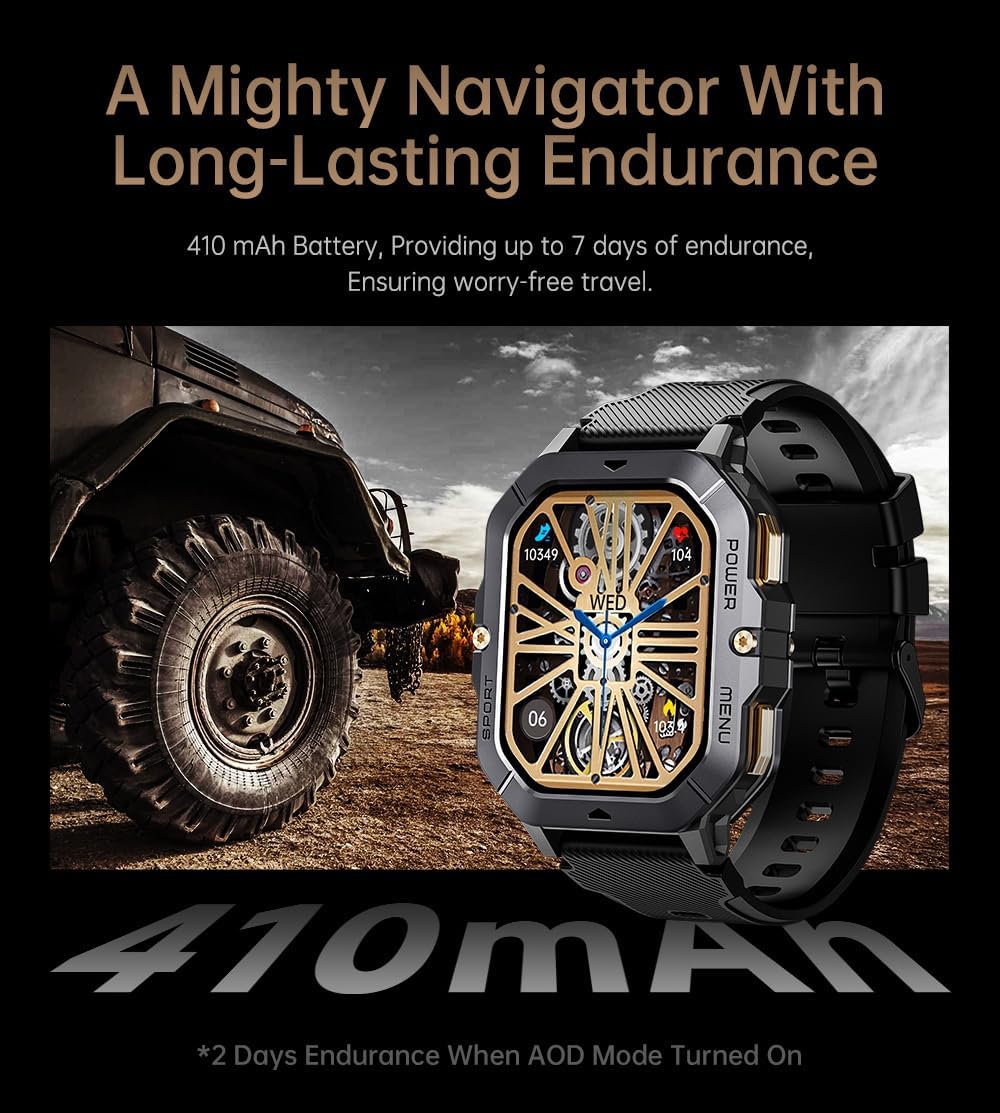
Image: The smartwatch displayed next to a large tire, emphasizing its ruggedness and long-lasting 410 mAh battery, providing up to 7 days of endurance (2 days with AOD mode).
Caractéristiques
| Fonctionnalité | Détail |
|---|---|
| Numéro de modèle | W4-C28 |
| Taille de l'écran | Écran TFT de 2.02 pouce |
| Capacité de la batterie | 410 mAh |
| Système opérateur | Android OS (compatible with Android & iOS via Da Fit app) |
| Connectivité | Bluetooth |
| Résistance à l'eau | 1 guichets automatiques |
| Poids de l'article | 1 livres |
| Dimensions | 9 x 4 x 1 pouces (Emballage) |
| Type de batterie | Lithium Polymère |
Garantie et assistance
Informations sur la garantie
Warranty details for the Gravity C28 Smartwatch are typically provided with your purchase documentation. Please refer to the warranty card or contact your retailer for specific terms and conditions regarding coverage and duration.
Assistance clientèle
For technical assistance, troubleshooting not covered in this manual, or inquiries regarding your device, please contact Gravity customer support through the contact information provided on the product packaging or the official Gravity website.