
Introduction
Thank you for choosing the Gravity C20 Pro Smartwatch. This rugged smartwatch is designed for durability and advanced functionality, featuring a 1.83-inch TFT display, IP68 waterproofing, Bluetooth calling, AI voice assistant, and over 100 sports modes. This manual will guide you through the setup, operation, and maintenance of your new device.

Image : Avant view of the Gravity C20 Pro Smartwatch, showcasing son design robuste et son écran.
Qu'y a-t-il dans la boîte
- Gravity C20 Pro Smartwatch
- Câble de chargement
- Manuel d'utilisation
Produit terminéview et fonctionnalités
The Gravity C20 Pro is built to withstand challenging environments while providing comprehensive smart features. Its robust construction and advanced sensors make it an ideal companion for active lifestyles.
Caractéristiques principales :
- Durable 1.83" TFT Display: Large and clear screen for easy readability.
- Résistance à l'eau IP68 : Designed to protect against dust and water exposure.
- Appel Bluetooth : Passez et recevez des appels directement depuis votre poignet.
- Commande vocale par IA : Fonctionnement mains libres pour diverses fonctions.
- Plus de 100 modes sportifs : Suivi complet d'un large éventail d'activités physiques.
- Surveillance de la santé : Includes heart rate, sleep tracking, step counting, and sedentary reminders.
- Longue durée de vie de la batterie : 380mAh battery offering extended standby time.
- Notifications intelligentes: Receive alerts for calls, messages, and apps.

Image: Two Gravity C20 Pro smartwatches, emphasizing their robust and outdoor-ready design.

Image: A graphic displaying icons for key features such as heart rate monitoring, call reminders, pedometer, information reminders, blood pressure monitor, sleep monitor, calories, sedentary reminder, exercise data, IP68 waterproof, stress monitor, voice assistant, blood oxygen monitor, heart rate warning, and calculator.
Installation
1. Charge initiale
Before first use, fully charge your Gravity C20 Pro Smartwatch. Connect the magnetic charging cable to the charging points on the back of the watch and plug the USB end into a power adapter (not included) or a computer's USB port. The watch display will indicate charging status.
2. Marche/Arrêt
- Mise sous tension : Maintenez le bouton Marche/Arrêt (généralement situé sur le côté) enfoncé jusqu'à ce que l'écran s'allume.
- Éteindre: Maintenez le bouton Marche/Arrêt enfoncé, puis sélectionnez « Éteindre » à l'écran.
3. Installation et appairage de l'application
To unlock the full potential of your smartwatch, download the companion app on your iOS or Android device. Rechercher the app name (refer to the packaging or quick start guide for the exact name) in the App Store or Google Play Store.
- Téléchargez et installez l'application sur votre smartphone.
- Ouvrez l'application et suivez les instructions à l'écran pour créer un compte ou vous connecter.
- Activez le Bluetooth sur votre smartphone.
- Dans l'application, accédez à la section « Appareil » ou « Ajouter un appareil ».
- Select 'Gravity C20 Pro' from the list of available devices.
- Confirmez la demande de jumelage sur votre téléphone et sur votre montre connectée.
Mode d'emploi
Navigation de base
- Balayez vers le haut/bas : Parcourez les menus et les notifications.
- Balayez vers la gauche/droite : Accédez rapidement aux fonctions ou aux différents cadrans de montre.
- Robinet: Sélectionnez un élément ou ouvrez une application.
- Bouton d'alimentation : Press to wake/sleep the screen, or return to the home screen. Long press for power options.
- Bouton Sport : Dedicated button to quickly access sports modes.
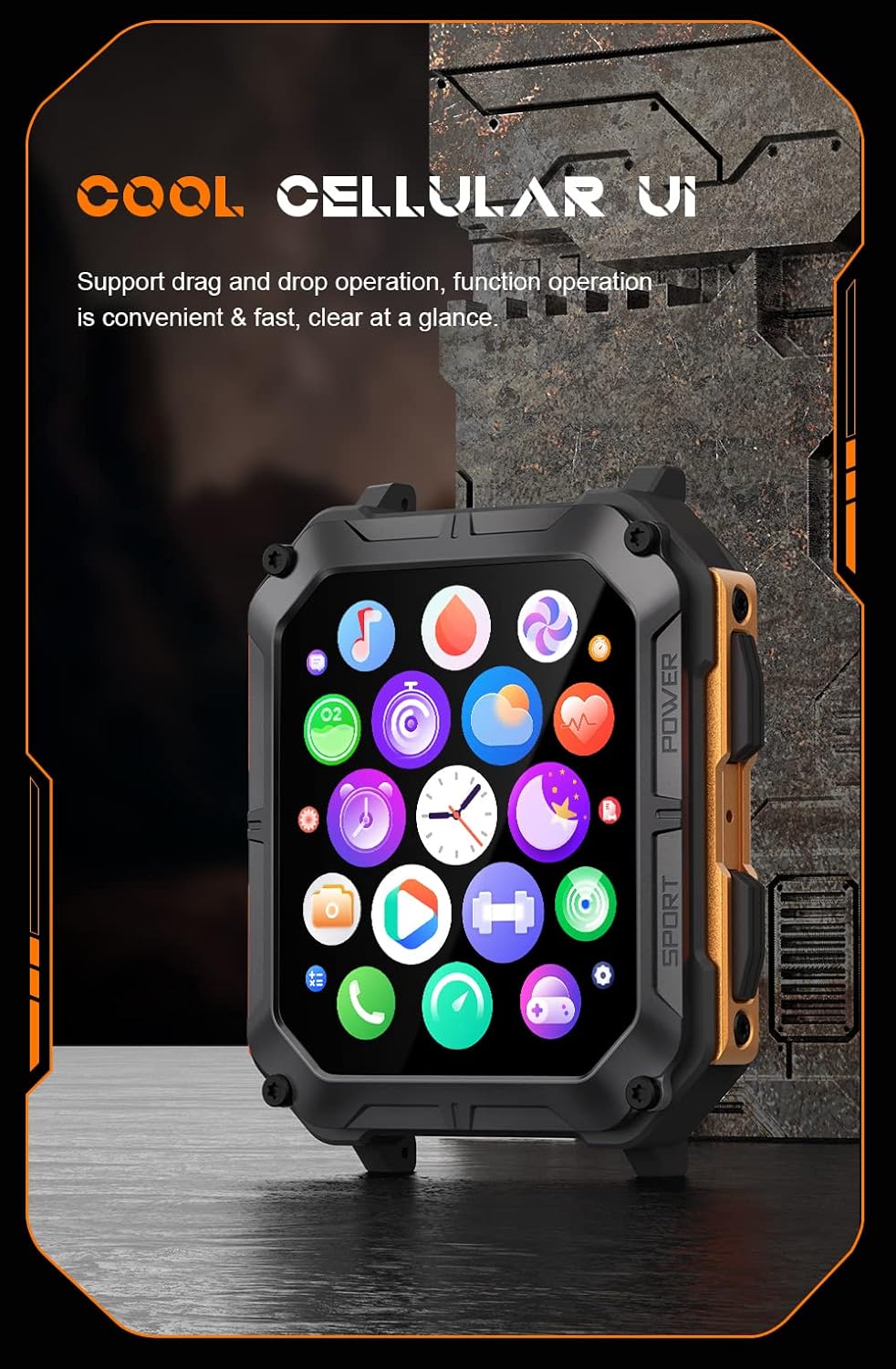
Image: The smartwatch display showing a grid of colorful application icons, illustrating the user interface.
Appel Bluetooth
Une fois l'appairage effectué, vous pourrez passer et recevoir des appels directement depuis votre montre.
- Répondre aux appels : Lorsqu'un appel arrive, appuyez sur l'icône verte de réponse sur l'écran de la montre.
- Passer des appels: Accédez au clavier de numérotation ou à la liste de contacts de votre montre pour passer un appel.
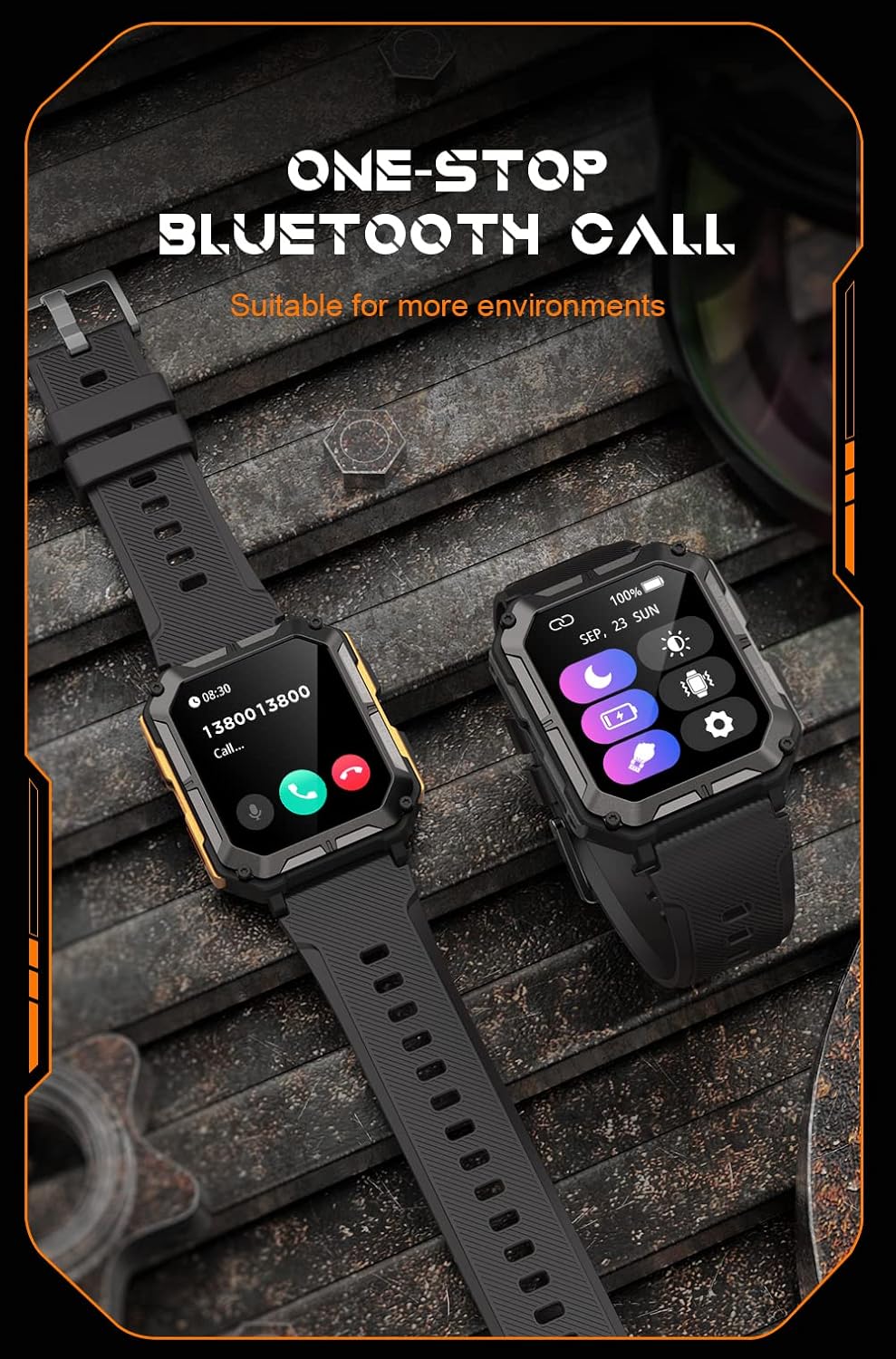
Image: Two smartwatches, one showing an incoming call notification with options to answer or decline, demonstrating the Bluetooth call feature.
Assistant vocal AI
Activate the AI voice assistant by a designated gesture or button press (refer to in-app settings). You can then use voice commands for various tasks, such as checking weather, setting alarms, or initiating calls.
Modes sportifs
The watch supports over 100 sports modes. Access them via the Sport button or the main menu. Select your activity to start tracking metrics like duration, distance, calories burned, and heart rate.
Surveillance de la santé
The C20 Pro continuously monitors your health data.
- Fréquence cardiaque : View Fréquence cardiaque en temps réel sur la montre ou dans l'application.
- Suivi du sommeil : Wear the watch to bed for detailed sleep analysis (deep sleep, light sleep, awake time).
- Oxygène dans le sang : Mesurez votre taux de SpO2.
- Pas et calories : Track your daily activity and calorie expenditure.

Image: The smartwatch display showing current heart rate (BPM) and blood oxygen saturation (SpO2) levels, indicating health monitoring capabilities.
Notifications
Recevez les notifications de votre smartphone directement sur votre montre. Assurez-vous que les autorisations de notification sont activées dans les paramètres de votre téléphone et dans l'application associée.
Entretien
Nettoyer votre montre connectée
Nettoyez régulièrement votre montre pour garantir des performances et une hygiène optimales. Utilisez un chiffon doux non pelucheux pour essuyer l'écran et le boîtier. Pour les saletés tenaces, frottez légèrement avec un chiffon doux.ampNettoyez le chiffon avec de l'eau. Évitez d'utiliser des produits chimiques agressifs ou des matériaux abrasifs.
Résistance à l'eau (IP68)
The Gravity C20 Pro is IP68 water-resistant, meaning it can withstand dust and immersion in water up to 1.5 meters for 30 minutes. It is suitable for daily use, such as washing hands or light rain. However, it is not recommended for hot showers, saunas, or diving, as steam and high water pressure can compromise the seals.
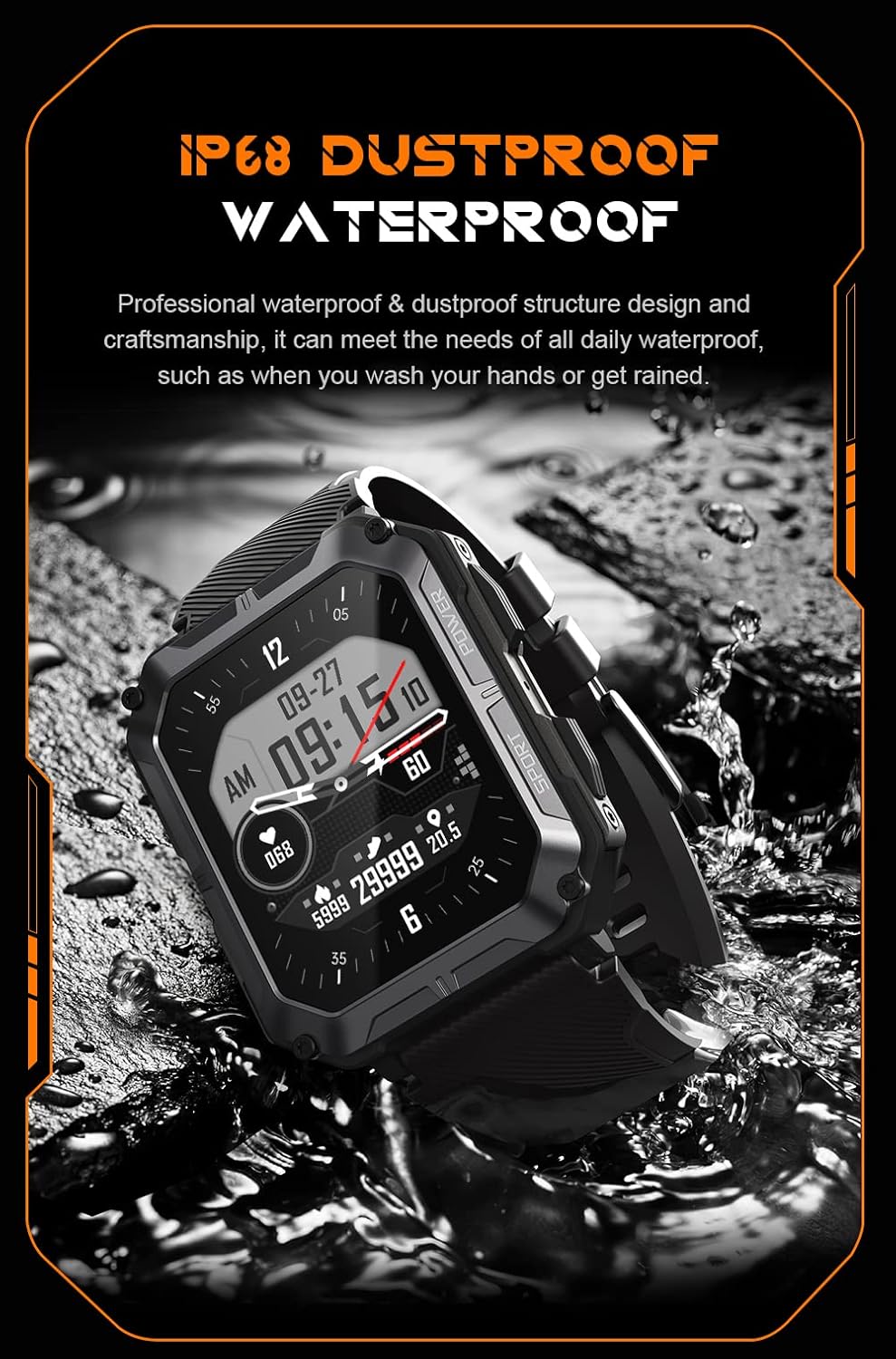
Image: The smartwatch partially submerged in water, illustrating its IP68 dustproof and waterproof capabilities.
Entretien de la batterie
Pour prolonger la durée de vie de la batterie :
- Évitez les températures extrêmes.
- Charge the watch before the battery completely drains.
- If storing for a long period, charge it to about 50% and power it off.
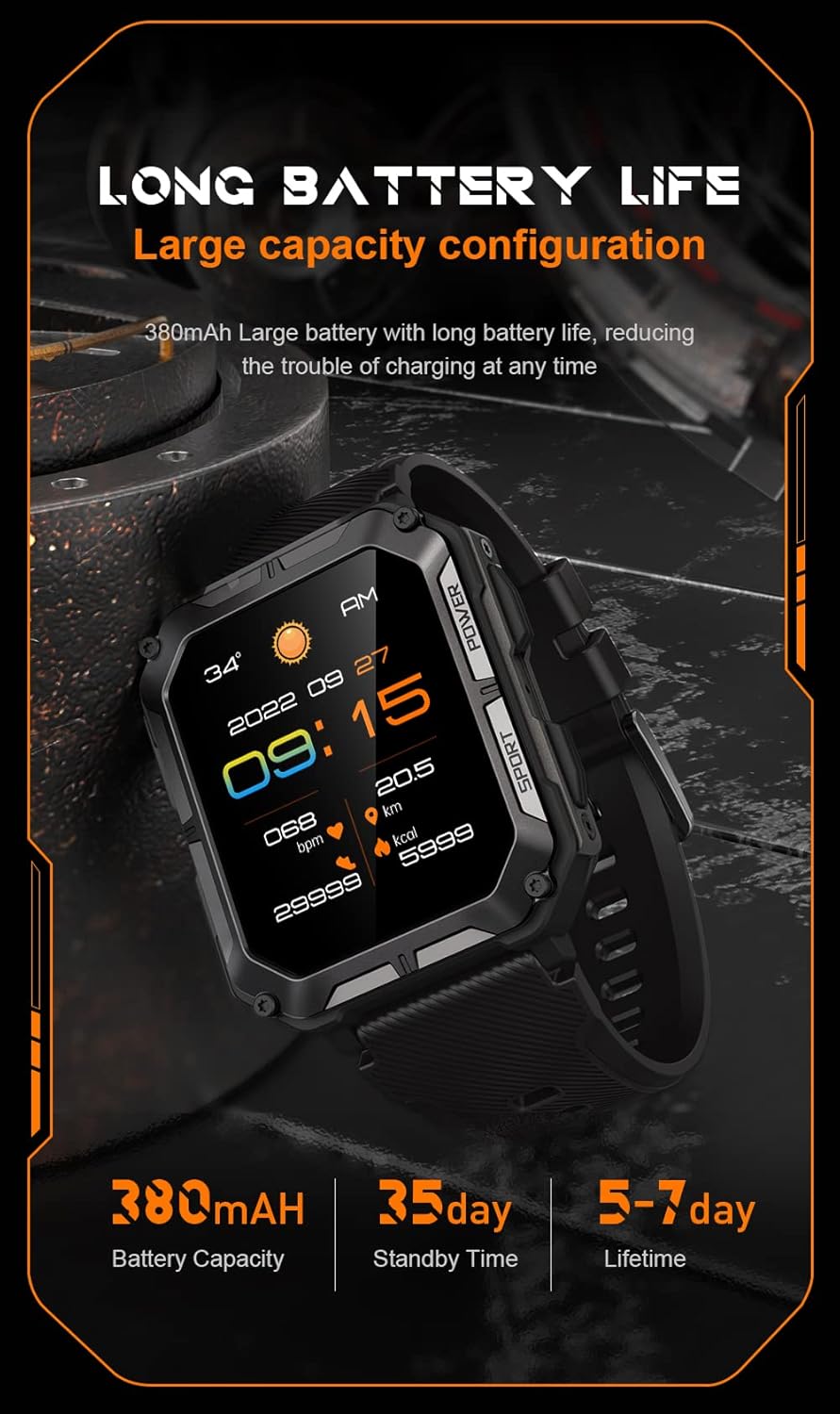
Image: The smartwatch display showing the time, date, weather, heart rate, steps, and battery level, with accompanying text emphasizing its long battery life and 380mAh capacity.
Dépannage
| Problème | Solution possible |
|---|---|
| Watch won't power on | Ensure the watch is fully charged. Press and hold the Power button for at least 10 seconds to force a restart. |
| Impossible de jumeler le téléphone | Ensure Bluetooth is enabled on your phone. Restart both the watch and phone. Clear previous pairings in phone's Bluetooth settings. Make sure the app is updated. |
| Données de santé inexactes | Ensure the watch is worn snugly on your wrist, not too tight or too loose. Clean the sensor on the back of the watch. Update watch firmware via the app. |
| Notifications non reçues | Check notification permissions in your phone's settings for the companion app. Ensure the app is running in the background. Verify Bluetooth connection. |
| Durée de vie de la batterie courte | Reduce screen brightness. Turn off unnecessary features like 'Always-On Display'. Limit frequent heart rate monitoring. Ensure no background apps are draining power. |
Caractéristiques
| Fonctionnalité | Détail |
|---|---|
| Numéro de modèle | W4-C28 |
| Taille de l'écran | 1.83 pouces |
| Capacité de la batterie | 380 mAh |
| Résistance à l'eau | IP68 |
| Connectivité | Bluetooth |
| Système opérateur | Android OS (compatible with iOS) |
| Poids de l'article | 1 livres |
| Résistance à la température | -24°C à 60°C |
Garantie et assistance
Informations sur la garantie
The Gravity C20 Pro Smartwatch comes with a standard manufacturer's warranty. Please refer to the warranty card included in your product packaging or visit the official Gravity webConsultez le site pour connaître les conditions générales détaillées concernant la couverture et la durée de la garantie.
Assistance clientèle
For any technical assistance, troubleshooting not covered in this manual, or warranty claims, please contact Gravity customer support. Contact information can typically be found on the official Gravity website ou sur l'emballage du produit.