
Introduction
This manual provides comprehensive instructions for the Gravity C28 Rugged Smartwatch. Please read this manual carefully before using the device to ensure proper operation and maintenance. Keep this manual for future reference.
The Gravity C28 is designed for durability and advanced functionality, featuring a 2.02-inch TFT high-resolution display, AI-generated watch faces, and over 100 sports modes. It includes health monitoring features such as heart rate and sleep tracking, Bluetooth calling, and smart notifications. The smartwatch is built to withstand various environments with its 1 ATM waterproof, shockproof, and dustproof design.
Qu'y a-t-il dans la boîte
- Gravity C28 Smartwatch
- Câble de chargement
- Manuel de l'utilisateur (ce document)
The product package includes the Gravity C28 Smartwatch and its essential accessories for charging and initial setup.
Produit terminéview

Figure 1 : Devant view of the Gravity C28 Smartwatch, showcasing its rugged design and digital display with time, date, and health metrics.
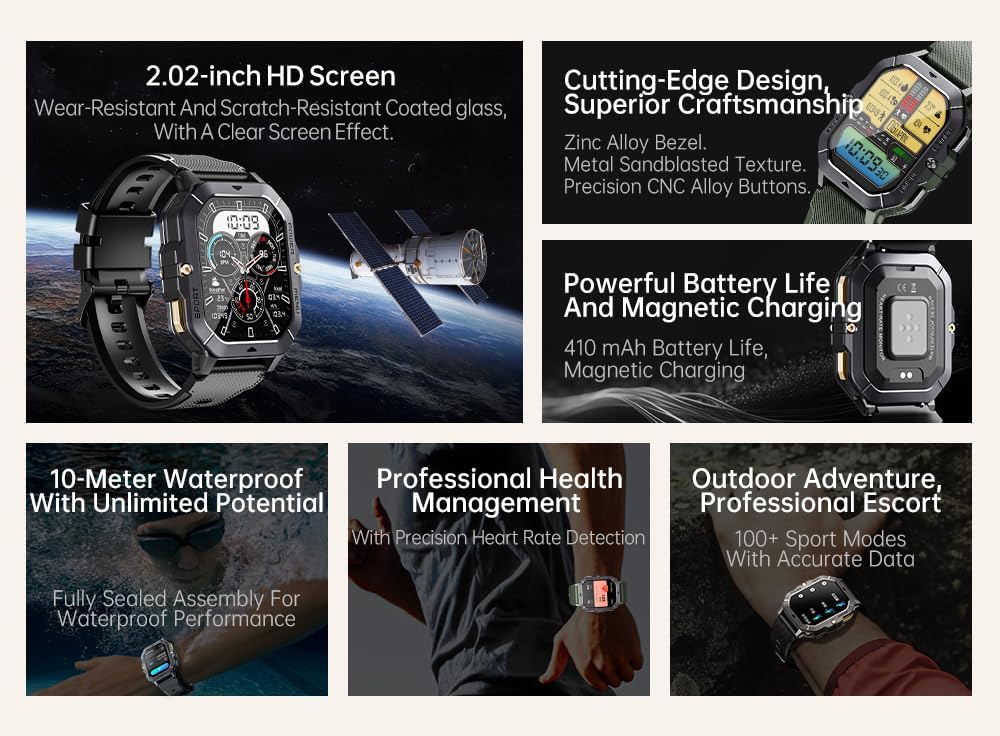
Figure 2 : Surview of key features including 2.02-inch HD screen, cutting-edge design, powerful battery, 10-meter waterproof rating, professional health management, and 100+ sport modes.
Installation
1. Chargement de l'appareil
Before first use, fully charge your Gravity C28 Smartwatch. Connect the magnetic charging cable to the charging points on the back of the watch and plug the USB end into a power adapter (not included) or a computer's USB port.

Figure 3 : Close-up of the Gravity C28 Smartwatch's rear, showing the magnetic charging contacts and heart rate sensor. The watch easily attaches to the charging dock via strong magnetic force for secure and convenient charging.

Figure 4 : The Gravity C28 Smartwatch highlighting its 410mAh battery, providing long-lasting endurance for worry-free travel.
- Assurez-vous que les contacts de charge de la montre et du câble sont propres et secs.
- Une charge complète prend généralement environ 2 heures.
- The watch has a 410mAh battery, providing up to 25 days of standby time.
2. Downloading the Da Fit App
The Gravity C28 Smartwatch requires the "Da Fit" application for full functionality and synchronization with your smartphone.
- Scan the QR code provided in the quick start guide or search for "Da Fit" in your smartphone's app store (Google Play Store for Android, Apple App Store for iOS).
- Téléchargez et installez l'application.
3. Appairage avec votre smartphone
- Assurez-vous que Bluetooth est activé sur votre smartphone.
- Ouvrez l'application « Da Fit ».
- Follow the on-screen instructions to add your device. The app will search for available smartwatches. Select "Gravity C28" from the list.
- Confirmez la demande de jumelage sur votre téléphone et sur votre montre connectée.
Note: For optimal performance, ensure the Da Fit app has necessary permissions enabled (e.g., location, notifications, background refresh).
Mode d'emploi
Navigation de base
- Bouton d'alimentation : Appuyez longuement pour allumer/éteindre. Appuyez brièvement pour revenir à l'écran d'accueil ou réactiver l'écran.
- Bouton Menu : Short press to access the main menu.
- Bouton Sport : Appuyez brièvement pour accéder rapidement aux modes sportifs.
- Gestes tactiles :
- Glisser vers le haut : View notifications.
- Swipe down: Access quick settings.
- Swipe left/right: Navigate through widgets (e.g., activity, heart rate, weather).
- Tap: Select an item or open an application.

Figure 5 : Illustration of various menu display modes available on the Gravity C28 Smartwatch, including Grid View, Surface, Parallel, and Helm, allowing for flexible switching.
Surveillance de la santé
The Gravity C28 provides comprehensive health tracking features:
- Surveillance de la fréquence cardiaque Real-time heart rate tracking throughout the day. Access the heart rate widget or app on the watch for detailed data.
- Surveillance du sommeil : Il enregistre automatiquement vos cycles de sommeil, y compris le sommeil profond, le sommeil léger et les périodes d'éveil. View sleep data in the Da Fit app.
- Oxygène sanguin (SpO2) : Mesurez votre taux de saturation en oxygène dans le sang.
- Pression artérielle: Provides an estimate of blood pressure. For medical accuracy, consult a healthcare professional.
- Surveillance du stress : Tracks stress levels based on heart rate variability.
- Suivi des activités : Enregistre le nombre de pas, la distance parcourue et les calories brûlées.

Figure 6 : Display of various health tracking metrics available on the Gravity C28, including heart rate, SpO2, blood pressure, stress levels, sleep patterns, and cycle tracking.
Modes sportifs
With over 100 sports modes, the Gravity C28 can accurately track various physical activities. To start a workout:
- Press the Sport button or navigate to the Sports app from the main menu.
- Sélectionnez l'activité que vous souhaitez pratiquer (par exemple, course à pied, cyclisme, natation).
- Tap to start the activity. The watch will display real-time metrics such as duration, heart rate, and calories.
- To end the activity, swipe right or press the power button and select "End".
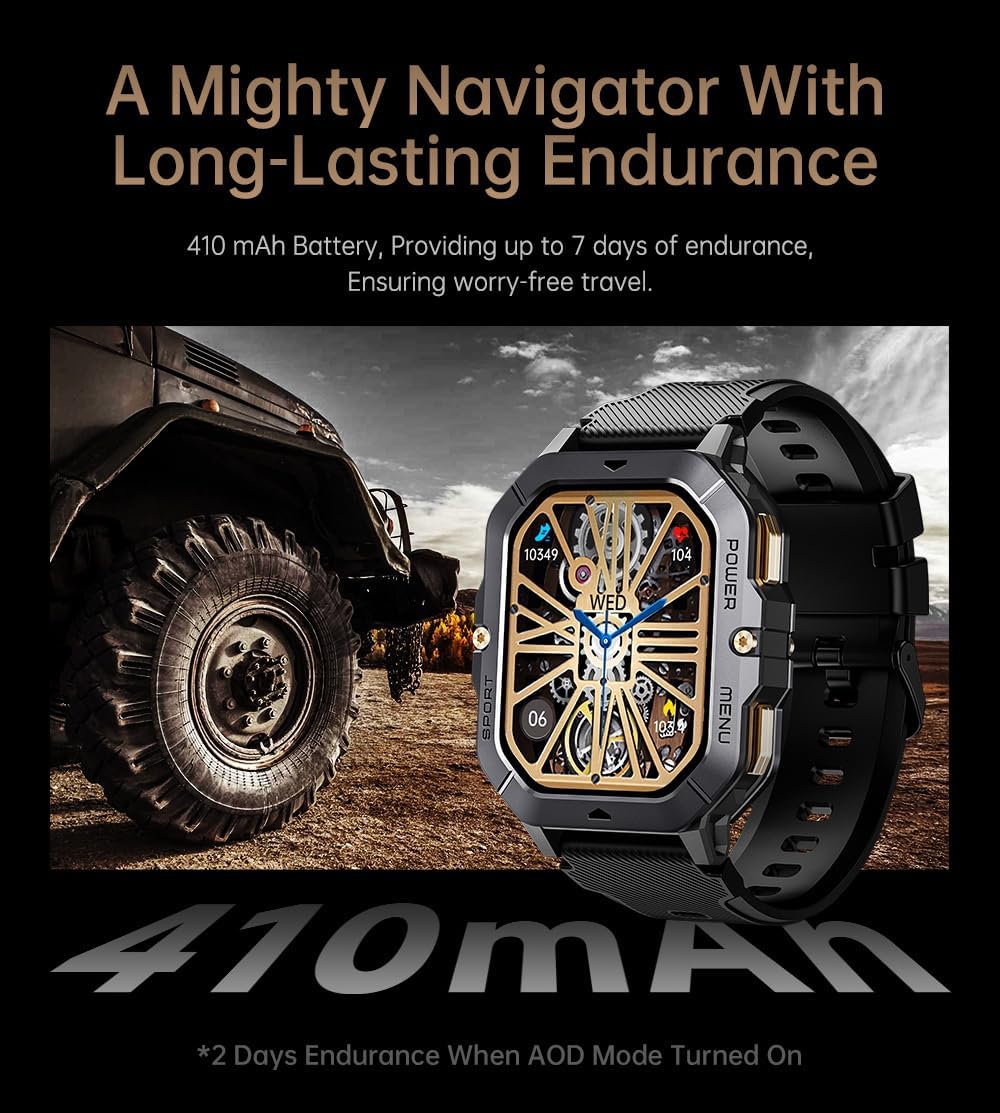
Figure 7 : The Gravity C28 Smartwatch being used during snorkeling, illustrating its 1 ATM waterproof capability suitable for various water activities like daily cleaning, sweating, and rain exposure.
Appels et notifications Bluetooth
The smartwatch supports Bluetooth calling and smart notifications:
- Appel Bluetooth : Once paired, you can answer incoming calls directly from your wrist. The watch has a built-in microphone and speaker.
- Notifications intelligentes: Receive alerts for calls, messages, and social media apps (e.g., WhatsApp, Facebook) directly on your watch. Configure notification settings within the Da Fit app.

Figure 8 : Two Gravity C28 smartwatches demonstrating the Bluetooth call and message alert functionality, showing an incoming call screen.
Personnalisation
- Regarder les visages: Change watch faces directly on the device or through the Da Fit app. The app offers a wide selection and supports AI-generated watch faces for personalization.
- Style de menus : The watch supports various menu display modes (e.g., Grid View, List View) which can be changed in settings.

Figure 9 : Explanation of the DA GPT and AI Watch Face features, showing how users can interact with DA GPT for new ideas and conveniently change watch faces, including generating images from text prompts.
Entretien et soins
- Nettoyage: Nettoyez régulièrement votre montre connectée et son bracelet avec un chiffon doux et sec.amp chiffon. Évitez d'utiliser des produits chimiques agressifs ou des matériaux abrasifs.
- Résistance à l'eau : The Gravity C28 is 1 ATM waterproof. It is suitable for daily use, hand washing, rain, and shallow water activities like swimming. Do not use it for diving or high-pressure water activities. Avoid hot water or steam.
- Température: The watch is designed to withstand temperatures from -24°C to 60°C. Avoid exposing it to extreme temperatures outside this range.
- Chargement : Always ensure the charging contacts are dry before charging to prevent corrosion.
- Stockage: En cas de non-utilisation prolongée, rangez la montre dans un endroit frais et sec. Rechargez-la régulièrement pour préserver la durée de vie de la batterie.
Dépannage
| Problème | Cause possible | Solution |
|---|---|---|
| La montre ne s'allume pas | Batterie faible ; appareil bloqué | Charge the watch for at least 30 minutes. If still unresponsive, press and hold the power button for 10-15 seconds to force restart. |
| Impossible de jumeler le téléphone | Bluetooth désactivé ; application non lancée ; montre non détectable ; interférences | Ensure Bluetooth is on. Restart both watch and phone. Make sure the Da Fit app is open. Forget previous pairings on phone. Try pairing in a different location. |
| Données de santé inexactes | Mauvaise adaptation ; obstruction du capteur ; mouvement pendant la mesure | Ensure the watch is snug but comfortable on your wrist. Clean the sensor on the back of the watch. Remain still during measurements. |
| Notifications non reçues | Autorisations de l'application ; Paramètres de notification ; Bluetooth déconnecté | Check Da Fit app permissions for notifications. Verify notification settings within the app. Ensure Bluetooth connection is stable. |
| Durée de vie de la batterie courte | Frequent use of features; High screen brightness; AOD mode enabled | Reduce screen brightness. Limit continuous heart rate monitoring. Disable Always-On Display (AOD) if not needed. Close unused apps on the watch. |
Caractéristiques
| Fonctionnalité | Détail |
|---|---|
| Numéro de modèle | W4-C28 |
| Afficher | Écran TFT de 2.02 pouces, résolution de 320 x 390 pixels |
| Capacité de la batterie | 410 mAh |
| Autonomie de la batterie (en veille) | Jusqu'à 25 jours |
| Résistance à l'eau | 1 ATM (Waterproof, Shockproof, Dustproof) |
| Température de fonctionnement | -24°C à 60°C |
| Connectivité | Bluetooth |
| Compatibilité | Android OS, iOS (via Da Fit app) |
| Surveillance de la santé | Heart Rate, Sleep, SpO2, Blood Pressure, Stress, Activity |
| Modes sportifs | 100+ |
| Poids de l'article | 1 livres |
| Dimensions du colis | 9 x 4 x 1 pouces |
Garantie et assistance
Gravity provides a standard manufacturer's warranty for the C28 Smartwatch against defects in materials and workmanship under normal use. Please refer to the warranty card included with your product or visit the official Gravity webConsultez le site pour connaître les conditions générales de garantie détaillées.
For technical support, troubleshooting assistance, or warranty claims, please contact Gravity customer service through their official website ou les coordonnées fournies dans l'emballage de votre produit.
Ressources en ligne :
- Official Gravity Website: www.gravity.com
- Da Fit App Support: Refer to the help section within the Da Fit application.