
Gravity C29
Gravity C29 Rugged Smart Watch User Manual
Modèle: C29
Introduction
The Gravity C29 Rugged Smart Watch is designed for durability and performance in challenging environments. This manual provides comprehensive instructions for setting up, operating, and maintaining your smartwatch, ensuring you get the most out of its advanced features, including health tracking, sports modes, and smart connectivity.
Qu'y a-t-il dans la boîte
- Gravity C29 Smart Watch
- Câble de chargement
- Manuel de l'utilisateur (ce document)
Produit terminéview
The Gravity C29 features a robust design with a 1.52-inch HD TFT display, built to withstand shock, dust, and water. It includes physical buttons for power and sport modes, alongside a responsive touchscreen for navigation.

Image : Avant view of the Gravity C29 Rugged Smart Watch, showcasing its robust design, circular display, and side buttons.

Image: The Gravity C29 Smart Watch display, highlighting its 1.52-inch HD screen with clear visibility even in bright conditions.
Installation
1. Charger la montre intelligente
Before first use, fully charge your Gravity C29 Smart Watch. Connect the magnetic charging cable to the charging points on the back of the watch and plug the USB end into a power adapter (not included) or a computer's USB port. A full charge typically takes approximately 2 hours.
2. Downloading the Da Fit App
To unlock all features and synchronize data, download the "Da Fit" app from your smartphone's app store (App Store for iOS, Google Play Store for Android). The watch is compatible with Android 9.0+ and iOS 9.0+.
3. Appairage avec votre smartphone
- Assurez-vous que Bluetooth est activé sur votre smartphone.
- Ouvrez l'application Da Fit et suivez les instructions à l'écran pour créer un compte ou vous connecter.
- In the app, navigate to the "Device" section and tap "Add Device" or "Bind Device".
- Select "C29" from the list of available devices.
- Confirmez la demande de jumelage sur votre montre et votre smartphone.
Une fois jumelée, la montre synchronisera automatiquement l'heure et les données avec votre téléphone.
Mode d'emploi
Navigation de base
- Écran tactile : Balayez vers la gauche/droite, vers le haut/bas pour naviguer dans les menus et les notifications. Appuyez pour sélectionner.
- Bouton d'alimentation (en haut à droite) : Appuyez pour réveiller/mettre en veille l'écran, appuyez longuement pour allumer/éteindre l'appareil.
- Sport Mode Button (Bottom Right): Appuyez pour accéder rapidement aux modes sportifs.
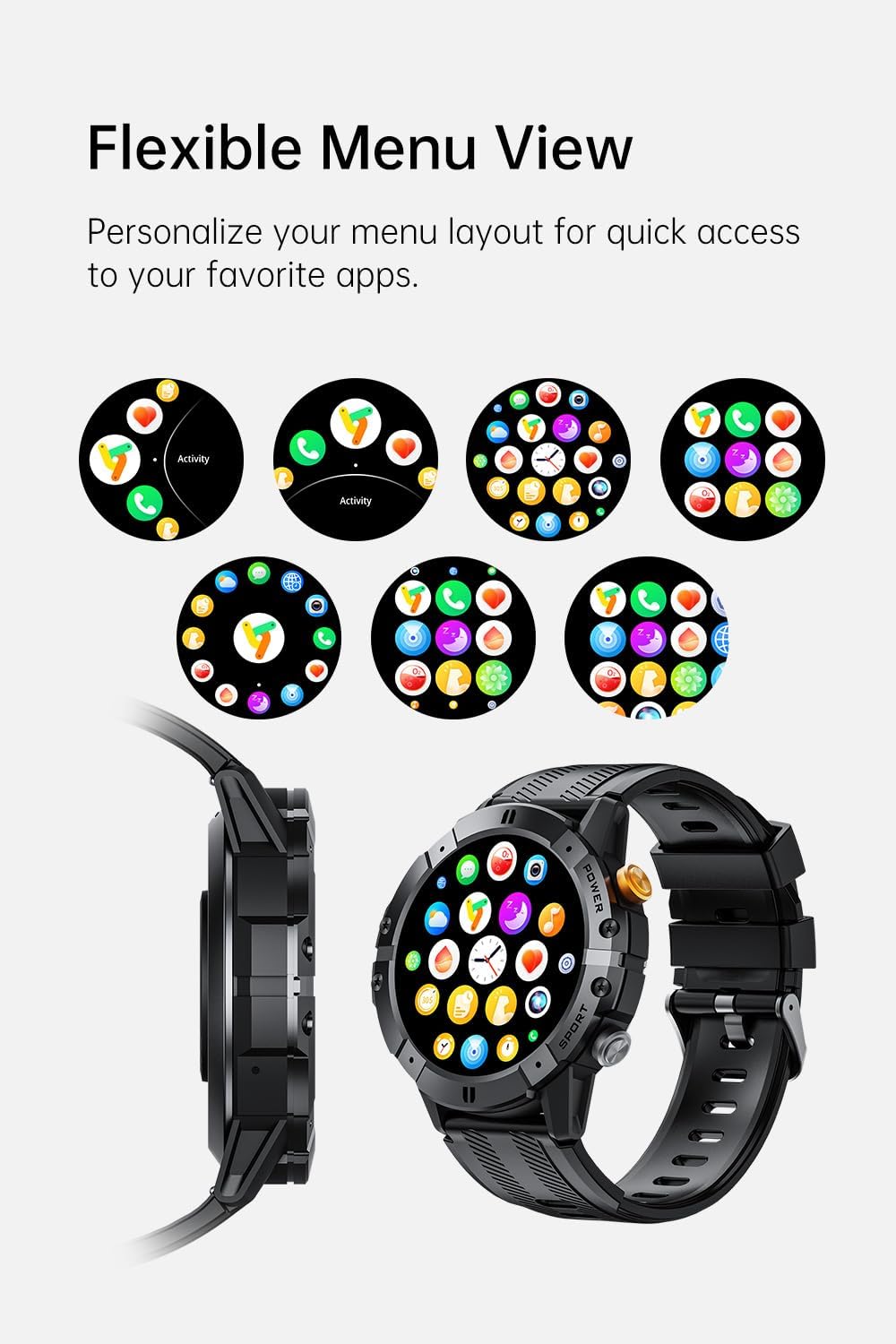
Image: Various menu layouts and app icons displayed on the Gravity C29 Smart Watch screen, demonstrating the flexible menu view.
Appels Bluetooth et notifications intelligentes
Once paired, the C29 allows you to make and receive calls directly from your wrist. You will also receive real-time notifications for calls, messages, and app alerts.

Image: A hand wearing the Gravity C29 Smart Watch, showing an incoming call notification and message alerts on the watch screen.
Assistant vocal AI
Activate the AI Voice Assistant on your watch to perform tasks hands-free, such as setting alarms, checking weather, or controlling music, using simple voice commands.

Image: The Gravity C29 Smart Watch displaying the AI Voice Assistant interface, with examples of voice commands like "Turn on the alarm" and "Call my mom."
Suivi de la santé
The C29 monitors your heart rate 24/7 and provides detailed sleep analysis. Access these metrics through the watch interface or the Da Fit app for comprehensive health insights.

Image: The Gravity C29 Smart Watch displaying a heart rate graph, illustrating its precision sensors for accurate health monitoring.
Modes sportifs
With over 100 sports modes, the C29 accurately tracks various activities like running, cycling, hiking, and swimming. Select your desired sport mode before starting an activity for precise data collection.

Image: Icons representing various sports activities such as swimming, cycling, running, and hiking, indicating the Gravity C29 Smart Watch's support for over 120 sports modes.
Autres fonctionnalités intelligentes
The Gravity C29 offers additional functionalities including weather updates, music control, and camera remote control. Access these features through the watch's menu.

Image: The Gravity C29 Smart Watch displaying a weather forecast, surrounded by icons representing other convenient functions like music control, camera remote, and settings.
Entretien
Nettoyage
Essuyez régulièrement la montre et le bracelet avec un chiffon doux et sec.amp Chiffon. Évitez d'utiliser des produits chimiques agressifs ou des matériaux abrasifs. Assurez-vous que les contacts de charge sont propres et secs avant de recharger.
Résistance à l'eau
The Gravity C29 is 1 ATM waterproof, meaning it can withstand splashes, rain, and brief immersion. It is suitable for everyday wear and light water activities. Do not use it for diving, hot showers, or prolonged submersion.

Image: The Gravity C29 Smart Watch being splashed with water, illustrating its 1 ATM waterproof rating suitable for handling splashes and rain.
Entretien de la batterie
To prolong battery life, avoid extreme temperatures. Charge the watch fully before long periods of inactivity. The 410mAh battery provides up to 7-10 days of active use and up to 25 days on standby.
Dépannage
- La montre ne s'allume pas : Assurez-vous que la montre est complètement chargée. Branchez-la au chargeur et attendez quelques minutes avant d'essayer de l'allumer.
- Impossible de connecter le téléphone :
- Assurez-vous que le Bluetooth est activé sur votre téléphone et que la montre se trouve à portée.
- Redémarrez à la fois la montre et votre téléphone.
- Check if the Da Fit app is updated to the latest version.
- Si l'appareil a déjà été jumelé, essayez de le dissocier des paramètres Bluetooth de votre téléphone et de le jumeler à nouveau via l'application.
- Données sanitaires inexactes : Assurez-vous que la montre est bien ajustée à votre poignet, ni trop serrée ni trop lâche. Nettoyez le capteur situé au dos de la montre.
- Les notifications ne s'affichent pas : Vérifiez les autorisations de notification de l'application Da Fit dans les paramètres de votre téléphone. Assurez-vous que l'application est bien exécutée en arrière-plan.
Caractéristiques
| Fonctionnalité | Détail |
|---|---|
| Marque | Pesanteur |
| Modèle | C29 |
| Taille de l'écran | 1.52 pouces |
| Type d'affichage | HD TFT |
| Résolution | 360x360 |
| Capacité de la batterie | 410 mAh |
| Autonomie de la batterie (en fonctionnement) | 7-10 jours |
| Autonomie de la batterie (en veille) | Jusqu'à 25 jours |
| Résistance à l'eau | 1 ATM (Shockproof, Dustproof) |
| Connectivité | Bluetooth 5.2 |
| Compatibilité | Android 9.0+ / iOS 9.0+ |
| Modes sportifs | 100+ |
| Température de fonctionnement | -24°C à 60°C |
| Poids de l'article | 4.6 onces |
Garantie et assistance
For product support, troubleshooting assistance, or warranty inquiries, please refer to the contact information provided with your purchase or visit the official Gravity webConsultez le site. Conservez votre preuve d'achat pour toute réclamation au titre de la garantie.
Protection plans are available for extended coverage. Please check your purchase details for more information on available protection plans.
Ask a question about this manual
Ask about setup, troubleshooting, compatibility, parts, safety, or missing instructions. Manuals+ will review the question and use this page’s manual context to help answer it.