
1. Introduction
Le cinéma AccsoonView Master 4K Wireless Video Receiver is a high-performance device designed for professional video transmission and monitoring. It supports 4K UHD video transmission with ultra-low latency and features tri-band (2.4GHz+5GHz+6GHz) technology for stable and reliable connections. This manual provides essential information for setting up, operating, and maintaining your CineView Master 4K Receiver.
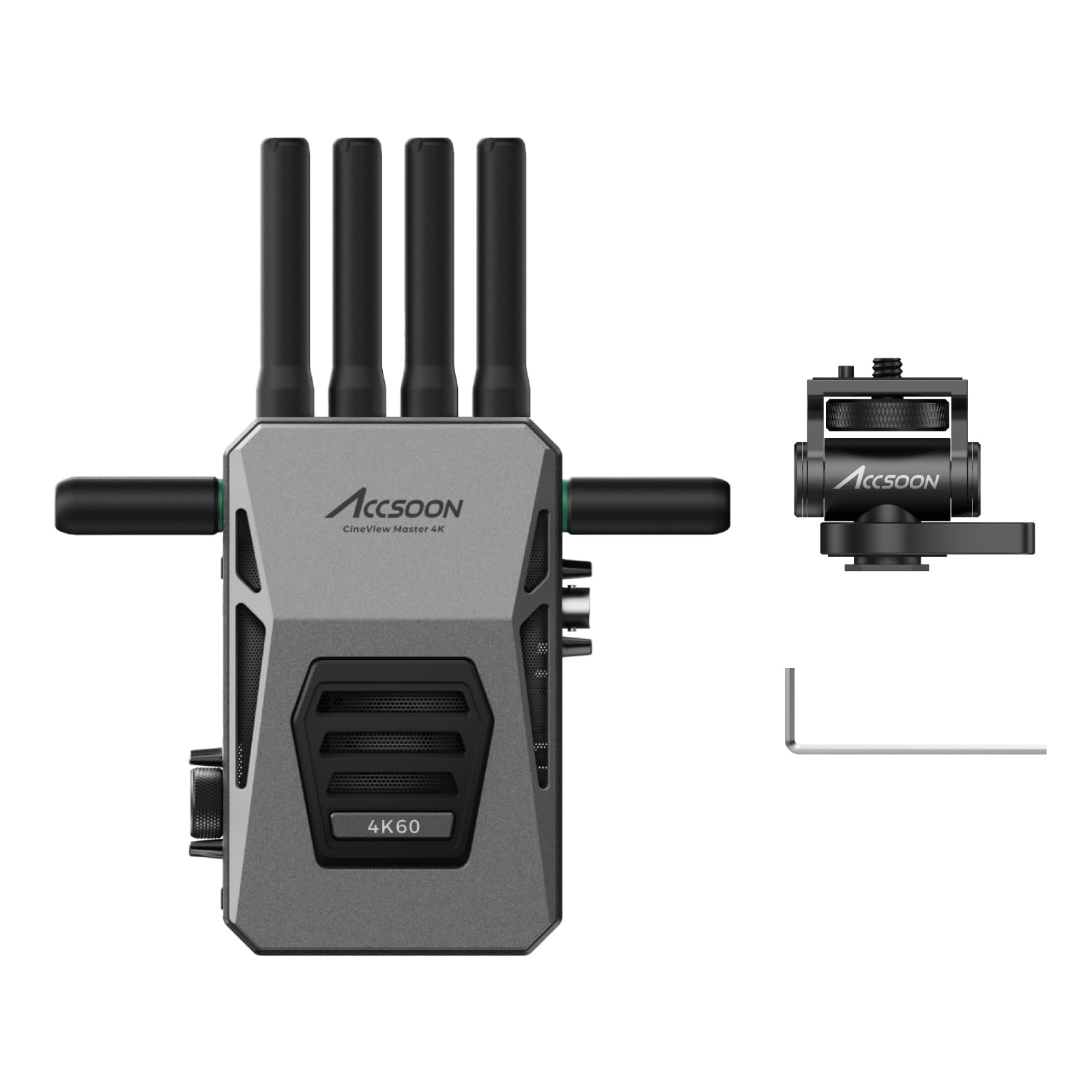
Image 1.1: Accsoon CineView Master 4K Wireless Video Receiver.
Key features include 4K UHD video transmission up to 60fps via HDMI and 1080p60 via SDI/HDMI, a powerful tri-band system with 25ms latency, and support for up to 5 receivers for monitoring. The proprietary RTMS 4.0 protocol and an 8K capable A/V processor enhance processing capabilities by 400%. The Accsoon SEE App provides extensive monitoring tools, and the system is compatible with a wide range of devices for versatile applications.
Video 1.1: Quick Introduction to the CineView Master 4K, highlighting its core features and capabilities.
2. Contenu de la boîte
Le cinéma AccsoonView Master 4K Receiver package includes the following items:
- CinémaView Master 4K Receiver (x1)
- Adaptateur pour griffe flash (x1)
- Clé en L (x1)
- Manuel d'utilisation (x1)

Image 2.1: Contents of the CineView Master 4K Receiver package.
3. Installation
3.1 Installation de l'antenne
Le CinéView Master 4K Receiver utilizes multiple antennas for optimal signal reception. Install the shorter 6GHz antennas to the side ports and the longer 2.4GHz and 5GHz antennas to the top ports of the receiver.
3.2 Installation de la batterie
The receiver is powered by an NP-F type battery. Align the battery with the NP-F battery slot on the back of the receiver and slide it in until it locks securely. Ensure the battery is charged above 50% for optimal performance and firmware updates.

Image 3.1: Flexible power options, including NP-F battery, DC power source, and V-mount battery (adapter not included).
4. Mode d'emploi
4.1 Mise sous/hors tension
- Mise sous tension : Short press the power button (located on the side) to turn on the device. The LCD screen and indicator lights will illuminate.
- Éteindre: Appuyez longuement sur le bouton d'alimentation pendant 3 secondes pour éteindre l'appareil.
4.2 Navigation dans les menus
Use the Menu/OK knob (rotary dial) to navigate through the menu pages and modify settings. Press the Return button to go back to the previous page or cancel a selection.

Image 4.1: Master 4K Receiver interfaces, including Power Button, Menu/OK Knob, Return Button, and Full Color LCD Display.
4.3 Channel and Group Settings
Le CinéView Master 4K automatically selects the channel with the least interference upon powering on. You can manually adjust channel and group settings via the menu. Ensure the receiver is paired to the correct transmitter group.
4.4 Region Settings
Adjust the region code in the menu to comply with the RF regulations of your current location.
4.5 Réinitialisation du réseau
The network reset option allows you to reboot the device, restoring all network settings to default.
4.6 Entrée/Sortie vidéo
The receiver supports HDMI and SDI video output. Connect your monitor to the HDMI OUT or SDI OUT port to view the transmitted video signal. The system supports 4K60/1080p60 formats.
4.7 Application Accsoon VOIR
The Accsoon SEE App allows for real-time monitoring and control. Connect your iOS/Android device to the CineView Master 4K's Wi-Fi network. The app offers features like streaming, recording, focus peaking, waveforms, false color, and more.

Image 4.2: Accsoon SEE App interface showing various monitoring tools.
Video 4.1: Accsoon SEE App 1.7.3 Update, demonstrating new features like transmitter memory and quick switch.
4.8 Mise à jour du micrologiciel
Firmware updates can be performed wirelessly via the Accsoon SEE App or wired via USB-C. Ensure your device's battery is above 50% before starting an update.
- Wireless Update: Connect your smartphone/tablet to the internet, download the latest firmware package via the Accsoon SEE App, then connect your device to the CineView Master 4K's 5GHz Wi-Fi network and follow the app instructions to upload the firmware.
- Wired Update: Connect your smartphone/tablet to the internet, download the latest firmware package via the Accsoon SEE App. Then, connect your device to the CineView Master 4K using a USB-C cable and follow the app instructions to transfer the firmware package.
Video 4.2: Master 4K Firmware Update tutorial, detailing the update process.
5. Entretien
5.1 Flexible Fan Control
Le CinéView Master 4K features flexible fan control to manage device temperature. You can select different fan speeds (Standard, Quiet, Off) based on your shooting environment and temperature requirements via the system menu.

Image 5.1: Fan control options for the CineView Maîtrisez la 4K.
6. Dépannage
6.1 Stabilité du signal
Le CinéView Master 4K's tri-band transmission (2.4GHz+5GHz+6GHz) combined with the RTMS 4.0 protocol ensures stable connection and optimal reliability, even in environments with interference. The system dynamically allocates and aggregates data across the three bands to prevent signal dropouts.
Video 6.1: Demonstration of the 2.4Ghz+5Ghz+6GHz Tri-Band Transmission stability, showing no signal dropouts even when individual bands are disconnected.
If you experience signal issues, ensure all antennas are securely attached and that there are no major obstructions between the transmitter and receiver. Check the channel settings to ensure you are using the least interfered channel.
7. Spécifications
| Fonctionnalité | Détail |
|---|---|
| Marque | Accsoon |
| Numéro de modèle | CP-AS-CVM4K |
| Technologie de connectivité | HDMI, Wi-Fi |
| Dossier spécial | Tri-band transmission, Up to 5 Devices Monitoring |
| Appareils compatibles | Monitor, Camcorder, Camera, DSLR, Television, Personal Computer, Game Console, Smartphone, Tablet |
| Nombre total de ports HDMI | 1 |
| Type de connecteur | HDMI |
| Mode de sortie audio | Stéréo |
| Encodage vidéo | H.264, H.265/HEVC |
| Couleur | Noir |
| Nombre de canaux | 20 |
| Type de sortie audio | HDMI, SDI |
| Format | 4K, AC-3, DTS Surround Sound, Dolby |
| Technologie sans fil | Wifi |
| Dimensions de l'article P x L x H | 1.25"P x 3.7"L x 5.1"H |
8. Garantie
Le cinéma AccsoonView Master 4K Wireless Video Receiver comes with a 1-year manufacturer warranty.
9. Assistance
For further assistance, technical support, or inquiries, please visit the official Accsoon store on Amazon or contact Accsoon customer service directly.
Accsoon Official Store: Visitez le magasin