
1. Introduction
Thank you for choosing the DreamSky Wooden Digital Alarm Clock, Model DS2208. This clock combines modern design with essential features to enhance your daily routine. With its large, easy-to-read display, adjustable brightness, and customizable alarm volume, it is designed for convenience and reliability. Please read this manual carefully to ensure proper setup and operation.
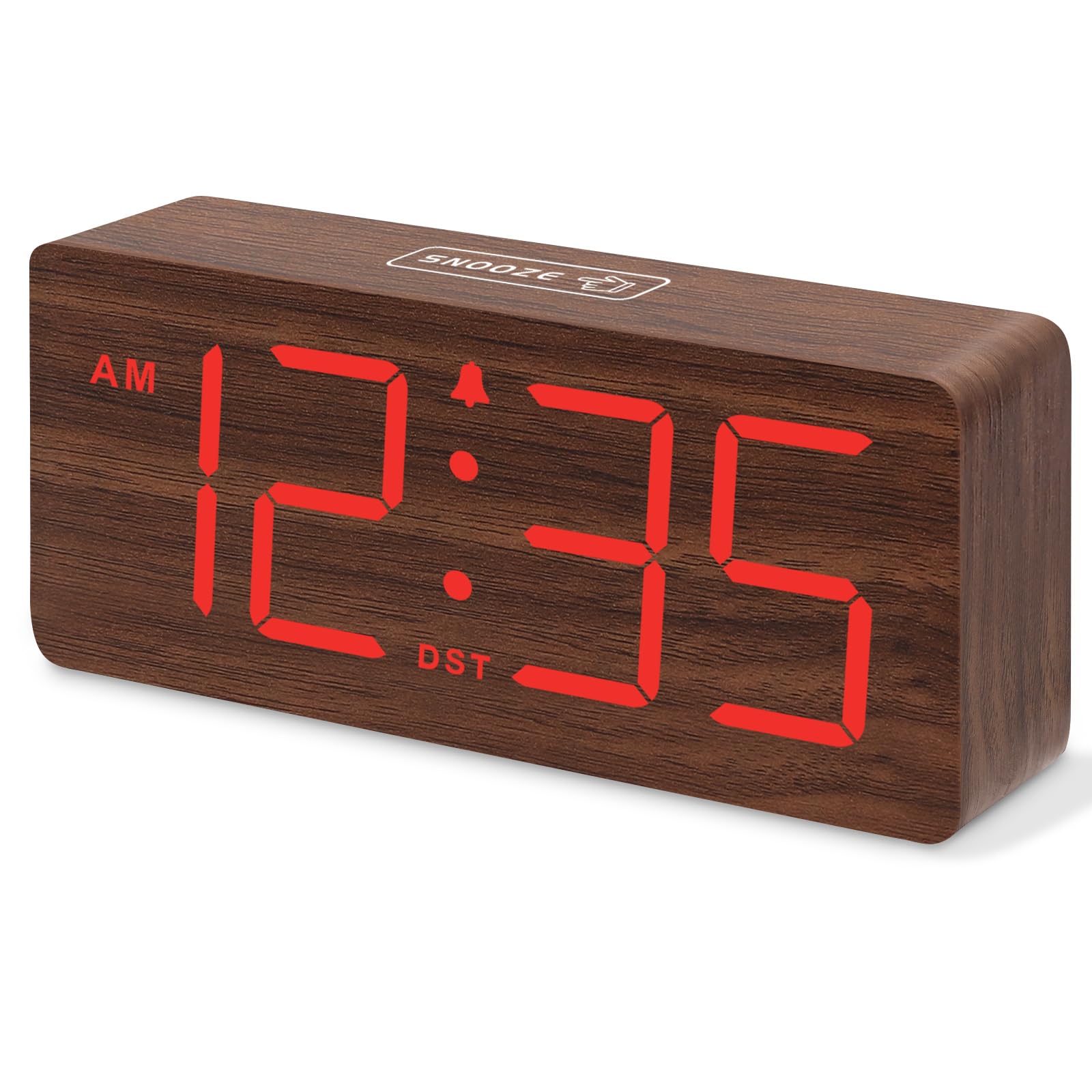
Figure 1 : DreamSky Wooden Digital Alarm Clock (Red)
2. caractéristiques du produit
- Grand écran numérique : Features 1.8-inch bold numbers for easy readability across the room.
- 6 Dimmable Brightness Levels: Adjust the display brightness from off to bright, suitable for day and night use.
- 5 Adjustable Alarm Volume Levels: Customize alarm volume from 70dB to 105dB, catering to both light and heavy sleepers.
- Fonction de répétition: Provides an extra 9 minutes of rest after the alarm sounds.
- Plug-in Power with Battery Backup: Primarily powered by an included adapter, with battery backup (batteries not included) to maintain time settings and trigger alarms during power outaget.
- DST and 12/24 Hour Format: Easy one-click switching for Daylight Saving Time and between 12-hour and 24-hour time formats.
- Design moderne en bois : An elegant and space-saving design that complements various home and office decors.
3. Contenu du colis
Veuillez vérifier que le colis contient les éléments suivants :
- DreamSky Wooden Digital Alarm Clock (Model DS2208)
- Adaptateur secteur 5 V/1.2 A
- Manuel de l'utilisateur (ce document)
4. Instructions de configuration
4.1 Alimentation de l'horloge
The DreamSky alarm clock is designed to be continuously powered by the included 5V/1.2A power adapter. For stable operation and continuous display, always keep the clock plugged into a power outlet.

Figure 2 : Clock powered by electricity.
4.2 Alimentation de secours par batterie
Pour la sauvegarde pendant l'alimentation outages, insert 2 AAA batteries (not supplied) into the battery compartment located on the back of the clock. The battery backup ensures that alarm settings are saved and the alarm will still function, though the display will not be lit to conserve power.

Figure 3 : Battery backup functionality.
4.3 contrôles surview
The control buttons are located on the back panel of the clock. Familiarize yourself with these buttons for easy operation:

Figure 4 : Rear panel controls and power input.
4.4 Réglage de l'heure
- Appuyez et maintenez enfoncé le RÉGLAGE DE L'HEURE Appuyez sur le bouton pendant 2 secondes pour accéder au mode de réglage de l'heure. Les chiffres des heures clignoteront.
- Utilisez le + or - boutons pour régler l'heure.
- Presse RÉGLAGE DE L'HEURE Confirmez à nouveau l'heure et passez au réglage des minutes. Les chiffres des minutes clignoteront.
- Utilisez le + or - boutons pour régler les minutes.
- Presse RÉGLAGE DE L'HEURE to save the time and exit setting mode.
4.5 Réglage de l'alarme
- Appuyez et maintenez enfoncé le ENSEMBLE D'ALARME Appuyez sur le bouton pendant 2 secondes. Les chiffres de l'heure de l'alarme clignoteront.
- Utilisez le + or - boutons pour régler l'heure de l'alarme.
- Presse ENSEMBLE D'ALARME again to confirm the alarm hour and move to alarm minute setting. The minute digits will flash.
- Utilisez le + or - boutons pour régler les minutes de l'alarme.
- Presse ENSEMBLE D'ALARME to save the alarm time. The alarm icon will appear on the display, indicating the alarm is active.
Format 4.6 heure 12/24
To switch between 12-hour (AM/PM) and 24-hour (military) time formats, simply press the 12/24H bouton.
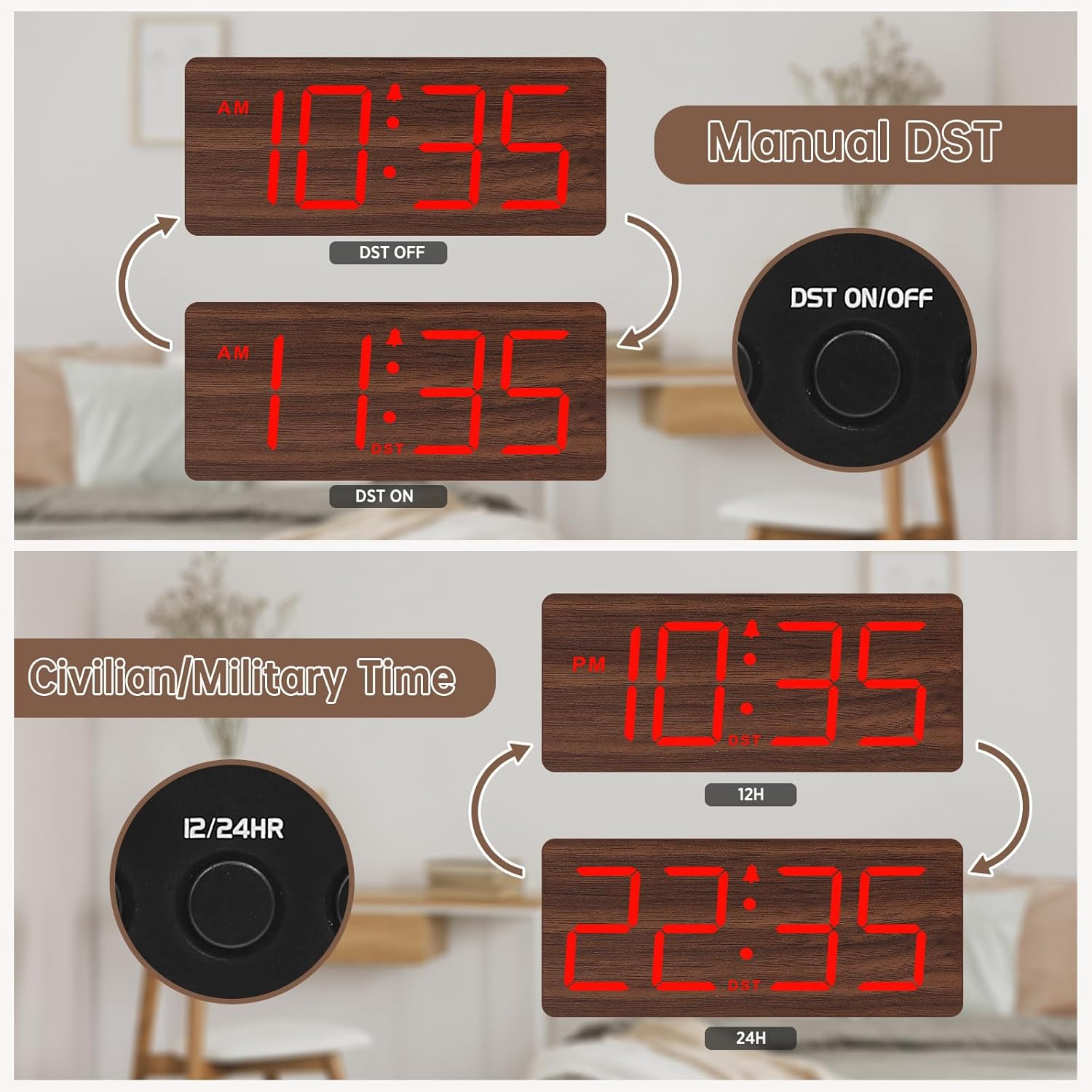
Figure 5 : Manual DST and 12/24 Hour Time Switch.
4.7 Heure d'été (DST)
Pour activer ou désactiver l'heure d'été, appuyez sur la touche DST ON / OFF button. The display will adjust by one hour forward or backward, and a 'DST' indicator will appear or disappear.
4.8 Réglage de la luminosité de l'écran
The clock offers 6 levels of display brightness (L1 to L5, plus OFF). Press the VARIATEUR button repeatedly to cycle through the brightness levels. Select a level that is comfortable for your environment, from bright during the day to dim or off at night.

Figure 6 : Adjustable Display Brightness Levels.
4.9 Réglage du volume de l'alarme
The alarm volume can be adjusted to 5 different levels (V1 to V5). Use the VOL+ et vol- buttons to set your preferred alarm volume. This feature is ideal for heavy sleepers who need a louder alarm or for light sleepers who prefer a softer tone.

Figure 7 : 5 Adjustable Alarm Volume Levels.
5. Mode d'emploi
5.1 Fonction de répétition
Lorsque l'alarme sonne, appuyez sur le grand bouton. ROUPILLON button on the top of the clock to temporarily silence the alarm for 9 minutes. The alarm will sound again after the snooze period ends.
5.2 Activation/Désactivation de l'alarme
Pour activer ou désactiver l'alarme, appuyez sur le bouton. MARCHE/ARRÊT button. The alarm icon on the display will indicate whether the alarm is currently active.
6. Entretien
To maintain your DreamSky Wooden Digital Alarm Clock:
- Essuyez l'horloge avec un chiffon doux et sec.
- Évitez d'utiliser des nettoyants abrasifs ou des solvants.
- Conservez l'horloge à l'abri de la lumière directe du soleil, des températures extrêmes et de l'humidité.
7. Dépannage
- Display not lit: Ensure the power adapter is securely plugged into both the clock and a working power outlet. If using battery backup, the display will not light up to conserve power.
- L'alarme ne sonne pas : Check if the alarm is set and the alarm icon is visible on the display. Ensure the alarm volume is not set to the lowest level (V1) or muted.
- Heure incorrecte : Re-enter time setting mode and adjust the time as described in Section 4.4. If using battery backup, ensure batteries are fresh.
8. Spécifications
| Fonctionnalité | Détail |
|---|---|
| Marque | RêveSky |
| Numéro de modèle | DS2208 |
| Couleur | Red (Plug-in) |
| Type d'affichage | Numérique |
| Dimensions du produit | 6.1 po L x 2.8 po H |
| Source d'énergie | Alimentation filaire (adaptateur 5V/1.2A inclus) |
| Batterie de secours | 2 piles AAA (non incluses) |
| Matériel | Bois |
| Poids de l'article | 10.2 onces |
9. Vidéo officielle du produit
Vidéo 1: Un plusview of the DreamSky Wooden Digital Clock, demonstrating its features and aesthetic appeal. This video is provided by DreamSky Direct.
10. Garantie et assistance
DreamSky products are designed for durability and performance. For any questions, technical support, or warranty inquiries, please contact DreamSky customer support at: info@dreamsky4u.com.