
1. Produit terminéview
The Withings Scanwatch Nova Brilliant is a hybrid smartwatch designed to combine the elegance of a traditional timepiece with advanced health monitoring capabilities. It tracks various health metrics including heart rate, blood oxygen, body temperature, and sleep patterns, offering comprehensive insights into your well-being. This manual provides instructions for setting up, operating, and maintaining your device.
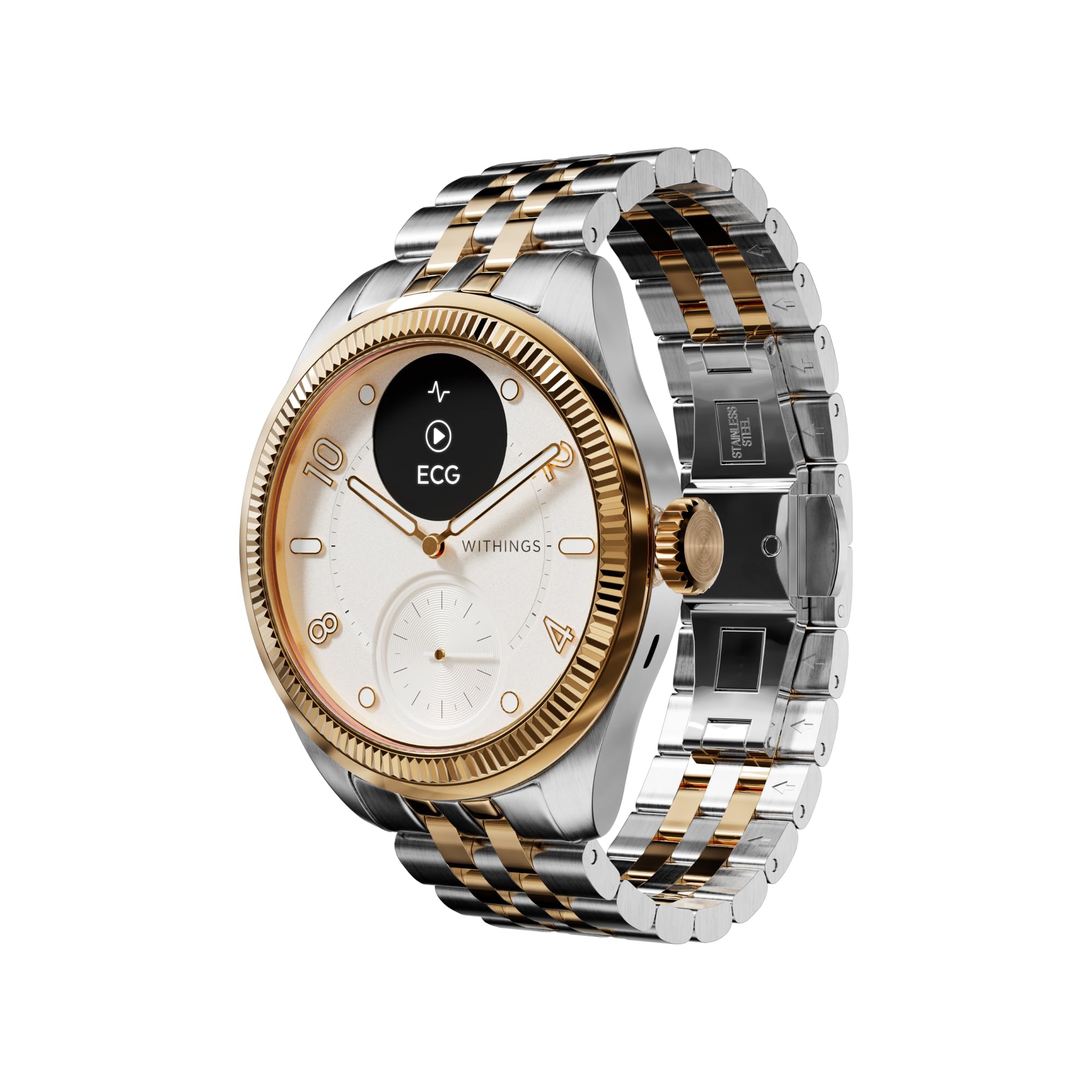
Image 1.1: The Withings Scanwatch Nova Brilliant, showcasing its classic design with a gold bezel and stainless steel band.
Vidéo 1.1 : Déballage et présentationview of the Withings Scanwatch Nova, highlighting its design and included accessories. This video provides a general introduction to the product's appearance and initial contents.
2. Guide de configuration
2.1 Déballage et charge initiale
Upon unboxing your Scanwatch Nova Brilliant, ensure all components are present: the smartwatch, a charging cable, and tools for band adjustment. Before first use, fully charge the device using the provided charging cable. Connect the charging cable to a USB power source.
2.2 Installation de l'application
The Withings Scanwatch Nova Brilliant requires the Withings Health Mate app for full functionality. Download the app from the Apple App Store (for iOS devices) or Google Play Store (for Android devices).
- Rechercher « Withings Health Mate » dans la boutique d'applications de votre appareil.
- Téléchargez et installez l'application.
- Create a new account or log in with your existing Withings credentials.

Image 2.1: A visual representation of the Withings Health Mate app interface, which is essential for managing the smartwatch's features and data.
2.3 Couplage d'appareils
Follow the on-screen instructions within the Health Mate app to pair your Scanwatch Nova Brilliant with your smartphone via Bluetooth. Ensure your phone's Bluetooth is enabled and the watch is sufficiently charged.
3. Mode d'emploi
3.1 Heart Health Tracking
The Scanwatch Nova Brilliant continuously monitors your heart rate throughout the day and night. It can alert you if your heart rate is detected to be unusually high or low. The device also tracks overnight heart rate variability, providing data for long-term heart health assessment.
Électrocardiogramme (ECG) : The watch is capable of performing a medical-grade ECG to detect potential cardiac anomalies. To initiate an ECG, follow the instructions on the watch display and within the Health Mate app, typically by placing your finger on the watch's bezel for 30 seconds.

Image 3.1: The Scanwatch Nova Brilliant displaying an ECG reading on its digital screen, indicating the process of heart rhythm analysis.
3.2 Surveillance de la température
Utilizing the TempTech24/7 module, the watch tracks your baseline body temperature and detects fluctuations. These variations can provide early indications of illness or offer insights into temperature zones relevant to workout performance.
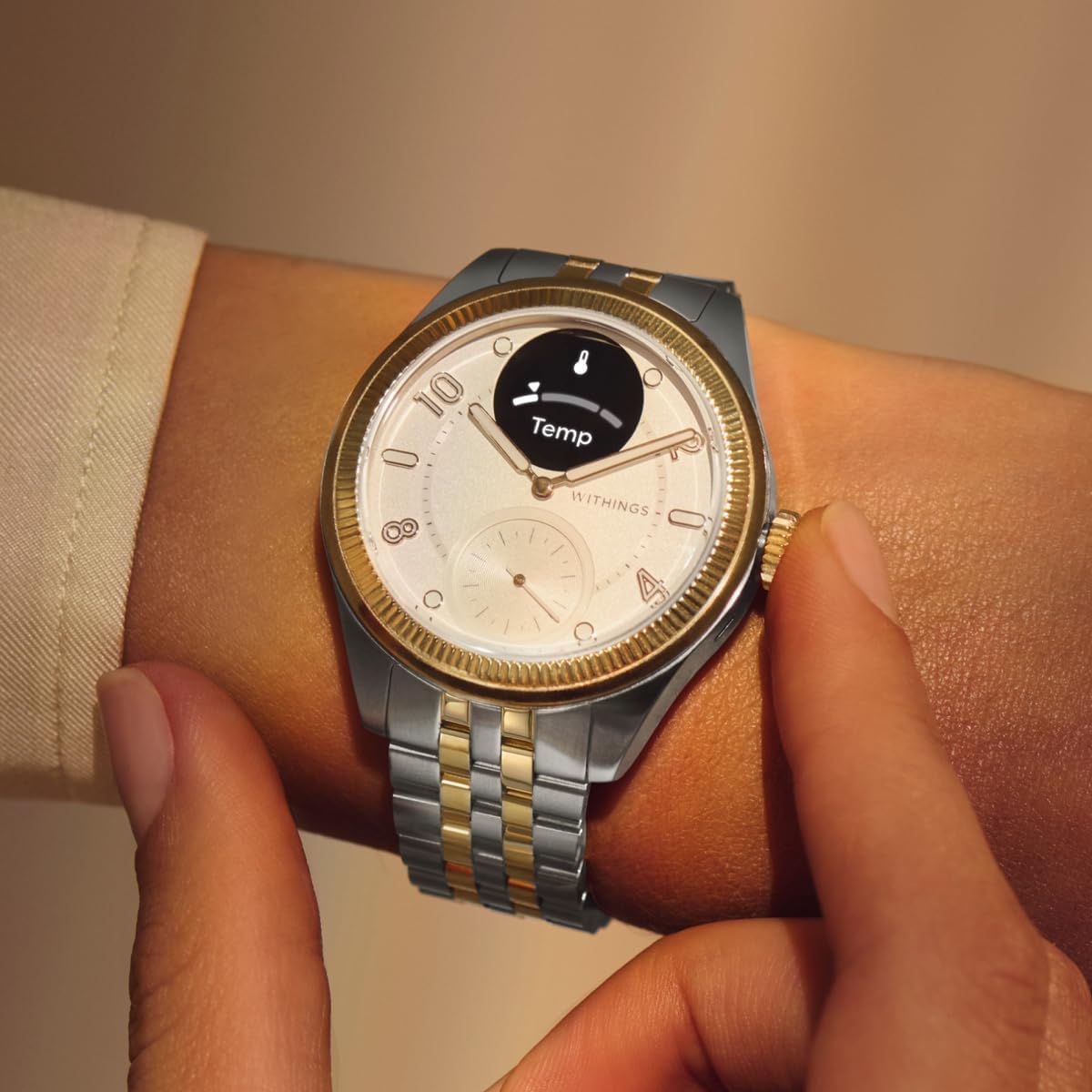
Image 3.2: The Scanwatch Nova Brilliant showing a temperature reading on its display, indicating the watch's ability to monitor body temperature.
3.3 Respiratory Insights
Measure your blood oxygen saturation level (SpO2) on demand. The watch also tracks your SpO2 overnight to identify potential breathing disturbances, contributing to a better understanding of your respiratory health.

Image 3.3: The Scanwatch Nova Brilliant displaying a blood oxygen saturation (SpO2) reading of 98% on its digital screen.
3.4 Suivi du sommeil
The watch provides detailed sleep analysis, tracking sleep duration, time spent in light and deep sleep phases, sleep interruptions, and sleep regularity. It generates a Sleep Quality Score to help you assess and improve your sleep patterns.
3.5 Advanced Activity Tracking
The Scanwatch Nova Brilliant automatically recognizes over 40 activities. It assesses fitness performance through heart rate zones, estimates your Fitness Level via VO2 max, and includes a connected GPS tracker for accurate distance and pace during outdoor activities.

Image 3.4: The Scanwatch Nova Brilliant displaying activity and sleep metrics, illustrating its comprehensive tracking capabilities.
3.6 Notifications intelligentes
Receive notifications from your smartphone directly on your watch display. Manage which app notifications appear through the Health Mate app settings.
4. Entretien
4.1 Nettoyage de votre montre
Regularly clean your watch and band with a soft, dry cloth. For stubborn dirt, a slightly damp cloth can be used. Avoid harsh chemicals or abrasive materials that could damage the watch's finish or sensors.
4.2 Résistance à l'eau
The Scanwatch Nova Brilliant is water resistant up to 50 meters (5 ATM). This means it is suitable for showering, swimming in shallow water, and other surface water activities. It is not recommended for scuba diving or high-speed water sports.
4.3 Autonomie de la batterie
The watch features an impressive battery life of up to 30 days on a single charge, depending on usage. When the battery is low, connect the watch to the charging cable as described in the setup section.

Image 4.1 : L'arrière view of the Scanwatch Nova Brilliant, highlighting its sensors and indicating its 30-day battery life capability.
5. Dépannage
5.1 Problèmes de connectivité
- La montre ne se connecte pas à l'application : Ensure Bluetooth is enabled on your smartphone and the watch is within range. Restart both your phone and the watch.
- Synchronisation des données impossible : Open the Health Mate app to force a synchronization. Check your internet connection.
5.2 Problèmes de charge
- La montre ne charge pas : Verify the charging cable is securely connected to both the watch and the power source. Try a different USB port or power adapter. Clean the charging contacts on the watch.
5.3 Lectures inexactes
- Les mesures de fréquence cardiaque/SpO2 semblent incorrectes : Assurez-vous que la montre est bien ajustée à votre poignet, sans être trop serrée. Nettoyez les capteurs situés au dos de la montre. Évitez les mouvements brusques pendant les mesures.
- Sleep tracking discrepancies: Ensure the watch is worn throughout the night. Review your sleep environment and habits in relation to the app's data.
For further assistance, refer to the support section of the Withings Health Mate app or visit the official Withings support website.
6. Spécifications
| Fonctionnalité | Détail |
|---|---|
| Numéro de modèle | Modèle HWA10 10-Tout-Int |
| Système opérateur | Système d'exploitation propriétaire |
| Taille de l'écran | 39 millimètres |
| Type d'affichage | Analogique-numérique |
| Résolution | 320 x 340 |
| Connectivité | Bluetooth |
| GPS | GPS intégré |
| Profondeur de résistance à l'eau | 50 mètres (5 ATM) |
| Autonomie de la batterie | Jusqu'à 30 jours |
| Mesures mesurées | Heart Rate, Blood Oxygen (SpO2), Body Temperature, Sleep Duration |
| Type de matériau de la bande | Acier inoxydable |
| Type de matériau du boîtier | Acier inoxydable |
| Modèles de téléphones compatibles | All current Android & iOS smartphones |
| Langues prises en charge | Anglais, Français, Allemand, Italien, Espagnol |
| Poids de l'article | 420 gramme |
7. Garantie et assistance
7.1 Garantie du fabricant
The Withings Scanwatch Nova Brilliant comes with a 2-year manufacturer's warranty. This warranty covers defects in materials and workmanship under normal use. Please retain your proof of purchase for warranty claims.
7.2 Assistance clientèle
For technical support, troubleshooting assistance, or warranty inquiries, please visit the official Withings support website or contact their customer service directly. Detailed contact information can typically be found on the Withings website or within the Health Mate app.