
Introduction
This manual provides detailed instructions for the setup, operation, maintenance, and troubleshooting of your KOORUI S2721XO 27-inch QD-OLED Gaming Monitor. Please read this manual thoroughly before using the product to ensure proper functionality and to prevent damage.

Image: KOORUI S2721XO 27-inch QD-OLED Gaming Monitor showcasing its main features like 240Hz refresh rate, 0.03ms response time, QHD resolution, QD-OLED panel, VESA compatibility, 99% DCI-P3 color gamut, Eye Care, and Adaptive Sync.
Contenu du colis
Vérifiez que tous les composants sont présents dans le package :
- KOORUI S2721XO 27-inch QD-OLED Gaming Monitor
- Support pour écran (base et col)
- Câble d'alimentation
- Câble HDMI
- Câble DisplayPort
- Manuel de l'utilisateur (ce document)
- Carte de garantie (le cas échéant)
Instructions d'installation
1. Assemblage du support
- Retirez soigneusement le moniteur et son support de leur emballage.
- Fixez le pied du support à l'écran. Assurez-vous qu'il s'enclenche correctement ou qu'il est fixé à l'aide de vis comme indiqué dans le guide de démarrage rapide.
- Fixez la base du support au col du support, en la fixant avec la vis fournie.
- Placez le moniteur assemblé sur une surface stable et plane.
Alternatively, the monitor supports VESA 75mm x 75mm mounting for wall mounts or monitor arms. Ensure the VESA mount is rated for the monitor's weight (3 kg).

Image: Illustrations showing the monitor's ergonomic adjustments including height adjustment (110mm), tilt (-20° to 20°), 90° pivot for vertical viewing, and swivel (-5° to 20°).
2. Câbles de connexion
Identify the ports on the back of your monitor and connect the necessary cables.

Image : Arrière view of the KOORUI S2721XO monitor showing the connectivity ports: 1. Power cable input, 2. HDMI 2.1, 3. HDMI 2.1, 4. DisplayPort 1.4, 5. Audio output interface. Also shows VESA 100x100mm mounting points.
- Câble d'alimentation: Branchez une extrémité du câble d'alimentation à l'entrée d'alimentation du moniteur et l'autre extrémité à une prise de courant.
- Entrée vidéo:
- For HDMI connection, use the provided HDMI cable to connect your computer's HDMI output to one of the monitor's HDMI 2.1 ports.
- For DisplayPort connection, use the provided DisplayPort cable to connect your computer's DisplayPort output to the monitor's DisplayPort 1.4 port.
- Sortie audio : If desired, connect external speakers or headphones to the audio output jack.
3. Mise sous tension initiale
- Appuyez sur le bouton d'alimentation du moniteur.
- Allumez votre ordinateur. Le moniteur devrait détecter automatiquement le signal d'entrée. Si ce n'est pas le cas, vous devrez peut-être sélectionner manuellement la source d'entrée à l'aide du menu OSD.
Mode d'emploi
Menu d'affichage à l'écran (OSD)
The OSD menu allows you to adjust various monitor settings. Typically, a joystick or a set of buttons located on the back or bottom of the monitor is used to navigate the OSD.
- Press the OSD button/joystick to open the menu.
- Use the navigation controls to move through options.
- Appuyez sur le bouton de sélection pour confirmer votre choix.
- Appuyez sur le bouton de sortie pour fermer le menu OSD.
Paramètres d'image
- Le contraste de luminosité: Ajustez ces paramètres selon vos besoins. viewenvironnement de travail.
- Température de couleur: Choisissez parmi les modes prédéfinis (par exemple, Chaud, Froid, Utilisateur) ou personnalisez les valeurs RVB.
- HDR (plage dynamique élevée) : The monitor supports HDR 400. Enable HDR in your operating system and monitor settings for enhanced contrast and color detail.
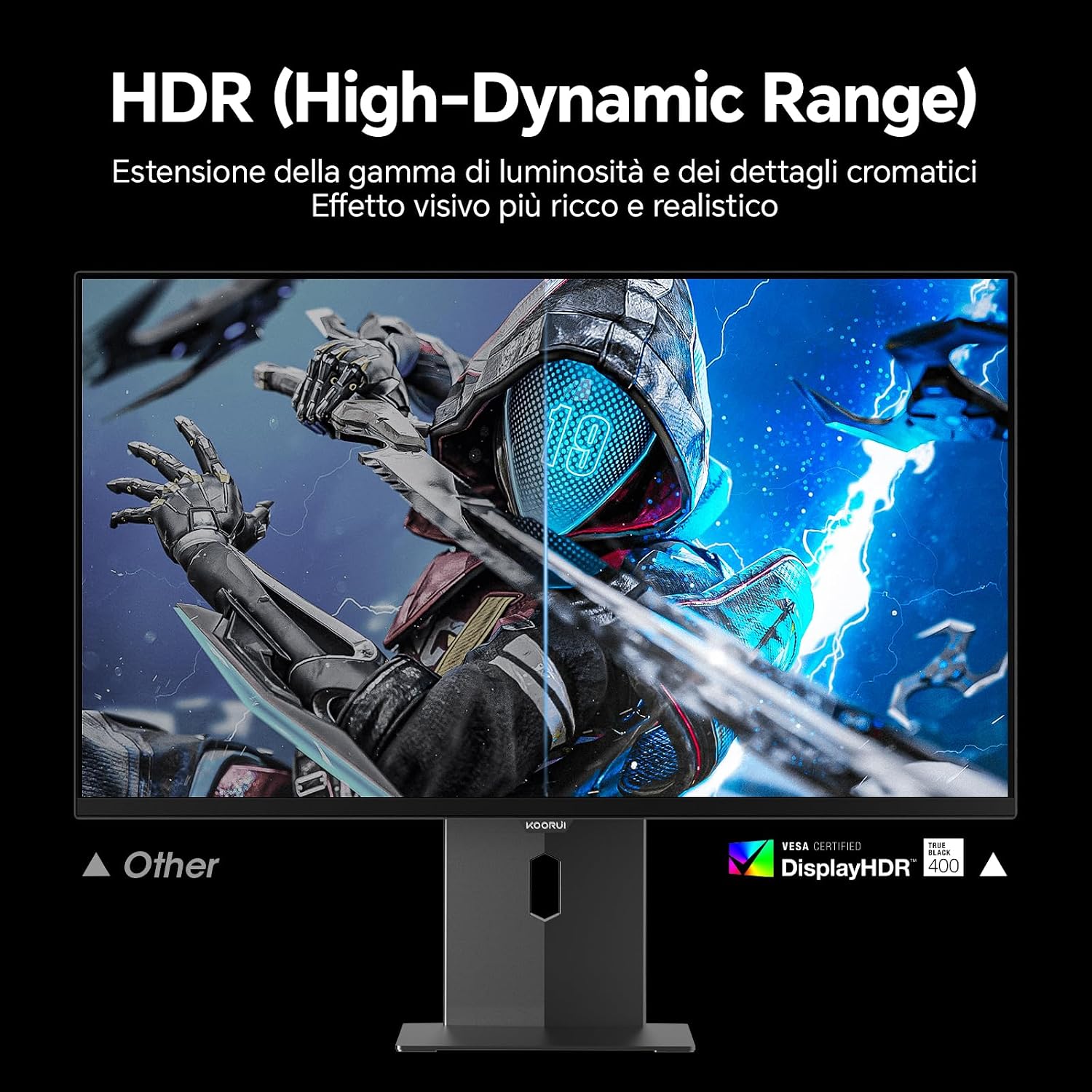
Image: Comparison of a standard display versus the KOORUI S2721XO monitor with HDR (High-Dynamic Range) enabled, showing richer visual effects and realistic details.
Fonctionnalités de jeu
- Taux de rafraîchissement : The monitor supports up to 240Hz. Ensure your graphics card and system settings are configured to utilize this refresh rate for smooth gameplay.
- Temps de réponse : With a 0.03ms response time, motion blur is significantly reduced.
- Synchronisation adaptative : This technology synchronizes the monitor's refresh rate with your GPU's frame rate, eliminating screen tearing and stuttering. Enable Adaptive Sync in the OSD menu and your graphics card control panel.
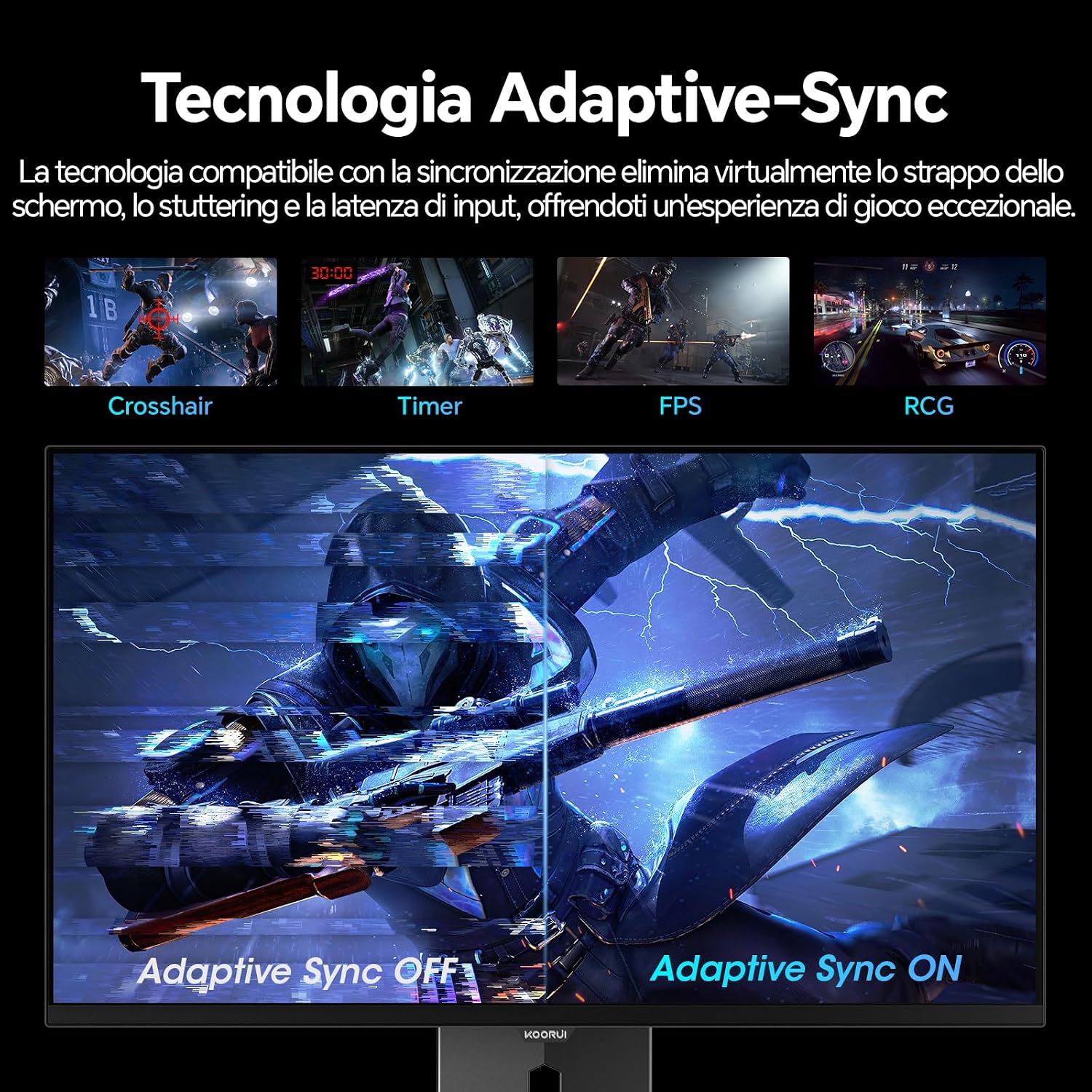
Image: A visual demonstration of Adaptive Sync technology, showing the difference between Adaptive Sync OFF (with screen tearing and stuttering) and Adaptive Sync ON (with smooth, tear-free visuals).

Image: A visual comparison illustrating the ultra-high refresh rate of 240Hz and 0.03ms response time, contrasting it with a 100Hz 5ms display to show the improved fluidity and reduced ghosting.
Mode Soins des yeux
The monitor includes features designed to reduce eye strain during extended use. Access the Eye Care settings in the OSD menu to enable modes that reduce blue light emission or adjust flicker-free settings.
Entretien
Nettoyage du moniteur
- Éteignez toujours le moniteur et débranchez le câble d'alimentation avant de le nettoyer.
- Utilisez un chiffon doux et non pelucheux légèrement dampterminer avec de l'eau ou un nettoyant pour écrans spécialisé.
- Ne pas vaporiser le nettoyant directement sur l'écran.
- Évitez d'utiliser des nettoyants abrasifs, des cires ou des solvants, car ils peuvent endommager la surface de l'écran.
- Essuyez le moniteur casing avec un chiffon doux et sec.
Stockage
When storing the monitor for an extended period, ensure it is powered off, unplugged, and stored in a cool, dry place away from direct sunlight and extreme temperatures. Use original packaging if available for best protection.
Dépannage
| Problème | Cause possible | Solution |
|---|---|---|
| Pas de courant | Câble d'alimentation non connecté ; prise de courant défectueuse ; bouton d'alimentation du moniteur désactivé. | Vérifiez que le câble d'alimentation est bien branché. Testez la prise de courant avec un autre appareil. Appuyez sur le bouton d'alimentation du moniteur. |
| Pas de signal | Câble vidéo non connecté ; source d'entrée incorrecte sélectionnée ; ordinateur non allumé. | Check video cable connections (HDMI/DisplayPort). Select the correct input source via the OSD menu. Ensure your computer is powered on and outputting a signal. |
| Écran clignotant | Incorrect refresh rate; Faulty cable; Graphics card driver issues. | Adjust refresh rate in display settings. Try a different video cable. Update graphics card drivers. |
| Mauvaise qualité d'image | Incorrect resolution; Picture settings misconfigured; Dirty screen. | Set display resolution to 2560x1440. Adjust brightness, contrast, and color settings in the OSD. Clean the screen as per maintenance instructions. |
Caractéristiques
| Marque | KOORUI |
| Numéro de modèle | S2721XO |
| Taille de l'écran | 27 pouces |
| Type de panneau | OLED QD |
| Résolution | QHD Wide 1440p (2560 x 1440) |
| Rapport hauteur/largeur | 16:9 |
| Taux de rafraîchissement | 240 Hz |
| Temps de réponse | 0.03 ms |
| Rapport de contraste | 1,500,000:1 |
| Luminosité | 280 cd/m² |
| ViewAngle d'attaque | 178 degrés |
| Valeur de gamme de couleurs | 99 % DCI-P3 (100 % sRGB) |
| Connectivité | 2 ports HDMI 2.1, 1 port DisplayPort 1.4, sortie audio |
| Synchronisation adaptative | FreeSync compatible |
| Caractéristiques spéciales | HDR 400, Eye Care, Height Adjustment, Tilt Adjustment, Swivel Adjustment, Pivot Adjustment |
| Compatibilité VESA | 75 mm x 75 mm |
| Dimensions (L x H x P) | 610.11 mm x 521.84 mm x 215.82 mm (24.02 po x 20.54 po x 8.50 po) |
| Poids | 3 kilogrammes |
Informations sur la garantie
The KOORUI S2721XO monitor comes with a Garantie de 2 ans from the date of purchase. This warranty covers manufacturing defects and malfunctions under normal use. Please retain your proof of purchase for warranty claims. For detailed terms and conditions, refer to the warranty card included in your package or visit the official KOORUI website.
Assistance et contact
For further assistance, technical support, or customer service inquiries, please visit the official KOORUI website or contact their customer support team. You can also refer to the official PDF instructions for use: