
HETP HX100N9
HETP Portable Charger User Manual
Modèle : HX100N9
1. Introduction
Thank you for choosing the HETP Portable Charger. This device is designed to provide convenient and fast charging for a wide range of electronic devices, including smartphones, tablets, and Apple Watches. Featuring built-in cables and multiple output options, it is an ideal companion for travel and daily use. Please read this manual carefully before using the product to ensure safe and optimal performance.
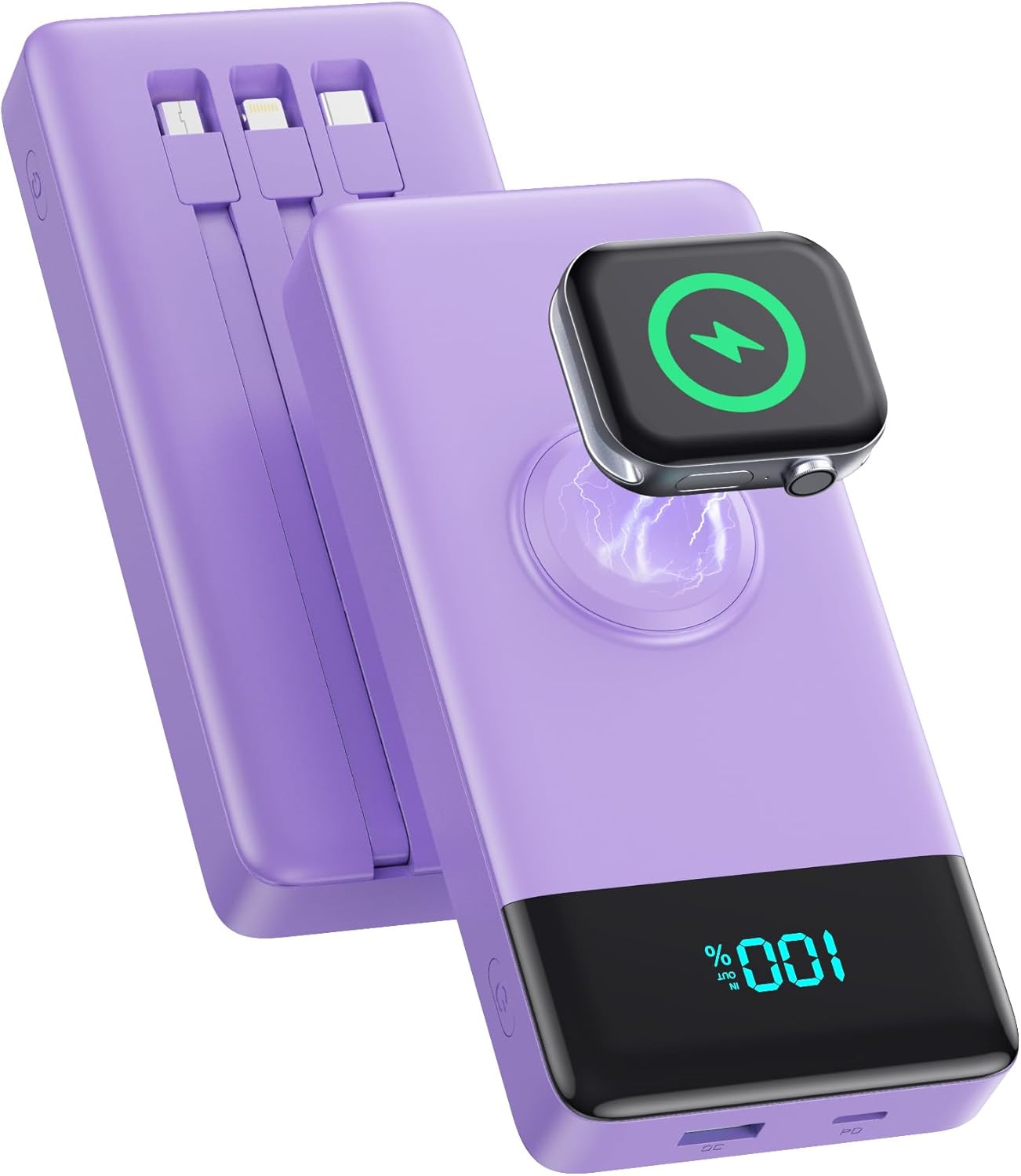
Image: The HETP Portable Charger, showcasing its compact design, built-in cables, and integrated iWatch charging pad. The device is purple with a black display showing "100%".
2. Consignes de sécurité
Pour éviter toute blessure ou tout dommage à votre appareil, veuillez respecter les consignes de sécurité suivantes :
- N’exposez pas la batterie externe à des températures extrêmes (supérieures à 60 °C/140 °F) ni à la lumière directe du soleil.
- Ne démontez pas, ne modifiez pas et n’essayez pas de réparer l’appareil vous-même.
- Tenez la batterie externe éloignée de l'eau, de l'humidité et des matériaux inflammables.
- Évitez de laisser tomber ou de soumettre l'appareil à des impacts violents.
- Utilisez uniquement des câbles et adaptateurs de charge certifiés.
- Tenir hors de portée des enfants.
- Dispose of the power bank according to local regulations; do not dispose of it with household waste.

Image: Diagram illustrating the multi-protection smart microchip features of the power bank, including temperature, over-current, overvoltage, overcharge, recovery, over-power, short circuit, and over-discharge protection.
3. Contenu du colis
Veuillez vérifier que le colis contient les éléments suivants :
- 1 x HETP Portable Charger (10800mAh) with 3 Built-in Cables (USB-C, iOS, Micro USB) and iWatch Charger
- 1 x Manuel d'utilisation
4. Produit terminéview
The HETP Portable Charger is equipped with multiple features for versatile charging:
- Câbles intégrés : Includes USB-C, iOS (Lightning), and Micro USB cables for direct connection to various devices.
- iWatch Wireless Charger: Integrated magnetic charging pad for Apple Watch.
- Port USB-C (PD 25W) : Supports both input and output for fast charging.
- USB-A Port (QC Output): Provides Quick Charge output for compatible devices.
- Affichage numérique à DEL : Affiche le pourcentage de batterie restanttage.
- Bouton d'alimentation : Active la batterie externe et l'écran.

Image: A detailed diagram of the HETP Portable Charger highlighting its various ports and built-in cables, including USB C Cable Input/Output, iOS Cable Output, Micro USB Cable Output, Charge for iWatch, Power On/Off button, PD USB-C Input/Output, and QC USB-A Output. The LED display shows "100% IN OUT".

Image: Two images demonstrating the compact size and lightweight nature of the HETP Portable Charger. One shows it fitting into a pant pocket, and the other shows it fitting into a small handbag, with dimensions 6.02x2.8x0.59 inches and weight 280g indicated.
5. Installation
The HETP Portable Charger comes ready for use. Before first use, it is recommended to fully charge the power bank.
5.1 Charge initiale de la batterie externe
To ensure optimal performance, fully charge your power bank before its first use.
- Connect the power bank to a wall charger (not included) using either the built-in USB-C cable or an external USB-C cable plugged into the USB-C port.
- The LED display will show the charging progress. It is fully charged when the display shows "100%".

Image: A visual guide demonstrating two methods to recharge the HETP Portable Charger: using the dedicated Type-C input port with an external cable and adapter, or using the built-in Type-C input cable with an adapter.
6. Mode d'emploi
6.1 Charger vos appareils
The HETP Portable Charger offers multiple ways to charge your devices simultaneously.
- Utilisation des câbles intégrés :
- Pull out the appropriate built-in cable (USB-C, iOS, or Micro USB) for your device.
- Branchez le câble au port de chargement de votre appareil.
- La batterie externe commencera automatiquement à se charger.
- Utilisation des ports USB :
- Connect your device's charging cable to either the USB-C (PD) or USB-A (QC) output port on the power bank.
- Connectez l'autre extrémité du câble à votre appareil.
- La batterie externe commencera automatiquement à se charger.
- Charger l'Apple Watch :
- Place your Apple Watch onto the magnetic wireless charging pad on the power bank.
- Assurez-vous que la montre est correctement alignée pour que la charge puisse commencer.
The power bank supports charging up to 6 devices simultaneously. The LED display will show the remaining battery percentage pendant la charge.

Image: The HETP Portable Charger actively charging multiple devices at once, including three smartphones via built-in cables, an Apple Watch on its wireless pad, a tablet via the USB-C port, and AirPods via the USB-A port, demonstrating its capability to charge 6 devices simultaneously.

Image: A visual representation of the PD 25W fast charging capability of the HETP Portable Charger, showing an iPhone charging rapidly. A graph indicates that it can charge an iPhone to 50% in 30 minutes, significantly faster than standard charging.
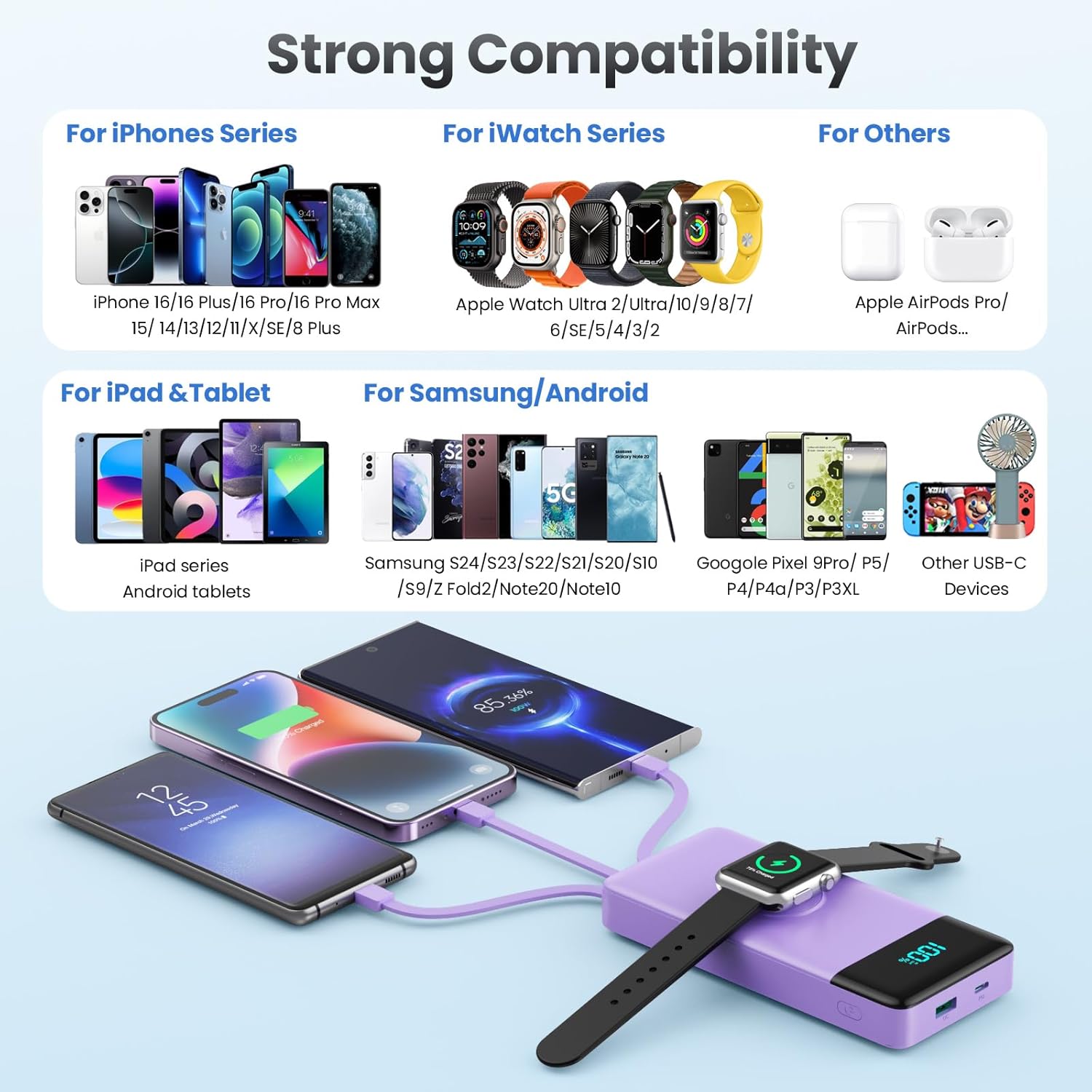
Image: A comprehensive compatibility chart for the HETP Portable Charger, categorizing compatible devices for iPhone Series, iWatch Series, iPad & Tablet, Samsung/Android, and other USB-C devices, illustrating its wide range of support.
7. Entretien
Proper care will extend the life of your HETP Portable Charger:
- Nettoyez l'appareil avec un chiffon doux et sec. N'utilisez pas de nettoyants abrasifs ni de solvants.
- Rangez la banque d'alimentation dans un endroit frais et sec lorsqu'elle n'est pas utilisée.
- If the device will not be used for an extended period, charge it to about 50% every three months to maintain battery health.
8. Dépannage
| Problème | Cause possible | Solution |
|---|---|---|
| La batterie externe ne charge pas. | Charging cable or adapter faulty; power bank battery depleted; connection issue. | Try a different cable or adapter. Ensure connections are secure. Allow power bank to charge for a few minutes. |
| L'appareil ne se charge pas à partir de la batterie externe. | Power bank battery depleted; cable faulty; device not compatible; power bank in standby. | Check power bank battery level. Try a different cable. Ensure your device is compatible. Press the power button to activate the power bank. |
| Chargement lent. | Cable or adapter not supporting fast charging; multiple devices charging simultaneously; device's charging input limit. | Use a fast-charging compatible cable and adapter. Disconnect other devices to test speed. Check your device's charging specifications. |
| iWatch not charging wirelessly. | Watch not aligned correctly; watch case interfering; power bank battery depleted. | Adjust watch position on the charging pad. Remove any thick cases. Ensure power bank has sufficient charge. |
9. Spécifications
| Fonctionnalité | Détail |
|---|---|
| Numéro de modèle | HX100N9 |
| Capacité de la batterie | 10800mAh |
| Entrée (port USB-C) | DP 25W Max |
| Sortie (port USB-C) | DP 25W Max |
| Sortie (port USB-A) | QC Compatible |
| Câbles intégrés | USB-C, iOS (Lightning), Micro USB |
| Chargeur iWatch | Chargement sans fil magnétique |
| Dimensions | 6.02 x 2.8 x 0.59 pouces |
| Poids | 11.7 onces (280 g) |
| Couleur | Violet |
10. Garantie et assistance
Your HETP Portable Charger comes with a Garantie de 24 mois Cette garantie est valable à compter de la date d'achat et couvre les défauts de fabrication et de main-d'œuvre. Elle ne couvre pas les dommages causés par une mauvaise utilisation, les accidents, les modifications non autorisées ou l'usure normale.
For technical support, warranty claims, or any questions regarding your product, please contact HETP customer service. Refer to the contact information provided on the product packaging or the official HETP website.
Assistance technique à vie est disponible pour ce produit.
Ask a question about this manual
Ask about setup, troubleshooting, compatibility, parts, safety, or missing instructions. Manuals+ will review the question and use this page’s manual context to help answer it.