
1. Introduction
This manual provides detailed instructions for the safe and effective use of your AXNEN C22 2-Axis AI Tracking Phone Gimbal Stabilizer. Please read this manual thoroughly before operation and retain it for future reference. The AXNEN C22 is a versatile 4-in-1 device functioning as a universal stabilizer, extensible selfie stick, desktop tripod, and features 360-degree AI tracking.
2. Contenu du colis
Veuillez vérifier que tous les articles listés ci-dessous sont inclus dans votre colis. Si un article est manquant ou endommagé, veuillez contacter le service client.
- C22 Gimbal Stabilizer x 1
- Câble de charge USB-C x 1
- Manuel d'utilisation x 1

Image: Contents of the AXNEN C22 package, including the gimbal, USB cable, and user manual.
3. Produit terminéview
The AXNEN C22 combines multiple functionalities into a single device, offering stability and flexibility for mobile photography and videography.
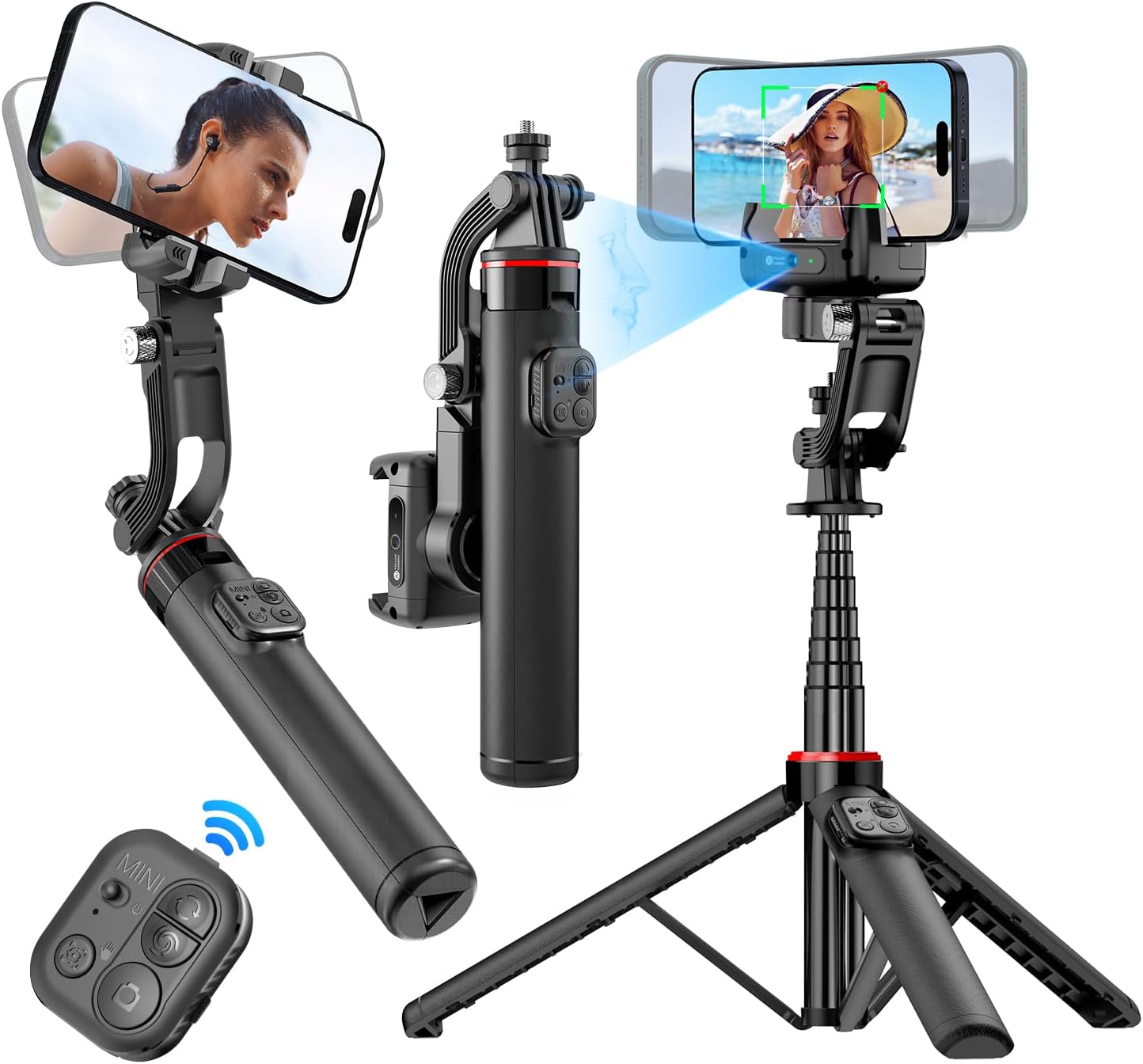
Image: The AXNEN C22 Gimbal Stabilizer shown in its different modes: handheld, extended selfie stick, and tripod setup, highlighting its versatility.
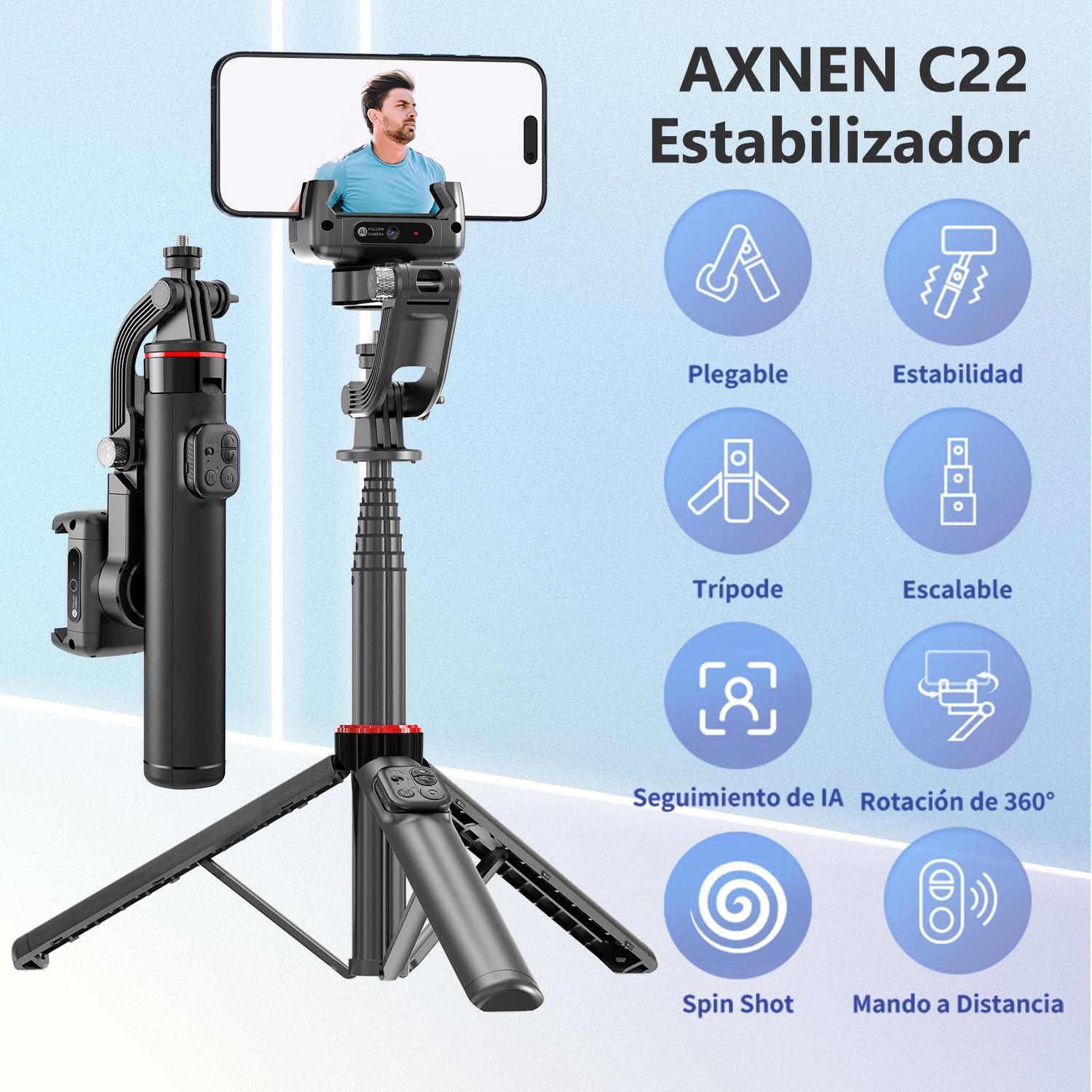
Image: Visual representation of the AXNEN C22's key features, including its foldable design, stability, tripod functionality, extendable pole, AI tracking, 360-degree rotation, spin shot capability, and remote control.
4. Installation
4.1 Déploiement du cardan
- Dépliez délicatement le bras du cardan jusqu'à ce qu'il se verrouille en position.
- Déployez la perche télescopique à la longueur souhaitée si vous l'utilisez comme perche à selfie.
- For tripod use, spread the base legs firmly on a flat surface.
4.2 Installation du téléphone
- Ensure the gimbal head is unlocked before installing your phone to avoid motor damage.
- Placez délicatement votre smartphone dans le compartiment prévu à cet effet.amp, en veillant à ce qu'il soit centré et bien fixé.
- The gimbal will automatically balance the phone.
4.3 Chargement
Connect the provided USB-C cable to the charging port on the gimbal and to a suitable USB power source. The indicator light will show charging status. A full charge takes approximately 80 minutes.

Image: The AXNEN C22 gimbal connected via a USB-C cable for ultra-fast charging, highlighting its quick 80-minute full charge time.
4.4 Couplage Bluetooth
- Mettez le cardan sous tension.
- Activez le Bluetooth sur votre smartphone.
- Rechercher available devices and select "AXNEN C22" to pair.
- The remote control will automatically connect once the gimbal is paired.

Image: The AXNEN C22 remote control in use, demonstrating its 10-meter (33-foot) range for hands-free operation.
4.5 Installation de l'application
For enhanced features, download the "Gimbal Show" application. Scan the QR code in the manual or visit the official website to download the app for iOS or Android devices.
Download the Gimbal Show App: https://www.tokqi.co/app.php/tokqi

Image: Screenshot of the Gimbal Show app interface, illustrating features like facial filters, dynamic zoom, time-lapse, and intelligent tracking.
5. Mode d'emploi
5.1 Mise sous/hors tension
Press and hold the power button on the gimbal handle for 3 seconds to power on or off.
5.2 Fonctions de la télécommande
The detachable remote control allows for convenient operation from a distance.
- Interrupteur: Allume/éteint la télécommande.
- Le bouton de l'interrupteur: Toggles between different modes or functions.
- Bouton Mode : Selects specific gimbal modes.
- Bouton photo : Déclenche la prise de photos ou l'enregistrement vidéo.
- Bouton de verrouillage : Locks the gimbal's position.

Image : détaillée view of the AXNEN C22 remote control, with each button clearly labeled for its function, emphasizing ease of use.
5.3 Modes de nacelle
The AXNEN C22 offers multiple configurations to suit various shooting needs.
- Gimbal Stabilizer Mode: Fournit des aliments lisses et stablestage by counteracting unwanted movements.
- Mode perche à selfie : Extend the pole for wider shots or group selfies.
- Mode trépied : Deploy the legs for stable static shots or time-lapses.
- Mode de diffusion en direct : Ideal for stable, hands-free video broadcasts.

Image: Four distinct usage scenarios for the AXNEN C22, illustrating its functionality as a gimbal stabilizer, selfie stick, live streaming stand, and floor tripod.
To switch between Gimbal Mode and Selfie Stick Mode, use the quick switch mechanism. It is recommended to use the gimbal lock when the battery is low to conserve power.

Image: Diagram showing the quick switch mechanism on the AXNEN C22 to toggle between selfie stick mode (locked) and gimbal mode (unlocked).
5.4 Suivi de l'IA
The built-in AI camera allows for intelligent facial and object tracking. Use gestures to control tracking.
- Geste « OK » : Initiates tracking.
- Geste de la « paume » : Arrête le suivi.
The gimbal can track subjects whether stationary on a desktop or moving during manual operation.

Image: The AXNEN C22's smart AI camera feature, demonstrating gesture controls for initiating and stopping tracking, with a focus on facial recognition.

Image : Examples of the AXNEN C22's AI tracking in action, including desktop tracking for static subjects and manual tracking for moving subjects, ensuring the face remains centered.
5.5 Rotation à 360°
The gimbal supports 360-degree rotation for panoramic shots and dynamic video effects.
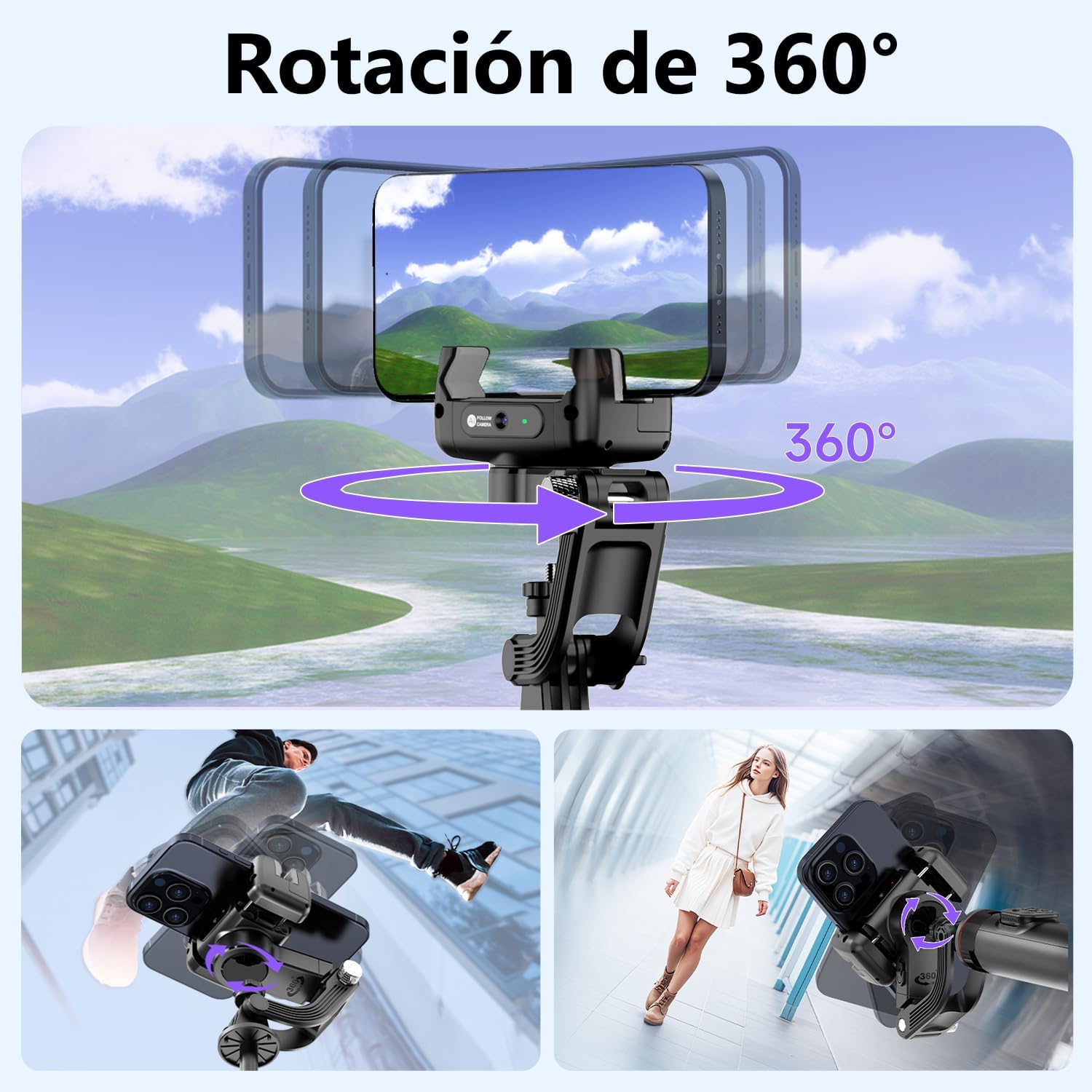
Image: The AXNEN C22 demonstrating its 360-degree rotation capability, allowing for versatile shooting angles and creative video effects.
5.6 Fonctionnalités de l'application
The "Gimbal Show" app unlocks advanced shooting modes and features:
- Facial Filter: Apply real-time filters to enhance your appearance.
- Zoom dynamique : Achieve cinematic zoom effects like the Hitchcock zoom.
- Laps de temps: Capturez de superbes vidéos en accéléré.
- Suivi intelligent : Enhanced AI tracking capabilities.

Image: Screenshots from the Gimbal Show app, showcasing features such as facial filters, dynamic zoom, time-lapse recording, and intelligent tracking.
5.7 Scénarios d'utilisation
The AXNEN C22 is designed for various daily applications:
- 360° Rotating Shot: For dynamic and immersive videos.
- Sports Shot: Capture smooth action footage.
- Prise de vue en contre-plongée : Get unique perspectives.
- Daily Vlog: Perfect for everyday content creation.

Image : Quatre examples illustrating how the AXNEN C22 can be used in daily life for various shooting styles, including 360-degree rotation, sports, low-angle, and vlogging.
6. Entretien
- Nettoyage: Utilisez un chiffon doux et sec pour nettoyer le stabilisateur. Évitez d'utiliser des produits chimiques agressifs ou des matériaux abrasifs.
- Stockage: Store the gimbal in a cool, dry place away from direct sunlight and extreme temperatures. Ensure it is folded and locked when not in use.
- Entretien de la batterie: Pour prolonger la durée de vie de la batterie, évitez de la décharger complètement trop souvent. Chargez l'appareil régulièrement, même en cas de non-utilisation prolongée.
7. Dépannage
| Problème | Cause possible | Solution |
|---|---|---|
| Gimbal not stabilizing / Unstable footage | Phone not properly balanced; Gimbal head locked; Low battery. | Ensure phone is centered and clamp is secure. Unlock the gimbal head. Charge the gimbal fully. |
| Bluetooth se déconnecte fréquemment | Interference; Out of range; Low battery on remote or gimbal. | Ensure no strong interference sources nearby. Stay within 10m range. Charge both gimbal and remote. Re-pair Bluetooth. |
| AI Tracking not working | Poor lighting; Incorrect gesture; App not running or updated. | Ensure adequate lighting. Use clear "OK" or "Palm" gestures. Open the Gimbal Show app and ensure it's up to date. |
| Durée de vie de la batterie courte | Frequent heavy use; Old battery; Cold environment. | Ensure full charge before use. Avoid extreme temperatures. Consider carrying a portable power bank for extended sessions. |
| Gimbal motor feels weak or unresponsive | Low battery; Overloaded with heavy phone; Gimbal head locked. | Charge the gimbal. Ensure your phone's weight is within the supported range. Unlock the gimbal head. |
8. Spécifications
- Numéro de modèle : C22
- Marque: AXNEN
- Dimensions (paquet) : 26.5 x 10.2 x 5.2 cm
- Poids: 360 gramme
- Appareils compatibles : Mobile phones, iPhone, Android
- Type de batterie : 1 AA (Type of battery needed - Note: This likely refers to the remote control, the gimbal itself has a built-in rechargeable battery.)
- Couleur: Noir
9. Garantie et assistance
Pour toute information relative à la garantie et au service client, veuillez consulter la documentation fournie avec votre achat ou contacter le revendeur. Conservez votre preuve d'achat pour toute réclamation au titre de la garantie.