

1. Introduction
This manual provides essential information for the installation, operation, and maintenance of your VASTEND VL-BSD Wired Backup Camera. This camera is designed to enhance driving safety by providing clear rear-view visibility and blind spot detection capabilities. It is compatible with VASTEND VL-BSD-7A and VL-BSD-10A monitors (monitor not included with this single camera product).

Image: Enhancing driving safety with reliable vision.
2. caractéristiques du produit
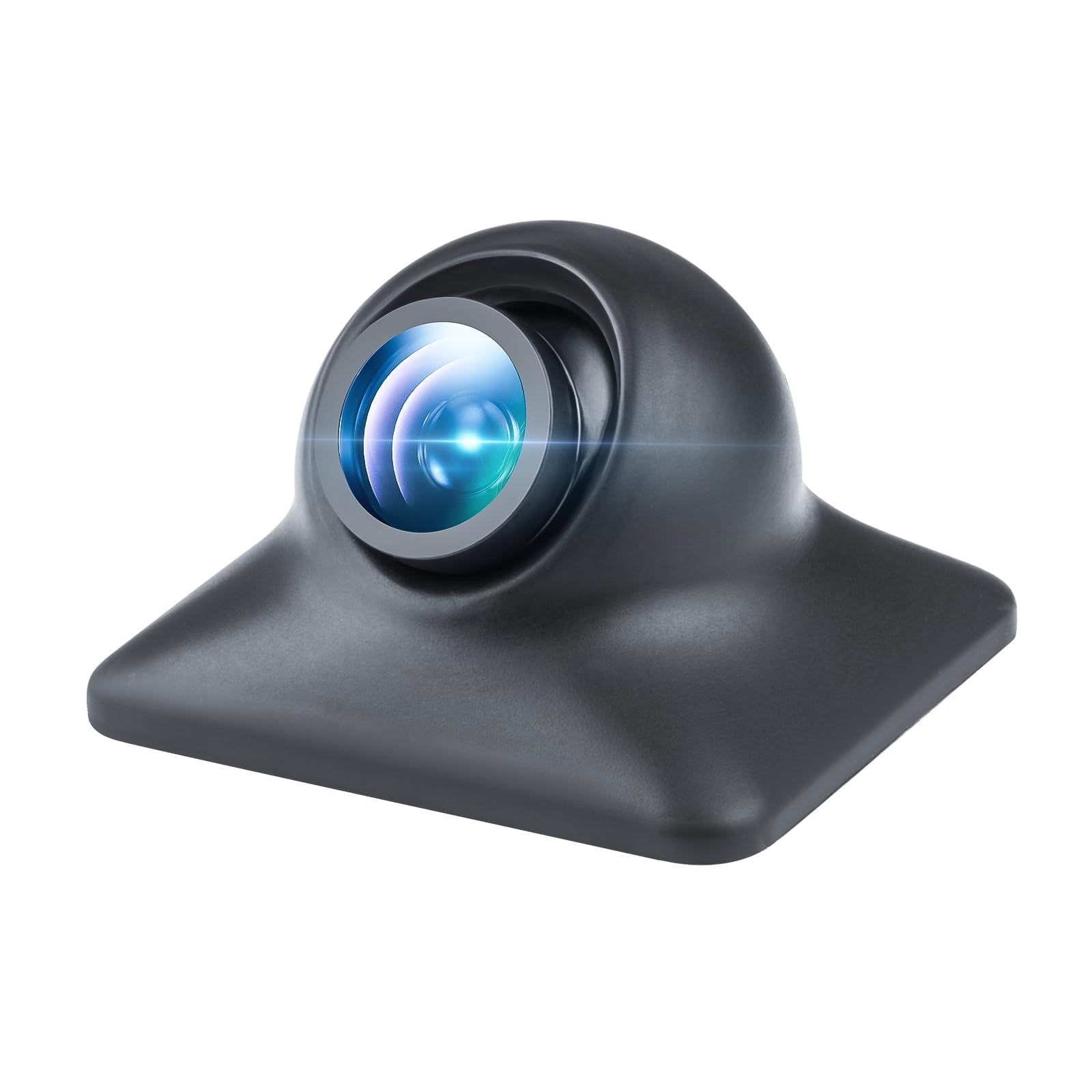
Image: VASTEND VL-BSD Wired Backup Camera unit.
- Blind Spot Pedestrian Detection (BSD): The camera system can detect people or vehicles in your blind spots while reversing. An audible alarm will sound to alert you to potential risks, helping to prevent collisions. The monitored area can be customized to suit your specific needs.
- Transmission de signal filaire stable : Utilizing a wired connection, the camera ensures a stable signal free from interference by other wireless devices. This provides real-time, accurate visual feedback without delays, image distortion, or quality loss, whether on highways or in remote areas.
- Étanchéité IP69 et vision nocturne infrarouge : Designed with an IP69 waterproof rating, the camera is protected against heavy rain and harsh weather conditions. Enhanced infrared night vision provides clear and detailed images in low-light environments, ensuring visibility in dim garages or at night.
- Large gamme d'applications : This backup camera is suitable for various medium to large vehicles, including motorhomes, caravans, and trailers.
3. Guide d'installation
The VASTEND VL-BSD is a wired camera designed for permanent installation. Professional installation is recommended for optimal performance and safety.
3.1 Liste de contrôle de pré-installation
- Ensure you have the compatible VASTEND VL-BSD-7A or VL-BSD-10A monitor.
- Gather necessary tools: drill, screwdrivers, wire cutters/strippers, electrical tape, cable ties.
- Familiarize yourself with your vehicle's wiring and routing paths.
- Débranchez la batterie du véhicule avant d'entreprendre tout travail électrique.
3.2 Montage de la caméra
- Sélectionnez un emplacement : Choose a central location at the rear of your vehicle that provides an unobstructed view. Ensure the camera is securely mounted to prevent vibration.
- Percez les trous de montage : Mark and drill appropriate holes for the camera bracket and cable routing. Apply sealant around drilled holes to prevent water ingress.
- Sécurisez la caméra : Attach the camera firmly using the provided mounting hardware.
3.3 Câblage de la caméra
- Acheminement du câble : Carefully route the camera's wired cable from the mounting location to the monitor's installation point. Ensure the cable is protected from sharp edges, heat, and moving parts. Use cable ties to secure the wiring.
- Se connecter au moniteur : Connect the camera's RCA connector to the corresponding video input on your VASTEND monitor.
- Connexion électrique : Connect the camera's power wire to a suitable 12V DC power source, typically the vehicle's reverse light circuit, so the camera activates when reversing. Ensure all connections are secure and insulated.
After installation, reconnect the vehicle's battery and test the camera system to ensure proper functionality.
4. Fonctionnement
Once installed and connected to a compatible monitor, the VASTEND VL-BSD camera operates automatically when the vehicle is put into reverse.
4.1 Détection des angles morts (BSD)
The BSD feature actively monitors the area behind and to the sides of your vehicle. When an object or person enters the predefined detection zones while reversing, the system will emit an audible alert through your monitor, providing an additional layer of safety.

Image: Visual representation of parking safety with blind spot detection.
4.2 Vision nocturne
The integrated infrared (IR) night vision automatically activates in low-light conditions, providing a clear and detailed image on your monitor. This ensures visibility even in dark environments such as unlit parking lots or during nighttime reversing maneuvers.
5. Entretien
Regular maintenance ensures the longevity and optimal performance of your VASTEND VL-BSD camera.
- Nettoyage: Nettoyez régulièrement l'objectif de l'appareil photo avec un chiffon doux et sec.amp Utilisez un chiffon pour enlever la saleté, la poussière ou les traces d'eau. Évitez les nettoyants abrasifs qui pourraient rayer la lentille.
- Inspection des câbles : Routinely check the camera cable for any signs of wear, damage, or loose connections. Ensure all wiring remains securely fastened and protected.
- Indice d'étanchéité : The IP69 rating provides excellent protection against water and dust. However, avoid directing high-pressure water jets directly at the camera for extended periods.
6. Dépannage
If you encounter issues with your VASTEND VL-BSD camera, refer to the following common troubleshooting steps:
- Aucune image sur l'écran :
- Ensure the monitor is powered on and correctly selected to the camera's input channel.
- Check all cable connections between the camera and the monitor for looseness or damage.
- Verify the camera's power connection is secure and receiving 12V DC power when the vehicle is in reverse.
- Image clignotante ou déformée :
- Inspect the video cable for any kinks, pinches, or damage.
- Assurez-vous que les connexions sont bien serrées et exemptes de corrosion.
- Confirm the camera is receiving stable power.
- Mauvaise vision nocturne :
- Nettoyez l'objectif de l'appareil photo pour éliminer toute obstruction.
- Ensure no external light sources are directly blinding the camera's IR sensors.
- BSD Not Functioning:
- Refer to your monitor's manual for specific BSD settings and calibration.
- Assurez-vous que l'objectif de la caméra est propre et dégagé.
If problems persist after attempting these steps, please contact VASTEND customer support.
7. Spécifications du produit
| Fonctionnalité | Spécification |
|---|---|
| Marque | VASTENDE |
| Modèle | VL-BSD |
| Numéro de pièce | VCC03-BKL1E |
| Appareils compatibles | VASTEND VL-BSD-7A / VL-BSD-10A Monitors |
| Résolution de capture vidéo | 1080p |
| Type de source d'alimentation | Électrique avec fil |
| Type de connecteur | Câblé (RCA) |
| Type de matériau | Caméra unique |
| Type de lentille | Grand angle |
| Type de montage | Câble câblé / Montage en surface |
| Technologie de capteur optique | CMOS infrarouge |
| Taille du capteur optique | 1/3 pouce |
| Domaine de View | 120 degrés |
| Indice d'étanchéité | IP69 |
| Dimensions du produit | 30.48 x 20.32 x 12.7 cm; 40 g |
| ASIN | B0DNJTWZRW |
8. Garantie et assistance
VASTEND provides a free two-year warranty for this product, covering manufacturing defects and malfunctions under normal use. Additionally, lifetime technical service support is available to assist you with any questions or issues you may encounter.
For technical assistance, warranty claims, or any other inquiries, please refer to the contact information provided in the original product packaging or on the VASTEND official website.

Image: Product compliance and quality certifications.