
Idatalink MD-8400
Manuel d'utilisation de la caméra embarquée Momento M8 MAX
Model: MD-8400 | Brand: Idatalink
1. Introduction
This manual provides comprehensive instructions for the installation, operation, and maintenance of your Momento M8 MAX Dash Camera Kit (MD-8400). The M8 MAX is a 3-channel 4K UHD dash camera system featuring dual 5.0GHz Wi-Fi, GPS, and a Sony IMX image sensor, designed to capture high-quality video footage of your journeys and provide 24/7 vehicle protection.
Veuillez lire attentivement ce manuel avant d'utiliser le produit afin d'assurer son bon fonctionnement et d'optimiser votre expérience utilisateur.

Image 1.1: Momento M8 MAX Dash Camera Kit, showing the main front camera unit, rear camera, and product packaging.
2. Ce qui est inclus
Vérifiez que tous les composants sont présents dans le package :
- M8 Front 4K Dash Camera with Built-in Dual 5.0GHz Wi-Fi + GPS
- Caméra arrière FHD avec câble d'installation
- Faisceau d'installation câblée
- Carte microSD 64 Go avec adaptateur SD
- Monter
- Informations sur la garantie de 2 ans
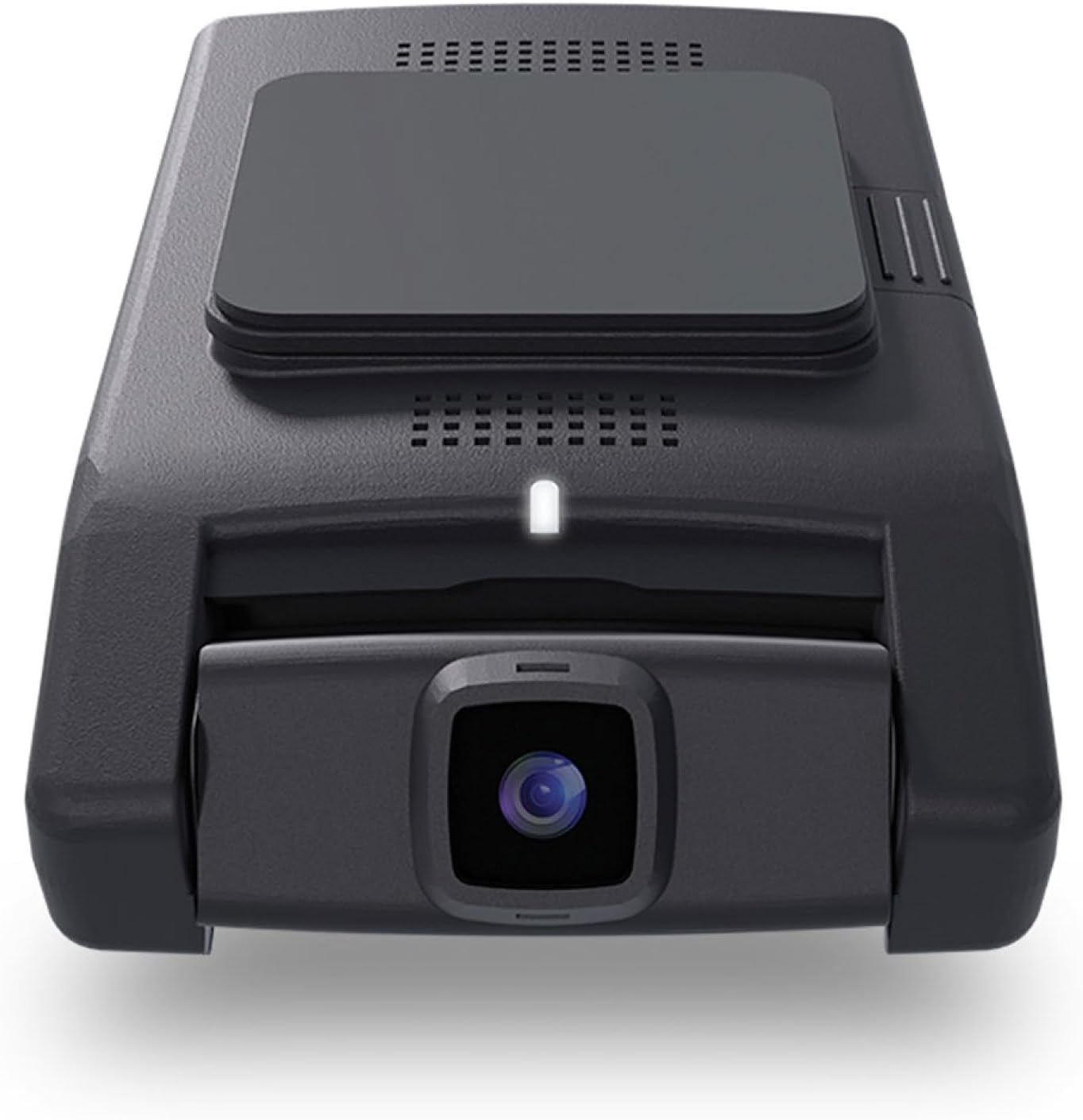
Illustration 2.1 : Avant view of the Momento M8 MAX dash camera, highlighting the lens and compact design.
3. Principales caractéristiques
- 4K UHD (2160p) Image Resolution: Records sharp, detailed footage for clear evidence.
- Caméras avant et arrière : Provides comprehensive coverage of your vehicle's surroundings.
- 30 Frames per Second: Ensures smooth video capture.
- Sony IMX Image Sensor: Enhances image quality, especially in low-light conditions.
- 64GB Micro-SD Card Included: Ample stockage pour les aliments enregistréstage. Prend en charge jusqu'à 256 Go.
- ECO Parking Mode Battery Saving Technology: Activates automatically when motion or impact is detected while parked, conserving battery.
- Contrôle vocal : Allows hands-free operation of certain functions.
- Dual 5.0GHz Wi-Fi Smartphone Connectivity: Enables direct download of footage et vivre viewing via the Momento App.
- GPS intégré : Records location and speed data with video footage.
4. Configuration et installation
4.1 Préparation de la carte microSD
Before first use, insert the included 64GB MicroSD card into the designated slot on the main dash camera unit. Ensure the card is inserted correctly until it clicks into place. It is recommended to format the MicroSD card periodically through the Momento App or the dash camera's settings to maintain optimal performance.

Image 4.1 : Côté view of the Momento M8 MAX dash camera, indicating the MicroSD card slot.
4.2 Montage de la caméra avant
- Clean the windshield area where the camera will be mounted. Ensure it is free of dust and grease.
- Attach the mount to the front camera.
- Retirez le film protecteur du support adhésif.
- Firmly press the mount onto the chosen location on your windshield, ideally behind the rearview miroir pour éviter d'obstruer votre viewMaintenez la position pendant au moins 30 secondes.
- Ajustez l'angle de la caméra pour obtenir une image nette. view de la route devant nous.
4.3 Installation de la caméra arrière
- Determine the optimal mounting location for the rear camera, typically on the rear windshield.
- Route the rear camera's installation cable from the front camera to the rear of the vehicle, tucking it neatly along the headliner and pillar trim.
- Connect the rear camera cable to the main front camera unit.
- Mount the rear camera using its adhesive pad, ensuring a clear view par la lunette arrière.
4.4 Power Connection (Hardwire Installation)
The M8 MAX includes a hardwire installation harness for continuous power and parking mode functionality. Professional installation is recommended for hardwiring.
- Connect the ACC (Accessory) wire of the harness to a fuse that is active only when the ignition is on.
- Connect the BATT (Battery) wire to a constant power fuse (always active).
- Connect the GND (Ground) wire to a metal part of the vehicle chassis.
- Plug the hardwire harness into the main dash camera unit.
4.5 Momento App Connection
- Download the "Momento" app from your smartphone's app store (iOS or Android).
- Turn on your vehicle's ignition to power the dash camera.
- On your smartphone, go to Wi-Fi settings and connect to the dash camera's Wi-Fi network (SSID and password can be found on the camera or in the quick start guide).
- Open the Momento App. The app should automatically detect and connect to the dash camera.

Image 4.2: Momento App interface on a smartphone, displaying live view et options de menus.
5. Mode d'emploi
5.1 Enregistrement automatique
Once powered on, the Momento M8 MAX will automatically begin continuous loop recording. Older files will be overwritten when the MicroSD card is full, unless they are protected (event recordings).
5.2 Enregistrement d'événements (capteur G)
The built-in G-sensor detects sudden impacts or rapid acceleration/deceleration. When an event is detected, the current video segment will be automatically locked and saved to prevent overwriting.
5.3 Parking Mode (ECO Battery Saving Technology)
With the hardwire kit installed, the dash camera will automatically switch to parking mode when the vehicle's ignition is turned off. In ECO Parking Mode, the camera consumes minimal power and activates recording only when motion or impact is detected, providing 24/7 surveillance.
5.4 Commande vocale
The M8 MAX supports voice commands for certain operations. Refer to the quick start guide or Momento App for a list of available voice commands.
5.5 Using the Momento App
The Momento App provides full control and access to your dash camera:
- En direct View: Stream real-time video from the front and rear cameras to your smartphone.
- Galerie: Browse, play back, and download recorded video footaget directement sur votre téléphone.
- Paramètres: Adjust camera settings such as video resolution, G-sensor sensitivity, parking mode options, and Wi-Fi settings.
- Mises à jour du micrologiciel : The app can notify you of and facilitate firmware updates for your dash camera.

Image 5.1 : Haut view of the Momento M8 MAX dash camera, showing the Wi-Fi and manual recording buttons.
6. Entretien
6.1 Gestion des cartes microSD
Regularly format the MicroSD card (at least once a month) to prevent data corruption and ensure optimal recording performance. This can be done through the Momento App. Replace the MicroSD card if you experience frequent recording errors or data loss.

Image 6.1: The included Momento 64GB MicroSD card.
6.2 Nettoyage des lentilles
Utilisez un chiffon doux non pelucheux pour essuyer délicatement les lentilles de l'appareil photo. Évitez d'utiliser des nettoyants abrasifs ou des solvants qui pourraient endommager le revêtement des lentilles.
6.3 mises à jour du micrologiciel
Check the Momento App periodically for available firmware updates. Keeping your dash camera's firmware up-to-date ensures access to the latest features and performance improvements.
7. Dépannage
| Problème | Cause possible | Solution |
|---|---|---|
| La caméra ne s'allume pas. | Loose power connection, vehicle power issue. | Check all power cable connections. Ensure vehicle's ignition is on if not hardwired to constant power. Verify fuse connections if hardwired. |
| L'enregistrement s'arrête ou se fige. | MicroSD card error, full card, or incompatible card. | Format the MicroSD card via the app. If issues persist, try a new, high-quality MicroSD card (Class 10 or higher, U3 recommended). |
| Problèmes de connexion Wi-Fi. | Incorrect password, too far from camera, app issue. | Ensure you are within close proximity to the camera. Re-enter Wi-Fi password. Restart the camera and the app. |
| Mauvaise qualité vidéo. | Dirty lens, low light, incorrect resolution setting. | Clean the camera lens. Ensure sufficient lighting. Check video resolution settings in the Momento App (4K for front, 1080p for rear). |
| Pas de signal GPS. | Obstrué view of sky, camera not properly positioned. | Assurez-vous que la caméra a une vue claire view of the sky. Avoid mounting near metallic tints or other signal-blocking materials. |
For further assistance, please refer to the Momento App's help section or contact customer support.
8. Spécifications
| Fonctionnalité | Détail |
|---|---|
| Nom du modèle | Momento M8 MAX MD-8400 |
| Résolution de la caméra frontale | 4K UHD (2160p) @ 30fps |
| Résolution de la caméra arrière | FHD (1080p) @ 30fps |
| Capteur d'images | Capteur Sony IMX |
| ViewAngle d'attaque | Up to 270° (Front + Rear) |
| Connectivité Wi-Fi | Dual 5.0GHz Wi-Fi |
| GPS | Intégré |
| Mode stationnement | ECO Battery Saving Technology (Motion/Impact Detection) |
| Contrôle vocal | Oui |
| Included MicroSD Card | 64 Go (compatible jusqu'à 256 Go) |
| Connexion électrique | Faisceau d'installation câblée |
| Dimensions | 5 x 5 x 3 pouces |
| Poids de l'article | 1.2 livres |
9. Garantie et assistance
9.1 Informations sur la garantie
The Momento M8 MAX Dash Camera Kit (MD-8400) comes with an industry-leading Garantie d'un an from the date of purchase. This warranty covers manufacturing defects and ensures the product performs as specified under normal use. Please retain your proof of purchase for warranty claims.
9.2 Assistance clientèle
For technical support, troubleshooting assistance, or warranty inquiries, please contact Idatalink customer service. You can also find helpful resources and FAQs within the Momento App.
Fabricant: Moment
Marque: Idatalink
For the most up-to-date support contact information, please visit the official Idatalink or Momento website.
Ask a question about this manual
Ask about setup, troubleshooting, compatibility, parts, safety, or missing instructions. Manuals+ will review the question and use this page’s manual context to help answer it.