
HiLook DVR-216G-M1
Manuel d'utilisation de l'enregistreur vidéo numérique HiLook Hikvision DVR-216G-M1
Model: DVR-216G-M1 | Brand: HiLook
1. Introduction
Ensure the security of your home or business with the HiLook DVR-216G-M1 Recorder. This device allows you to store all images captured by your security cameras, providing greater control and continuous monitoring of your spaces. With advanced features, it is perfect for ensuring maximum protection and peace of mind.
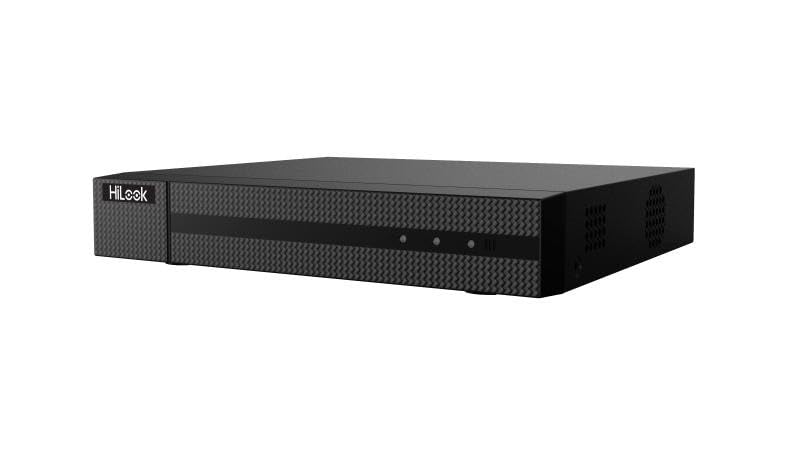
Figure 1 : Face avant view of the HiLook Hikvision DVR-216G-M1 Digital Video Recorder, a black rectangular device with a textured front panel and the 'HiLook' logo on the left side.
2. Principales caractéristiques
- Classification intelligente : Based on deep learning, Motion Detection 2.0 classifies human and vehicle targets, reducing false alarms.
- Compression vidéo avancée : Supports H.265 Pro+/H.265 Pro/H.265, saving bandwidth and storage.
- Entrées vidéo polyvalentes : Compatible with HDTVI, AHD, CVI, CVBS, and IP camera signals.
- Audio via Coaxial Cable: Clear and efficient audio transmission over coaxial cables.
- Prise en charge des caméras IP : Up to 18 IP camera input channels, with resolution up to 5 MP.
- Encoding Capability: Supports up to 1080p Lite at 15 frames per second (fps).
- Portée du signal : Maximum of 1200 meters for 720p HDTVI signal.
3. Contenu du colis
Veuillez vérifier attentivement le colis et vous assurer qu'il contient les éléments suivants :
- 1 x HiLook Hikvision DVR-216G-M1 DVR Unit
- 1 x Manuel d'utilisation (ce document)
- 1 x adaptateur secteur
- 1 x Installation Kit (including screws and necessary tools)
- 1 x Câble Ethernet
4. Guide de configuration
4.1 Configuration initiale
- Déballez le DVR : Carefully remove the DVR and all accessories from the packaging.
- Connecter l'alimentation : Connect the provided power adapter to the DVR's power input and then plug it into a suitable power outlet.
- Se connecter au moniteur : Use an HDMI or VGA cable (not included) to connect the DVR to a monitor for initial setup and viewing.
- Se connecter au réseau : Connect the provided Ethernet cable from the DVR's LAN port to your router or network switch.
- Mise sous tension : The DVR will typically power on automatically once connected to power. Follow the on-screen prompts for initial configuration, including setting up an administrator password and network settings.
4.2 Connexion des caméras
The DVR-216G-M1 supports various camera types. Connect your analog (HDTVI, AHD, CVI, CVBS) cameras to the BNC video input ports on the rear panel. For IP cameras, ensure they are on the same network as the DVR and add them through the DVR's network camera management interface.
5. Fonctionnement
5.1 Fonctionnement de base
Once the DVR is set up and cameras are connected, you can view live feeds, record footage, and play back recorded events. Navigate the DVR's menu using a connected mouse (not included) to access various functions such as live view, recording schedules, playback, and system settings.
5.2 Motion Detection Configuration
The DVR features advanced motion detection. To configure, access the 'Event' or 'Alarm' settings in the DVR menu. You can define motion detection areas, sensitivity levels, and set up actions such as recording, notification, or alarm output when motion is detected. The deep learning-based Motion Detection 2.0 helps in accurately classifying human and vehicle targets, reducing false alarms.
6. Entretien
- Nettoyage régulier : Veillez à ce que l'enregistreur numérique soit exempt de poussière. Utilisez un chiffon doux et sec pour le nettoyer. N'utilisez pas de nettoyants liquides.
- Mises à jour du micrologiciel : Periodically check the HiLook official webSite de mise à jour du micrologiciel pour garantir des performances optimales et l'accès aux nouvelles fonctionnalités.
- Sauvegarde des données : Sauvegardez régulièrement les fichiers audio importants.tage à un périphérique de stockage externe ou à un service cloud pour éviter toute perte de données.
- Ventilation: Veillez à placer l'enregistreur numérique dans un endroit bien ventilé afin d'éviter toute surchauffe. Ne bloquez pas les ouvertures de ventilation.
7. Dépannage et FAQ
Questions fréquemment posées
- Q1: How many cameras does the DVR-216G-M1 support?
- A1: The DVR-216G-M1 supports up to 16 analog cameras and 2 IP cameras (expandable up to 18 IP cameras).
- Q2: What is the maximum recording resolution?
- A2: The DVR-216G-M1 supports resolution up to 5 MP, providing high-quality images.
- Q3: Does the DVR-216G-M1 have motion detection?
- A3: Yes, it features deep learning-based Motion Detection 2.0 technology, which classifies humans and vehicles, reducing false alarms.
- Q4: Is installation easy?
- A4: Yes, the DVR-216G-M1 is easy to install and comes with a detailed installation kit, including necessary screws and tools.
- Q5: How does video storage work?
- A5: The DVR-216G-M1 supports local and cloud storage, ensuring you have continuous access to recordings.
- Q6: Which network protocols are compatible with the network interface?
- A6: The network interface supports TCP/IP, PPPoE, DHCP, HiLookVision, DNS, DDNS, NTP, SADP, SMTP, UPnP, and HTTPS.
8. Spécifications techniques
| Fonctionnalité | Spécification |
|---|---|
| Modèle | DVR-216G-M1 |
| Marque | SalutRegarde |
| Fabricant | Hikvision |
| Nombre de canaux | 16 (Analog) + 2 (IP, expandable to 18 IP) |
| Entrées vidéo | HDTVI, AHD, CVI, CVBS, IP |
| Compression vidéo | H.265 Pro+/H.265 Pro/H.265 |
| Entrée audio | Via coaxial cable |
| Encoding Capability | Up to 1080p Lite @ 15 fps |
| Résolution de capture vidéo | 2592x1944 (5 MP max for IP cameras) |
| Signal Range (HDTVI) | Max 1200 m for 720p HDTVI signal |
| Caractéristiques spéciales | Motion Detection 2.0 (Deep Learning-based) |
| Technologie de connectivité | Câblé |
| Couleur | Noir |
| Type de source d'alimentation | CA/CC |
| Dimensions du colis | 40.5 x 28.1 x 8 cm |
| Poids | 1.46 kilogramme |
| ASIN | B0DM6FJCH9 |
9. Garantie et assistance
Specific warranty terms and conditions are not provided in the product details. For detailed warranty information, technical support, or service inquiries, please refer to the official HiLook or Hikvision webConsultez leur site web ou contactez directement leur service client. Conservez votre reçu d'achat comme preuve d'achat pour toute réclamation au titre de la garantie.