
1. Introduction
The MiBOXER K3S Rotating Wheel Remote provides intuitive control over LED lighting systems, allowing for precise adjustment of both color temperature and brightness. Utilizing 2.4GHz wireless technology, this remote ensures stable and responsive operation. Its ergonomic design facilitates easy handling and accurate adjustments, making it suitable for various lighting applications.
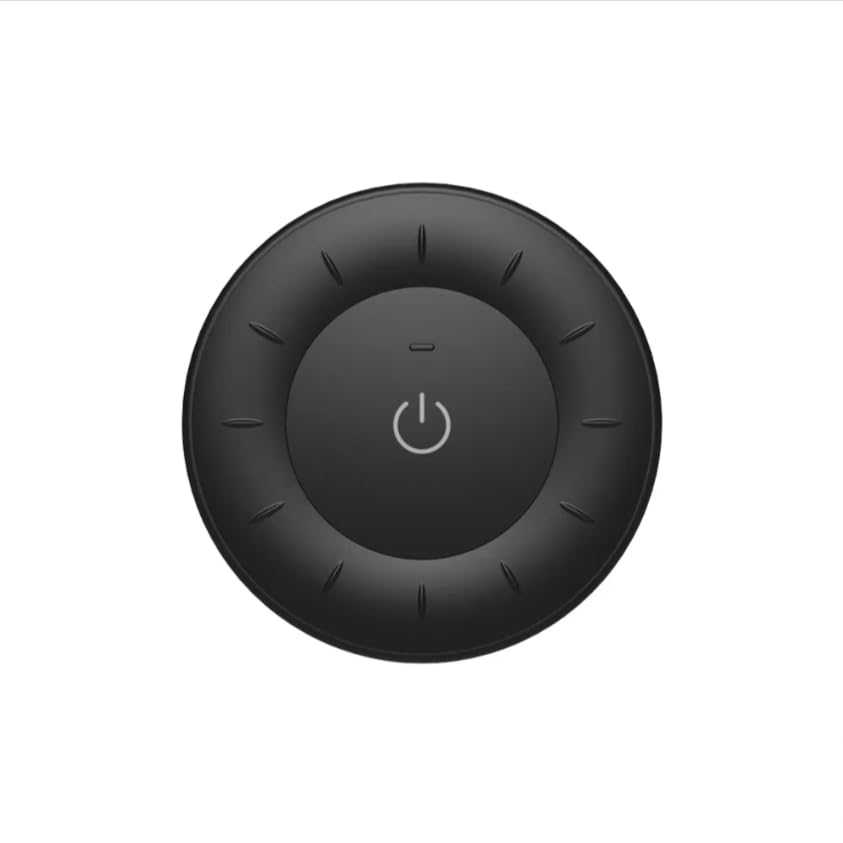
Image 1.1: MiBOXER K3S Rotating Wheel Remote (Black)
This image displays the MiBOXER K3S remote control in black, highlighting its circular design and central power button.
2. caractéristiques du produit
- Luminosité et température de couleur réglables : Allows fine-tuning of lighting intensity and warmth.
- Conception à roue rotative : Provides smooth and intuitive control for easy adjustments.
- Technologie sans fil 2.4 GHz : Ensures stable, interference-free connectivity with compatible devices.
- Conception ergonomique : Comfortable to hold and operate.
- Multi-Environment Compatibility: Suitable for various settings including homes, offices, and commercial spaces.
3. Contenu du colis
À l'ouverture du colis, vérifiez que tous les composants sont présents :
- Télécommande à roue rotative MiBOXER K3S
- Manuel d'utilisation
Note: CR2032 battery is purchased separately and is not included in the package.
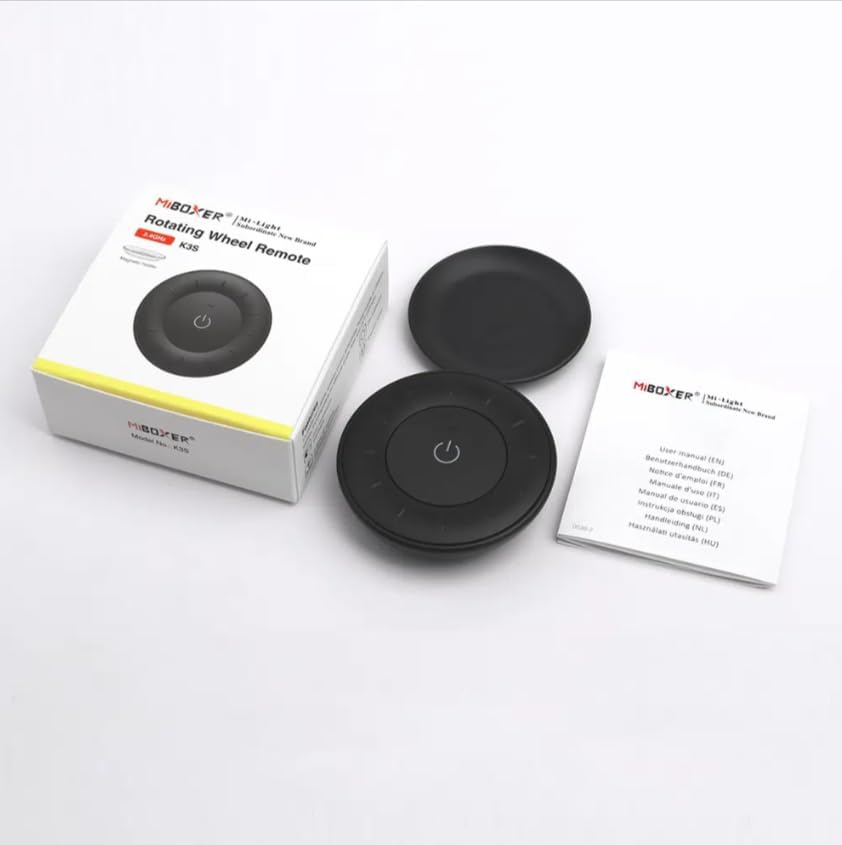
Image 3.1 : Contenu de l'emballageview
This image shows the MiBOXER K3S remote, its packaging box, and the included user manual, laid out on a surface.
4. Schéma du produit

Image 4.1: Remote Control Components
This diagram illustrates the main components of the MiBOXER K3S remote, including the ON/OFF button, brightness/color temperature rotating wheel, and the battery compartment with Link/Unlink button.
- Bouton marche/arrêt : Central button to power the connected light on or off.
- Brightness / Color Temperature Rotating Wheel: The outer ring used to adjust brightness by default. Long press the ON/OFF button for 3 seconds to switch to color temperature adjustment mode.
- Link / Unlink Button: Located inside the battery compartment, used for pairing the remote with compatible lighting devices.
5. Installation
5.1 Installation de la batterie
- Localisez le compartiment à piles à l'arrière de la télécommande.
- Ouvrez le couvercle du compartiment à piles.
- Insérez une pile CR2032 en veillant à respecter la polarité (+/-).
- Fermez soigneusement le couvercle du compartiment à piles.
Image 5.1: Battery Installation Area
This image shows the underside of the remote, indicating the location for the CR2032 battery and the Link/Unlink button.
5.2 Linking / Unlinking the Remote
The K3S remote uses 2.4GHz RF wireless technology to communicate with compatible MiBOXER lighting devices.
Linking Procedure:
- Ensure the light fixture you wish to control is powered off.
- Mettez le luminaire sous tension.
- Within 3 seconds of powering on the light, press the "Link/Unlink" button (located inside the battery compartment) on the K3S remote trois fois.
- Le voyant doit clignoter lentement trois fois, indiquant une connexion réussie.
Unlinking Procedure:
- Ensure the light fixture you wish to unlink is powered off.
- Mettez le luminaire sous tension.
- Within 3 seconds of powering on the light, press the "Link/Unlink" button (located inside the battery compartment) on the K3S remote cinq fois.
- Le voyant doit clignoter dix fois rapidement, indiquant une déconnexion réussie.
6. Mode d'emploi
6.1 Marche/Arrêt
- Appuyez sur le bouton central ⏻ (ON/OFF) button once to turn the connected light on or off.
6.2 Réglage de la luminosité
- By default, rotating the outer wheel adjusts the brightness of the light.
- Tournez dans le sens des aiguilles d'une montre pour augmenter la luminosité.
- Rotate counter-clockwise to decrease brightness.
6.3 Réglage de la température de couleur
- To switch to color temperature adjustment mode, appui long the central ⏻ (ON/OFF) button for 3 seconds.
- Once in color temperature mode, rotate the outer wheel to adjust the color temperature.
- Rotate clockwise for cooler (bluer) light.
- Rotate counter-clockwise for warmer (yellower) light.
- To switch back to brightness adjustment, long press the ⏻ (ON/OFF) button for another 3 seconds.
7. Spécifications
| Nom du modèle | K3S |
| Marque | MiBOXER |
| Technologie de connectivité | Radiofréquence sans fil 2.4 GHz |
| Type de contrôle | Luminosité, Température de couleur |
| Portée maximale | 30 mètres |
| Type de batterie | CR2032 (purchased separately) |
| Dimensions (Diamètre x Hauteur) | Ø60mm x 15mm (approx.) |
| Weight (Gross Weight per box) | 0.05 KGS (approx.) |

Image 7.1: Remote Control Dimensions
This diagram provides the physical dimensions of the MiBOXER K3S remote, showing a diameter of 60mm and a thickness of 15mm (or 19.5mm with the base).
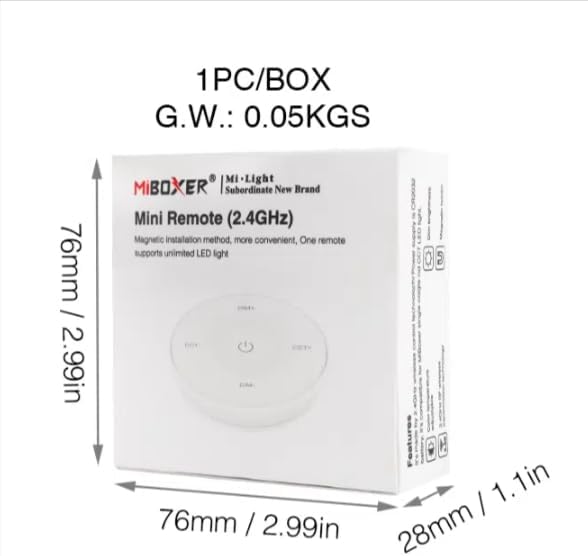
Image 7.2: Packaging Dimensions
This image displays the dimensions of the product packaging, indicating it is 76mm x 76mm x 28mm with a gross weight of 0.05 KGS.
8. Entretien
- Nettoyez la télécommande avec un chiffon doux et sec.
- Avoid exposing the remote to moisture, extreme temperatures, or direct sunlight.
- If the remote is not used for an extended period, remove the battery to prevent leakage.
- Replace the battery when the remote's performance degrades or it stops responding.
9. Dépannage
| Problème | Cause possible | Solution |
|---|---|---|
| La télécommande ne répond pas | Batterie faible ou morte | Remplacez la pile CR2032. |
| Light not linking | Incorrect linking procedure or light not compatible | Ensure the light is powered on within 3 seconds of pressing the link button. Verify light compatibility with MiBOXER 2.4G RF remotes. |
| Portée limitée | Obstructions ou interférences | Reduce distance between remote and light. Remove obstructions. Avoid areas with strong 2.4GHz interference. |
| Brightness/Color Temp adjustment not working | Télécommande en mauvais mode | Long press the ON/OFF button for 3 seconds to switch between brightness and color temperature adjustment modes. |
10. Garantie et assistance
The product comes with a manufacturer's warranty. For specific warranty details and duration, please refer to the documentation included with your purchase or contact MiBOXER customer support.
For technical support or inquiries, please visit the official MiBOXER website ou contactez leur service client.
Fabricant: Miboxeur