
ETOE A1222
ETOE Starfish 720P Projector User Manual (Model A1222)
Votre guide d'installation, d'utilisation et d'entretien
1. Introduction
Welcome to the ETOE Starfish 720P Projector user manual. This guide provides essential information for setting up, operating, and maintaining your projector. The ETOE Starfish projector offers a native 720P resolution with 300 ANSI lumens, a built-in Google Android system for streaming, and features like 140-degree rotation, auto keystone correction, and dual-band Wi-Fi connectivity. Please read this manual thoroughly before using your device to ensure optimal performance and longevity.
2. Contenu de la boîte
Carefully unpack your ETOE Starfish projector and ensure all items are present:
- Projecteur
- Adaptateur
- Manuel d'utilisation
- Télécommande
- Cordon d'alimentation
3. Produit terminéview
Familiarize yourself with the main components and features of your ETOE Starfish projector.

Image : Avant view of the ETOE Starfish Projector, showcasinson design compact et moderne.
3.1. Ports et connexions
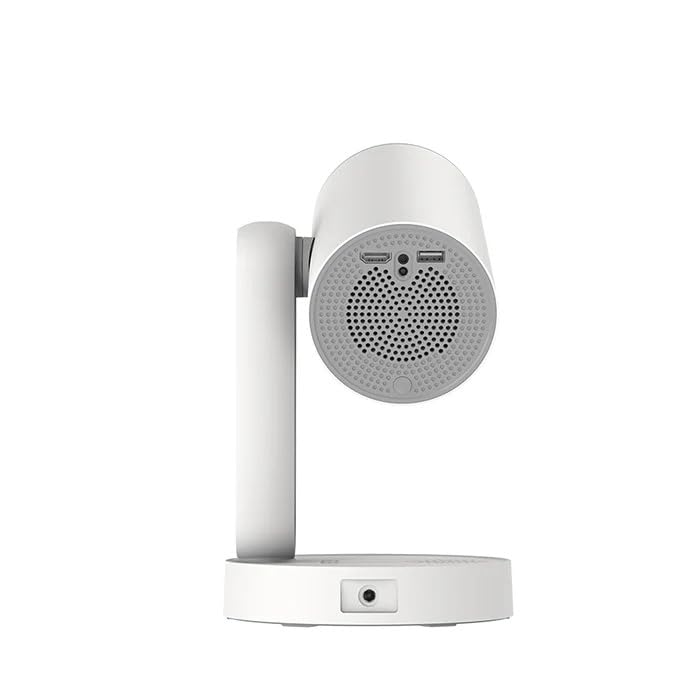
Image : Côté view of the ETOE Starfish Projector, highlighting its connectivity ports including USB and HDMI.
The projector includes various ports for connectivity:
- Port HDMI: For connecting external devices like gaming consoles, Blu-ray players, or laptops.
- Port USB : Pour connecter des périphériques de stockage USB afin de lire des médias files.
- Puissance d'entrée : Pour connecter l'adaptateur secteur.
3.2. Principales caractéristiques
- Rotation à 140° : The projector head can be rotated up to 140 degrees for flexible projection angles, including ceiling projection.
- Touch-controlled Ambient Light: A customizable seven-color night light feature with adjustable brightness and color temperature.
- Built-in Google Android System: Accédez directement aux services de streaming populaires comme Netflix, YouTube et Prime Video.
- Correction trapézoïdale automatique : Ajuste automatiquement l'image pour un affichage parfaitement rectangulaire.
- Wi-Fi double bande : Supports 2.4G and 5G Wi-Fi for stable wireless connectivity.
- Fonctionnement à faible bruit : Designed for quiet performance, operating at approximately 24.5 dB.
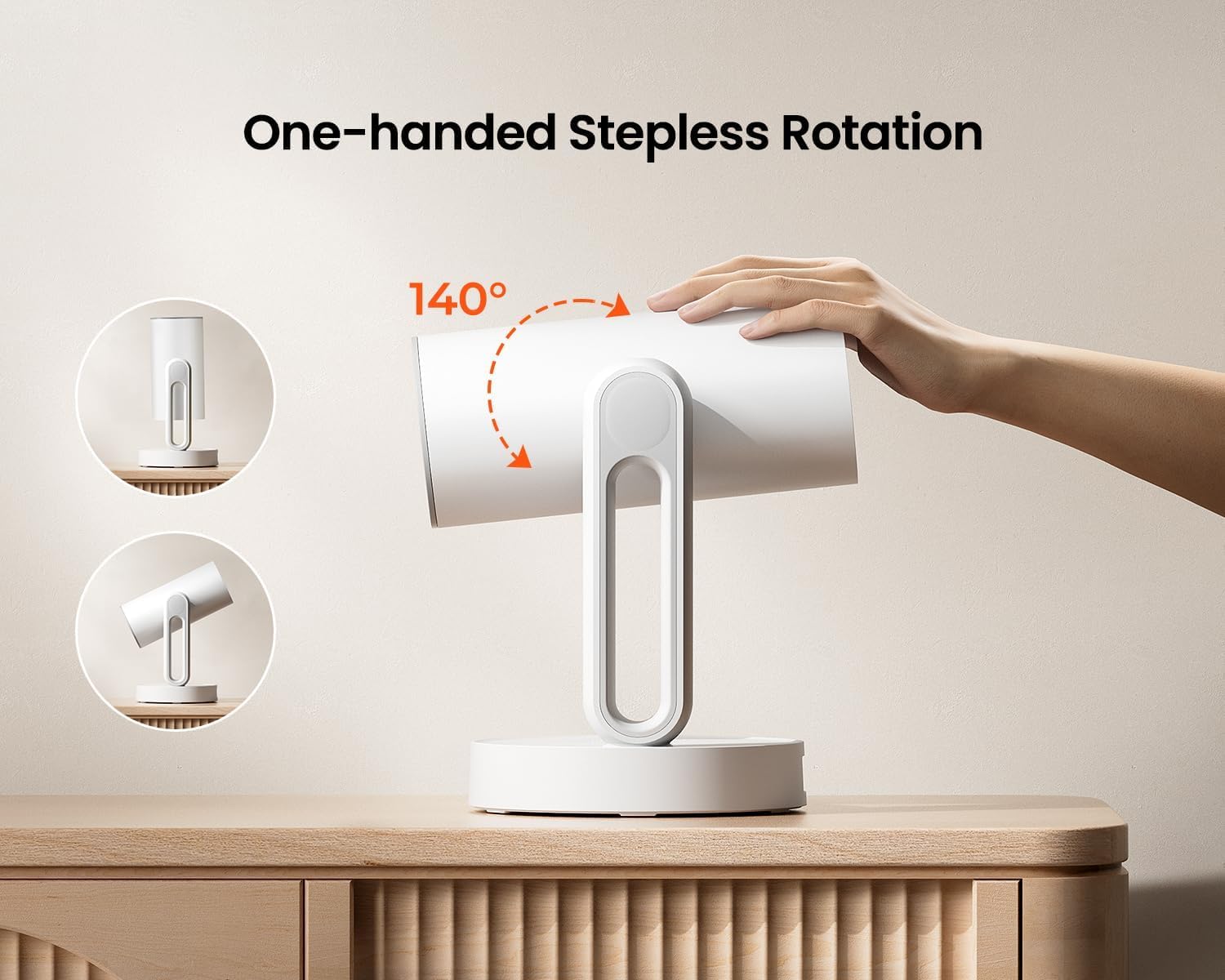
Image: The ETOE Starfish Projector shown rotating 140 degrees, illustrating its flexible projection capabilities.

Image: The ETOE Starfish Projector displaying its touch-controlled ambient light feature with various color options.
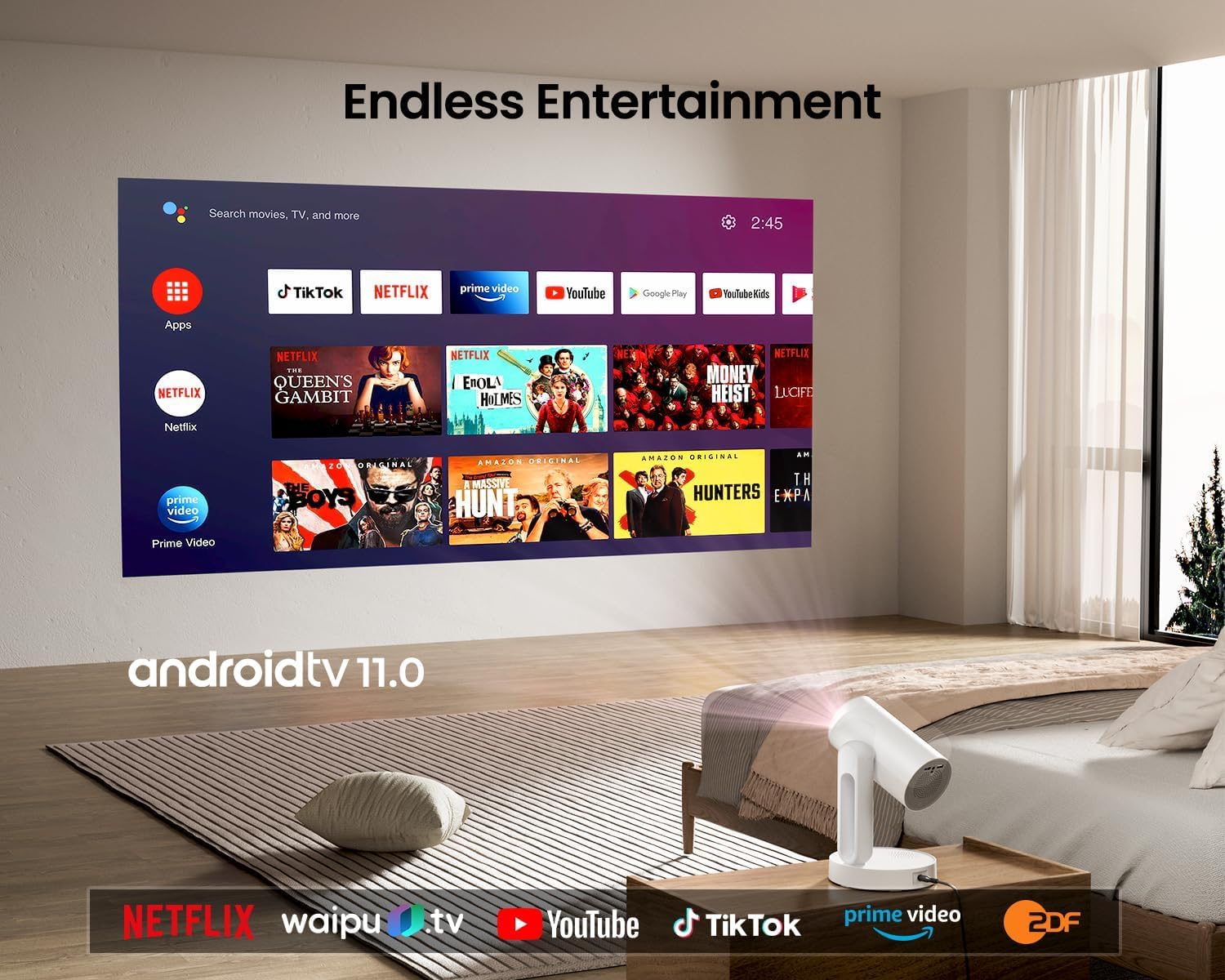
Image: The ETOE Starfish Projector displaying the Android TV interface, showing various streaming applications like Netflix, YouTube, and Prime Video.

Image: The ETOE Starfish Projector automatically correcting a distorted image to a perfect rectangle.

Image: Illustration comparing the low noise level of the ETOE Starfish Projector (24.5 dB) to common sounds.
4. Installation
4.1. Connexion électrique
- Connect the power cord to the adaptor.
- Plug the adaptor into the projector's power input port.
- Branchez l'autre extrémité du cordon d'alimentation dans une prise murale.
4.2. Placement initial
Placez le projecteur sur une surface stable et plane. Pour une qualité optimale viewing, ensure the projection surface (wall or screen) is clean and smooth. The 140° rotation feature allows for flexible positioning, including ceiling projection.
4.3. Configuration de la télécommande
Insérez deux piles AAA (non fournies) dans la télécommande, en respectant la polarité.
4.4. First Boot and Network Connection
- Appuyez sur le bouton d'alimentation du projecteur ou de la télécommande pour l'allumer.
- Follow the on-screen instructions for the initial Google Android system setup. This will include language selection and connecting to a Wi-Fi network.
- Select your preferred 2.4G or 5G Wi-Fi network and enter the password.
5. Mode d'emploi
5.1. Fonctionnement de base
- Marche/Arrêt : Appuyez sur le bouton marche/arrêt de la télécommande ou du projecteur.
- Navigation: Use the directional buttons on the remote to navigate the Android interface.
- Contrôle du volume : Utilisez les boutons de volume de la télécommande.
5.2. Réglage de l'image
- Focus numérique : Adjust the image clarity using the focus controls on the remote or through the settings menu.
- Correction trapézoïdale automatique : The projector automatically corrects trapezoidal distortion. If manual adjustment is needed, access it via the settings.
- Zoom numérique : Adjust the image size from 50% to 100% without moving the projector, accessible in the settings menu.
- Rotation à 140° : Physically rotate the projector head to project onto different surfaces, including ceilings. The auto keystone will adjust the image accordingly.

Image: The ETOE Starfish Projector projecting content onto a ceiling, demonstrating its versatility for different viewing angles, with a smartphone mirroring content.
5.3. Smart System Features
- Applications de streaming : Access pre-installed apps like Netflix, YouTube, and Prime Video. Ensure you are logged into your respective accounts.
- Assistant Google : Use voice commands via the remote control for navigation, content search, and system control.
- Chromecast intégré : Cast content directly from compatible Android, iOS, and PC devices to the projector. Ensure both devices are on the same Wi-Fi network.
5.4. Ambient Light Function
The projector features a touch-controlled ambient light. Touch the designated area on the projector to cycle through seven colors, adjust brightness, and change color temperature to create your desired atmosphere.
6. Entretien
Un entretien régulier garantit la longévité et les performances optimales de votre projecteur.
- Nettoyage des lentilles : Utilisez un chiffon doux non pelucheux, spécialement conçu pour les lentilles optiques, afin de nettoyer délicatement la lentille du projecteur. Évitez les matériaux abrasifs et les produits chimiques agressifs.
- Protection contre la poussière: The ETOE Starfish features a fully sealed optical engine designed to protect against dust ingress, minimizing the need for internal cleaning.
- Nettoyage général : Essuyez l'extérieur du projecteur avec un chiffon doux et sec. N'utilisez pas de nettoyants liquides directement sur l'appareil.
- Stockage: Lorsqu'il n'est pas utilisé pendant une période prolongée, rangez le projecteur dans un endroit frais et sec, à l'abri de la lumière directe du soleil et des températures extrêmes.
7. Dépannage
Si vous rencontrez des problèmes avec votre projecteur, consultez les problèmes et solutions courants suivants :
| Problème | Cause possible | Solution |
|---|---|---|
| Le projecteur ne s'allume pas. | Cordon d'alimentation mal branché ; problème de prise électrique. | Ensure power cord is securely connected to both projector and outlet. Test outlet with another device. |
| Aucune image affichée. | Input source incorrect; external device not connected; projector in standby. | Check input source settings. Ensure HDMI/USB devices are connected and powered on. Wake projector from standby. |
| L'image est floue. | Mise au point incorrecte ; projecteur trop près/trop loin de l’écran. | Adjust digital focus using the remote. Ensure optimal projection distance. |
| Image is distorted (not rectangular). | Correction de la pente nécessaire. | The projector has auto keystone. If manual adjustment is required, access it in the settings menu. |
| Pas de son. | Volume too low; external audio device issue; mute enabled. | Increase volume. Check external audio connections. Disable mute. |
| Problèmes de connexion Wi-Fi. | Mot de passe incorrect ; routeur trop éloigné ; interférences réseau. | Re-enter Wi-Fi password. Move projector closer to router. Restart router. |
| La télécommande ne fonctionne pas. | Batteries low/dead; line of sight blocked. | Replace batteries. Ensure no obstructions between remote and projector. |
8. Spécifications
Detailed technical specifications for the ETOE Starfish 720P Projector (Model A1222).
| Marque | ETOE |
| Modèle | A1222 |
| Fabricant | JVDN International |
| Dimensions du produit | 61 x 48 x 43 cm |
| Poids de l'article | 3 kg |
| Type d'affichage | Écran LCD |
| Luminosité de l'image | 300 ANSI Lumens |
| Rapport de contraste d'image | 3000:1 |
| Rapport hauteur/largeur | 16:9 |
| Résolution native | 1280 x 720 |
| Voltage | 240 volts |
| Quoitage | 5 watts |
| Taux de rafraîchissement | 60 Hz |
| Technologie de connectivité | Wi-Fi (2.4 GHz et 5 GHz) |
| Interface matérielle | HDMI, USB |
| Appareils compatibles | Smartphones (Android & iOS), Gaming Consoles, Blu-ray Players, Media Players |
| Caractéristiques spéciales | Digital Focus, Portable, Wireless, Auto Keystone, 140° Rotation, Built-in Android System, Ambient Light |
| Type de montage | Support de table |
9. Garantie et assistance
9.1. Informations sur la garantie
The ETOE Starfish Projector is manufactured by JVDN International. For specific warranty terms and conditions, please refer to the warranty card included with your product or contact the manufacturer directly. Keep your purchase receipt as proof of purchase for warranty claims.
9.2. Assistance clientèle
For technical assistance, troubleshooting not covered in this manual, or warranty inquiries, please contact JVDN International customer support:
- Personne de contact: JAYESH KUMAR JAGETIYA
- Téléphone: +91 91361 87951
- E-mail: jayesh@jvdninternational.com
- Adresse: B-1122 Sun Westbank, Ashram Road, Ahmedabad, Gujarat, India, 380009
Ask a question about this manual
Ask about setup, troubleshooting, compatibility, parts, safety, or missing instructions. Manuals+ will review the question and use this page’s manual context to help answer it.