
ECHO Rainbow Lite
Manuel d'utilisation de la montre connectée ECHO Rainbow Lite
Model: Rainbow Lite
Marque : ÉCHO
1. Introduction
The ECHO Rainbow Lite Smartwatch is designed to integrate seamlessly into your daily life, offering advanced features for communication, health monitoring, and fitness tracking. This manual provides essential information to help you get the most out of your device.
Qu'y a-t-il dans la boîte
- ECHO Rainbow Lite Smartwatch
- Two interchangeable silicone straps (one pre-installed, one additional)
- Câble de charge magnétique
- Manuel de l'utilisateur (ce document)

Image: The ECHO Rainbow Lite Smartwatch displayed with both a light pink and a light grey silicone strap, showcasing its customizable style.
2. Guide de configuration
2.1 Chargement de la montre connectée
Before initial use, fully charge your ECHO Rainbow Lite Smartwatch. Connect the magnetic charging cable to the charging points on the back of the watch and plug the USB end into a standard USB power adapter (not included). A full charge takes approximately 1.5 hours and provides up to 5 days of battery life depending on usage.
2.2 Installation de l'application Da Fit
The ECHO Rainbow Lite Smartwatch requires the Da Fit application for full functionality. Download the Da Fit app from your smartphone's app store (available for Android and iOS devices).
- Scan the QR code provided in the quick start guide (if applicable) or search for "Da Fit" in the App Store (iOS) or Google Play Store (Android).
- Installez l'application sur votre smartphone.
2.3 Appairage avec votre smartphone
Assurez-vous que le Bluetooth de votre smartphone est activé.
- Ouvrez l'application Da Fit sur votre smartphone.
- Follow the on-screen instructions to add a new device. The app will search for available Bluetooth devices.
- Select "Rainbow Lite" or a similar device name from the list.
- Confirmez la demande de jumelage sur votre smartphone et sur votre montre connectée.
- Une fois l'appairage effectué, l'application synchronisera les données avec votre montre.
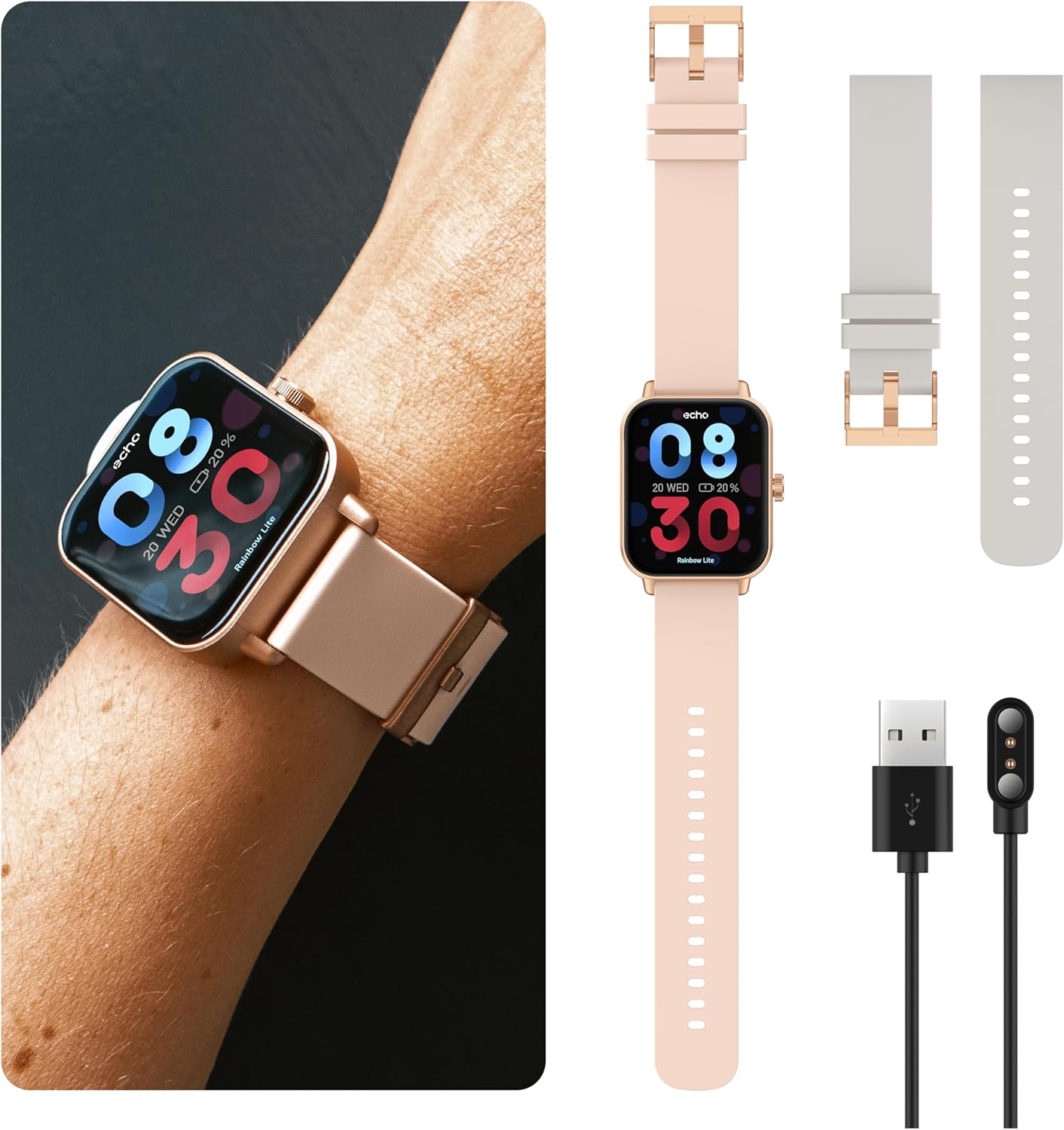
Image: The ECHO Rainbow Lite Smartwatch, its magnetic charging cable, and both the pink and grey silicone straps, illustrating the components included for setup.
3. Mode d'emploi
3.1 Navigation de base
- Écran tactile : Balayez l'écran vers la gauche, la droite, le haut ou le bas pour naviguer dans les menus et les fonctionnalités. Appuyez pour sélectionner une option.
- Bouton latéral: Appuyez pour revenir à l'écran d'accueil ou sortir l'appareil de veille. Appuyez longuement pour accéder aux options d'alimentation.
3.2 Appel Bluetooth
The Rainbow Lite Smartwatch allows you to make and receive calls directly from your wrist, thanks to its integrated microphone and speaker. Ensure your watch is connected to your smartphone via Bluetooth.
- Passer des appels: Accédez au clavier de numérotation ou à la liste de contacts de votre montre pour passer un appel.
- Réception d'appels : Lorsqu'un appel arrive, vous pouvez y répondre ou le refuser directement depuis l'écran de la montre.
3.3 Notifications
Receive real-time notifications for calls, messages, and app alerts directly on your smartwatch. Manage notification settings through the Da Fit app on your smartphone.
3.4 Surveillance de la santé
The smartwatch is equipped with sensors to track various health metrics. These features are for informational purposes and are not intended for medical diagnosis or treatment.
- Fréquence cardiaque : Surveillez votre fréquence cardiaque tout au long de la journée.
- Oxygène sanguin (SpO2) : Mesurez votre taux de saturation en oxygène dans le sang.
- Pression artérielle: Track your estimated blood pressure.
- Suivi du sommeil : Analysez vos cycles de sommeil, notamment le sommeil profond, le sommeil léger et les périodes d'éveil.
- Pédomètre: Count your daily steps and estimate distance covered.

Image: The ECHO Rainbow Lite Smartwatch screen showing heart rate and blood oxygen saturation (SpO2) measurements, along with a smartphone screen displaying detailed health data within the Da Fit app.
3.5 Sport Modes and Coaching
The Rainbow Lite offers over 100 sport modes to track your workouts. The Da Fit app also provides coaching videos to enhance your fitness routines.
- Suivi des activités : Record data for various activities like running, cycling, walking, and more.
- Coaching: Access guided exercises and training programs through the Da Fit app.

Image: A collage showing the ECHO Rainbow Lite Smartwatch interface with different sport modes, alongside smartphone screens illustrating fitness tracking and coaching features within the Da Fit app.
3.6 cadrans de montre personnalisables
Personalize your smartwatch with over 100 downloadable watch faces available through the Da Fit app.
4. Entretien
4.1 Nettoyage de votre montre connectée
To maintain optimal performance and appearance, regularly clean your smartwatch. Use a soft, lint-free cloth to wipe the screen and body. For stubborn dirt, slightly dampNettoyez le chiffon avec de l'eau. Évitez d'utiliser des produits chimiques agressifs ou des matériaux abrasifs.
4.2 Résistance à l'eau
The ECHO Rainbow Lite Smartwatch is rated IP67 water-resistant. This means it is protected against immersion in water up to 1 meter for up to 30 minutes. It is suitable for daily use, such as washing hands or light rain, but not recommended for swimming, diving, or high-pressure water activities.
4.3 Entretien de la batterie
To prolong battery life, avoid exposing the watch to extreme temperatures. Charge the watch regularly, even if not in use for extended periods, to prevent deep discharge.
5. Dépannage
- La montre ne s'allume pas : Assurez-vous que la montre est complètement chargée. Connectez-la au chargeur magnétique et vérifiez si le voyant de charge s'allume.
- Impossible de connecter le smartphone :
- Assurez-vous que Bluetooth est activé sur votre smartphone.
- Assurez-vous que la montre se trouve à portée Bluetooth (généralement 10 mètres).
- Redémarrez votre smartphone et votre montre connectée.
- Check if the Da Fit app has necessary permissions enabled on your phone.
- Données sanitaires inexactes :
- Veillez à ce que la montre soit bien ajustée à votre poignet, ni trop serrée ni trop lâche.
- Nettoyez le capteur situé à l'arrière de la montre.
- Note that environmental factors and individual physiology can affect readings. These measurements are not for medical use.
- Les notifications ne s'affichent pas :
- Verify that notifications are enabled in the Da Fit app.
- Check your smartphone's notification settings to ensure the Da Fit app has permission to send notifications.
- Assurez-vous que la montre est connectée via Bluetooth.
6. Spécifications
| Marque | ÉCHO |
| Nom du modèle | Arc-en-ciel Lite |
| Numéro de modèle interne | 512553e7-4c5f-4e86-b901-f586539e6b59 |
| Taille de l'écran | 1.83 pouces |
| Connectivité | Bluetooth V5.3 |
| Caractéristiques spéciales | Bluetooth Calling, Health Tracking (Heart Rate, SpO2, Blood Pressure), Sport Coaching, IP67 Water Resistance |
| Appareils compatibles | Smartphones (Android/iOS), Tablets, Laptops, PCs |
| Autonomie de la batterie | Jusqu'à 5 jours (utilisation typique) |
| Temps de charge | Environ 1.5 heures |
| Indice de résistance à l'eau | IP67 |
| Poids | Ultra-light (approx. 35g) |
7. Garantie et assistance
7.1 Informations sur la garantie
The ECHO Rainbow Lite Smartwatch comes with a standard manufacturer's warranty. Please refer to the warranty card included in your product packaging or contact your retailer for specific warranty terms and conditions.
7.2 Assistance clientèle
If you encounter any issues or have questions not covered in this manual, please contact ECHO customer support through the contact information provided on the official ECHO website ou plateforme d'achat. Veuillez vous munir de votre numéro de modèle et des détails de votre achat lorsque vous contactez l'assistance.