
1. Introduction
Merci pour votre achatasing the Karlsson Alarm Clock Duo. This manual provides detailed instructions for setting up, operating, and maintaining your new alarm clock. Please read this manual thoroughly before use and retain it for future reference.
2. Consignes de sécurité
- Gardez l'appareil à l'écart de l'eau et de l'humidité élevée.
- N'exposez pas l'appareil à la lumière directe du soleil ou à des températures extrêmes.
- N’essayez pas de démonter ou de réparer l’appareil vous-même. Confiez toute intervention à un personnel qualifié.
- Utilisez uniquement le type de pile spécifié. Respectez la polarité lors de l'insertion des piles.
- Retirez les piles si l’appareil ne doit pas être utilisé pendant une période prolongée.
3. Contenu du colis
Veuillez vérifier que tous les articles sont présents :
- Karlsson Alarm Clock Duo (Model KA5954BK)
- Manuel de l'utilisateur (ce document)
Remarque : les piles ne sont pas incluses et doivent être achetées séparément.
4. Produit terminéview
The Karlsson Alarm Clock Duo features a classic analog clock face combined with a modern digital display for temperature and humidity. Its compact design makes it suitable for various settings.

Figure 1 : Devant view of the Karlsson Alarm Clock Duo. The top section features an analog clock with a white face and black numbers, while the bottom section has a digital display showing temperature (e.g., 22.0 °C) and relative humidity (e.g., 58%).

Figure 2 : The alarm clock viewed from the side, demonstrating its compact size and matte black finish. It is shown on a surface next to a white desk lamp, indicating its suitability for bedside tables or desks.
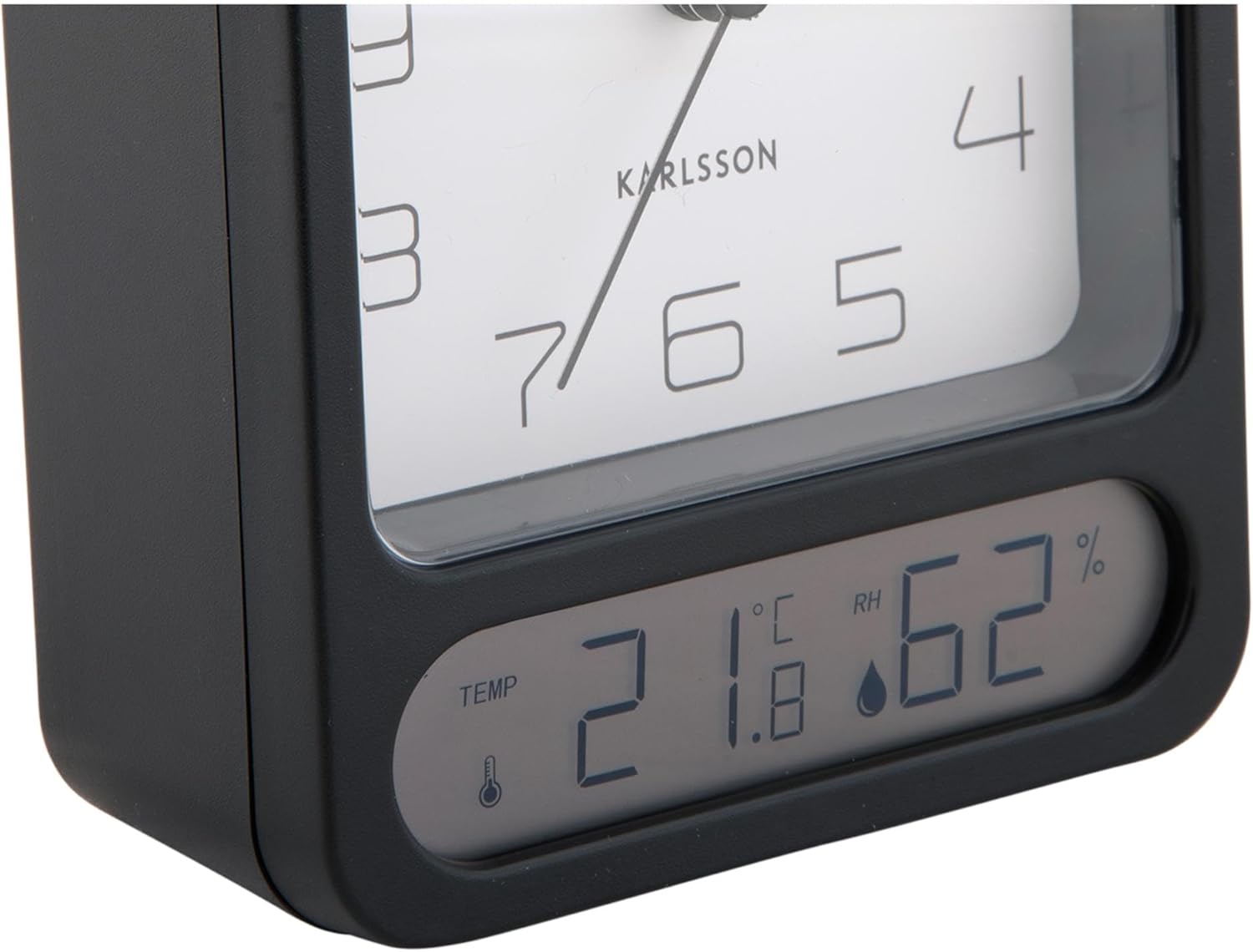
Figure 3 : A detailed close-up of the digital display, clearly showing the temperature in Celsius (e.g., 21.8 °C) and the relative humidity percentage (e.g., 62% RH). Small icons for temperature and humidity are also visible.

Figure 4 : An angled perspective of the alarm clock, providing a comprehensive view of its design, including the square analog clock face and the rectangular digital display below it, all encased in a matte black frame.
5. Installation
5.1. Installation de la batterie
- Repérez le couvercle du compartiment à piles à l'arrière du réveil.
- Retirez le couvercle en le faisant glisser ou en le soulevant selon les repères.
- Insert the required batteries (typically 1x AA for the analog clock and 2x AAA for the digital display, though specific types may vary - refer to the compartment markings) ensuring correct polarity (+ and -).
- Replacez soigneusement le couvercle du compartiment à piles.
5.2. Réglage de l'heure
- On the back of the clock, locate the time setting knob (usually labeled "TIME SET" or similar).
- Rotate the knob in either direction to adjust the hour and minute hands to the current time.
5.3. Réglage de l'alarme
- Locate the alarm setting knob (usually labeled "ALARM SET" or similar) on the back of the clock.
- Rotate this knob to set the alarm hand to your desired alarm time.
- Locate the alarm ON/OFF switch (often a small slider or button). Slide it to the "ON" position to activate the alarm.
6. Mode d'emploi
6.1. Lire l'heure
The current time is displayed on the analog clock face with hour, minute, and second hands.
6.2. Lecture de la température et de l'humidité
The digital display at the bottom of the clock shows the current room temperature (in Celsius or Fahrenheit, depending on model) and relative humidity percentage. There may be a button (e.g., "°C/°F") to switch between temperature units if applicable.
6.3. Fonction d'alarme
- When the alarm is set to "ON", it will sound at the designated alarm time.
- To stop the alarm, slide the alarm ON/OFF switch to the "OFF" position.
- Fonction de répétition: If your model includes a snooze button (often a large button on top), pressing it during an active alarm will temporarily silence the alarm for a few minutes before it sounds again.
7. Entretien
7.1. Nettoyage
Essuyez l'horloge avec un chiffon doux et sec. N'utilisez pas de produits nettoyants abrasifs ni de solvants, car ils pourraient endommager la finition ou l'affichage.
7.2. Remplacement de la batterie
Replace batteries when the clock hands slow down, the alarm becomes weak, or the digital display fades or stops working. Follow the battery installation steps in Section 5.1.
8. Dépannage
| Problème | Cause possible | Solution |
|---|---|---|
| Clock not working / Digital display off | Piles déchargées ou mal insérées. | Remplacez les piles en veillant à respecter la polarité. |
| L'alarme ne sonne pas | Alarm is not activated (OFF position) or set incorrectly. | Ensure alarm switch is ON and alarm time is set correctly. |
| Heure affichée incorrecte | Time was not set correctly or batteries are low. | Reset the time. Replace batteries if necessary. |
| Température/humidité imprécise | Obstruction du capteur ou conditions environnementales extrêmes. | Ensure the clock is in a well-ventilated area, away from direct heat sources or drafts. Allow time for readings to stabilize. |
9. Spécifications
| Numéro de modèle | KA5954BK |
| Marque | Karlsson |
| Dimensions (L x l x H) | 9.7 x 4.5 x 12 cm |
| Poids | 600 g |
| Source d'énergie | Batterie (non incluse) |
| ASIN | B0DHL8TMB6 |
10. Garantie et assistance
This Karlsson product is covered by a manufacturer's warranty. Please refer to the warranty card included with your purchase or visit the official Karlsson webConsultez le site pour connaître les conditions générales de garantie détaillées.
For technical support, troubleshooting assistance, or inquiries regarding your product, please contact Karlsson customer service through their official weble site ou les coordonnées fournies avec votre documentation d'achat.