
1. Introduction
This manual provides comprehensive instructions for the installation, operation, and maintenance of your Gravity MGR5 Marine Stereo Receiver. Please read this manual thoroughly before using the product to ensure proper function and to prevent damage. Keep this manual for future reference.
2. Consignes de sécurité
- Alimentation: Ensure the power supply is 12V DC (direct current) only. Incorrect voltage peut endommager l'appareil.
- Câblage : All wiring should be performed by a qualified technician. Incorrect wiring can lead to electrical shock or fire.
- Résistance à l'eau : The MGR5 is designed with IPX5 water resistance. While it can withstand splashes and light rain, it is not designed for submersion.
- Température: Évitez d'exposer l'appareil à des températures extrêmes ou à la lumière directe du soleil pendant des périodes prolongées.
- Nettoyage: Utilisez un chiffon doux et sec pour le nettoyage. N'utilisez pas de nettoyants abrasifs ni de solvants.
- Ventilation: Assurez une ventilation adéquate autour de l'appareil pour éviter toute surchauffe.
3. Contenu du colis
Vérifiez que tous les éléments sont présents dans le colis :
- Gravity MGR5 Marine Stereo Receiver
- Télécommande
- Faisceau de câblage
- Matériel de montage
- Manuel de l'utilisateur (ce document)
4. Produit terminéview
The Gravity MGR5 is a versatile marine stereo receiver featuring a 4.1-inch LCD display, multi-mode playback options, and Bluetooth connectivity. It is designed for use in various environments, including marine, automotive, and recreational vehicles.

Figure 4.1 : Face avant view of the Gravity MGR5 Marine Stereo Receiver, showcasing its 4.1-inch LCD display and control buttons. The display shows a vibrant image of a harbor.
4.1. Fonctions du panneau de commande
Refer to the diagram below for an explanation of the main control buttons on the MGR5 unit.

Figure 4.2: Detailed diagram illustrating the MGR5 control buttons and their corresponding functions.
- PWR/SEL/VOL: Controls power, sound settings, and volume levels.
- MODE/SUB-: Switches audio sources and controls subwoofer levels.
- BAND/AV/SUB+: Changes radio bands and audio/video output, adjusts subwoofer.
- TUNE/TRACK BUTTONS: Selects radio stations or media tracks, fast-forwards or rewinds.
- M E N U: Accesses the main menu for various system settings.
- SMA: Searches and stores radio stations automatically, toggles play/pause in media mode.
- CH+ : Skips through or saves radio presets.
- Bouton Lecture/Pause : Manages playback of media.
- Paramètre: Enters detailed settings for the system like color, light, time, and language.
4.2. Principales caractéristiques
- 4.1" LCD Display for video playback and navigation.
- Connectivité Bluetooth pour la diffusion audio sans fil.
- Multi-mode playback: USB, SD card, AUX input, FM radio.
- Subwoofer control and preset equalizer modes.
- IPX5 water-resistant and durable construction.
- Multi-color buttons for enhanced usability.

Figure 4.3: Visual representation of key features such as AUX, USB, Preset EQ, Subwoofer control, and IPX5 water resistance.
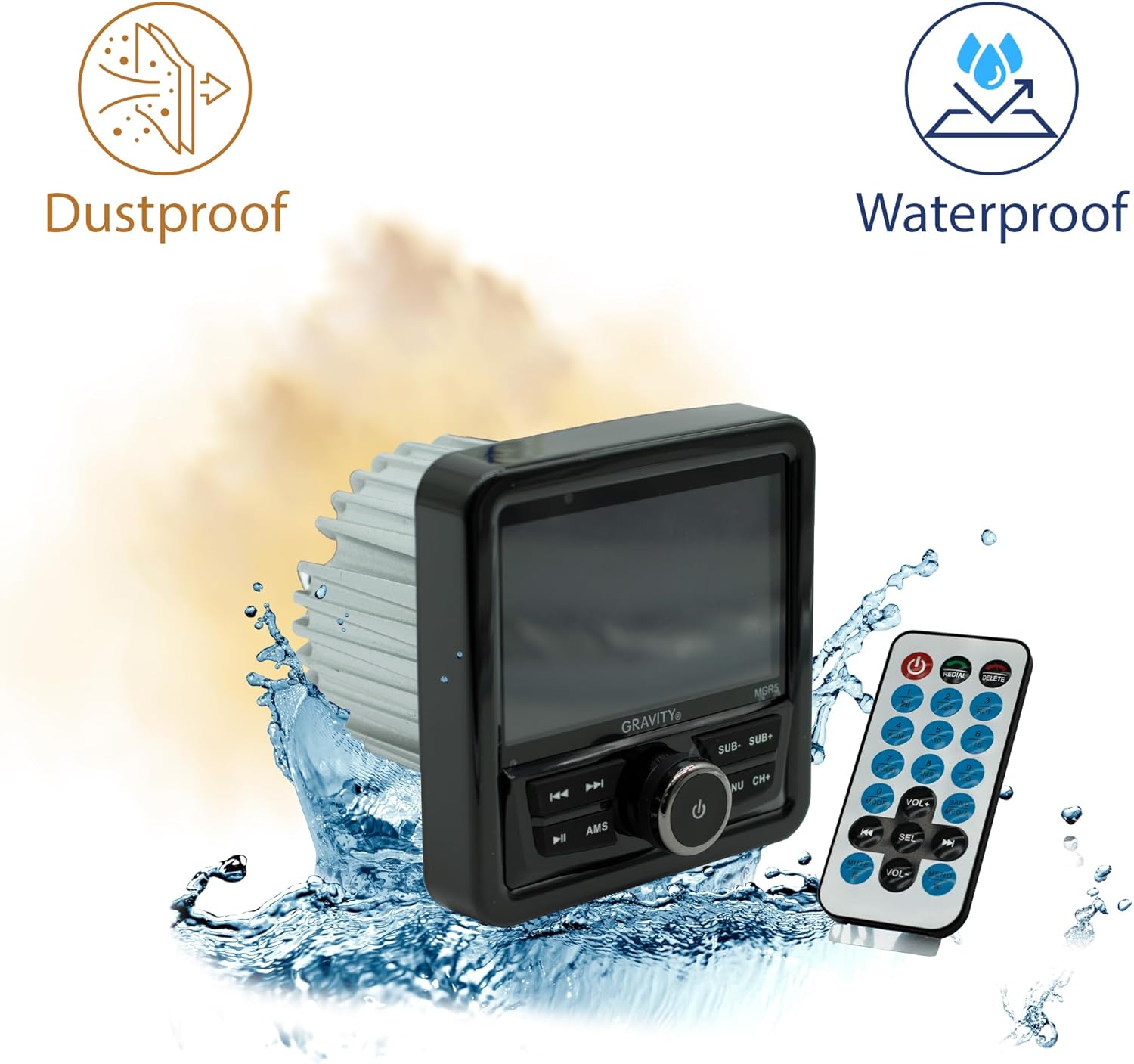
Figure 4.4: The MGR5 unit highlighting its dustproof and waterproof design, suitable for challenging environments.
5. Installation
Proper installation is crucial for the performance and longevity of your MGR5 receiver. Consult a professional if you are unsure about any steps.
5.1. Cotes de montage
Before installation, ensure you have adequate space for the unit. Refer to the dimensions below.

Figure 5.1: Detailed dimensions of the MGR5 unit, including front panel and chassis measurements, essential for proper mounting.
- Largeur du panneau avant : Environ 4.33 pouces
- Profondeur du châssis : Environ 3.98 pouces
- Hauteur du châssis : Environ 2.89 pouces
5.2. Schéma de câblage
Connect the wiring harness according to the diagram provided in the separate wiring guide (if applicable) or the labels on the harness itself. Ensure all connections are secure and insulated.
- Fil rouge : ACC (Alimentation accessoire)
- Fil jaune : B+ (Constant 12V Power)
- Fil noir : GND (terre)
- Fil bleu: Allumage à distance (pour amplifier/antenna)
- Fils de haut-parleur : Connect to appropriate speakers (Front Left, Front Right, Rear Left, Rear Right). Ensure correct polarity.
Avertissement: Incorrect wiring can cause severe damage to the unit or vehicle's electrical system. Always disconnect the vehicle's battery before beginning installation.
6. Fonctionnement
6.1. Fonctions de base
- Marche/Arrêt : Appuyez sur le PWR/SEL/VOL bouton pour allumer ou éteindre l'appareil.
- Contrôle du volume : Faites pivoter le PWR/SEL/VOL bouton pour régler le volume.
- Sélection de la source : Appuyez sur le MODE/SUB- button to cycle through available audio sources (FM, AM, Bluetooth, USB, SD, AUX).
6.2. Fonctionnement Bluetooth
- Jumelage :
- Select Bluetooth as the source. The unit will enter pairing mode automatically.
- On your mobile device, search for Bluetooth devices and select "MGR5".
- Une fois l'appairage effectué, l'appareil confirmera la connexion.
- Streaming audio: Play audio from your paired device. Use the TUNE/TRACK boutons pour passer les pistes et le AMS bouton lecture/pause.
6.3. Lecture USB/SD
- Insérez une clé USB ou une carte SD dans l'emplacement correspondant.
- The unit will automatically switch to USB/SD mode and begin playback. If not, select USB/SD as the source using the MODE/SUB- bouton.
- Utilisez le TUNE/TRACK des boutons pour naviguer sur les pistes et AMS pour lecture/pause.
6.4. Radio FM
- Select FM as the source.
- Scan automatique: Appuyez et maintenez enfoncé le AMS bouton permettant de scanner et d'enregistrer automatiquement les stations puissantes.
- Réglage manuel: Utilisez le TUNE/TRACK buttons for fine-tuning.
- Stations préréglées : Utilisez le CH+ bouton permettant de parcourir les préréglages enregistrés.
6.5. Subwoofer Control and EQ Settings
- Niveau du caisson de basses : Presse MODE/SUB- or BAND/AV/SUB+ to adjust subwoofer output.
- Préréglages de l'égaliseur : Appuyez sur le MENU button to access audio settings, then navigate to EQ presets (e.g., Pop, Rock, Classic, Flat).
7. Entretien
- Nettoyage de l'unité : Utilisez un chiffon doux et sec pour essuyer l'extérieur de l'appareil. Pour les saletés tenaces, frottez légèrement.ampNettoyez le chiffon avec de l'eau. N'utilisez pas de produits chimiques agressifs ni de matériaux abrasifs.
- Entretien de l'affichage: The LCD display is sensitive. Clean it gently with a microfiber cloth. Avoid pressing hard on the screen.
- Vérifications de connexion : Vérifiez périodiquement tous les raccordements électriques pour vous assurer qu'ils sont bien fixés et exempts de corrosion, notamment en milieu marin.
- Mises à jour logicielles : Vérifiez le fabricant webConsultez ce site pour toute mise à jour du micrologiciel disponible afin de garantir des performances et une compatibilité optimales.
8. Dépannage
| Problème | Cause possible | Solution |
|---|---|---|
| Pas de courant | Câblage incorrect, fusible grillé, connexion desserrée. | Check power and ground connections. Inspect fuse. Ensure battery is connected. |
| Pas de son | Volume too low, incorrect source selected, speaker wires disconnected, ampproblèmes de lifier. | Increase volume. Select correct source. Check speaker wiring. Verify external ampL'amplificateur (le cas échéant) est allumé. |
| Bluetooth ne se connecte pas | Device not in pairing mode, MGR5 not in Bluetooth mode, interference. | Ensure MGR5 is in Bluetooth mode. Put mobile device in pairing mode. Try restarting both devices. |
| Lecture impossible du périphérique USB/SD | Non pris en charge file format, corrupted media, incorrect source. | Vérifier file formats (e.g., MP3, WMA). Try a different USB/SD card. Select USB/SD source. |
| Mauvaise réception radio | Antenne non connectée, signal faible, interférences. | Ensure antenna is properly connected. Try auto-scanning for stations. Move to an area with better signal. |
9. Spécifications
| Fonctionnalité | Détail |
|---|---|
| Numéro de modèle | MGR5 |
| Puissance de sortie | 200 W (50 W x 4 canaux) |
| Afficher | Écran LCD de 4.1 pouce |
| Connectivité | Bluetooth, USB, SD, AUX, FM Radio |
| Résistance à l'eau | IPX5 |
| Alimentation électrique | 12 V CC |
| Mode de sortie audio | Stéréo |
| Configuration des canaux de son surround | 4.1 |
| Poids de l'article | 1.2 livres |
| Dimensions du colis | 6 x 6 x 6 pouces |
10. Garantie et assistance
Gravity products are designed for reliability and performance. For warranty information and technical support, please refer to the warranty card included with your product or visit the official Gravity website.
For assistance, please contact Gravity customer support with your model number (MGR5) and purchase details ready.