
1. Consignes de sécurité
Please read all safety instructions carefully before using the TOMLOV TriL110 Digital Microscope. Retain this manual for future reference.
- Alimentation: Utilisez uniquement l'adaptateur secteur spécifié. Assurez-vous que le volumetage correspond aux exigences du produit.
- Environnement: Operate the microscope in a dry, clean environment. Avoid exposure to extreme temperatures, humidity, dust, or corrosive substances.
- Manutention: Manipulez l'appareil avec précaution. Évitez de le faire tomber ou de le soumettre à des chocs violents.
- Nettoyage: Débranchez l'appareil avant de le nettoyer. Utilisez un chiffon doux et sec. N'utilisez pas de nettoyants liquides ni de solvants.
- Démontage: Do not attempt to disassemble or repair the microscope yourself. Unauthorized repairs will void the warranty and may cause damage or injury.
- Enfants: This device is not a toy. Adult supervision is recommended when children are using the microscope.
2. Produit terminéview
The TOMLOV TriL110 is a versatile digital microscope featuring a 10.1-inch IPS display, 2K video recording, and 24MP photo capture. It comes equipped with three interchangeable lenses offering magnifications up to 2500x, making it suitable for various applications including coin inspection, circuit board soldering, and biological slide observation. The device supports HDMI and USB output for real-time viewing on larger screens and includes a comprehensive lighting system for optimal illumination.
2.1 Contenu du paquet
- TOMLOV TriL110 Digital Microscope Unit
- 1000X Lens (Pre-installed)
- 1500X Soldering Lens
- 2500X Biological Lens
- Adjustable Stand with Base
- Gooseneck Side Lights (2)
- Slide Glass Bottom Transmitted Light
- Adaptateur secteur
- Câble HDMI
- Câble USB
- Télécommande sans fil
- Carte SD 64 Go
- Manuel d'utilisation
2.2 Caractéristiques du produit
- 3-Lens System: Easily switch between 1000X (coin/stamp), 1500X (soldering/watch repair), and 2500X (biological slides) lenses by rotating the lens barrel.
- Affichage haute résolution : 10.1-inch IPS screen with 178° viewing angle, 24MP photo resolution, and 2K video resolution for clear, vibrant images.
- Éclairage polyvalent : Features 12 main LED lights, 2 gooseneck side lights, and 1 slide glass bottom transmitted light, all with independent brightness adjustment.
- Sortie externe : Real-time HDMI and USB output for connecting to larger monitors or computers.
- Stockage: Includes a 64GB SD card for storing photos and videos.
- Télécommande sans fil : Conveniently capture images, record videos, and adjust zoom without touching the microscope.
- Support réglable : Provides a stable and spacious working area, with adjustable height for different observation needs.

Image : Terminéview of the TOMLOV TriL110 Digital Microscope highlighting its 3-lens system and 10.1-inch display.
Video: A demonstration of the TOMLOV TriL110 Digital Microscope's features, including lens switching, focusing, and various applications.
3. Installation
3.1 Assemblage
- Attach the Display Unit: Securely mount the display unit onto the adjustable stand.
- Install Lenses: The 1000X lens is typically pre-installed. To switch lenses, gently rotate the lens barrel to detach the current lens and attach the desired lens (1500X or 2500X).
- Connectez les lumières : Plug the gooseneck side lights into their designated ports on the base.
- Insérez la carte SD : Insert the provided 64GB SD card into the SD card slot on the side of the display unit.
- Connecter l'alimentation : Connect the power adapter to the microscope and then to a power outlet.

Image: Visual guide showing the simple steps for setting up and using the microscope, including powering on, lens selection, height adjustment, and focusing.
3.2 Mise sous/hors tension
Maintenez enfoncé le bouton d'alimentation de l'unité d'affichage pour allumer ou éteindre le microscope.
3.3 Paramètres initiaux
Upon first use, you may need to adjust language, date, and time settings through the on-screen menu. Refer to the 'Operation' section for menu navigation.
4. Fonctionnement
4.1 Lens Switching and Magnification
The TriL110 features three specialized lenses. To switch between them, gently rotate the lens barrel to detach the current lens and attach the desired one. Each lens is designed for specific magnification ranges and applications:
- 1000X Lens: Magnification 2X-1000X. Object distance 8mm-500mm. Ideal for observing coins, stamps, and other larger objects.
- 1500X Soldering Lens: Magnification 10X-1500X. Object distance 38mm-180mm. Optimized for detailed work like PCB soldering and watch repair.
- 2500X Biological Lens: Magnification 2000X-2500X. Object distance 3mm-4mm. Best suited for observing biological slides and microscopic mites.

Image: Illustrates the process of rotating the lens barrel to easily switch between the three available lenses.
4.2 Mise au point
To achieve a clear image, rotate the focus wheel on the microscope body until the object appears sharp on the display. Adjust the height of the microscope stand as needed for different lenses and object distances.

Image: A user observing a coin using the 1000X lens, demonstrating its suitability for coin and stamp observation.

Image: The microscope in use for soldering a circuit board, showcasing the 1500X lens for precision tasks.

Image: A user observing a biological slide, demonstrating the high magnification capabilities of the 2500X lens.
4.3 Contrôle de l'éclairage
The microscope is equipped with multiple light sources for optimal illumination. The 12 main LED lights, 2 gooseneck side lights, and 1 slide glass bottom transmitted light can be adjusted independently using the controls on the device or the remote control. Adjust the brightness to eliminate shadows and achieve clear visibility of your specimen.

Image: Details of the microscope's lighting system, including the 12 main LEDs, two adjustable side lights, and the transmitted light for transparent specimens.
4.4 Capture de photos et de vidéos
To capture images or record videos, use the dedicated buttons on the display unit or the wireless remote control. The captured media will be saved to the inserted SD card.
- Mode photo: Press the 'Photo' button to take a still image.
- Mode vidéo : Press the 'Video' button to start/stop video recording.
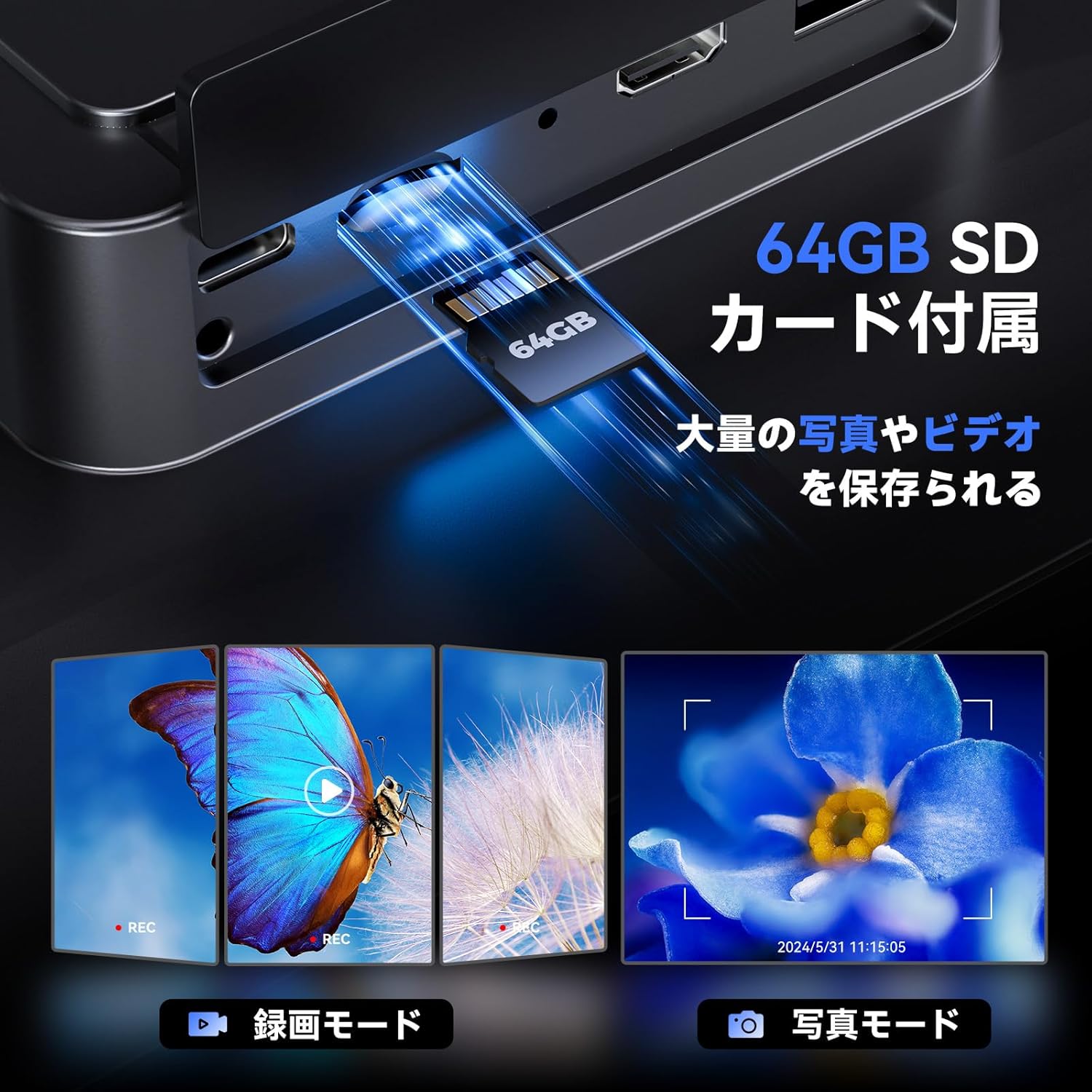
Image: Illustrates the inclusion of a 64GB SD card for extensive photo and video storage.
4.5 Connecting to External Displays (HDMI & USB)
The microscope can output its display to a larger screen for collaborative viewing or detailed analysis:
- Sortie HDMI : Connect an HDMI cable from the microscope to an HDMI-enabled monitor or TV. The microscope display will automatically switch to output mode.
- Sortie USB : Connect a USB cable from the microscope to a computer. You may need to install specific software (not included, usually available from manufacturer's websites) à view the live feed on your computer.

Image: Shows the microscope connected to a larger TV and a laptop, demonstrating its HDMI and USB output capabilities for real-time viewing.
4.6 télécommande sans fil
The included wireless remote control allows for convenient operation without disturbing the microscope. Functions include:
- Zoom avant/arrière
- Capture de photos
- Enregistrement vidéo
- Menu Navigation (depending on model features)
Image: Depicts the wireless remote control and its functions for convenient operation of the microscope.
5. Entretien
5.1 Nettoyage
- Lentilles : Utilisez un chiffon doux non pelucheux spécialement conçu pour les lentilles optiques. Pour les traces tenaces, vous pouvez appliquer une petite quantité de solution nettoyante pour lentilles sur le chiffon (et non directement sur la lentille).
- Écran d'affichage : Wipe the screen gently with a microfiber cloth. Avoid harsh chemicals.
- Corps: Use a soft, dry cloth to wipe the microscope body.
5.2 Stockage
When not in use, store the microscope in a clean, dry place away from direct sunlight and extreme temperatures. It is recommended to cover the lenses to prevent dust accumulation.
6. Dépannage
| Problème | Cause possible | Solution |
|---|---|---|
| Pas de courant | Power adapter not connected; Power outlet faulty; Battery drained | Ensure power adapter is securely connected; Try a different outlet; Charge the battery. |
| Image floue | Not in focus; Incorrect lens for object distance; Lens dirty | Rotate the focus wheel; Adjust microscope height; Clean the lens. |
| Aucune image sur l'écran externe | Cable not connected properly; Incorrect input selected on TV/monitor; Missing USB driver | Check HDMI/USB cable connections; Select correct input source on TV/monitor; Install necessary USB drivers for PC connection. |
| Erreur de carte SD | SD card not inserted correctly; SD card full or corrupted | Reinsert SD card; Format SD card (this will erase all data); Try a different SD card. |
| La télécommande ne fonctionne pas | Battery drained; Obstruction between remote and microscope | Replace remote control battery; Ensure clear line of sight to the microscope's IR receiver. |
7. Spécifications
| Fonctionnalité | Détail |
|---|---|
| Marque | TOMLOV |
| Modèle | TriL110 |
| Afficher | 10.1-inch IPS Screen, 178° ViewAngle d'attaque |
| Résolution photo | 24 mégapixels |
| Résolution vidéo | 2K |
| Magnification (1000X Lens) | 2X-1000X |
| Magnification (1500X Lens) | 10X-1500X |
| Magnification (2500X Lens) | 2000X-2500X |
| Source de lumière | 12 Main LEDs, 2 Gooseneck Side Lights, 1 Slide Glass Bottom Transmitted Light |
| Ports de sortie | HDMI, USB |
| Stockage | Carte SD de 64 Go (incluse) |
| Autonomie de la batterie | Approx. 3 hours continuous operation (3000mAh microscope, 1800mAh base light) |
| Couleur | Noir |
8. Garantie et assistance
The TOMLOV TriL110 Digital Microscope comes with a Garantie constructeur d'un an à compter de la date d'achat. Cette garantie couvre les défauts de matériaux et de fabrication dans des conditions normales d'utilisation.
La garantie ne couvre pas :
- Dommages causés par une mauvaise utilisation, un abus, un accident ou une négligence.
- Dommages causés par une modification ou une réparation non autorisée.
- Usure normale.
For technical support, warranty claims, or any questions regarding your TOMLOV TriL110 Digital Microscope, please contact our customer service team through the retailer where you purchased the product or visit the official TOMLOV website pour les coordonnées.