
1. Introduction
The Betopper LPC010N-4 is a professional 54x4W RGBW (Red, Green, Blue, White) LED Par Light designed for various stage, event, and photography lighting applications. Featuring a high Color Rendering Index (CRI) of over 90, this light ensures accurate and vibrant color reproduction. It delivers up to 5500 lumens of brightness and offers multiple control modes for versatile lighting effects.
2. Consignes de sécurité
- Raccordez toujours le luminaire à un circuit mis à la terre.
- Assurer la puissance voltage correspond au vol nominaltage de l'appareil.
- Do not open the housing; there are no user-serviceable parts inside. Refer servicing to qualified personnel.
- Évitez l'exposition directe des yeux à la source lumineuse.
- Protégez le luminaire de la pluie ou de l'humidité.
- Assurez une ventilation adéquate autour du luminaire pour éviter toute surchauffe.
- Fixez solidement le dispositif à l'aide d'un collier de serrage approprié.amps et câbles de sécurité.
3. Contenu du colis
Each Betopper LPC010N-4 package includes:
- Betopper LPC010N-4 LED Par Light unit(s)
- Câble d'alimentation
- Manuel d'utilisation
4. Produit terminéview
4.1 Principales caractéristiques
- IRC élevé (>90) : Provides exceptional color accuracy for natural and vibrant object and skin tone reproduction, ideal for photography and video.
- Luminosité supérieure : Equipped with 54*4W LED bulbs, delivering up to 5500 lumens for large venues.
- Couleur RGBW complète : 4-in-1 LED sources (Red, Green, Blue, White) offer brighter and purer colors than traditional RGB lights.
- Modes de contrôle flexibles : Supports DMX, automatic, and sound-activated modes, along with multiple pre-set colors.
- Large gamme d'applications : Suitable for parties, discos, bars, clubs, weddings, churches, live performances, studios, and more.
4.2 Composants physiques


The fixture features a robust aluminum housing, a cooling fan for heat dissipation, and a digital display with four control buttons (MENU, UP, DOWN, ENTER) for easy navigation. It includes DMX In/Out ports for external control and Power In/Out for daisy-chaining multiple units.
5. Installation
5.1 Montage
The LPC010N-4 can be mounted in various ways:
- Montage au sol : Use the adjustable bracket to position the light on a flat surface.
- T-Bar/Truss Mount: Secure the fixture to a T-bar or lighting truss using appropriate clamps (not included) and a safety cable. Ensure the mounting surface can support the weight of the fixture.

5.2 Connexion d'alimentation
Connect the provided power cable to the 'POWER IN' port on the rear of the fixture and then to a suitable AC100-240V power outlet. Multiple units can be daisy-chained using the 'POWER OUT' port to connect to the 'POWER IN' of the next fixture.
5.3 Connexion DMX (en option)
For DMX control, connect a DMX cable from your DMX controller's output to the 'DMX IN' port of the first fixture. To daisy-chain multiple DMX fixtures, connect the 'DMX OUT' of the first fixture to the 'DMX IN' of the next, and so on.
6. Modes de fonctionnement
6.1 Navigation dans le panneau de commande
The rear control panel features a digital display and four buttons:
- M E N U: Permet de parcourir les options du menu principal.
- EN HAUT: Increases values or navigates up through menu options.
- VERS LE BAS: Decreases values or navigates down through menu options.
- ENTRER: Confirme la sélection ou accède à un sous-menu.

6.2 Mode de contrôle DMX
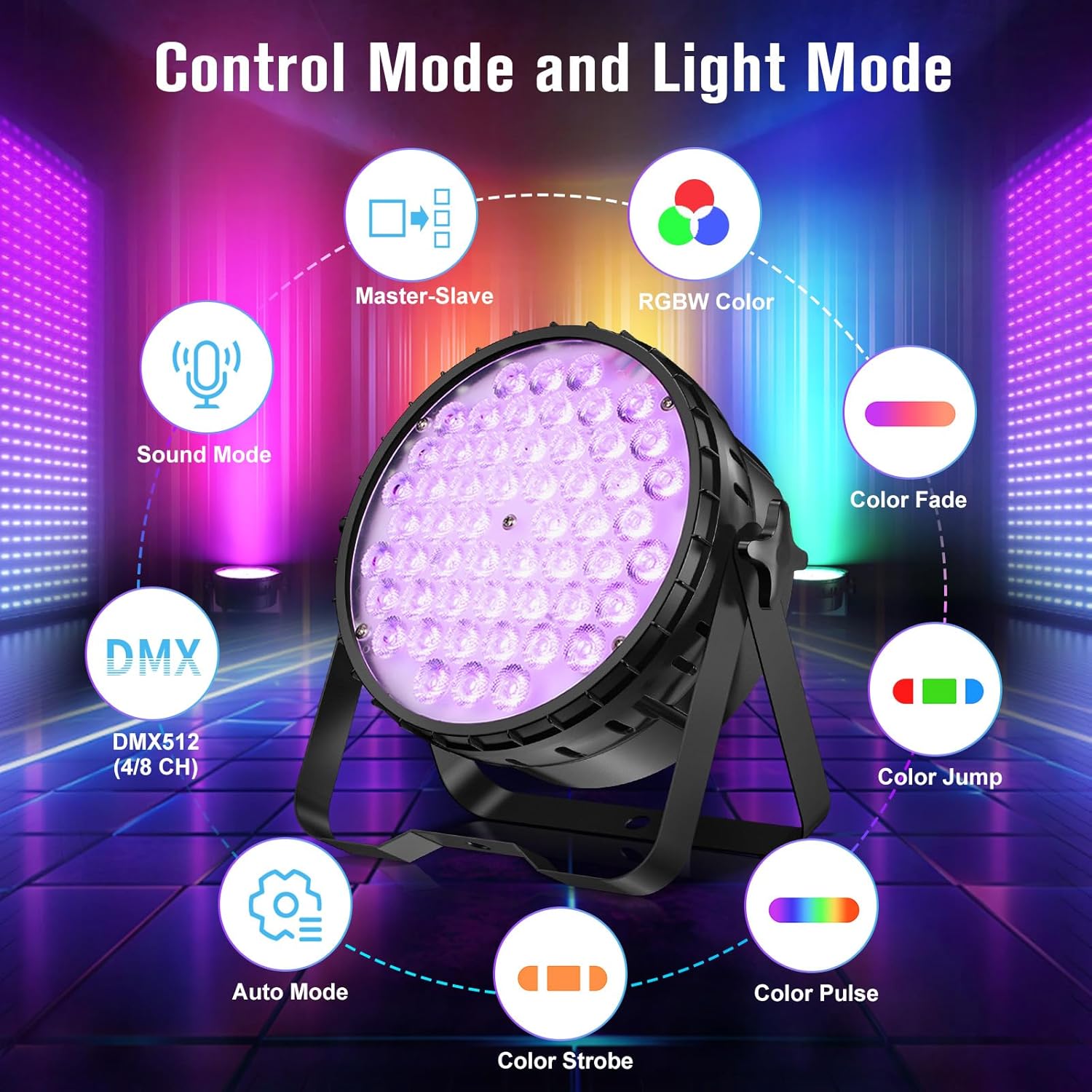
The fixture supports DMX512 protocol with 4 or 8 channel modes. Refer to the DMX channel chart in the appendix (not provided in this manual) for specific channel functions. Set the DMX address using the control panel.
6.3 Mode automatique
The automatic mode features pre-programmed light shows and color sequences. Use the MENU button to select 'Auto' mode and then UP/DOWN to choose different auto programs.
6.4 Mode activé par le son
In sound-activated mode, the light reacts to ambient sound or music. Use the MENU button to select 'Sound' mode. The fixture's built-in microphone will detect audio and trigger dynamic lighting effects.
6.5 Mode maître-esclave
Connect multiple fixtures via DMX cables. Set one fixture as the 'Master' (e.g., in Auto or Sound mode) and the others as 'Slave' units. The slave units will then synchronize their effects with the master unit.
7. Effets de lumière
The LPC010N-4 offers a variety of dynamic lighting effects:
- Strobe: Rapid flashing of light.
- Gradual Fading Change: Transitions douces entre les couleurs.
- Sauter: Instantaneous changes between colors.
- Changement de pouls : Rhythmic changes in light intensity or color.


7.1 CRI Comparison
The high CRI (>90) of the LPC010N-4 ensures that colors appear more natural and true to life compared to lights with lower CRI values.

7.2 Brightness Comparison
The 54x4W configuration provides significantly higher brightness compared to lights with fewer or lower wattage LED.

7.3 Démonstrations vidéo
8. Entretien
- Nettoyage: Nettoyez régulièrement la lentille et le boîtier avec un chiffon doux non pelucheux. N’utilisez pas de nettoyants abrasifs.
- Entretien du ventilateur : Ensure the cooling fan is free from dust and debris to maintain optimal performance and prevent overheating.
- Stockage: Lorsqu'il n'est pas utilisé, rangez le dispositif dans un endroit sec et exempt de poussière.
- Inspection: Periodically check all cables, connections, and mounting hardware for any signs of wear or damage.
9. Dépannage
| Problème | Cause possible | Solution |
|---|---|---|
| Pas de courant | Câble d'alimentation débranché ; pas de courant à la prise ; fusible grillé. | Vérifiez le branchement du câble d'alimentation ; testez la prise ; remplacez le fusible si nécessaire. |
| Pas de sortie lumineuse | Fixture in blackout mode; incorrect mode selected; internal fault. | Check control panel settings; cycle through modes; contact support if fault persists. |
| La commande DMX ne fonctionne pas | Incorrect DMX address; faulty DMX cable; DMX controller issue; incorrect DMX mode. | Verify DMX address; check DMX cable integrity; test with another controller; ensure fixture is in DMX mode. |
| Lumière vacillante | Unstable power supply; DMX signal interference; loose connection. | Ensure stable power; check DMX termination; secure all connections. |
10. Spécifications
| Fonctionnalité | Détail |
|---|---|
| Numéro de modèle | LPC010N |
| Type de source lumineuse | Diode électroluminescente (DEL) |
| Nombre de sources lumineuses | 54 |
| Quoitage (per LED) | 4W |
| Vat totaltage | 216 watts |
| Flux lumineux maximal | 5500 lumens |
| Indice de rendu des couleurs (IRC) | 95 (CRI>90) |
| Température de couleur | 4500 Kelvin |
| Caractéristiques de l'ampoule | CRI>90, RGBW full color, DMX, automatic, sound-activated |
| Matériel | Aluminium |
| Type de finition | Brossé |
| Type de montage | Montage au sol |
| Source d'énergie | Électrique avec fil |
| Dimensions du produit | 9.84"L x 4.5"l x 9.84"H |
| Poids de l'article | 16.06 livres |
| Piles incluses | Non |
11. Garantie et assistance
For warranty information, technical support, or service inquiries, please contact Betopper customer service. Keep your purchase receipt as proof of purchase.
Visit the official Betopper store for more information: BetopperDirect Store