
Introduction
Welcome to the user manual for your Zeblaze Btalk 2 Lite Smartwatch. This guide provides comprehensive instructions to help you set up, operate, and maintain your device, ensuring you get the most out of its features. The Btalk 2 Lite is designed to enhance your daily life with advanced health monitoring, fitness tracking, and convenient communication capabilities.
Produit terminéview
The Zeblaze Btalk 2 Lite smartwatch combines style with functionality, offering a range of features to support your health and connectivity needs.
- Afficher: Large 1.39-inch HD IPS Color Display
- Connectivité : Bluetooth V5.2 for phone calls
- Surveillance de la santé : 24/7 Heart Rate, SpO2 (Blood Oxygen), Sleep Tracking, Women's Health
- Aptitude: Over 100 workout modes
- Personnalisation : Over 300 professional watch faces, custom photo watch faces
- Autonomie de la batterie : Up to 14 days (220 mAh battery)
- Caractéristiques intelligentes: Offline Voice Assistant, Call, SMS, Gmail, and App Notifications
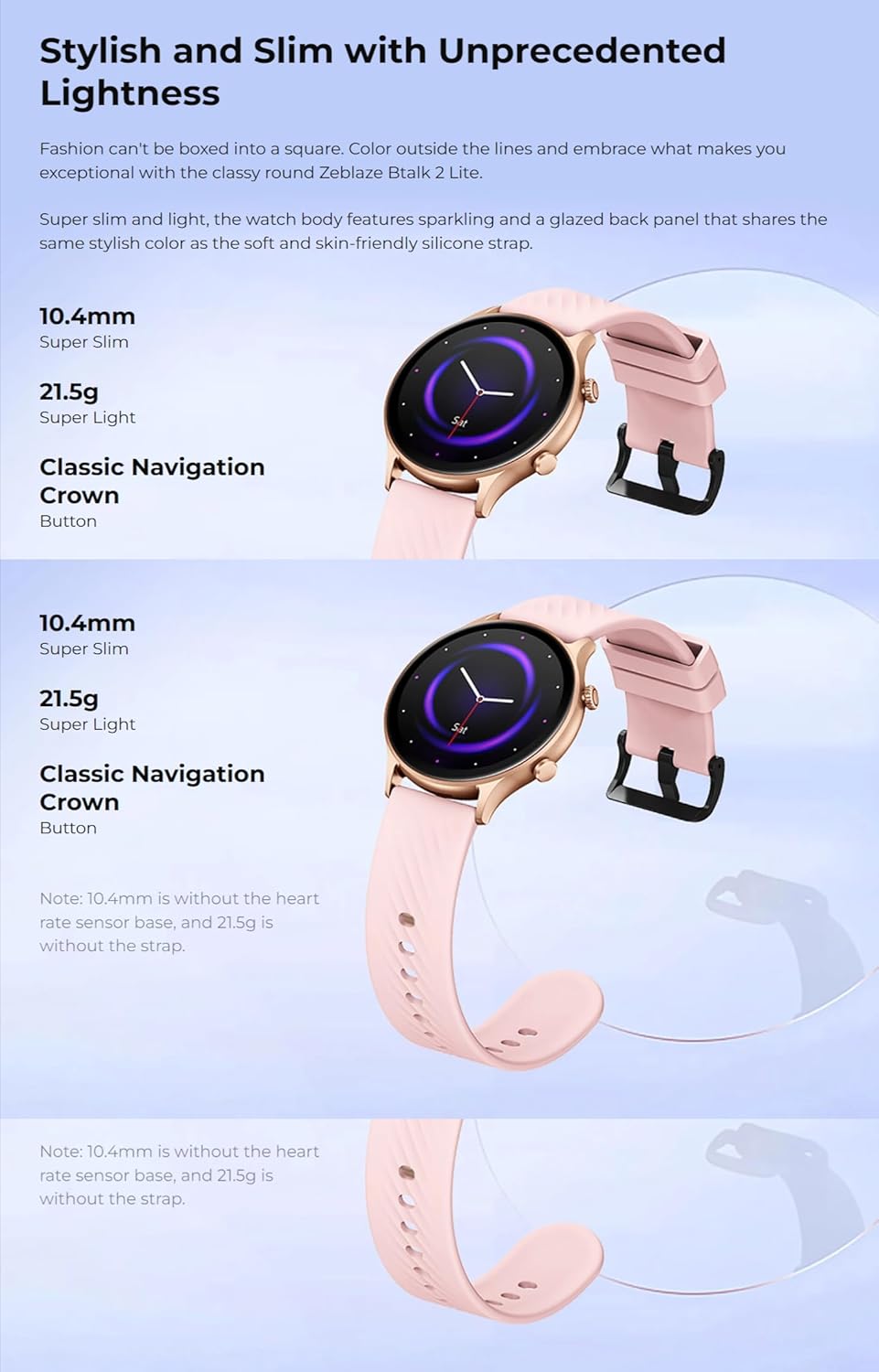
- Conception: Super slim and light, curved glass with anti-fingerprint coating
- Compatibilité: Android 4.4 ou iOS 8.0 et supérieur
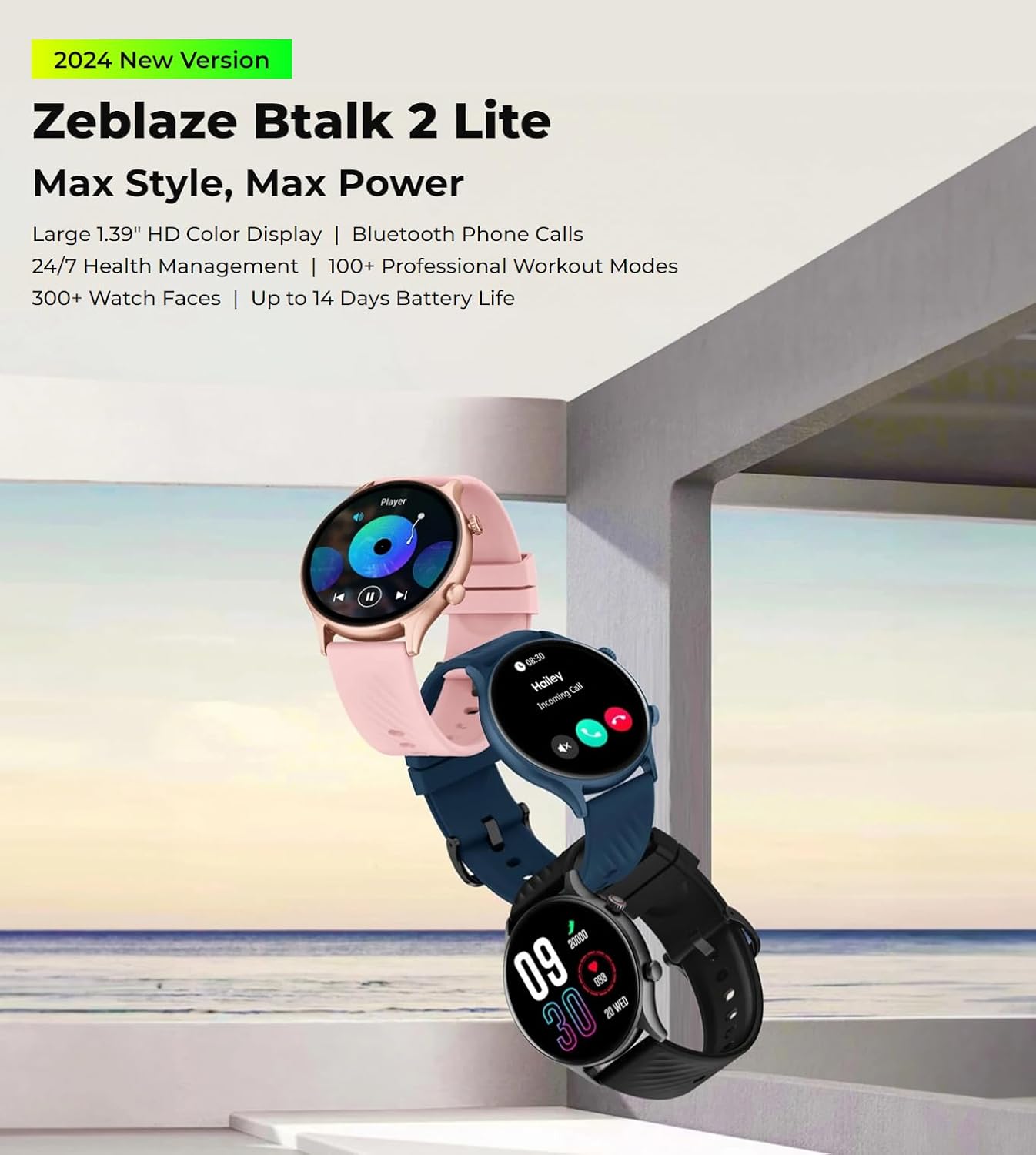
The Zeblaze Btalk 2 Lite smartwatch, available in various colors, featuring a large 1.39-inch HD display and comprehensive health and fitness tracking.
Installation
1. Chargement de l'appareil
Before initial use, fully charge your Zeblaze Btalk 2 Lite smartwatch. Connect the magnetic charging cable to the charging contacts on the back of the watch and plug the USB end into a power adapter (not included) or a computer's USB port. A full charge typically takes approximately 2 hours.

Illustration of the Zeblaze Btalk 2 Lite's battery performance, showing up to 14 days in typical usage, 7 days in heavy usage, 20 days in battery saver mode, and 325 minutes of continuous voice calling.
2. Appairage avec votre smartphone
- Téléchargez l'application : Scan the QR code in the watch's settings or search for the 'Da Fit' app in your smartphone's app store (Google Play Store for Android, Apple App Store for iOS).
- Activer Bluetooth : Assurez-vous que Bluetooth est activé sur votre smartphone.
- Ouvrez l'application et associez-la : Open the 'Da Fit' app, navigate to the device section, and follow the on-screen instructions to search for and connect to your Zeblaze Btalk 2 Lite. Confirm the pairing request on both your phone and watch.
Mode d'emploi
1. Navigation de base
- Écran tactile : Swipe left/right to access different features, swipe up/down to view notifications or quick settings. Tap to select.
- Bouton latéral/Couronne : Press to wake the screen, return to the home screen, or access the app menu. Rotate the crown (if applicable) to scroll through menus.

A close-up of the Zeblaze Btalk 2 Lite smartwatch display, highlighting the 1.39-inch screen and the classic navigation crown on the side.
2. Appels téléphoniques Bluetooth
Once paired with your phone, the Btalk 2 Lite allows you to make and receive calls directly from your wrist.
- Passer des appels: Accédez au clavier de numérotation ou à la liste de contacts de votre montre pour passer un appel.
- Réception d'appels : Lorsqu'un appel arrive, vous pouvez y répondre ou le refuser directement depuis l'écran de la montre.

A user interacting with the Zeblaze Btalk 2 Lite smartwatch to manage phone calls, demonstrating its Bluetooth calling capability.
3. Offline Voice Assistant
The watch features an offline voice assistant. Activate it through the watch menu and use voice commands for various functions without needing an internet connection.
4. Notifications
Receive alerts for incoming calls, SMS messages, Gmail, and other app notifications directly on your watch. Configure which app notifications you wish to receive via the 'Da Fit' app on your smartphone.
5. Surveillance de la santé
The Btalk 2 Lite provides comprehensive health tracking features.
- Fréquence cardiaque : Surveille votre fréquence cardiaque 24h/24 et 7j/7. View Données en temps réel sur la montre ou tendances détaillées dans l'application.
- SpO2 (oxygène sanguin) : Measure your blood oxygen saturation levels on demand.
- Suivi du sommeil : Il enregistre automatiquement vos cycles de sommeil, y compris le sommeil profond, le sommeil léger et les périodes d'éveil.
- Santé des femmes : Provides tracking and reminders for menstrual cycles (configure in the app).

Visual representation of the Zeblaze Btalk 2 Lite's health monitoring features, including wrist-based heart rate, SpO2 (blood oxygen) level measurement, breathing training, and blood pressure monitoring.
6. Modes d'entraînement
Choose from over 100 professional workout modes to track your physical activity. Select your desired activity from the watch's menu to start tracking metrics like duration, calories burned, and heart rate.

A cyclist wearing the Zeblaze Btalk 2 Lite smartwatch, illustrating its support for over 100 workout modes for various fitness activities.
7. Personnalisation des cadrans de montre
Personnalisez votre montre grâce à une large sélection de cadrans.
- Visages préinstallés : Browse and select from over 300 professional watch faces directly on the watch or through the 'Da Fit' app.
- Visages personnalisés : Upload your favorite photos via the 'Da Fit' app to create unique watch faces.

A collection of diverse watch faces available for the Zeblaze Btalk 2 Lite, showcasinoptions de personnalisation g.
Entretien
1. Nettoyage
Nettoyez régulièrement votre montre et son bracelet pour éviter les irritations cutanées et préserver son bon fonctionnement. Utilisez un chiffon doux et sec.amp Utilisez un chiffon pour essuyer l'écran et la dragonne. Évitez les produits chimiques agressifs et les matériaux abrasifs.
2. Résistance à l'eau
The Zeblaze Btalk 2 Lite features IP68 water resistance. This means it is protected against dust and can withstand immersion in water up to 1.5 meters for up to 30 minutes. It is suitable for daily use, such as hand washing or light rain, but not recommended for swimming, diving, or hot showers.
3. Entretien de la batterie
To prolong battery life, avoid exposing the watch to extreme temperatures. Charge the device fully before long periods of inactivity. If the watch will not be used for an extended time, charge it to about 50% before storing.
Dépannage
- La montre ne s'allume pas : Assurez-vous que la montre est complètement chargée. Branchez-la au chargeur pendant au moins 30 minutes.
- Impossible de connecter le téléphone : Make sure Bluetooth is enabled on your phone and the watch is within range. Restart both the watch and your phone, then try pairing again through the 'Da Fit' app.
- Données sanitaires inexactes : Assurez-vous que la montre est bien ajustée à votre poignet, ni trop serrée ni trop lâche. Nettoyez le capteur situé au dos de la montre.
- Notifications non reçues : Check app settings on your phone to ensure notifications are enabled for the 'Da Fit' app and for individual apps you wish to receive alerts from. Ensure the watch is connected via Bluetooth.
- Autonomie courte de la batterie : Réduisez la luminosité de l'écran, désactivez les fonctions inutiles et assurez-vous que la montre est complètement chargée.
Caractéristiques
| Fonctionnalité | Détail |
|---|---|
| Nom du modèle | Btalk 2 Lite |
| Marque | Zéblaze |
| Taille de l'écran | 1.39 pouces |
| Forme | Rond |
| GPS | Pas de GPS |
| Norme de communication sans fil | Bluetooth |
| Technologie de connectivité | Cellular (Bluetooth calls) |
| Capacité de la batterie | 220 mAh |
| Caractéristiques spéciales | Moniteur d'activité, moniteur de fréquence cardiaque |
| Systèmes d'exploitation | Android 4.4 ou iOS 8.0 et supérieur |
| Numéro de modèle de l'article | Btalk 2 lite |
| Dimensions du produit | 17.2 x 8.7 x 2.2 cm ; 90 grammes |
Un gros plan view of the back of the Zeblaze Btalk 2 Lite smartwatch, showing the advanced PPG biometric sensor for accurate health data collection.
Garantie et assistance
For warranty information, please refer to the documentation included with your purchase or visit the official Zeblaze website. For technical support or further assistance, please contact Zeblaze customer service through their official channels.