
Introduction
This manual provides detailed instructions for the AULCMEET RC80B replacement remote control, designed for use with Edifier R1280DBs active speakers. Please read this manual carefully to ensure proper operation and to maximize your experience with the product.
Produit terminéview
The AULCMEET RC80B remote control offers a comprehensive set of functions for your Edifier R1280DBs speakers. Its ergonomic design ensures comfortable handling and intuitive button placement.
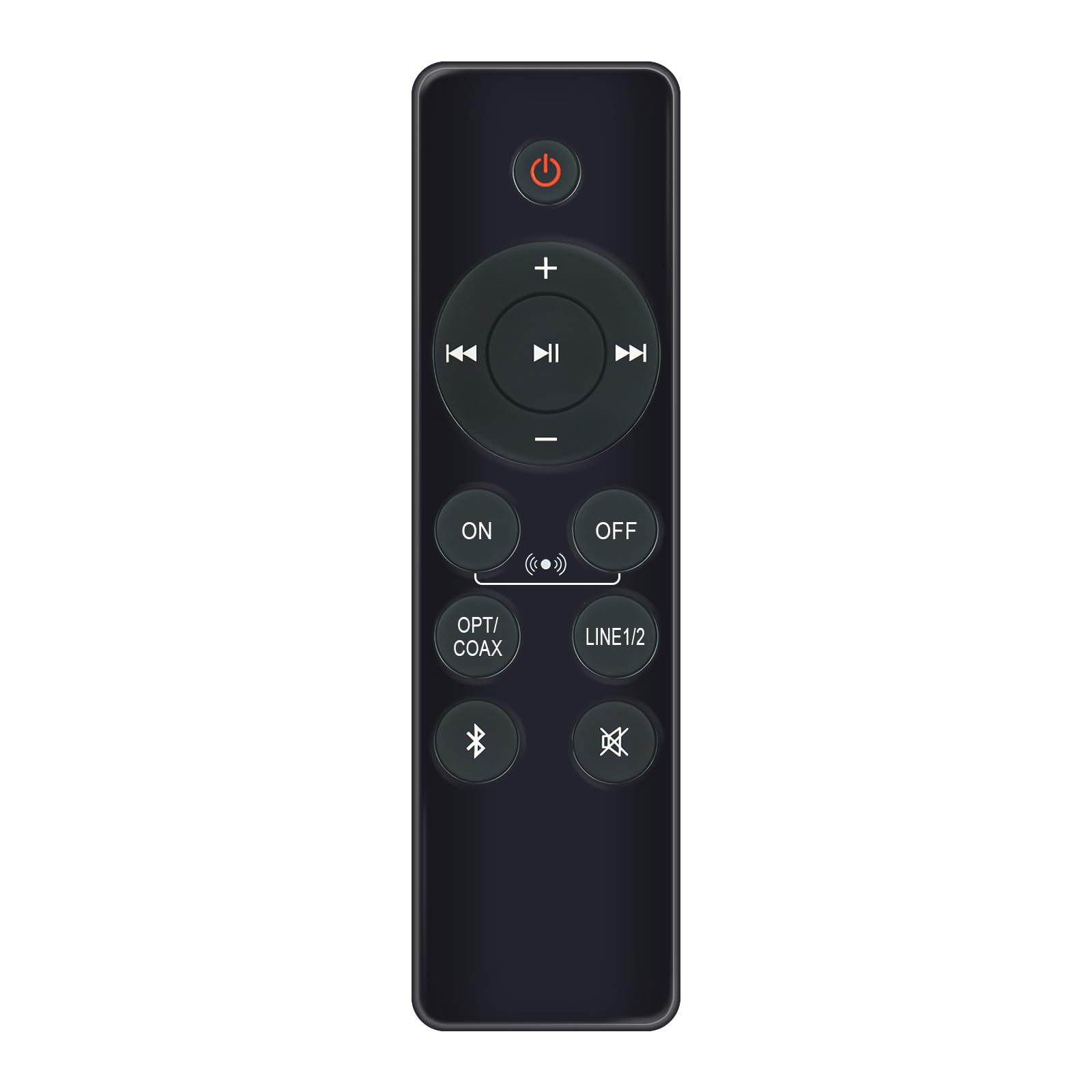
Image: AULCMEET RC80B Replacement Remote Control. The remote measures approximately 13.8 cm (5.43 inches) in length and 3.8 cm (1.5 inches) in width.
Fonctions des boutons :
- Bouton d'alimentation (⏻): Turns the speakers ON or OFF.
- Augmenter le volume (+) / Diminuer le volume (-): Adjusts the speaker volume.
- Piste précédente (⏮) / Next Track (⏭): Skips to the previous or next audio track.
- Jouer pause (⏯): Lance ou met en pause la lecture audio.
- ON / OFF (Input Selection): Toggles between different input modes.
- OP/COAX: Selects Optical or Coaxial input.
- LIGNE 1/2: Selects Line In 1 or Line In 2 input.
- Bluetooth (☋): Activates or selects Bluetooth input.
- Muet (🛇): Mutes or unmutes the speaker audio.
Installation
The AULCMEET RC80B remote control is designed for immediate use without complex setup procedures. Simply install the batteries, and it is ready to operate your compatible Edifier R1280DBs speakers.
Installation de la batterie :
- Localisez le compartiment à piles à l'arrière de la télécommande.
- Ouvrez le couvercle du compartiment à piles.
- Insérez deux piles alcalines AAA en veillant à respecter la polarité (+ et -) indiquée à l'intérieur du compartiment.
- Fermez soigneusement le couvercle du compartiment à piles.
Note: No programming or pairing is required for this replacement remote control. It functions directly with the specified Edifier R1280DBs active speakers.
Mode d'emploi
To operate your Edifier R1280DBs speakers using the AULCMEET RC80B remote control, point the remote directly towards the speakers' infrared receiver. Ensure there are no obstructions between the remote and the speakers.
- Marche/Arrêt:Appuyez sur le ⏻ button to turn the speakers on or off.
- Réglage du volume:Utilisez le + et - boutons pour augmenter ou diminuer le volume.
- Sélection d'entrée:Appuyez sur le MARCHE/ARRÊT, OP/COAX, LIGNE 1/2, ou Bluetooth buttons to switch between the available audio input sources.
- Contrôle de lecture: When using Bluetooth or other compatible sources, use the ⏮ (Précédent), ⏭ (Next), and ⏯ (Play/Pause) buttons to control media playback.
- Fonction muette:Appuyez sur le 🛇 button to temporarily silence the audio. Press it again to restore the sound.
Caractéristiques
| Marque | AULCMEET |
| Modèle | RC80B |
| Appareils compatibles | Edifier R1280DBs Active Speakers |
| Couleur | Noir |
| Caractéristiques | Conception ergonomique |
| Interface de communication | Infrarouge (IR) |
| Nombre de boutons | 30 |
| Portée maximale | Environ 33 pieds (10 mètres) |
| Type de batterie | 2 piles alcalines AAA (non incluses) |
| Dimensions (L x l) | 13.8 cm x 3.8 cm (5.43 po x 1.5 po) |
Dépannage
If you encounter issues with your AULCMEET RC80B remote control, please refer to the following common solutions:
- La télécommande ne répond pas: Ensure the batteries are correctly installed and are not depleted. Replace batteries if necessary.
- Plage de fonctionnement courte: Check for any obstructions between the remote and the speaker's IR receiver. Ensure the remote is pointed directly at the speakers. Low battery power can also reduce range.
- Le bouton spécifique ne fonctionne pas: Clean the remote control surface and buttons. If the issue persists, the button may be faulty, or the remote may require battery replacement.
- Speakers not responding to any remote: Ensure the speakers are powered on and functioning correctly. Try using the manual controls on the speaker unit if available.
Entretien
Proper care and maintenance will extend the lifespan of your remote control:
- NettoyageEssuyez la télécommande avec un chiffon doux et sec. N’utilisez pas de nettoyants abrasifs ni de solvants.
- Entretien de la batterie: Remove batteries if the remote control will not be used for an extended period to prevent leakage.
- Stockage: Store the remote control in a cool, dry place, away from direct sunlight and extreme temperatures.
- Éviter les chutesProtégez la télécommande des chocs physiques, car les chutes peuvent endommager ses composants internes.
Garantie et assistance
Specific warranty information for this AULCMEET RC80B replacement remote control is not provided in the product details. For warranty claims, technical support, or further assistance, please contact the seller or manufacturer directly through your purchase platform. Keep your purchase receipt or order number handy for faster service.