
1. Introduction
Thank you for choosing the IOOIOO A80 Portable Printer. This compact, inkless thermal printer is designed for convenience and efficiency, allowing you to print documents, photos, and more from various devices, including smartphones, tablets, and computers. Its portable design makes it ideal for home, office, or travel use.


2. Contenu de la boîte
Veuillez vérifier le contenu du colis pour vous assurer que tous les éléments sont présents :
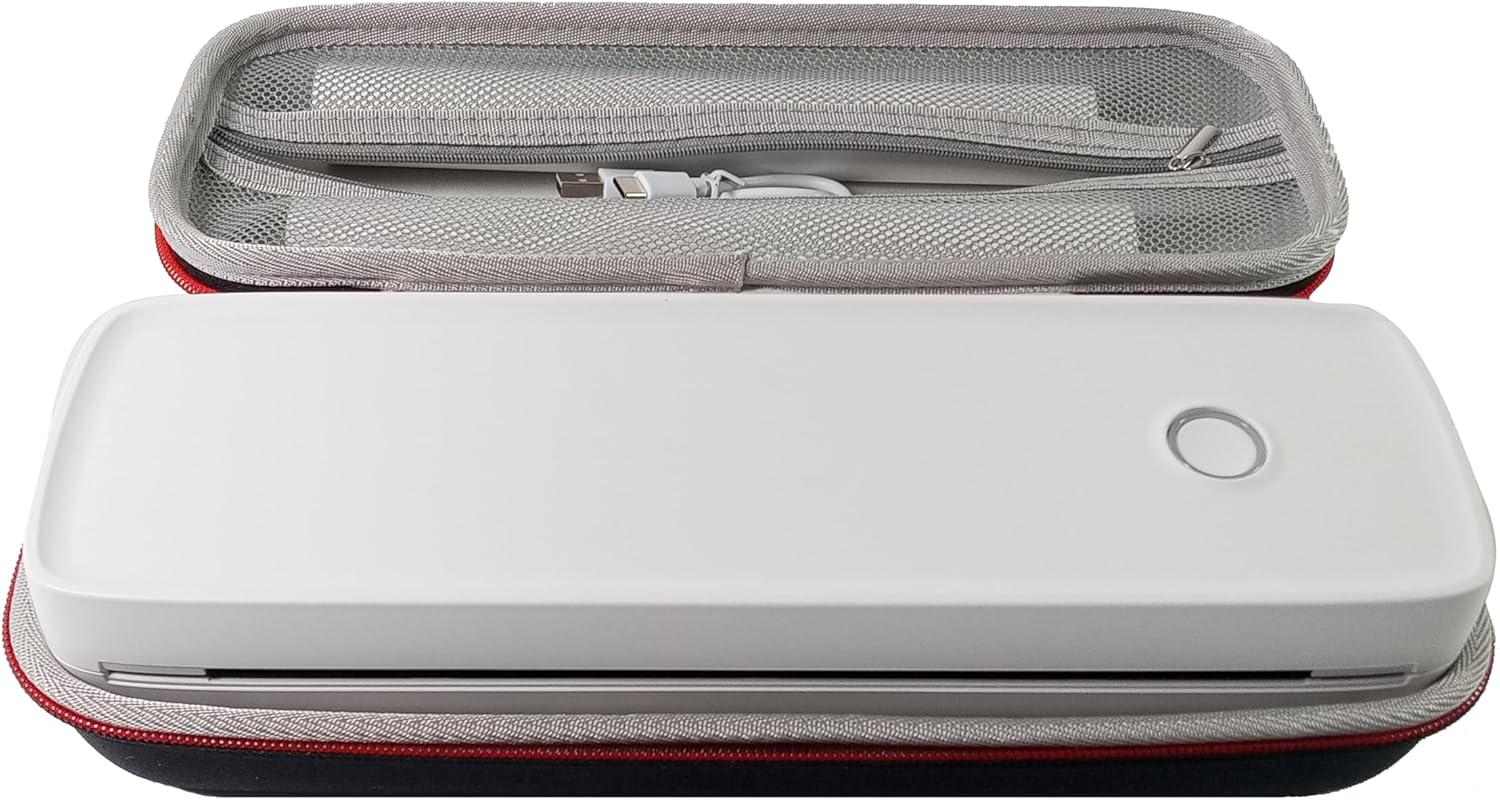
- Imprimante portable IOOIOO A80
- Mallette de transport
- 3 Rolls of A4 or Letter Thermal Paper
- 3 Pages of Continuous Folded Thermal Paper
- Câble USB
- QR Code for Manual Download (Digital Manual)

3. Installation
3.1 Charge initiale
Before first use, fully charge the printer using the provided USB cable. The LED indicator will show charging status.
3.2 Installation du logiciel/pilote
To use the printer with your devices, appropriate software or drivers are required:
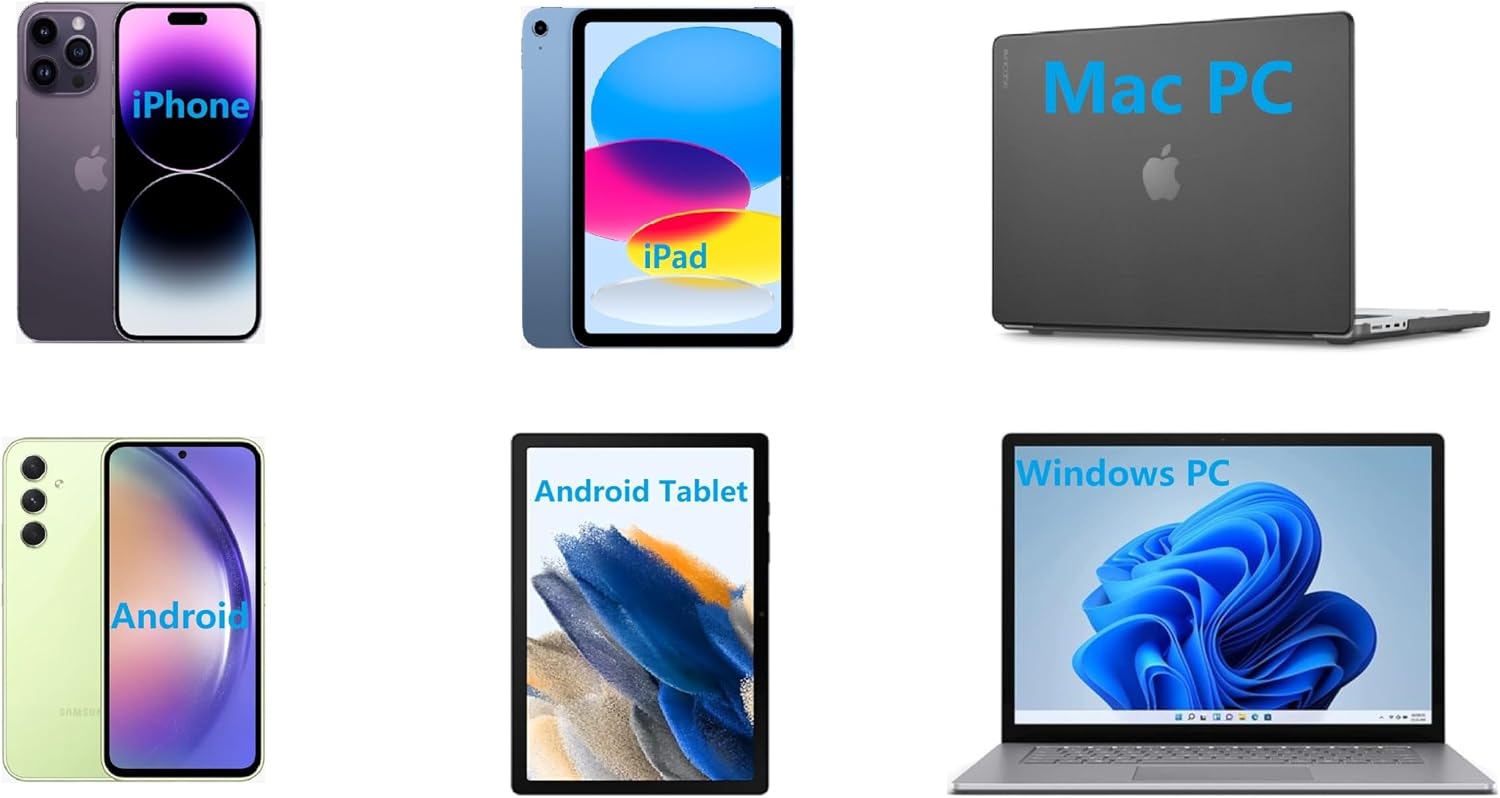
- For Mobile Phones (iPhone/Android): Download the "SharpFox" application from your device's app store.
- For Desktop PCs (Windows/Mac/Linux/Raspberry Pi): Download the necessary drivers from the official IOOIOO website. A QR code is provided in the box for quick access to the manual and driver download links.
3.3 Chargement du papier thermique
The IOOIOO A80 uses inkless thermal paper. To load paper:
- Ouvrez le couvercle du compartiment à papier.
- Insérez le rouleau de papier thermique ou la pile pliée en veillant à ce que la face imprimable soit orientée vers la tête d'impression.
- Fermez bien le couvercle.

4. Mode d'emploi
4.1 Mise sous/hors tension
- Pour allumer : Appuyez sur le bouton d’alimentation et maintenez-le enfoncé jusqu’à ce que le voyant LED s’allume.
- Pour éteindre : Appuyez et maintenez le bouton d'alimentation jusqu'à ce que le voyant LED s'éteigne.
4.2 Connectivité
The IOOIOO A80 offers both Bluetooth wireless and USB wired connectivity options.
4.2.1 Bluetooth Connection (for Phones and Windows PC)
- Ensure the printer is powered on and the LED is green.
- On your phone, open the "SharpFox" app. On your Windows PC, ensure Bluetooth is enabled.
- Within the app or PC Bluetooth settings, search for and select the "IOOIOO A80" printer to pair.
- Suivez les instructions à l’écran pour terminer le processus de couplage.
4.2.2 USB Connection (for Windows PC, Mac PC, Linux, Raspberry Pi)
- Ensure the printer is powered on and the LED is green. If the LED is not green, the printer will not print via USB.
- Connectez l'imprimante à votre ordinateur à l'aide du câble USB fourni.
- Install the appropriate drivers as described in Section 3.2.
- Once drivers are installed, the printer should be recognized by your computer.
4.3 Impression
After connecting your printer, you can initiate printing from your chosen application (e.g., SharpFox app, word processor, PDF view(euh).
- Sélectionnez l'option d'impression dans votre application.
- Choose "IOOIOO A80" from the list of available printers.
- Adjust print settings (e.g., paper size: US letter/legal/A4/A5, 2", 3", 4" sticky/non-sticky, flat folded/rolled thermal paper, tattoo stencil transfer paper) as needed.
- Click "Print" to begin printing.
Note on Tattoo Stencil Printing: This printer is suitable for normal tattoo lines only. It is not recommended for sharp lines, large blocks, gradients, or color patterns.
5. Entretien
Proper maintenance ensures the longevity and optimal performance of your IOOIOO A80 printer.
5.1 Nettoyage de la tête d'impression
Regularly clean the print head to maintain print quality.
- Éteignez l'imprimante et débranchez-la de l'alimentation électrique.
- Ouvrez le compartiment à papier.
- Essuyez délicatement la tête d'impression avec un chiffon non pelucheux.ampenrichi avec de l'alcool isopropylique.
- Laissez la tête d'impression sécher complètement avant de fermer le capot et de mettre l'imprimante sous tension.
5.2 Stockage du papier
Store thermal paper in a cool, dry place away from direct sunlight and heat to preserve its quality and ensure prints last for the expected duration (2 to 15 years depending on paper type).
6. Dépannage
If you encounter issues with your IOOIOO A80 printer, please refer to the official Troubleshooting Guide for detailed solutions.
Télécharger le guide de dépannage (PDF)
Common issues and quick checks:
- L'imprimante ne s'allume pas : Assurez-vous que la batterie est chargée.
- Aucune sortie d'impression : Check paper loading, ensure the LED is green (for USB connection), and verify connectivity (Bluetooth/USB).
- Mauvaise qualité d'impression : Clean the print head, ensure you are using compatible thermal paper.
- Problèmes de connexion : Restart both the printer and the device you are trying to connect from. Re-pair Bluetooth or re-plug the USB cable.
7. Spécifications
| Fonctionnalité | Détail |
|---|---|
| Marque | IOOOOOO |
| Nom du modèle | A80 |
| Dimensions du produit | 3.6"P x 11.4"L x 2.4"H |
| Poids de l'article | 1.8 livres |
| Technologie d'impression | Thermique |
| Résolution d'impression maximale en noir et blanc | 200 ppp |
| Vitesse d'impression maximale (monochrome) | 4 ppm (approx. 10mm/s) |
| Taille maximale du support | A4 (supports US Letter/Legal/A4/A5) |
| Technologie de connectivité | Bluetooth for Phone, USB for PC |
| Couleur de l'encre | Black (Monochrome) |
| Vie de la tête d'impression | Approx. 170,000 letter pages |
| Batterie | 1 batterie lithium-ion (incluse) |
8. Garantie et assistance
For any questions, technical assistance, or warranty inquiries, please contact IOOIOO customer service.
- Assistance téléphonique aux États-Unis : Disponible pour une assistance directe.
- Prise en charge de WhatsApp : Available for convenient messaging support.
Please refer to your product packaging or the official IOOIOO website pour les informations de contact les plus récentes.