
Pepisky F4 (Black)
Portable Cube Timer User Manual
Brand: Pepisky | Model: F4 (Black)
1. Introduction
The Pepisky Portable Cube Timer is a versatile and compact time management tool designed for various activities such as studying, cooking, office tasks, and sports. Featuring a gravity sensor for intuitive operation, an LED screen, and multiple alarm options, this timer helps in cultivating self-discipline and improving time efficiency.
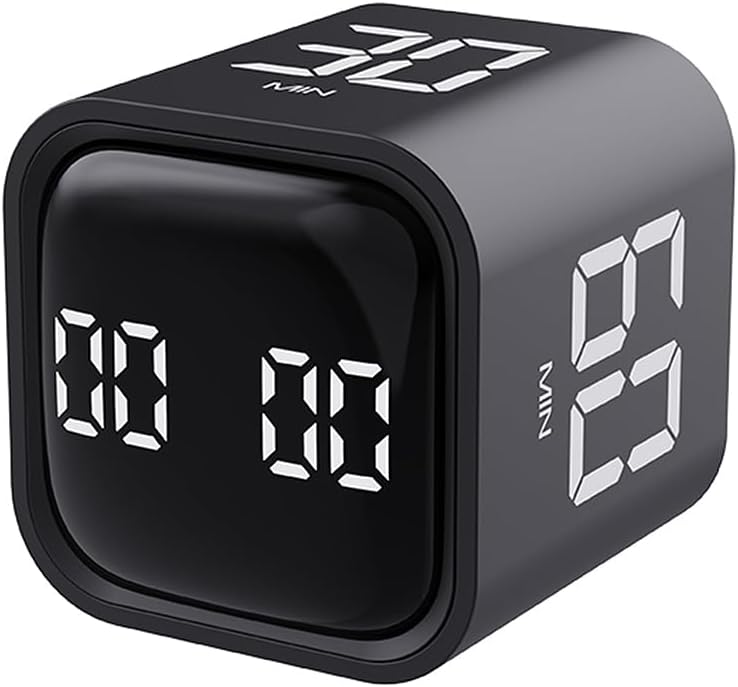
Figure 1: Pepisky Portable Cube Timer (Black). This image displays the compact, cube-shaped timer with its digital LED display showing preset time values.
Its user-friendly design allows for quick setup and operation, making it suitable for all ages. The timer supports preset countdowns (5, 10, 30, 60 minutes) activated by simply flipping the cube, as well as custom timing and count-up functions.

Figure 2: Timers in use for time management. This image shows both black and white versions of the timer, highlighting their use as a visual time manager to cultivate self-discipline.
2. Contenu du colis
Veuillez vérifier le contenu du colis lors du déballage pour vous assurer que tous les éléments sont présents :
- 1 x Cube Timer (Black)
- 1 x câble de type C
- 1 x Manuel d'utilisation
3. Spécifications
| Numéro de produit | F4 |
| Couleur du produit | Noir |
| Taille du produit | 44x44x46mm (1.73x1.73x1.81 inches) |
| Poids du produit | 47.5g (1.68 oz) |
| Matériau du produit | ABS |
| Capacité de la batterie | 500mAh |
| Température de fonctionnement | 0°C - 50°C (32°F - 122°F) |
| Consommation d'énergie en veille | <20uA |
| Consommation d'énergie en veille | <150uA |
| Courant de travail | 11 mA |
| Courant de charge | 500 mA |
| Niveaux d'alarme | Mute, Vibrate, Loud (90~100dB), Quiet (70~80dB) |
| Taille du paquet | 64x64x65mm (2.5x2.5x2.5 inches) |
| Poids du colis | 81.3g (2.86 oz) |

Figure 3: Product dimensions. This image illustrates the physical dimensions of both the black and white versions of the cube timer.
4. Installation
4.1 Chargement du minuteur
Before first use, or when the battery is low, charge the timer using the provided Type-C cable.
- Connect the Type-C end of the cable to the charging port on the timer.
- Connectez l'extrémité USB-A du câble à un adaptateur secteur USB standard (non inclus) ou à un port USB d'ordinateur.
- The LED screen may indicate charging status. A full charge provides up to 1200 minutes of operation time.
4.2 Mise sous tension initiale
The timer is designed for immediate use. It features a gravity sensor chip, meaning it powers on and begins timing as soon as a numbered side is facing upwards. No manual power button is typically required for initial activation.
5. Utilisation de la minuterie
The Pepisky Cube Timer offers intuitive operation through its gravity sensing technology and various modes.
5.1 Preset Countdown (Gravity Sensing Mode)
The timer comes with preset countdowns for 5, 10, 30, and 60 minutes. To activate a preset:
- Identify the desired time (e.g., "5 MIN", "10 MIN", "30 MIN", "60 MIN") printed on one of the timer's faces.
- Place the timer on a flat surface with the desired time facing directly upwards. The timer will automatically begin counting down from that preset time.
- The LED screen will display the remaining time.
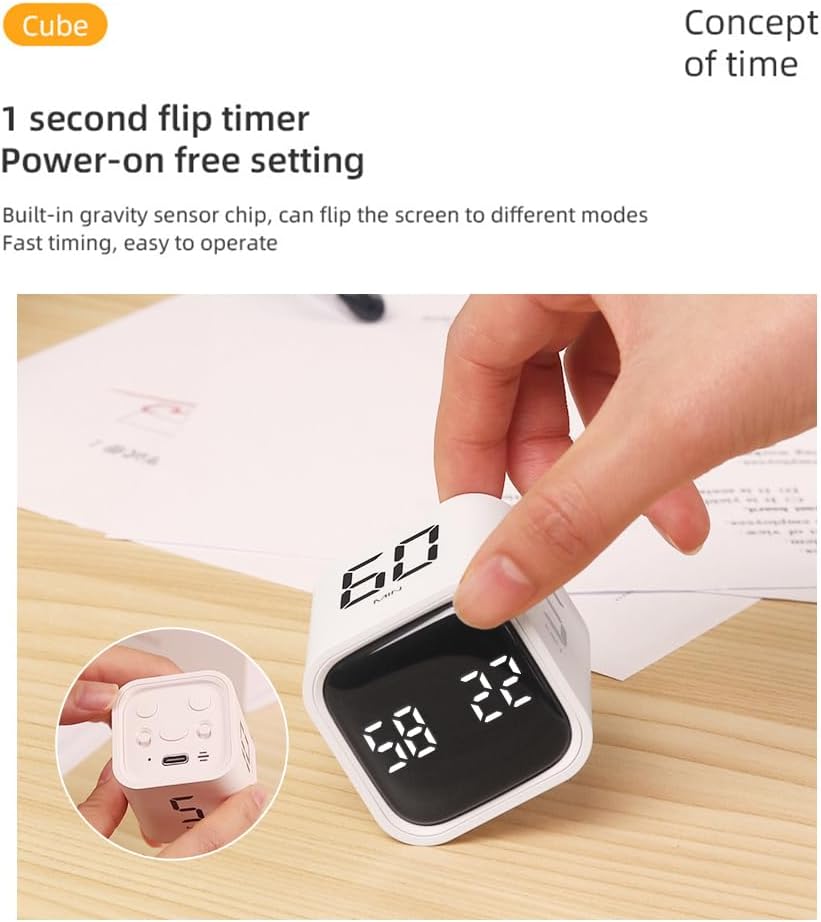
Figure 4: Activating a preset timer. This image demonstrates how to activate a preset countdown by placing the desired time value face-up.
5.2 Custom Countdown / Count-Up (Manual Mode)
The timer also supports custom countdowns and a count-up function. The image "Two-speed mode Gravity sensing/manual mode" suggests a way to switch to manual mode, likely by placing the timer on a side without a preset number, or a specific button press.
- To set a custom countdown: Place the timer on the side that displays "00 00" or a blank face. Use the '+' and '-' buttons (if present, implied by "Plus/minus" icon) to adjust the desired time. Once set, flip the timer to start the countdown.
- To use as a count-up timer: Place the timer on the side that displays "00 00" or a blank face. It will start counting up from zero.

Figure 5: Manual mode operation. This image indicates the presence of a manual mode, allowing for custom time settings beyond the gravity-activated presets.
5.3 Pause et reprise
To pause a running timer, gently flip the timer to a neutral side (e.g., the side with the charging port or a blank face) or press a designated pause button if available. To resume, flip it back to the active timing face or press the resume button.

Figure 6: Feature icons. This image displays various icons representing the timer's functionalities, including pause and mute options.
5.4 Alarm Settings (Mute, Vibrate, Sound)
The timer offers multiple alarm levels to suit different environments:
- Muet: For silent operation, ideal for libraries or quiet offices.
- Vibrer: Provides a discreet alert without sound.
- Quiet Sound: A softer audible alarm (70~80dB).
- Son fort : A strong audible alarm (90~100dB).
To switch between alarm modes, locate the dedicated button(s) on the timer (often indicated by a speaker icon or similar) and press to cycle through the options.
5.5 Clearing the Display
To clear the current time displayed on the screen and reset it to zero, gently flip the timer to the side designated for clearing the value. This is often indicated by a specific icon or a blank face that resets the timer.
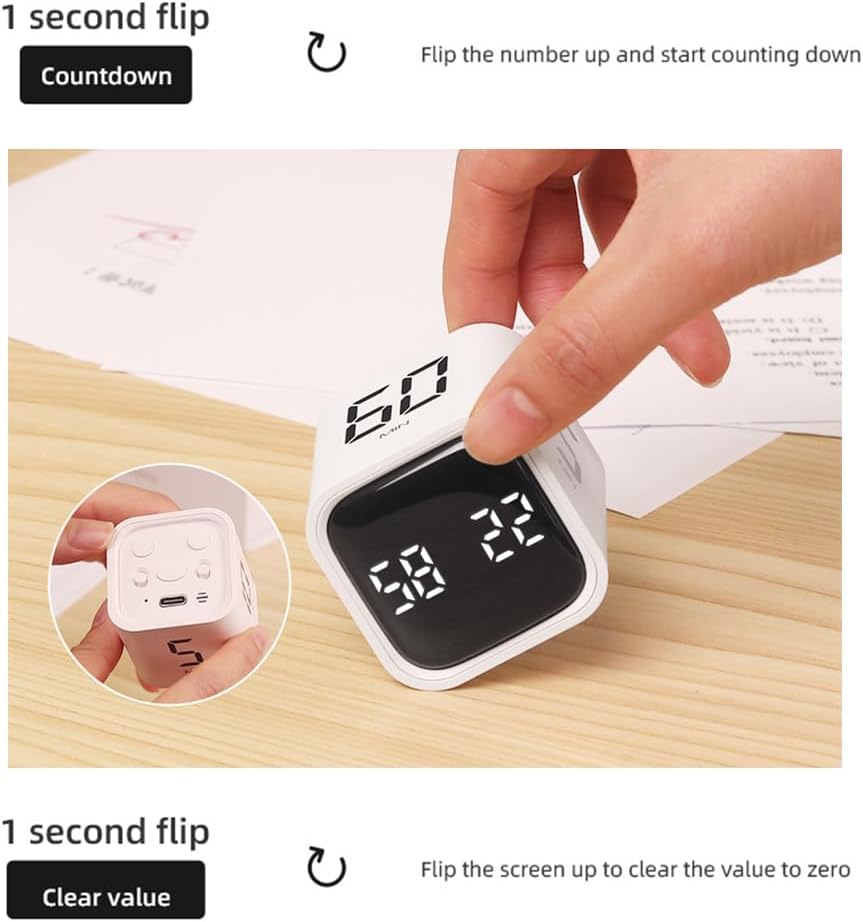
Figure 7: Clearing the timer. This image illustrates the action of flipping the timer to clear the displayed value, resetting it to zero.
6. Entretien
Proper care will ensure the longevity and optimal performance of your Pepisky Cube Timer.
- Nettoyage: Essuyez le minuteur avec un chiffon doux, sec ou légèrement huilé.amp Nettoyez avec un chiffon. N’utilisez pas de nettoyants abrasifs, de solvants ni n’immergez l’appareil dans l’eau.
- Stockage: Rangez le minuteur dans un endroit frais et sec, à l'abri de la lumière directe du soleil et des températures extrêmes.
- Manutention: Avoid dropping the timer or subjecting it to strong impacts, as this may damage the internal components, including the gravity sensor.
- Entretien de la batterie: For long-term storage, it is recommended to charge the timer to about 50% every few months to preserve battery health.
7. Dépannage
If you encounter any issues with your Pepisky Cube Timer, please refer to the following common solutions:
- Timer not responding/displaying:
- Ensure the timer is sufficiently charged. Connect it to a power source using the Type-C cable.
- Try flipping the timer to different numbered faces to activate the gravity sensor.
- Alarme non sonore/ne vibrant pas :
- Check the alarm settings. You may have set it to "Mute". Cycle through the alarm modes to select "Vibrate", "Quiet Sound", or "Loud Sound".
- Ensure the timer is not in a low power state.
- Chronométrage imprécis :
- Ensure the timer is placed on a stable, flat surface when in use.
- Avoid extreme temperatures that might affect electronic components.
- Problèmes de charge :
- Verify that the Type-C cable is securely connected to both the timer and the power source.
- Essayez d'utiliser un autre adaptateur secteur USB ou un autre port USB.
8. Garantie et assistance
Pepisky products are manufactured with high-quality standards. For specific warranty information, please refer to the warranty card included with your purchase or visit the official Pepisky website. If you require technical assistance or have questions not covered in this manual, please contact Pepisky customer support through their official channels.
For the latest support information and contact details, please visit: www.pepisky.com/support (Remarque : ceci est un espace réservé) URL as no specific support link was provided).
Ask a question about this manual
Ask about setup, troubleshooting, compatibility, parts, safety, or missing instructions. Manuals+ will review the question and use this page’s manual context to help answer it.