
1. Introduction
Thank you for choosing the MECHEN H1-Pro Bluetooth MP3 Player with WiFi. This device is designed to provide a versatile and enjoyable audio and video experience. Featuring a 4-inch touchscreen and running on Android 9.0, it supports various applications and connectivity options. This manual provides essential information for setting up, operating, and maintaining your device.
2. Contenu du colis
Veuillez vérifier que tous les articles listés ci-dessous sont inclus dans votre colis. Si un article est manquant ou endommagé, veuillez contacter le service client.
- MECHEN H1-Pro MP3 Player
- Câble USB
- Casque audio
- Film protecteur
- Étui de protection
- Manuel d'utilisation

Image: The MECHEN H1-Pro MP3 Player displayed with its accessories, including a USB cable, headphones, protective film, and a clear protective case.
3. Appareil terminéview
Familiarize yourself with the physical components and controls of your MECHEN H1-Pro MP3 Player.
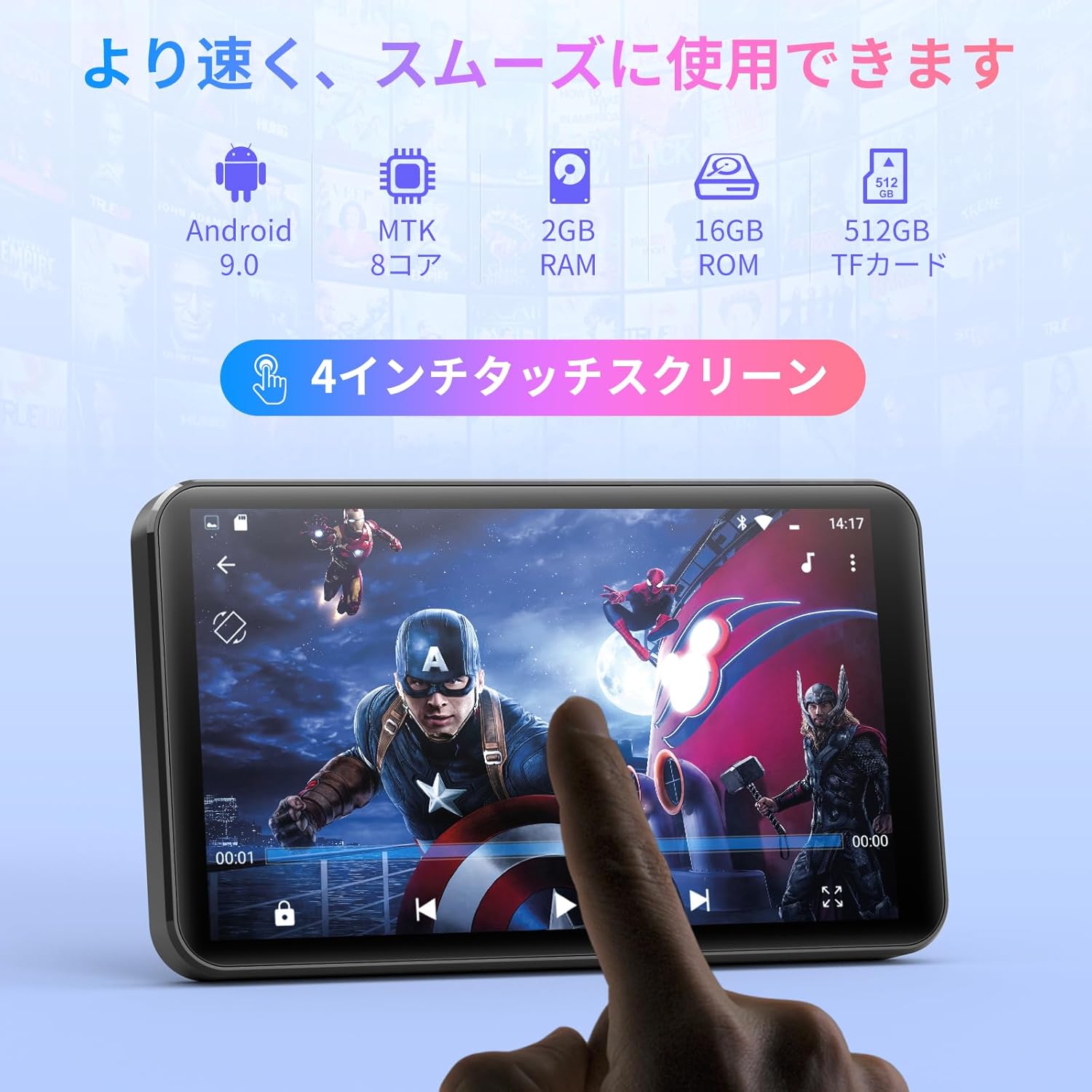
Image : Avant view of the MECHEN H1-Pro MP3 Player, showcasing son écran tactile de 4 pouces.

Image : Côté view of the MECHEN H1-Pro MP3 Player, highlighting the power button and volume controls.

Image : Haut et bas views of the MECHEN H1-Pro MP3 Player, illustrating the USB-C charging port, headphone jack, and Micro SD card slot.
4. Installation
4.1 Charge initiale
Before first use, fully charge the device. Connect the provided USB cable to the player's USB-C port and the other end to a USB power adapter (not included) or a computer's USB port. The charging indicator will show the charging status.
4.2 Mise sous/hors tension
- Pour allumer : Maintenez enfoncé le bouton Marche/Arrêt situé sur le côté de l'appareil jusqu'à ce que l'écran s'allume.
- Pour éteindre : Maintenez le bouton Marche/Arrêt enfoncé jusqu'à ce qu'un menu d'arrêt apparaisse à l'écran. Sélectionnez « Éteindre » pour éteindre l'appareil.
4.3 Connexion au Wi-Fi
To access online features and download apps, connect your device to a Wi-Fi network.
- Aller à Paramètres > Réseau et Internet > Wifi.
- Activer/désactiver le Wi-Fi On.
- Sélectionnez le réseau Wi-Fi souhaité dans la liste.
- Saisissez le mot de passe si vous y êtes invité et appuyez sur Connecter.

Image: The MECHEN H1-Pro MP3 Player screen showing Wi-Fi settings and available networks.
4.4 Insertion d'une carte Micro SD
The device supports Micro SD cards for expanded storage. Locate the Micro SD card slot on the side of the device. Gently insert the card with the gold contacts facing down until it clicks into place.
5. Mode d'emploi
5.1 Navigation de base (écran tactile)
The MECHEN H1-Pro features a responsive 4-inch touchscreen. Use standard touch gestures:
- Robinet: Pour sélectionner un élément ou ouvrir une application.
- Glisser: Pour faire défiler les listes ou passer d'un écran à l'autre.
- Pincer: To zoom in or out (in supported applications).
5.2 Lecture de musique
The device supports various audio formats including MP3, WAV, WMA, APE, OGG, and FLAC for high-fidelity music playback.
- Ouvrir le Musique application.
- Parcourez votre bibliothèque musicale par artiste, album, chanson ou liste de lecture.
- Appuyez sur un morceau pour lancer la lecture.
- Utilisez les commandes à l'écran pour la lecture/pause, le passage à la piste suivante et le réglage du volume.

Image: The MECHEN H1-Pro MP3 Player screen showing a music playback interface with album art and controls.
5.3 Lecture vidéo
Enjoy 720P/1080P full-format HD video playback without conversion. Supported formats include RM, RMVB, FLV, MP4, DAT, MKV, MPG, MOV, TS, etc.
- Ouvrir le Lecteur vidéo application.
- Sélectionnez une vidéo file de votre espace de stockage.
- Tap to play. Use on-screen controls for playback options.

Image: The MECHEN H1-Pro MP3 Player screen showing a video playing in full-screen mode.
5.4 Connectivité Bluetooth
Connect to Bluetooth headphones, speakers, or other compatible devices.
- Aller à Paramètres > Appareils connectés > Bluetooth.
- Activer/désactiver Bluetooth On.
- Assurez-vous que votre accessoire Bluetooth est en mode de couplage.
- Sélectionnez l'accessoire dans la liste des appareils disponibles pour le jumelage.

Image: The MECHEN H1-Pro MP3 Player shown alongside a pair of wireless headphones, indicating Bluetooth connectivity.
5.5 Wi-Fi Connectivity & App Downloads
With Android 9.0 and Wi-Fi, you can download and install various applications from the Google Play Store.
- Ensure the device is connected to Wi-Fi (see Section 4.3).
- Ouvrir le Play Store application.
- Connectez-vous avec votre compte Google.
- Rechercher and download desired applications (e.g., Spotify, Amazon Music, Audible).

Image: The MECHEN H1-Pro MP3 Player screen showing a variety of installed applications, including music streaming services and web navigateurs.
5.6 Radio FM
Écoutez vos stations de radio FM préférées.
- Branchez des écouteurs filaires à la prise audio 3.5 mm ; ils serviront d'antenne.
- Ouvrir le Radio FM application.
- Utilisez les commandes à l'écran pour rechercher les stations ou effectuez un réglage manuel.
5.7 File Gestion
Utilisez le intégré file manager pour organiser votre files on internal storage and the Micro SD card.
- Ouvrir le File Directeur application.
- Navigate through folders to view, copy, move, or delete files.
6. Entretien
6.1 Nettoyage
Essuyez l'appareil avec un chiffon doux, sec et non pelucheux. N'utilisez pas de nettoyants liquides ni de produits abrasifs.
6.2 Stockage
Rangez l'appareil dans un endroit frais et sec, à l'abri de la lumière directe du soleil et des températures extrêmes. En cas de stockage prolongé, assurez-vous que la batterie est partiellement chargée (environ 50 %) afin d'en prolonger la durée de vie.
6.3 Entretien de la batterie
To maximize battery life, avoid fully discharging the battery frequently. Use the original charging cable for optimal performance.
7. Dépannage
| Problème | Solution possible |
|---|---|
| L'appareil ne s'allume pas. | Assurez-vous que la batterie est chargée. Branchez-la à un chargeur pendant au moins 30 minutes. Si l'appareil ne répond pas, effectuez une réinitialisation forcée en maintenant le bouton d'alimentation enfoncé pendant 10 à 15 secondes. |
| Impossible de se connecter au Wi-Fi. | Vérifiez si le Wi-Fi est activé. Vérifiez le mot de passe Wi-Fi. Redémarrez votre routeur et votre lecteur MP3. |
| L'appareil Bluetooth ne se connecte pas. | Ensure Bluetooth is enabled on both devices and the accessory is in pairing mode. Move devices closer together. |
| Les applications sont lentes ou plantent. | Close unnecessary background apps. Clear app cache (Settings > Apps > [App Name] > Storage > Clear Cache). Restart the device. Too many apps can lead to slowdowns. |
| Aucun son ne sort des écouteurs. | Check headphone connection. Ensure volume is not muted or too low. Test with different headphones. |
8. Spécifications
| Fonctionnalité | Détail |
|---|---|
| Marque | Méchen |
| Nom du modèle | H1-Pro (EU-H11) |
| Système opérateur | Android 9.0 |
| Processeur | Processeur MTK à 8 cœurs |
| BÉLIER | 2 Go |
| Stockage interne | 16 Go |
| Stockage extensible | Micro SD (jusqu'à 512 Go) |
| Taille de l'écran | 4 pouces |
| Technologie d'écran | Écran LCD |
| Connectivité | Bluetooth, USB, Wi-Fi |
| Caractéristiques spéciales | FM Radio, Equalizer, Video Playback |
| Formats audio pris en charge | MP3, WAV, WMA, APE, OGG, FLAC |
| Formats vidéo pris en charge | RM, RMVB, FLV, MP4, DAT, MKV, MPG, MOV, TS, etc. |
| Capacité de la batterie | 2000 mAh |
| Autonomie de la batterie (Musique) | Jusqu'à 50 XNUMX heures |
| Autonomie de la batterie (vidéo) | Jusqu'à 8 XNUMX heures |
| Dimensions (L x P x H) | 10.5 x 6.2 x 1.2 cm (4.14 x 2.44 x 0.46 pouces) |
| Poids de l'article | 97.5 grammes (3.45 oz) |

Image: The MECHEN H1-Pro MP3 Player shown with its physical dimensions and weight specifications.
9. Garantie et assistance
Pour obtenir des informations sur la garantie et une assistance technique, veuillez consulter la carte de garantie incluse dans votre emballage ou visiter le site officiel de MECHEN. webConsultez le site. Conservez votre reçu d'achat comme preuve d'achat pour toute réclamation au titre de la garantie.