
Anker A3959H11
Manuel d'utilisation des écouteurs sans fil Anker Soundcore R50i NC
Modèle : A3959H11
Introduction
Thank you for choosing the Anker Soundcore R50i NC True Wireless Earbuds. These earbuds are designed to provide a superior audio experience with features like 10mm drivers for big bass, Bluetooth 5.3 for stable connectivity, up to 45 hours of playtime with the charging case, IP54-Sweatguard M waterproof rating, AI Clear Calls with 4 microphones, and 22 preset EQs via the Soundcore app. This manual will guide you through the setup, operation, and maintenance of your new earbuds.
Installation
1. Contenu de la boîte
- Soundcore R50i NC True Wireless Earbuds
- Étui de chargement
- Embouts auriculaires (différentes tailles)
- Câble de chargement USB-C
- Guide de démarrage rapide
2. Chargez vos écouteurs et leur étui.
Before first use, fully charge the earbuds and the charging case. Place the earbuds into the charging case and close the lid. Connect the USB-C charging cable to the charging port on the case and to a power source. The LED indicator on the case will show the charging status.
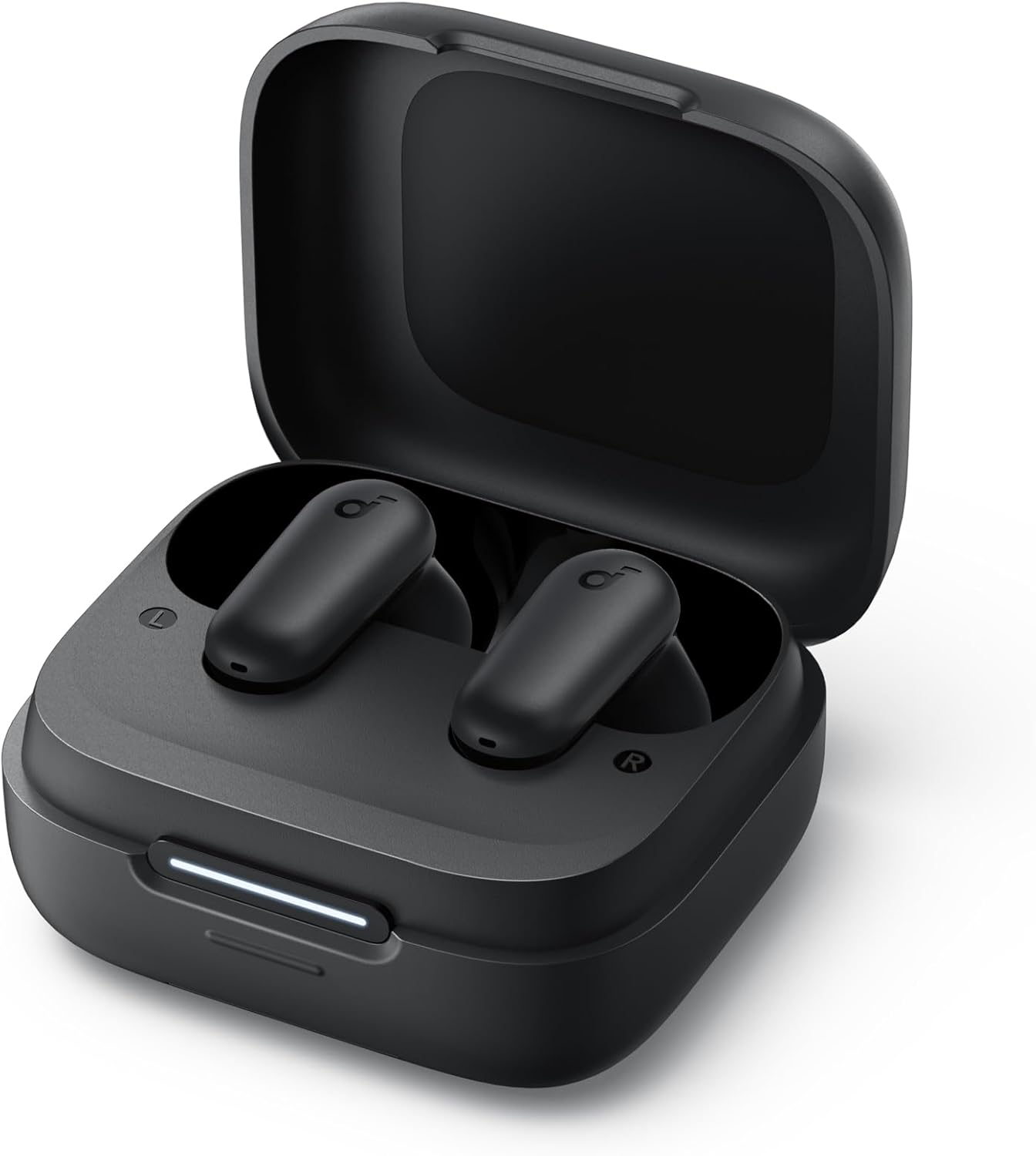
Image: The Anker Soundcore R50i NC True Wireless Earbuds resting inside their open black charging case. A white LED indicator bar is visible on the front of the case, indicating charging status.
- A full charge provides up to 10 hours of playtime for the earbuds and up to 45 hours with the charging case.
- Assurez-vous que les contacts de charge des écouteurs et à l'intérieur du boîtier sont propres et secs.
3. Mise sous tension et appairage
The earbuds will automatically power on when removed from the charging case. To pair with a new device:
- Open the charging case. The earbuds will enter pairing mode, and the LED indicator on the case will flash white.
- On your device, enable Bluetooth and search for "Soundcore R50i NC" in the list of available devices.
- Select "Soundcore R50i NC" to connect. Once connected, the LED indicator on the case will turn solid white for 3 seconds before turning off.
If already paired, the earbuds will automatically connect to the last paired device when removed from the case.
4. Installation de l'application Soundcore
Download the Soundcore app from the App Store (iOS) or Google Play Store (Android) to unlock additional features, customize EQ settings, and update firmware.
Utilisation de vos écouteurs
1. Port des écouteurs
Choose the ear tips that provide the best fit and seal for optimal sound quality and noise cancellation. Insert the earbuds into your ear canals and twist gently until they fit securely and comfortably.

Image: A young man wearing the black Anker Soundcore R50i NC earbuds in his ears, looking to the side with a slight smile, indicating comfortable and secure fit.
2. Contrôles
The Soundcore R50i NC earbuds feature touch controls on each earbud. The default controls are:
| Action | Écouteur gauche | Écouteur droit |
|---|---|---|
| Lecture/Pause | Appuyez deux fois | Appuyez deux fois |
| Piste suivante | N / A | Appuyez trois fois |
| Piste précédente | Appuyez trois fois | N / A |
| Répondre/mettre fin à l'appel | Appuyez deux fois | Appuyez deux fois |
| Rejeter l'appel | Appuyez et maintenez enfoncé pendant 2 secondes | Appuyez et maintenez enfoncé pendant 2 secondes |
| Switch Noise Cancellation Mode | Appuyez et maintenez enfoncé pendant 2 secondes | Appuyez et maintenez enfoncé pendant 2 secondes |
| Activer l'assistant vocal | N / A | Press and hold 2s (customizable) |
Note: Controls can be customized via the Soundcore app.
3. Noise Cancellation (NC) and Transparency Modes
The Soundcore R50i NC earbuds feature Adaptive ANC (Active Noise Cancellation) with up to 42dB noise reduction depth. You can switch between ANC, Normal, and Transparency modes by pressing and holding the touch control area on either earbud for 2 seconds (default setting).
- Mode ANC : Réduit le bruit ambiant pour une expérience d'écoute immersive.
- Mode de transparence : Permet d'entendre son environnement tout en profitant de son contenu audio, utile pour rester attentif à son environnement.
- Mode normal : Lecture audio standard sans réduction de bruit ni transparence.
4. Hidden Cell Phone Holder
The charging case features a hidden mobile phone holder, allowing you to prop up your smartphone for convenient hands-free viewing of videos or browsing.

Image: The black Anker Soundcore R50i NC charging case is shown with a smartphone propped up on its integrated stand, demonstrating its dual functionality as a charging case and phone holder.
Entretien
1. Nettoyer vos écouteurs
Un nettoyage régulier contribue à maintenir une bonne qualité sonore et une hygiène optimale.
- Essuyez délicatement les écouteurs et le boîtier de charge avec un chiffon doux, sec et non pelucheux.
- Pour les embouts auriculaires, retirez-les des écouteurs et nettoyez-les avec un chiffon humide.amp Nettoyez avec un chiffon et du savon doux si nécessaire. Rincez abondamment et assurez-vous qu'ils soient parfaitement secs avant de les remettre en place.
- Use a dry cotton swab to clean the charging contacts on both the earbuds and inside the case.
- Évitez d'utiliser des nettoyants abrasifs ou des solvants.
2. Stockage
Lorsqu'ils ne sont pas utilisés, rangez toujours les écouteurs dans leur étui de chargement afin de les protéger et de les maintenir chargés.
3. Entretien de la batterie
- Charge the earbuds and case regularly, even if not used frequently, to prolong battery life.
- Évitez d'exposer les écouteurs à des températures extrêmes (chaudes ou froides).
- Do not fully drain the battery for extended periods.
Dépannage
1. Les écouteurs ne s'appairent pas ou ne se connectent pas
- Assurez-vous que le Bluetooth est activé sur votre appareil et que les écouteurs sont en mode de couplage.
- Place the earbuds back into the charging case, close the lid, wait 5 seconds, then open the lid again to re-enter pairing mode.
- Forget "Soundcore R50i NC" from your device's Bluetooth list and try pairing again.
- Assurez-vous que les écouteurs et l'étui sont suffisamment chargés.
2. Absence de son ou faible volume
- Réglez le volume sur votre appareil et sur les écouteurs.
- Assurez-vous que les écouteurs sont correctement positionnés dans vos oreilles et que les embouts assurent une bonne étanchéité.
- Nettoyez les embouts des écouteurs de tout débris.
- Essayez de lire le fichier audio depuis une autre application ou un autre appareil.
3. Mauvaise qualité des appels
- Veillez à ce que les microphones ne soient pas obstrués.
- Rapprochez-vous de votre appareil connecté pour éviter les interférences de signal.
- Essayez de passer votre appel dans un environnement plus calme.
4. Réinitialisation des écouteurs
If you experience persistent issues, you can reset the earbuds:
- Placez les écouteurs dans l'étui de chargement et laissez le couvercle ouvert.
- Appuyez sur le bouton du boîtier de charge et maintenez-le enfoncé pendant 10 secondes jusqu'à ce que les voyants LED des deux écouteurs clignotent 3 fois en rouge.
- The earbuds have been reset and are ready for pairing.
Caractéristiques
| Fonctionnalité | Détail |
|---|---|
| Nom du modèle | Anker Soundcore R50i NC |
| Numéro de modèle de l'article | A3959H11 |
| Technologie de connectivité | Sans fil (Bluetooth 5.3) |
| Conducteurs | 10 mm |
| Contrôle du bruit | Réduction active du bruit (profondeur de 42 dB) |
| Microphones | 4 (AI Clear Calls) |
| Temps de jeu (écouteurs) | Jusqu'à 10 heures (une seule charge) |
| Durée de jeu totale (avec étui) | Jusqu'à 45 XNUMX heures |
| Indice d'étanchéité | IP54 (Sweatguard M) |
| Impédance | 120 ohms |
| Piles | 3 pile lithium-ion (incluse) |
| Dimensions du colis | 11.5 x 10.9 x 3.6 cm |
| Poids | 25 g |
| Fabricant | Ancre |
| Pays d'origine | Chine |
Garantie et assistance
Anker provides a warranty for its products. Please refer to the warranty card included in your product packaging for specific terms and conditions. For technical support, FAQs, or to register your product, please visit the official Soundcore website or contact Soundcore customer service.
You can also find more information and support through the Soundcore app.
Ask a question about this manual
Ask about setup, troubleshooting, compatibility, parts, safety, or missing instructions. Manuals+ will review the question and use this page’s manual context to help answer it.