
FIL DE SYNCHRONISATION SW-XC971
Transmetteur FM Bluetooth 5.4 Syncwire Adaptateur de voiture
Modèle : SW-XC971
Introduction
Thank you for choosing the Syncwire Bluetooth 5.4 FM Transmitter Car Adapter. This device allows you to stream audio from your Bluetooth-enabled devices to your car's FM radio, make hands-free calls, and fast charge your mobile devices. Featuring advanced Bluetooth 5.4 technology, dual microphones for clear calls, and powerful charging capabilities, this adapter enhances your in-car experience.
Consignes de sécurité
Avoid overcharging and overheating. Follow charging instructions to ensure safe use. Do not disassemble or modify the device. Keep out of reach of children. Ensure the device is securely plugged into the car's cigarette lighter socket before driving.
Produit terminéview
Familiarize yourself with the components of your Syncwire FM Transmitter:

Image: The Syncwire Bluetooth FM Transmitter, showing its compact design and various ports and buttons.

Image: A detailed diagram labeling the key components of the FM Transmitter, including the QC 3.0 Port, PD 36W Port, CH Button, Deep Bass/Light Switch, Dual Mics, FM Display, Multifunction Button, and LED Light.
- Port QC 3.0 : Quick Charge 3.0 USB port for fast charging compatible devices (18W).
- Port PD 36W : Power Delivery USB-C port for ultra-fast charging compatible devices (36W).
- Bouton CH: Used to change the FM frequency.
- Deep Bass/Light Switch: Activates deep bass mode with a short press, or turns the LED light on/off with a long press.
- Deux microphones : Integrated microphones for clear hands-free calling.
- Affichage FM : Affiche la fréquence FM actuelle.
- Bouton multifonction : Controls calls (answer/end/reject), music playback (play/pause/next/previous), and volume.
- Lumière LED : Provides ambient lighting and indicates device status.
Guide d'installation
Suivez ces étapes pour la configuration initiale :

Image: A four-panel image illustrating the setup process: 1. Setting car radio to FM mode. 2. Selecting a blank unused FM frequency. 3. Adjusting the FM Transmitter to the same frequency. 4. Pairing the phone via Bluetooth.
- Brancher: Insert the Syncwire FM Transmitter into your car's 12V/24V cigarette lighter socket. The LED display will light up.
- Set Car Radio to FM Mode: On your car's radio, switch to FM mode (not AM mode).
- Trouver une fréquence FM libre : Tune your car radio to a blank, unused FM frequency. This is crucial for clear audio. Avoid frequencies with strong existing radio stations.
- Fréquence de l'émetteur adaptée : Press the 'CH' button on the FM Transmitter. Then, use the multifunction button (joystick) to adjust the transmitter's frequency to match the empty frequency you found on your car radio.
- Jumeler Bluetooth : On your smartphone or Bluetooth-enabled device, enable Bluetooth and search for available devices. Select 'SW-XC971' from the list to pair. Once paired, you will hear a confirmation tone.
Mode d'emploi
Lecture de musique
Once paired, you can stream music from your device to your car's speakers.
- Lecture/Pause : Appuyez brièvement sur le bouton multifonction.
- Piste suivante : Push the multifunction button right.
- Piste précédente: Push the multifunction button left.
- Monter le son: Push the multifunction button up.
- Baisser le volume: Push the multifunction button down.

Image: An illustration highlighting the Deep Bass & HiFi Stereo feature, showing the 'b' button for activation and a visual representation of enhanced sound waves.
HiFi Deep Bass: Short press the 'b' button (Deep Bass/Light Switch) to activate the deep bass mode for enhanced audio quality. Press again to return to standard mode.
Appels mains libres
The dual microphones and CVC 8.0 noise reduction technology ensure clear calls.

Image: A diagram showing the various functions for hands-free calling using the multifunction button: Answer (short press), Handset/Hands-free (long press), Hang up (short press), Reject (long press), Redial last number (short press twice).
- Répondre à l'appel : Appuyez brièvement sur le bouton multifonction.
- Fin d'appel : Short press the multifunction button during a call.
- Rejeter l'appel : Appuyez longuement sur le bouton multifonction lors d'un appel entrant.
- Recomposer le dernier numéro : Short press the multifunction button twice.
- Switch Call to Handset/Hands-free: Long press the multifunction button during a call to switch audio between the phone and the transmitter.
Dispositifs de charge
The transmitter features two fast-charging ports:

Image: The Syncwire FM Transmitter with cables plugged into its PD 36W and QC3.0 18W USB ports, illustrating its ability to super-fast charge devices simultaneously.
- PD 36W Port (USB-C): For Power Delivery compatible devices, offering up to 36W output.
- QC 3.0 18W Port (USB-A): For Quick Charge 3.0 compatible devices, offering up to 18W output.
You can charge two devices simultaneously. The intelligent safety features protect against overcharging, voltage spikes, overheating, and short circuits.
Contrôle de la lumière ambiante
The transmitter features a captivating rainbow light.
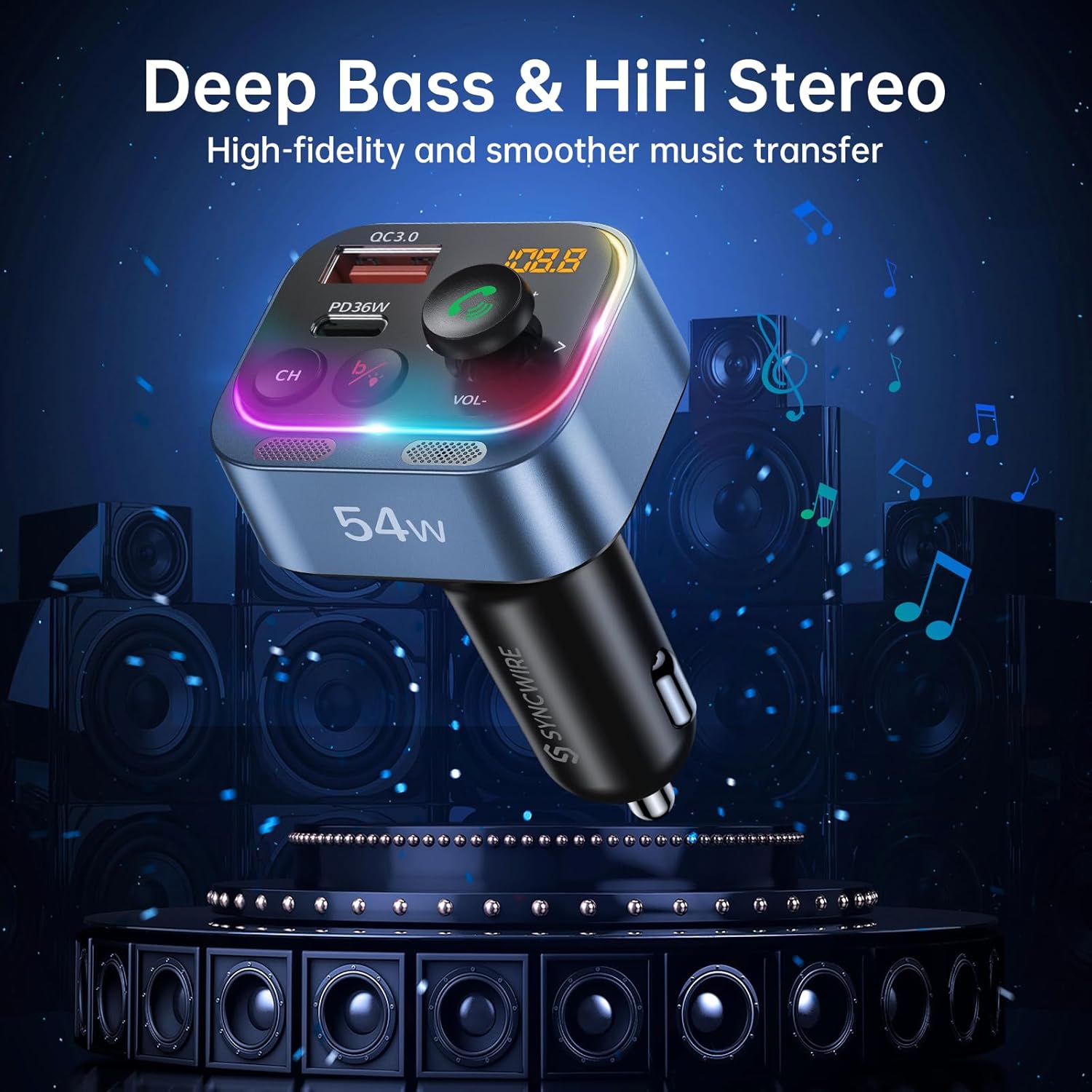
Image: Two panels demonstrating the Ambient Light Switch: one showing a long press to turn off the light, and the other showing a long press to turn on the light, with the device's rainbow LED illuminated.
- Allumer/éteindre la lumière : Long press the 'b' button (Deep Bass/Light Switch) to toggle the rainbow light on or off.
Entretien
To ensure the longevity and optimal performance of your Syncwire FM Transmitter:
- Nettoyage: Utilisez un chiffon doux et sec pour nettoyer l'appareil. N'utilisez pas de nettoyants liquides ni d'aérosols.
- Stockage: En cas de non-utilisation prolongée de l'appareil, rangez-le dans un endroit frais et sec, à l'abri de la lumière directe du soleil et des températures extrêmes.
- Manutention: Évitez de faire tomber l'appareil ou de le soumettre à des chocs violents.
Dépannage
En cas de problème, veuillez consulter la liste des problèmes courants et leurs solutions ci-dessous :
| Problème | Solution |
|---|---|
| Qualité audio médiocre ou statique |
|
| L'appareil ne s'allume pas |
|
| Bluetooth ne se connecte pas |
|
| Call clarity issues (other party cannot hear me well) |
|
| La charge est lente ou ne fonctionne pas |
|
Caractéristiques
| Fonctionnalité | Détail |
|---|---|
| Numéro de modèle | SW-XC971 |
| Version Bluetooth | 5.4 |
| Vol d'entréetage | 12V-24V |
| Sortie USB-C (PD) | 36W Max |
| Sortie USB-A (QC3.0) | 18W Max |
| Production totale | 54 W |
| Gamme de fréquences FM | 87.5-108.0 MHz |
| Microphone | Dual Mics with CVC 8.0 Noise Reduction |
| Caractéristiques spéciales | HiFi Deep Bass, Rainbow Light, Hands-Free Calling |
| Dimensions | 3.43 x 2.4 x 1.73 pouces |
| Poids de l'article | 2.82 onces |
| Matériel | Matériau de qualité supérieure |
Garantie et assistance
Syncwire provides a 36-month warranty and lifetime support for this product. If your car radio Bluetooth adapter does not fit your car or does not work as expected, please feel free to contact us to find a satisfying solution. Our customer service team is dedicated to assisting you with any inquiries or issues you may have.
Ask a question about this manual
Ask about setup, troubleshooting, compatibility, parts, safety, or missing instructions. Manuals+ will review the question and use this page’s manual context to help answer it.