1. Introduction et consignes de sécurité
Thank you for choosing the Devoko Height Adjustable Desk. This manual provides essential information for the safe assembly, operation, and maintenance of your new desk. Please read it thoroughly before use and retain it for future reference.
Avertissements de sécurité :
- Do not exceed the recommended load capacity of 85 kg (static) / 70 kg (dynamic). Overloading can cause damage to the desk and potential injury.
- Use the desk by alternating between sitting and standing positions to avoid health problems associated with prolonged sitting.
- Tenez les enfants et les animaux domestiques éloignés du bureau pendant son utilisation afin d'éviter tout accident.
- Ensure all cables are properly managed and secured to prevent tripping hazards or damage to the motor mechanism.
- Ne pas déposer de liquides directement sur le panneau de commande ou les composants du moteur.
- If any unusual noise, smell, or malfunction occurs, immediately unplug the desk from the power outlet and contact customer support.
2. Produit terminéview et fonctionnalités clés
The Devoko Height Adjustable Desk is designed to promote a healthier work environment by allowing seamless transitions between sitting and standing positions. It features a robust construction and intelligent functionalities.
Caractéristiques principales :
- Conception soucieuse de la santé : Promotes alternating between sitting and standing to reduce fatigue and improve focus.
- Qualité fiable : Industrial-grade steel frame, FSC-certified solid MDF wood tabletop, with a static load capacity of 85 kg and dynamic load capacity of 70 kg.
- Réglage facile de la hauteur : Electric adjustment with a range of 71 cm to 119 cm.
- Préréglages de mémoire : Two programmable memory slots for preferred sitting and standing heights.
- Moteur durable et silencieux : Powerful, energy-efficient motor operating at less than 50 dB, tested for over 10,000 cycles.
- Intelligent Anti-Collision System: Automatically stops and slightly reverses if an obstruction is detected during height adjustment.
- Gestion intégrée des câbles : Features cable grommets and a foldable cable tray to keep your workspace tidy.
- Accessoires supplémentaires : Includes a free hook for headphones or bags.
Composants:
The desk consists of a sturdy metal frame, a multi-part tabletop, an electric motor system, a control panel, and various accessories for assembly and cable management.

Figure 2.1 : Dans l'ensemble view of the Devoko height-adjustable desk in white, showcasing its spacious surface and clean design with multiple monitors, a laptop, keyboard, mouse, and headphones.

Figure 2.2: The desk in a modern office setting, illustrating its intuitive design and key performance metrics: automatic rebound for safety, noise level below 50 dB for quiet operation, and a lifting speed of 22mm/s.

Figure 2.3 : Un aperçu détaillé view of the desk's control panel, featuring up and down adjustment buttons, two memory preset buttons (1 and 2), and an automatic reset function. It also highlights the intelligent anti-collision system for enhanced safety.

Figure 2.4: An illustration demonstrating the versatile height adjustment range of the desk, from a minimum of 71 cm suitable for sitting to a maximum of 119 cm for comfortable standing.
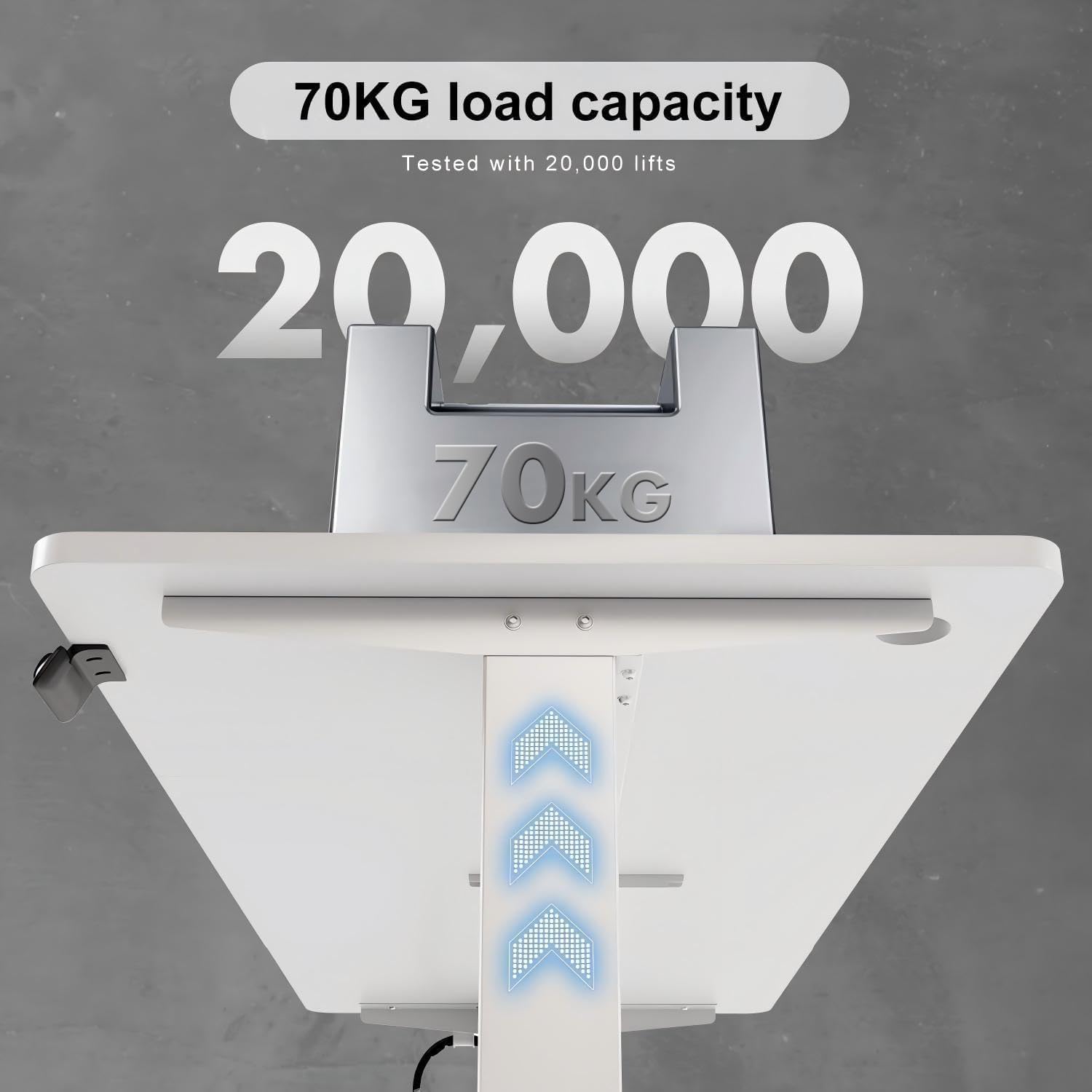
Figure 2.5: Visual representation of the desk's robust construction, indicating a tested load capacity of 70 kg, ensuring stability for various workstation setups.

Figure 2.6: A comparative graphic illustrating the desk's quiet operation, with a noise level below 50 dB, comparable to light rain and significantly quieter than normal conversation or truck noise.
3. Configuration et assemblage
The Devoko Height Adjustable Desk requires assembly. Please follow the instructions provided in the separate assembly guide included with your product. Ensure all parts are present before beginning assembly.
Étapes générales d'assemblage :
- Déballez tous les composants et vérifiez-les par rapport à la liste des pièces.
- Assemble the desk frame according to the provided diagrams.
- Attach the tabletop sections securely to the frame. Note: The tabletop may come in multiple parts.
- Install the motor and control panel, ensuring all electrical connections are firm.
- Attach the cable tray and any additional accessories like the headphone hook.
- Connect the power cable and perform an initial test of the height adjustment.

Figure 3.1 : Une image éclatée view showing all components of the height-adjustable desk, including the three-part tabletop, frame elements, motor, and control unit. A warning advises checking the parts list before installation.
4. Mode d'emploi
Réglage de la hauteur :
- To raise the desk, press and hold the UP arrow button on the control panel.
- To lower the desk, press and hold the VERS LE BAS arrow button on the control panel.
- Relâchez le bouton lorsque la hauteur souhaitée est atteinte.
Préréglages de mémoire :
The desk features two memory presets (1 and 2) to store your preferred sitting and standing heights.
- Réglez le bureau à la hauteur souhaitée à l'aide des boutons HAUT/BAS.
- Press and hold the desired memory button (1 or 2) until you hear a beep or see the display flash. This indicates the height has been saved.
- To recall a saved height, simply press the corresponding memory button (1 or 2). The desk will automatically move to the stored position.
Fonction de réinitialisation automatique :
If the desk encounters an error or needs to be recalibrated, use the automatic reset function.
- Appuyez et maintenez enfoncé le M button (or the button indicated for reset on your control panel, often a combination or specific symbol) until the desk moves to its lowest position and then slightly back up. This completes the reset cycle.
Intelligent Anti-Collision System:
The desk is equipped with an anti-collision system. If the desk encounters an obstruction while moving up or down, it will automatically stop and reverse slightly to prevent damage to the desk or objects.
5. Entretien
Un entretien régulier garantit la longévité et les performances optimales de votre bureau Devoko.
- Nettoyage: Essuyez la surface et le cadre du bureau avec un chiffon doux et sec.amp Chiffon. Évitez les nettoyants abrasifs ou les produits chimiques agressifs qui pourraient endommager la finition.
- Gestion des câbles: Periodically check that all cables are securely routed through the cable tray and grommets to prevent tangling or damage.
- Relations: Vérifiez que toutes les vis et tous les boulons restent bien serrés. Resserrer si nécessaire.
- Entretien du moteur : The motor is designed for durability and requires no special lubrication. Keep the motor area free from dust and debris.
6. Dépannage
If you encounter issues with your Devoko Height Adjustable Desk, refer to the following common problems and solutions:
| Problème | Cause possible | Solution |
|---|---|---|
| Le bureau ne bouge pas | No power, loose cable, motor overload, or system error. | Check power connection. Ensure all cables are securely plugged in. Unplug for 10 minutes and plug back in. Perform a reset (see Operating Instructions). Reduce load if overloaded. |
| Le bureau bouge de manière inégale | Uneven load distribution, or system imbalance. | Distribute weight evenly on the desk surface. Perform a reset. |
| Le système anticollision se déclenche fréquemment | Obstruction in the path of movement, or sensitivity setting. | Clear any objects from the desk's path. Refer to the full assembly guide for potential sensitivity adjustments (if applicable). |
| Bruit inhabituel pendant le fonctionnement | Loose components, or motor issue. | Check all screws and connections for tightness. If noise persists, discontinue use and contact customer support. |
Si le problème persiste après avoir essayé ces solutions, veuillez contacter le service client de Devoko pour obtenir de l'aide supplémentaire.
7. Spécifications
Detailed technical specifications for the Devoko Height Adjustable Desk (Model 0427).
| Fonctionnalité | Détail |
|---|---|
| Marque | Devoko |
| Numéro de modèle | 0427 |
| Couleur | Blanc |
| Dimensions assemblées (L x L x H) | 140 x 70 x 72 cm (Note: Product title states 140x60cm, but specifications indicate 140x70cm. Please verify actual product dimensions.) |
| Dimensions de l'emballage (L x l x H) | 81 x 17.5 x 51 cm |
| Poids de l'article | 19 kilogrammes |
| Matériel | Metal (frame), Engineered Wood (tabletop) |
| Plage de réglage de la hauteur | 71 cm à 119 cm |
| Load Capacity (Static) | 85 kg |
| Load Capacity (Dynamic) | 70 kg |
| Niveau de bruit | < 50 dB |
| Caractéristiques | Height Adjustable, Electric, Memory Presets, Anti-Collision System, Cable Tray |
| Type de finition | Verni |
| Pays d'origine | Chine |
8. Garantie et assistance
Devoko products are manufactured to high-quality standards. While specific warranty details are not provided in this manual, please retain your proof of purchase for any warranty claims.
Assistance clientèle :
For technical assistance, troubleshooting beyond this manual, or warranty inquiries, please contact Devoko customer support through the retailer where you purchased the product or visit the official Devoko website pour les coordonnées.
Veuillez avoir votre numéro de modèle (0427) et la date d'achat à portée de main lorsque vous contactez le support.