
Tofuture TP8
Toputure TP8 Electric Treadmill User Manual
Brand: Toputure | Model: TP8
Introduction
Thank you for choosing the Toputure TP8 Electric Treadmill. This manual provides essential information for the safe and efficient use, setup, operation, and maintenance of your new fitness equipment. Please read this manual thoroughly before first use and keep it for future reference.
Informations importantes sur la sécurité
- Consultez toujours un professionnel de la santé avant de commencer un nouveau programme d'exercices.
- Veillez à placer le tapis roulant sur une surface plane et stable, en laissant un dégagement suffisant autour de celui-ci.
- Gardez les enfants et les animaux domestiques éloignés du tapis roulant pendant son fonctionnement.
- N’utilisez pas le tapis roulant s’il est endommagé ou s’il fonctionne mal.
- Always use the safety key/lanyard during operation. The treadmill will not start without it.
- Portez des chaussures de sport appropriées.
Contenu du colis
Lors du déballage, veuillez vérifier que tous les éléments suivants sont inclus dans votre colis :
- Toputure TP8 Electric Treadmill
- Trousse à outils (pour les ajustements mineurs)
- Câble d'alimentation
- Télécommande
- Huile de lubrification
- Manuel d'utilisation

Figure 1 : Included accessories with the Toputure TP8 Electric Treadmill.
Installation
The Toputure TP8 Electric Treadmill features a no-installation design, making it ready for use almost immediately after unboxing.
Déploiement et positionnement
- Retirez soigneusement le tapis roulant de son emballage.
- Place the treadmill on a flat, level surface. Ensure there is at least 0.6 meters (2 feet) of clear space on all sides and 2 meters (6.5 feet) behind the treadmill for safety.
- If using the handlebar, lift it into the upright position and secure it using the provided locking pins or screws.
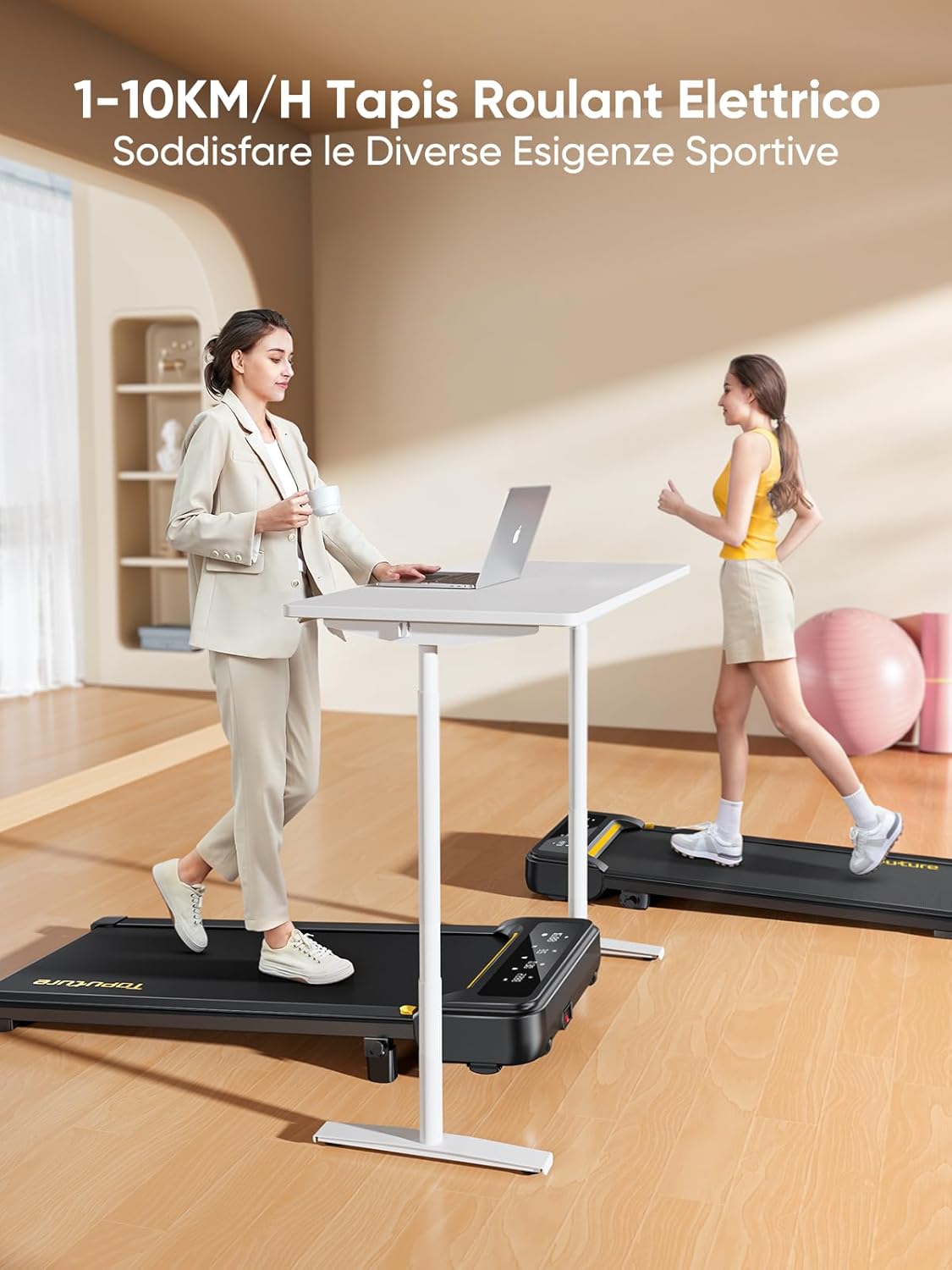
Figure 2 : Treadmill ready for use in a home environment.
Réglage de l'inclinaison
The treadmill offers a 10% incline feature, adjustable in 2 steps to simulate varied terrain and increase calorie burn. To adjust the incline:
- Repérez le mécanisme de réglage de l'inclinaison à l'arrière du tapis roulant.
- Pull out the bolt and rotate the incline block to the desired position.
- Insert the bolt securely into the corresponding hole to lock the incline in place.

Figure 3 : Manual incline adjustment mechanism.
Connexion électrique
Connect the power cable to the treadmill and then to a suitable power outlet. Ensure the power switch is in the 'OFF' position before plugging in.
Mode d'emploi
Démarrage du tapis roulant
- Ensure the safety key is properly inserted into its designated slot on the console. The treadmill will not operate without it.
- Montez sur le tapis roulant.
- Appuyez sur le bouton « Démarrer » de la console ou de la télécommande. Le tapis roulant démarrera à faible vitesse.
Adjusting Speed and Mode
The speed range is 1-10 km/h, suitable for walking, jogging, and running. You can adjust the speed using the console buttons or the remote control.
- Console: Utilisez les boutons « + » et « - » pour augmenter ou diminuer la vitesse.
- Télécommande: The remote allows for easy speed adjustments and stopping the machine. It features magnets on the back for convenient attachment to the treadmill, preventing loss.
- Fonction Pause : The remote control includes a pause button. Pressing this button will temporarily stop the belt while preserving your workout data.

Figure 4 : Multifunction LED display and remote control storage.
Multifunction LED Display
The integrated LED display clearly shows real-time workout data, including time, distance, speed, and calories burned, providing a clear overview of your exercise progress.

Figure 5 : Clear display of workout metrics.
Connectivité des applications intelligentes
This walking pad can connect to multiple exercise apps, offering various training courses and allowing you to interact with other users online. Refer to the app's instructions for pairing and usage.

Figure 6 : Treadmill connected to a smart fitness app.
Arrêter le tapis roulant
To stop the treadmill, press the 'Stop' button on the console or remote control. For emergency stops, pull the safety key from its slot.
Entretien
Regular maintenance ensures the longevity and optimal performance of your Toputure TP8 Electric Treadmill.
Nettoyage
- Débranchez toujours le tapis roulant avant de le nettoyer.
- Essuyez la console et les surfaces extérieures avec un chiffon doux et sec.amp Chiffon. Évitez les nettoyants abrasifs ou les solvants.
- Passez régulièrement l'aspirateur sous le tapis roulant pour éviter l'accumulation de poussière et de débris.
Lubrification
The unique lubrication hole design makes maintenance more convenient. Apply the provided lubrication oil to the running belt as instructed in the detailed manual or when the treadmill indicates it's needed. Proper lubrication reduces friction and extends belt life.
Réglage de la ceinture
If the running belt becomes misaligned or too loose/tight, refer to the detailed manual for instructions on how to adjust it using the included tool kit. Incorrect adjustment can damage the treadmill.
Dépannage
Cette section aborde les problèmes courants que vous pourriez rencontrer avec votre tapis de course. Pour tout problème non mentionné ici, veuillez contacter le service client.
| Problème | Cause possible | Solution |
|---|---|---|
| Le tapis roulant ne démarre pas | Safety key not inserted; Power cable not connected; Power switch off. | Insert safety key; Check power connections; Turn power switch ON. |
| La ceinture glisse ou hésite | Courroie trop lâche ; lubrification insuffisante. | Adjust belt tension (refer to manual); Apply lubrication oil. |
| Bruit inhabituel pendant le fonctionnement | Composants desserrés ; mauvais alignement de la courroie ; problème de moteur. | Check and tighten all bolts; Adjust belt alignment; Contact customer support. |
Caractéristiques
| Fonctionnalité | Détail |
|---|---|
| Marque | Toputure |
| Numéro de modèle | TP8 |
| Classe de produit | Tapis roulant électrique |
| Couleur | Noir |
| Matériel | Acier allié |
| Dimensions du produit (L x l x H) | 130 cm (P) x 60 cm (L) x 14 cm (H) (environ 51.2 x 23.6 x 5.5 pouces) |
| Poids de l'article | 34.5 kilogramme (environ 76 lb) |
| Vitesse maximale | 10 kilomètres par heure |
| Vitesse minimale | 1 Kilometer per hour |
| Pourcentage d'inclinaison maximaletage | 9% (manual adjustment) |
| Puissance du moteur | 2.5 chevaux |
| Poids maximal recommandé | 130 kg (environ 300 lb) |
| Longueur du pont de course | 100 centimètres (environ 39.4 pouces) |
| Largeur du plateau de course | 40 centimètres (environ 15.7 pouces) |
| Type d'affichage | DIRIGÉ |
| Technologie de connectivité | Power Cable (App connectivity via Bluetooth) |
| Nombre de programmes | 12 |
| Caractéristiques spéciales | Pre-installed workouts, Wheels for portability, Compact design, Manual incline, Portable |
| Utilisations recommandées | Walking, jogging, running, home workouts, office workouts |
| Public cible | Adulte |
| Assemblage requis | Non |
Garantie et assistance
Garantie du produit
The Toputure TP8 Electric Treadmill comes with a Garantie d'un an À compter de la date d'achat, cette garantie couvre les défauts de fabrication et les dysfonctionnements dans des conditions normales d'utilisation. Veuillez conserver votre preuve d'achat pour toute réclamation au titre de la garantie.
Assistance clientèle
For any questions, technical assistance, or warranty claims, please contact Toputure customer support through the retailer's platform or the official Toputure website. Our support team is available to assist you with any issues you may encounter.
Ressources supplémentaires
Produit terminéview Vidéo
Vidéo 1: Un plusview of the WalkingPad foldable electric treadmill, demonstrating its compact design, ease of use, and various features. This video highlights how the treadmill can be easily stored and used in different home or office settings.
Ask a question about this manual
Ask about setup, troubleshooting, compatibility, parts, safety, or missing instructions. Manuals+ will review the question and use this page’s manual context to help answer it.