
1. Introduction
Thank you for choosing the Peakeep MHP6020 Small Digital Alarm Clock. This compact and versatile alarm clock is designed for convenience and reliability, featuring a large, clear display, adjustable brightness, multiple alarm volumes, and a battery backup function. This manual provides detailed instructions for setup, operation, and maintenance to ensure optimal performance.
2. Contenu de la boîte
- Réveil numérique Peakeep MHP6020
- Type-C Power Adapter (USB cable and wall adapter)
- Manuel d'instructions
3. Produit terminéview
The Peakeep MHP6020 features a minimalist design with intuitive controls located on the back and a large snooze/light button on top. The display shows time in clear blue digits.

Image : Arrière view of the Peakeep MHP6020 Digital Alarm Clock, highlighting the 'TIME SET', '12/24HR', 'VOLUME', 'ALARM SET ON/OFF', and 'DIMMER' buttons, along with the Type-C power input.
Boutons de contrôle :
- Bouton SNOOZE/LUMIÈRE (en haut): Press to activate snooze during an alarm or to temporarily illuminate the display during a power outage.
- Bouton de réglage de l'heure (Retour): Used to enter time setting mode.
- 12/24HR Button (Back): Toggles between 12-hour and 24-hour time formats. Also functions as '+' for adjusting values.
- VOLUME Button (Back): Adjusts alarm volume. Also functions as '-' for adjusting values.
- ALARM SET ON/OFF Button (Back): Used to set the alarm time and to turn the alarm on or off.
- DIMMER Button (Back): Adjusts the display brightness.
4. Installation
4.1 Alimentation de l'horloge
The Peakeep MHP6020 is primarily powered by the included Type-C adapter. It also supports battery backup for retaining settings during power outaget.
- Install Battery Backup (Optional but Recommended): Open the battery compartment on the back of the clock. Insert 4 AAA batteries (not included). These batteries will save your time and alarm settings in case of a power interruption, and allow the display to light up for 20 seconds when the top button is pressed during an outage.
- Connectez l'adaptateur d'alimentation: Plug the Type-C cable into the 'power in' port on the back of the clock and connect the adapter to a standard electrical outlet. The display will illuminate.
Video: A demonstration of the Peakeep compact digital alarm clock, showing its features and ease of use, including setup and basic functions.
Video: This video illustrates the battery backup function of the Peakeep Small Digital Alarm Clock, demonstrating how settings are retained during a power outage.
4.2 Réglage de l'heure
- Appuyez et maintenez enfoncé le RÉGLAGE DE L'HEURE button on the back for 2 seconds until the hour digits flash.
- Utilisez le 12/24HR (+) or VOLUME (-) boutons pour régler l'heure.
- Presse RÉGLAGE DE L'HEURE Pour confirmer l'heure, passez au réglage des minutes. Les chiffres des minutes clignoteront.
- Utilisez le 12/24HR (+) or VOLUME (-) boutons pour régler les minutes.
- Presse RÉGLAGE DE L'HEURE Une dernière fois pour confirmer et quitter le mode de réglage de l'heure.
4.3 Réglage de l'alarme
- Appuyez et maintenez enfoncé le ALARME ACTIVÉE/DÉSACTIVÉE button on the back for 2 seconds until the alarm hour digits flash.
- Utilisez le 12/24HR (+) or VOLUME (-) boutons pour régler l'heure de l'alarme.
- Presse ALARME ACTIVÉE/DÉSACTIVÉE again to confirm the alarm hour and move to minute adjustment. The alarm minute digits will flash.
- Utilisez le 12/24HR (+) or VOLUME (-) boutons pour régler les minutes de l'alarme.
- Presse ALARME ACTIVÉE/DÉSACTIVÉE one more time to confirm and exit alarm setting mode. The alarm icon will appear on the display, indicating the alarm is active.
5. Mode d'emploi
5.1 Adjusting Display Brightness (Dimmer)
The clock features 5 adjustable brightness levels and an OFF setting to suit your preference.
- Appuyez sur le VARIATEUR button on the back repeatedly to cycle through the 5 brightness levels (L5 being brightest, L1 being dimmest) and the OFF setting.
- Sélectionnez le niveau de luminosité souhaité.

Image: The Peakeep MHP6020 Digital Alarm Clock display at various brightness levels (L5 to OFF), demonstrating the dimmer function.
5.2 Réglage du volume de l'alarme
The alarm offers 5 adjustable volume levels (U01 to U05) ranging from 55-90 dB.
- En mode d'affichage de l'heure normal, appuyez sur VOLUME (-) button on the back to cycle through the 5 alarm volume levels.
- The current volume level (U01-U05) will be displayed temporarily.

Image: The Peakeep MHP6020 Digital Alarm Clock illustrating the range of 5 alarm volumes, from 55dB for light sleepers to 90dB for heavy sleepers.
5.3 Fonction de répétition
Lorsque l'alarme sonne, appuyez sur le grand bouton. SNOOZE / LUMIÈRE button on top to activate the 9-minute snooze function. The alarm will sound again after 9 minutes. To turn off the alarm completely, press any button on the back of the clock.
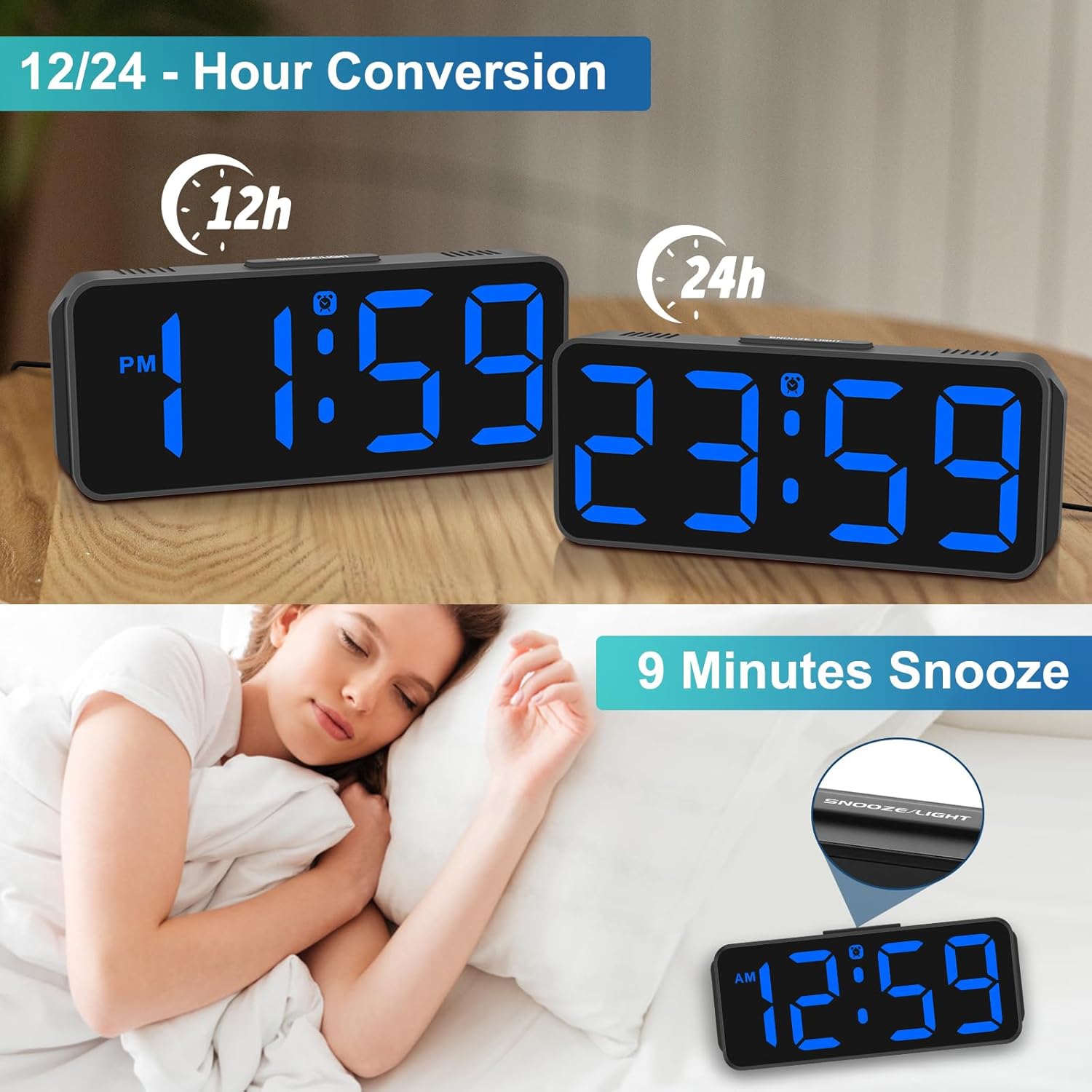
Image: The Peakeep MHP6020 Digital Alarm Clock demonstrating the 12/24 hour format conversion and the 9-minute snooze function activated by the top button.
Format 5.4 heure 12/24
En mode d'affichage normal de l'heure, appuyez sur la touche 12/24H bouton à l'arrière pour basculer entre les formats d'affichage de l'heure 12 heures et 24 heures.
6. Entretien
- Nettoyez l'horloge avec un chiffon doux et sec. N'utilisez pas de produits nettoyants abrasifs ni de solvants.
- Évitez d'exposer l'horloge à des températures extrêmes, à la lumière directe du soleil ou à une forte humidité.
- Ensure the clock is placed on a stable surface to prevent accidental falls.
7. Dépannage
| Problème | Solution |
|---|---|
| L'affichage est vide. | Ensure the power adapter is securely plugged into both the clock and the electrical outlet. If using battery backup, check if batteries are correctly installed and not depleted. |
| L'alarme ne sonne pas. | Verify that the alarm is set and the alarm icon is visible on the display. Check the alarm volume setting. |
| L'heure est incorrecte après la coupure de courant.tage. | Ensure 4 AAA batteries are installed for memory backup. If not, reset the time manually. |
| L'écran est trop lumineux/sombre. | Appuyez sur le VARIATEUR button on the back to adjust the brightness level. |
8. Spécifications
| Fonctionnalité | Détail |
|---|---|
| Numéro de modèle | MHP6020 |
| Marque | Peakeep |
| Type d'affichage | LED numérique |
| Couleur d'affichage | Bleu |
| Dimensions | 5.3 po L x 2.1 po H |
| Source d'énergie | Alimentation filaire (adaptateur de type C inclus) |
| Batterie de secours | 4 AAA batteries required (not included) for memory backup only. |
| Niveaux de luminosité | 5 niveaux + OFF |
| Volume de l'alarme | 5 adjustable levels (55-90 dB) |
| Durée de sommeil | 9 minutes |
| Matériel | Plastique |
| Poids de l'article | 4.64 onces |
9. Garantie et assistance
This product comes with a limited warranty. For detailed warranty information or technical support, please refer to the contact information provided below or visit the official Peakeep website.
Service Peakeep : sales@us-myhome.com