
Introduction
Merci pour votre achatasing the Edifier MG300 Computer Speakers PC SoundBar. This manual provides essential information for setting up, operating, and maintaining your new soundbar. Please read this manual thoroughly before use to ensure proper functionality and to maximize your listening experience.
Consignes de sécurité
Pour réduire les risques de choc électrique, d'incendie ou d'endommagement de votre appareil, veuillez respecter les consignes de sécurité suivantes :
- N'exposez pas l'appareil à la pluie ou à l'humidité.
- Ne placez pas d'objets remplis de liquide, tels que des vases, sur l'appareil.
- Ne pas installer à proximité de sources de chaleur telles que radiateurs, bouches de chauffage, poêles ou autres appareils (y compris amp(échangeurs thermiques) qui produisent de la chaleur.
- Utilisez uniquement les accessoires spécifiés par le fabricant.
- Confiez toute intervention d'entretien à un personnel qualifié.
Contenu du colis
Veuillez cocher la case correspondant aux éléments suivants :
- Edifier MG300 Soundbar
- Câble USB-A vers USB-C
- Manuel d'utilisation
Produit terminéview
The Edifier MG300 Soundbar features dual 52mm full-range speakers and dual inverter tubes for balanced audio. It includes dynamic RGB lighting effects and a hidden microphone for clear voice communication. Control buttons are located on the top panel for easy access.
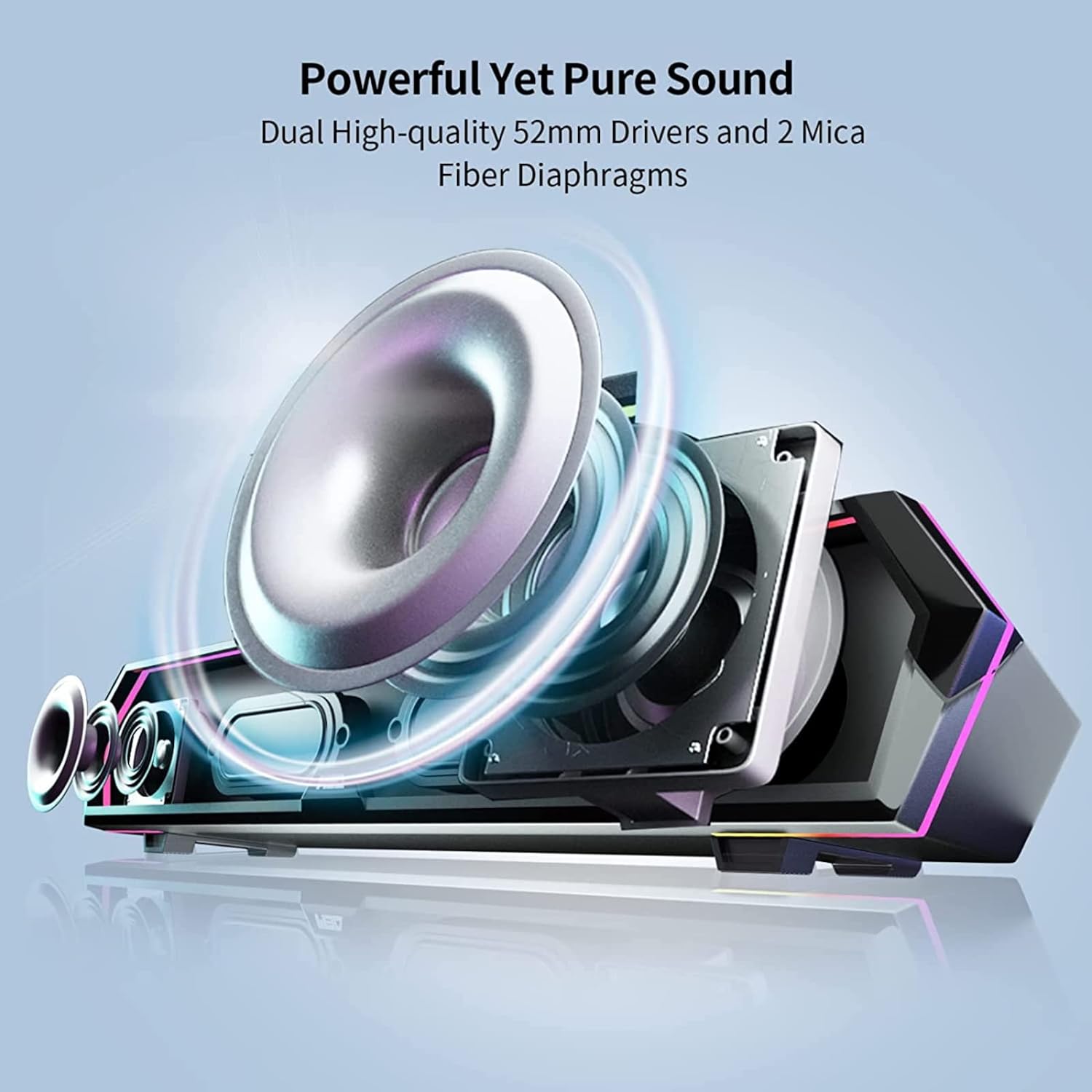
Image: Internal Speaker Components
This image illustrates the internal structure of the soundbar, showcasing the dual 52mm drivers and mica fiber diaphragms designed for powerful and pure sound reproduction.
Installation
1. Placement
Position the Edifier MG300 soundbar on a stable, flat surface, ideally directly under your computer monitor. Its compact design (485mm x 70mm x 80mm) is optimized to save desktop space.

Image: Soundbar Placement
The soundbar is shown positioned beneath a computer monitor, demonstrating its space-saving design and ideal placement for desktop use.
2. Power and Connection Options
The MG300 offers two primary connection methods: USB-A and Bluetooth 5.3.
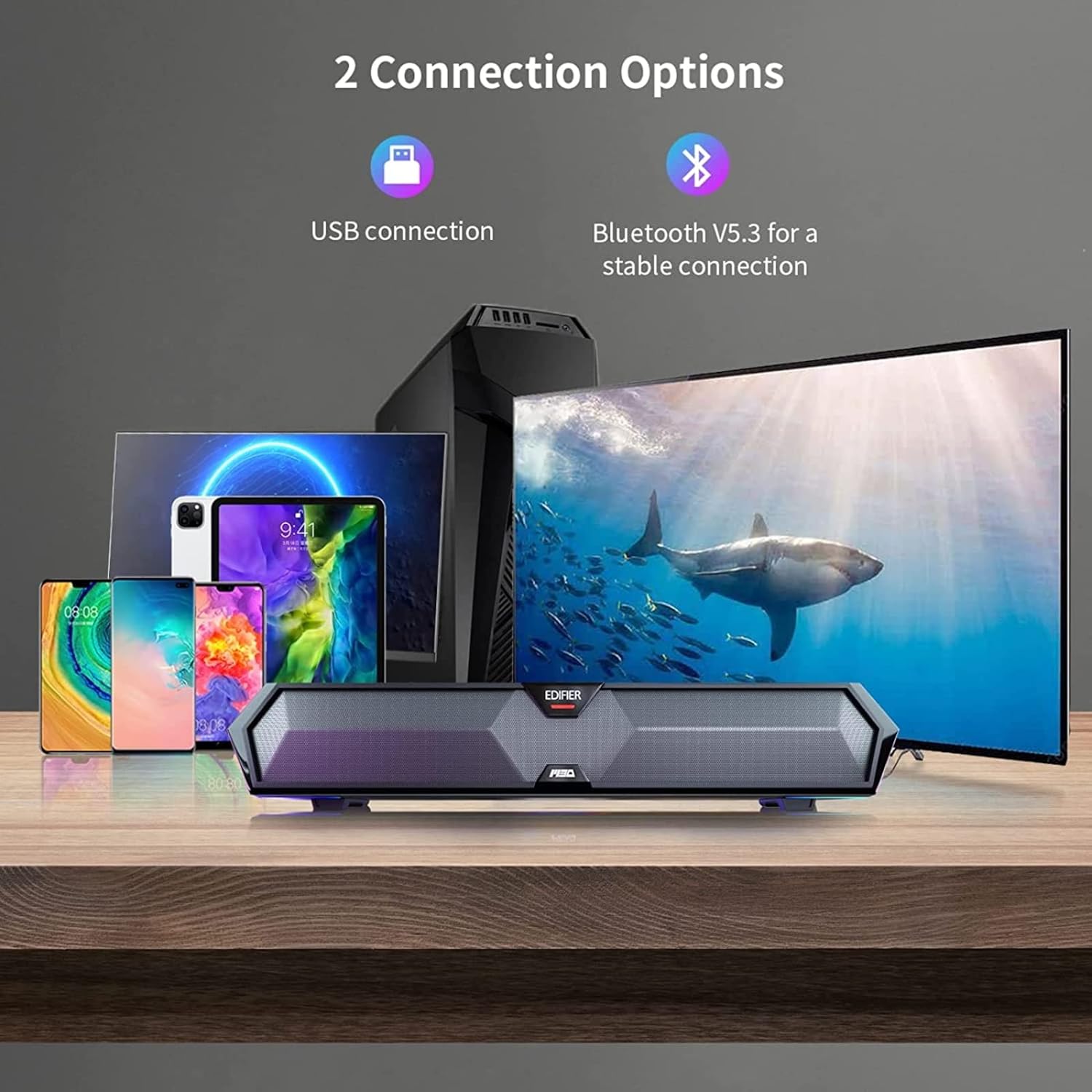
Image: Connection Options
This image illustrates the two main ways to connect the soundbar: via USB to a computer or wirelessly via Bluetooth to mobile devices.
USB Connection (for PC)
- Connect the provided USB-A to USB-C cable to the USB-C port on the back of the soundbar.
- Plug the USB-A end into an available USB port on your computer.
- The soundbar will power on automatically and be recognized as an audio output device by your computer.
Connexion Bluetooth (pour appareils mobiles)
- Press the Bluetooth button on the top panel of the soundbar to enter Bluetooth pairing mode. The RGB lights will flash to indicate pairing mode.
- Sur votre appareil mobile (smartphone, tablette), activez le Bluetooth et recherchez les appareils disponibles.
- Select "Edifier MG300" from the list of devices to pair.
- Once connected, the RGB lights will stop flashing and remain solid.
Mode d'emploi
1. Marche/Arrêt
Appuyez et maintenez enfoncé le bouton d'alimentation (U) on the top panel to turn the soundbar on or off.
2. Contrôle du volume
Augmentez le volume (+) et baissez le volume (-) buttons on the top panel to adjust the audio level.
3. Contrôle de l'éclairage RVB
The soundbar features dynamic RGB lighting effects. Press the light control button (O:) on the top panel to cycle through different lighting modes or to turn the lights off.
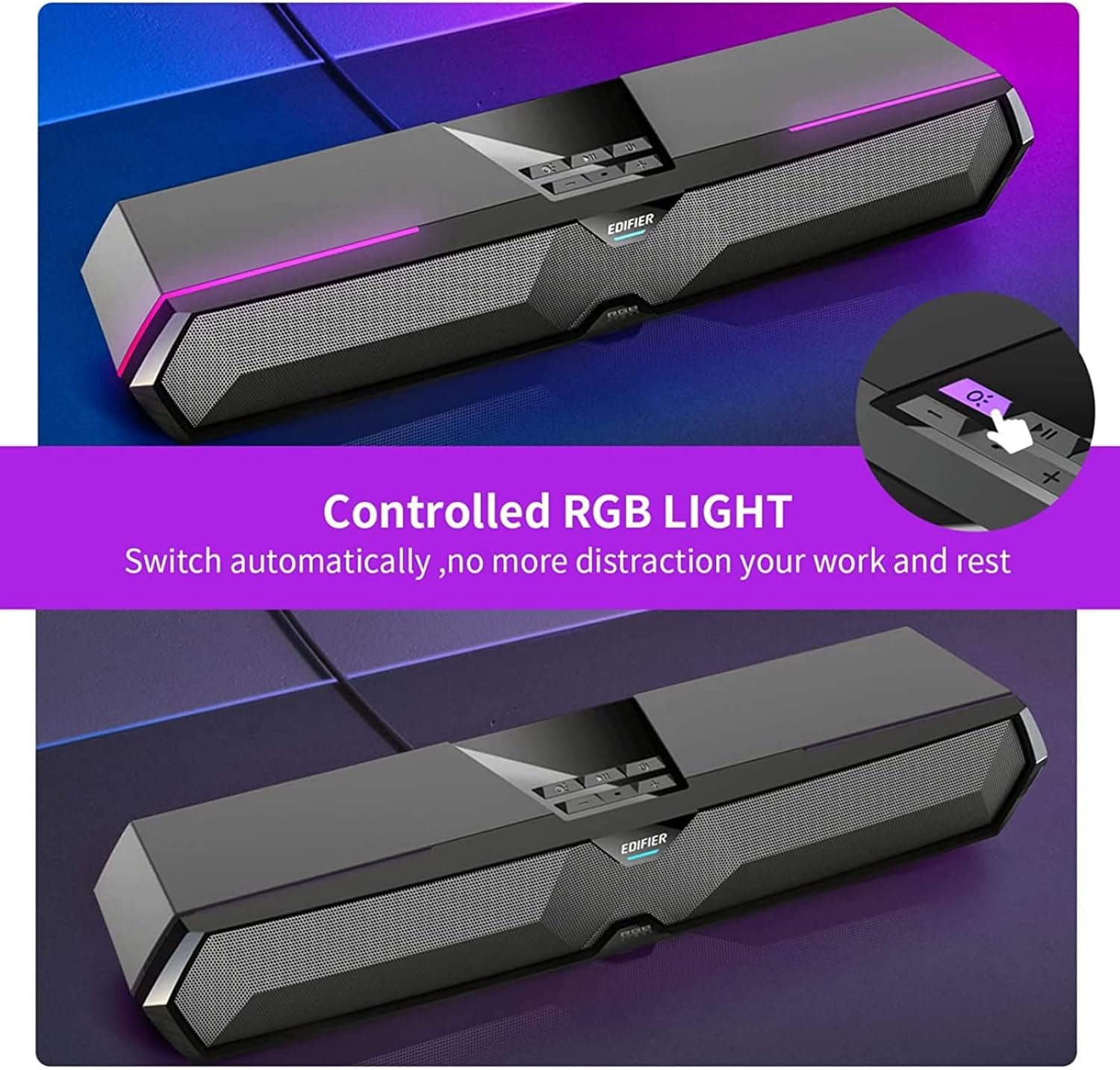
Image: RGB Light Control
This image shows the control panel on the soundbar, indicating the button used to manage the RGB lighting effects.
4. Music and Game Sound Modes
The MG300 offers optimized sound effects for both music and gaming. Press the mode button (often integrated with play/pause or a dedicated button) to switch between these modes. In music mode, vocals are amplified for a richer listening experience. In game mode, environmental details are enhanced for immersive realism.

Image: Game and Music Modes
This image demonstrates the soundbar's adaptability, showing it in use for both gaming and music listening, each with optimized sound profiles.
5. Using the Hidden Microphone
The soundbar features a hidden microphone, cleverly integrated under a silicone protective sleeve on the top panel. This design helps isolate external vibrations, ensuring crystal clear voice calls and communication during gaming or online meetings.

Image: Hidden Microphone in Use
This image depicts the soundbar's hidden microphone being utilized during a gaming session, emphasizing its clarity for in-game communication.
Entretien
To ensure the longevity and optimal performance of your Edifier MG300 soundbar, follow these maintenance guidelines:
- Nettoyage: Use a soft, dry cloth to wipe the surface of the soundbar. Do not use liquid cleaners or aerosol sprays, as they may damage the finish or internal components.
- Stockage: Lorsqu'elle n'est pas utilisée pendant une période prolongée, rangez la barre de son dans un endroit frais et sec, à l'abri de la lumière directe du soleil et des températures extrêmes.
- Évitez les obstacles : Ensure that the speaker grilles are not obstructed to maintain proper sound dispersion and prevent overheating.
Dépannage
If you encounter any issues with your Edifier MG300 soundbar, please refer to the following common problems and solutions:
- Pas de son :
- Ensure the soundbar is powered on and connected correctly (USB or Bluetooth).
- Check the volume levels on both the soundbar and your connected device.
- If using USB, verify that the soundbar is selected as the default audio output device in your computer's sound settings.
- If using Bluetooth, ensure the device is paired and within range. - Mauvaise qualité sonore :
- Ensure the soundbar is placed on a stable surface and not obstructed.
- Try adjusting the volume and switching between music/game modes.
- If connected via Bluetooth, try moving closer to the soundbar to improve signal strength. - Les lumières RVB ne fonctionnent pas :
- Press the light control button (O:) to cycle through modes or turn them on.
- Ensure the soundbar is powered on. - Le microphone ne fonctionne pas :
- Ensure the soundbar is connected via USB to your PC.
- Check your computer's sound settings to ensure the soundbar's microphone is selected as the input device.
Caractéristiques
| Nom du modèle | MG300 |
| Type de haut-parleur | Chambre multi |
| Dossier spécial | Portable |
| Utilisations recommandées | Pour les ordinateurs |
| Appareils compatibles | Ordinateur, ordinateur portable, smartphone, tablette |
| Configuration des canaux de son surround | 2.0 |
| Puissance de sortie totale (RMS) | 2.5W + 2.5W (5 Watts total) |
| Version Bluetooth | V5.3 |
| Réponse en fréquence | 80 Hz - 20 kHz |
| Dimensions (L x H x P) | 485mm x 70mm x 80mm (15.67"D x 3.33"W x 2.89"H) |
| Poids net | 0.9 kg (2.6 livres) |
| Entrées audio | Bluetooth, USB-A Soundcard |
| Méthode de contrôle | Touche |
| Taille du pilote audio | 52 millimètres |
Vidéo officielle du produit
Video: Edifier MG300 Overview
Cette vidéo donne un aperçuview of the Edifier MG300 soundbar, showcasing its features and design. It highlights the multi-driver PC soundbar and subwoofer, Bluetooth 5.3 connectivity, seamless PC and mobile connection, game sound effects, dynamic RGB lighting, USB connection, hidden mic, and immersive sound capabilities.
Garantie et assistance
The Edifier MG300 SoundBar comes with a Limited Warranty. For detailed warranty information or technical support, please refer to the official Edifier website or contact their customer service. Protection plans are also available for extended coverage.