
Introduction
The Yesido YSP13 Air Conduction Bluetooth Earphones are designed to provide a comfortable and secure audio experience without blocking your ear canals. Featuring Bluetooth 5.3 for stable connectivity, an ear hook design for active use, and IPX4 waterproofing, these earphones are suitable for various activities. The included charging case offers extended battery life and a digital display for convenience.
Installation
1. Chargement des écouteurs et du boîtier de charge
Avant la première utilisation, chargez complètement les écouteurs et l'étui de chargement.
- Place the earphones into the charging case. Ensure they are correctly seated to initiate charging.
- Connectez le boîtier de chargement à une source d'alimentation à l'aide du câble USB fourni.
- L'affichage numérique du boîtier de charge indiquera le niveau de la batterie.
- Charging time for the earphones is approximately 1 hour. The charging case takes approximately 2.5 hours to fully charge.
- A fully charged earphone battery provides about 6 hours of music/call time. The charging case has a capacity of 600mAh, allowing for multiple earphone recharges.

Image: Earphones inside the charging case, showing the digital battery display. This display indicates the current charge level of the case and the charging status of the earbuds.
2. Couplage Bluetooth
Follow these steps to pair your Yesido YSP13 earphones with your device:
- Assurez-vous que les écouteurs sont chargés.
- Ouvrez le boîtier de charge. Les écouteurs passeront automatiquement en mode appairage.
- Sur votre smartphone ou appareil compatible Bluetooth, accédez aux paramètres Bluetooth.
- Rechercher available devices and select "YSP13" (or similar name) from the list.
- Une fois la connexion établie, un son de confirmation retentira et les écouteurs seront prêts à l'emploi.
- Les écouteurs utilisent le Bluetooth 5.3 pour une connexion rapide et stable.
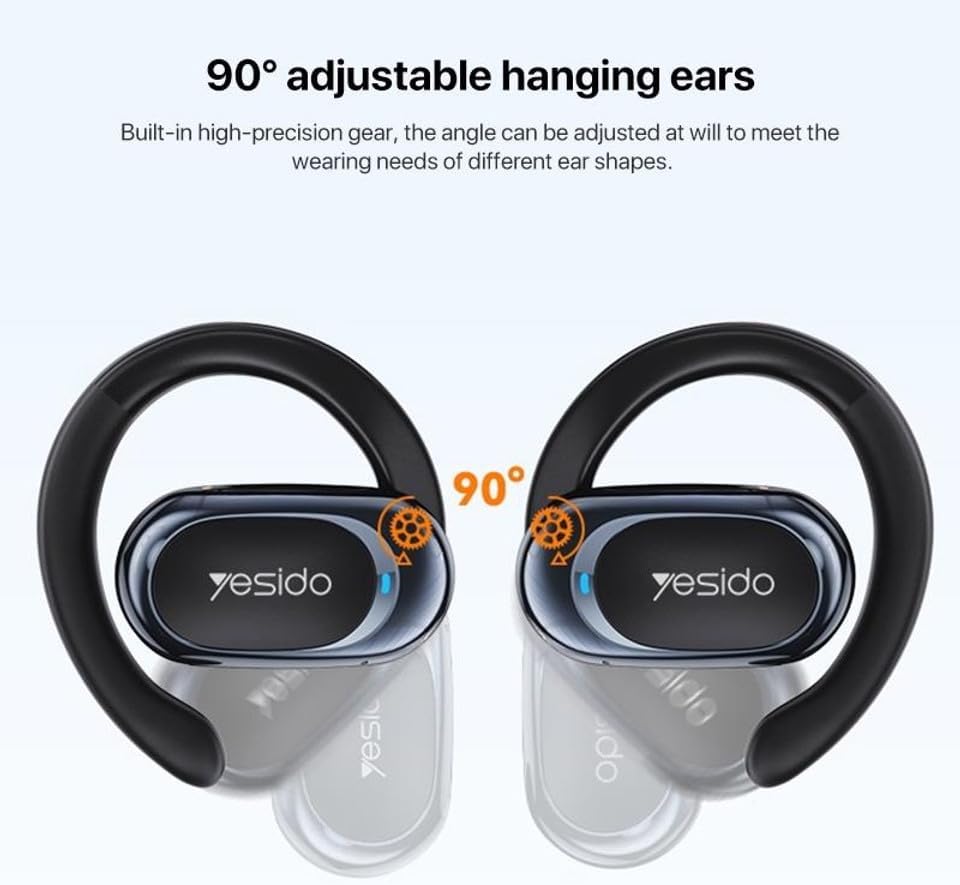
Image: Earphones shown next to a smartphone, illustrating quick connection and readiness for music playback.
Mode d'emploi
1. Port des écouteurs
The Yesido YSP13 earphones feature a rotatable ear hook design for a secure and comfortable fit.
- Gently place the earphone over your ear, positioning the main body in front of your ear canal.
- Adjust the ear hook to fit snugly and comfortably around the back of your ear. The ear hooks are 90° adjustable to accommodate different ear shapes.
- The air conduction technology allows you to hear your audio while remaining aware of your surroundings.

Image: Illustration showing the 90° adjustable ear hooks, highlighting their flexibility for a custom fit.

Image: An earphone positioned on an ear, illustrating the adaptive directional sound transmission technology.
2. Commandes tactiles
The earphones feature intuitive touch controls for managing audio playback and calls. The specific touch functions are typically:
- Lecture/Pause : Appuyez une seule fois sur l'un ou l'autre écouteur.
- Piste suivante : Appuyez deux fois sur l'écouteur droit.
- Piste précédente: Appuyez deux fois sur l'écouteur gauche.
- Répondre/Terminer l'appel : Appuyez une seule fois sur l'un ou l'autre écouteur pendant un appel entrant ou en cours.
- Rejeter l'appel : Maintenez la pression sur l'un ou l'autre écouteur pendant un appel entrant.
- Assistant vocal: Appuyez trois fois sur l'un ou l'autre écouteur (la fonctionnalité peut varier selon l'appareil).
Note: Specific touch control mappings may vary slightly. Refer to the quick start guide included in your product packaging for precise instructions.
3. Sound Quality and Calls
The Yesido YSP13 earphones deliver HiFi sound quality through master-level tuning, providing a balanced audio experience with clear highs, rich mids, and strong lows. The built-in microphone ensures clear voice transmission for hands-free calls.

Image: An exploded diagram illustrating the internal components responsible for the high-fidelity sound production.
Entretien
1. Nettoyage
To maintain optimal performance and hygiene, regularly clean your earphones.
- Essuyez les écouteurs et le boîtier de charge avec un chiffon doux, sec et non pelucheux.
- Pour les saletés tenaces, un léger damp cloth can be used, ensuring no moisture enters any openings.
- Évitez d'utiliser des matériaux abrasifs, des solvants ou des produits chimiques agressifs.
2. Résistance à l'eau
The Yesido YSP13 earphones feature an IPX4 waterproof design, providing protection against splashing water from any direction.
- This makes them suitable for workouts and light rain.
- Do not submerge the earphones in water or expose them to strong jets of water.
- Assurez-vous que les écouteurs soient secs avant de les remettre dans l'étui de chargement afin d'éviter tout dommage.
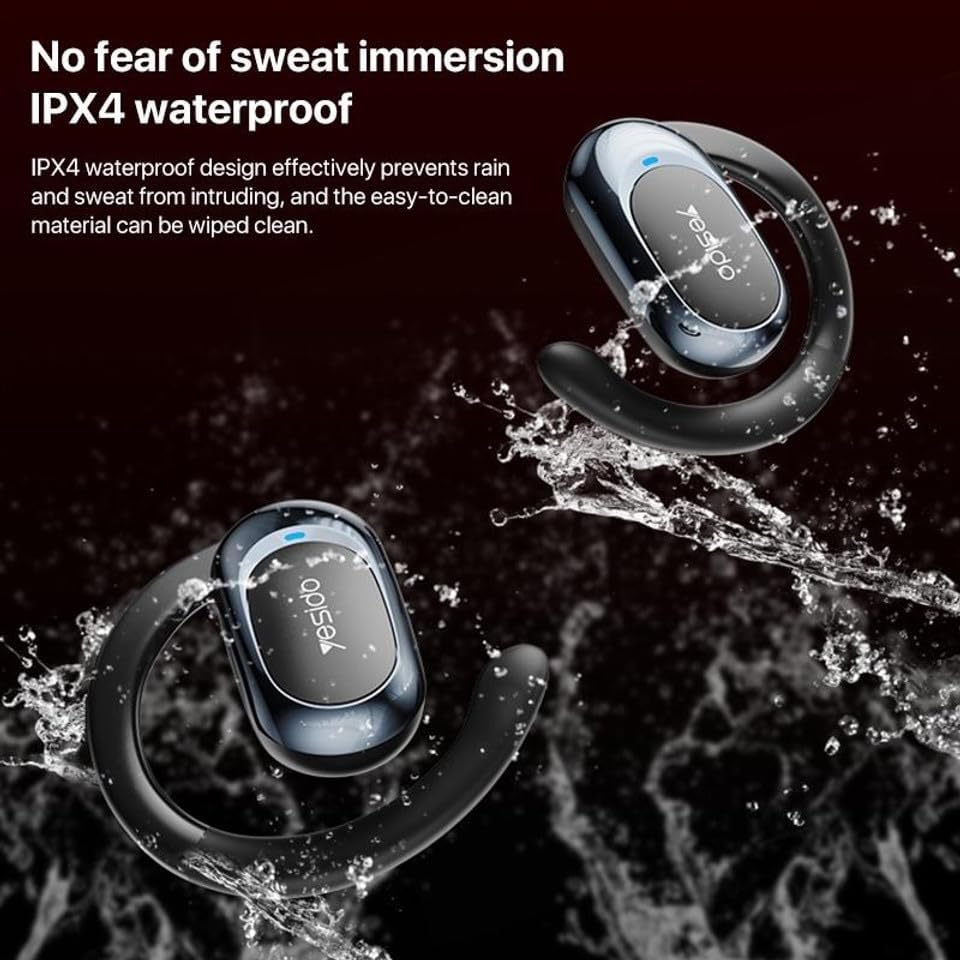
Image: Earphones shown with water splashing, demonstrating their IPX4 waterproof capability against sweat and light rain.
3. Stockage
Store the earphones in their charging case when not in use to protect them from dust, damage, and to keep them charged.
Dépannage
If you encounter issues with your Yesido YSP13 earphones, try the following solutions:
- Aucun son/Impossible de se connecter :
- Assurez-vous que les écouteurs sont chargés.
- Assurez-vous que Bluetooth est activé sur votre appareil.
- Check if the earphones are paired with another device. Disconnect and re-pair if necessary.
- Try resetting the earphones (refer to specific reset instructions if available in the product's quick start guide, otherwise, place them in the case and close/open).
- Rapprochez-vous de votre appareil pour vous assurer d'être à moins de 10 mètres de la portée Bluetooth.
- Un écouteur ne fonctionne pas :
- Place both earphones back into the charging case and then take them out again.
- Assurez-vous que les deux écouteurs sont chargés.
- Essayez de réappairer les écouteurs avec votre appareil.
- Problèmes de charge :
- Vérifiez que le câble de chargement et l'adaptateur fonctionnent correctement.
- Assurez-vous que les contacts de charge des écouteurs et à l'intérieur de l'étui sont propres et exempts de débris.
- Check the digital display on the charging case for charging indicators.
- Mauvaise qualité des appels :
- Assurez-vous que le microphone n'est pas obstrué.
- Déplacez-vous vers un environnement plus calme.
- Vérifiez le signal réseau de votre appareil.
Caractéristiques
| Marque | YESIDO |
| Nom du modèle | YSP13 (Model Number: BUF58) |
| Technologie de connectivité | Sans fil (Bluetooth 5.3) |
| Version Bluetooth | BT8926B2 V5.3 |
| Portée Bluetooth | Jusqu'à 10 mètres |
| Capacité de la batterie des écouteurs | 50mAh x 2 |
| Capacité de la batterie du boîtier de charge | 600mAh |
| Musique/Temps d'appel | Environ 6 heures |
| Temps de charge des écouteurs | Environ 1 heure |
| Temps de charge de la boîte de charge | Environ 2.5 heures |
| Niveau de résistance à l'eau | IPX4 (étanche) |
| Méthode de contrôle | Touche |
| Matériel | PC+ABS+Electroplating UV |
| Facteur de forme | On Ear (Ear Hook Design) |
| Fonctionnalités supplémentaires | Air Conduction Technology, Digital Display, Built-in Microphone |
Informations sur la garantie
The product comes with a manufacturer's warranty. For detailed information regarding the warranty period and terms, please refer to the warranty card included in your product packaging or contact your retailer. Please retain your proof of purchase for any warranty claims.
Assistance clientèle
For further assistance, technical support, or inquiries, please visit the official YESIDO website or contact the customer service department of your retailer.