
Introduction
Thank you for choosing the SENSE7 Spellcaster Senshi Edition XL Gaming Chair. This manual provides essential information for the safe assembly, operation, maintenance, and troubleshooting of your new gaming chair. Please read these instructions carefully before assembly and retain them for future reference.
Consignes de sécurité
- Capacité de charge maximale: Cette chaise est conçue pour supporter un poids maximal de 150 kg. Ne dépassez pas cette limite afin d'éviter tout dommage ou blessure.
- Utilisation appropriée : Use the chair only for its intended purpose as a seating device. Avoid standing on the chair or using it as a ladder.
- Assemblée: Ensure all components are securely fastened according to the assembly instructions. Periodically check all screws and bolts for tightness.
- Enfants: Tenir les petites pièces hors de portée des enfants pendant le montage. Ce produit n'est pas un jouet.
- Entretien: Regularly inspect the chair for any signs of wear or damage. Discontinue use if any part is broken or compromised.
Contenu du colis
Avant de commencer l'assemblage, vérifiez que toutes les pièces énumérées ci-dessous sont présentes et non endommagées :
- Dossier de chaise
- Base de siège avec mécanisme
- Accoudoirs (2)
- Base étoile
- Vérin à gaz
- Roues (5)
- Coussin lombaire
- Coussin d'appui-tête
- Hardware Pack (screws, Allen key)
Configuration et assemblage
Follow these steps to assemble your SENSE7 Spellcaster Senshi Edition XL Gaming Chair:
- Fixez les roues à la base en étoile : Insert each of the five wheels into the openings at the end of the star base until they click securely into place.
- Insérer le vérin à gaz : Insérez le vérin à gaz dans l'orifice central de la base en étoile assemblée. Assurez-vous qu'il est bien en place.
- Attach Mechanism to Seat Base: Align the chair mechanism with the pre-drilled holes on the underside of the seat base. Secure it using the provided screws and Allen key. Ensure the front of the mechanism faces the front of the seat.
- Fixez les accoudoirs : Fasten the armrests to the sides of the seat base using the designated screws. Do not overtighten initially to allow for minor adjustments.
- Fixer le dossier au siège : Align the backrest with the mounting brackets on the seat base. Secure it with the remaining screws. Once all screws are in place, tighten all armrest and backrest screws evenly.
- Placer l'ensemble du siège sur le vérin à gaz : Carefully place the assembled seat and backrest onto the gas lift cylinder, ensuring the central hole of the mechanism aligns with the top of the gas lift.
- Fixez les coussins : Position the lumbar cushion and headrest cushion as desired using their elastic straps.
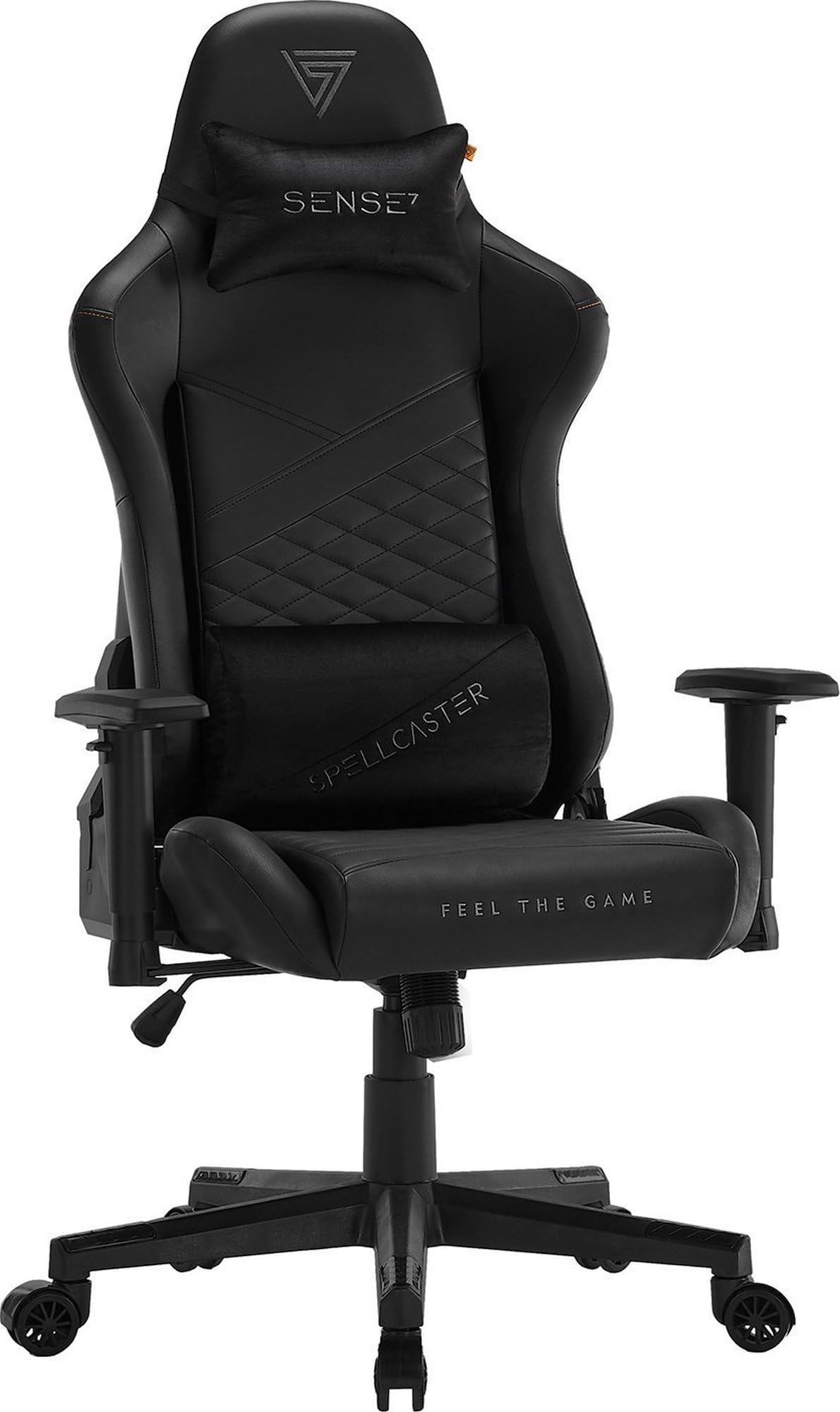
Image: Fully assembled SENSE7 Spellcaster Senshi Edition XL Gaming Chair, showcasing its ergonomic design from a side perspective.
Mode d'emploi
Your SENSE7 Spellcaster Senshi Edition XL Gaming Chair offers several adjustment options for personalized comfort:
- Réglage de la hauteur du siège : To adjust the seat height (range 43-52 cm), pull the lever located under the right side of the seat upwards. While seated, lift your weight to raise the seat; to lower, remain seated and pull the lever. Release the lever to lock the height.
- Inclinaison du dossier : The backrest can be reclined from 90 to 160 degrees. Pull the recline lever on the right side of the chair upwards and lean back to your desired angle. Release the lever to lock the backrest in position.
- Armrest Adjustment (FlowTechArm 2D): The 2D armrests allow for vertical height adjustment and horizontal extension. Use the button on the side of the armrest to adjust its height. To extend or retract the armrest pad, slide it forwards or backwards.
- Fonction d'inclinaison: The chair features a tilt mechanism. To enable tilt, pull the lever under the left side of the seat outwards. To lock the tilt, push the lever inwards. The tension of the tilt can be adjusted by rotating the knob located under the front of the seat.
- Coussins lombaires et appui-tête : The lumbar and headrest cushions are adjustable. Slide them up or down along the backrest straps to find your optimal support position.

Image: Graphic demonstrating the chair's recline capabilities, showing angles of 90, 120, and 160 degrees.

Image: Graphic depicting the vertical adjustment of the armrests.
Entretien
Proper maintenance will extend the life of your gaming chair:
- Nettoyage: Wipe the synthetic leather surfaces with a soft, damp Pour les taches tenaces, utilisez une solution de savon doux et essuyez immédiatement. Évitez les produits chimiques agressifs et les nettoyants abrasifs.
- Entretien des roues : Periodically clean the wheels to remove dust, hair, and debris that may hinder smooth movement.
- Vérification des fixations : Tous les deux ou trois mois, vérifiez le serrage de toutes les vis et boulons. Resserrer si nécessaire pour garantir la stabilité et la sécurité.
- Évitez la lumière directe du soleil : Une exposition prolongée à la lumière directe du soleil peut entraîner une décoloration ou des craquelures du cuir synthétique. Dans la mesure du possible, placez le fauteuil à l'abri de la lumière directe du soleil.
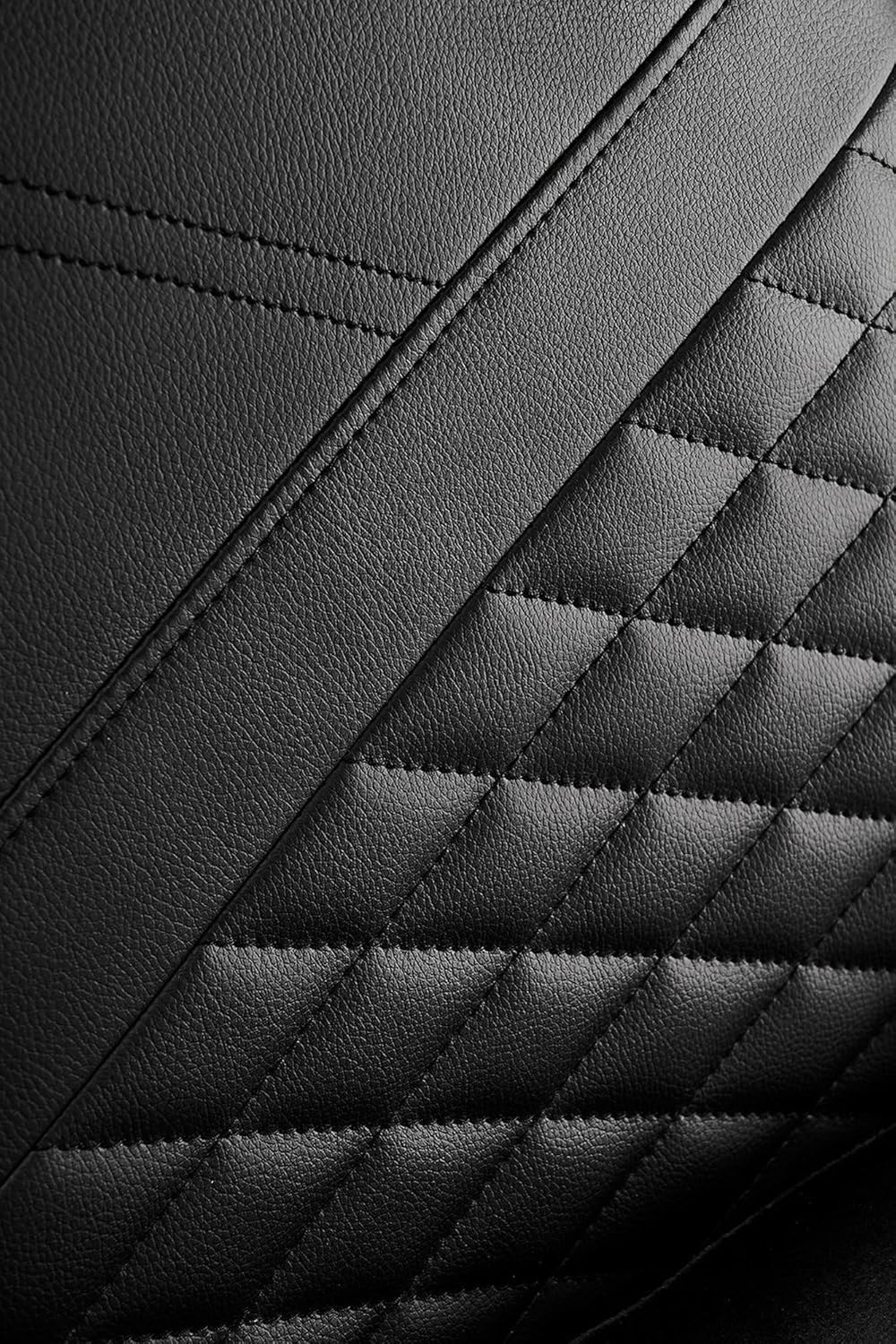
Image : détaillée view of the synthetic leather material with quilted stitching, highlighting its texture and finish.

Image: Close-up of the chair's nylon-encased rubber wheels, designed for smooth and quiet movement without scratching floors.
Dépannage
Si vous rencontrez des problèmes avec votre chaise, consultez les problèmes courants et leurs solutions ci-dessous :
- Grincements de chaises :
Solution: Check all screws and bolts for tightness and retighten if loose. Apply a small amount of silicone lubricant to moving parts if the squeaking persists. - La hauteur de la chaise n'est pas réglable :
Solution: Ensure the gas lift lever is fully engaged or disengaged. Check if the gas lift cylinder is properly seated in the star base and chair mechanism. If the issue persists, the gas lift may need replacement. - Wheels Do Not Roll Smoothly:
Solution: Inspect the wheels for accumulated debris (hair, dust, etc.) and clean them thoroughly. Ensure the wheels are securely inserted into the star base. - Le dossier ne s'incline pas et ne se verrouille pas :
Solution: Verify that the recline lever is functioning correctly and not obstructed. Check the connection points of the backrest to the seat base for any looseness.
Caractéristiques
| Fonctionnalité | Détail |
|---|---|
| Marque | SENSE7 |
| Numéro de modèle | 12578735 |
| Couleur | Noir |
| Dimensions (L x l x H) | 55 x 70 x 134 cm |
| Poids de l'article | 19 kilogrammes |
| Matériel | Synthetic leather, Rubber, Polyethylene, HR foam, EasyFoam, Nylon/Polymer, Alloy Steel frame |
| Charge maximale | 150 kg |
| Plage de hauteur du siège | 43-52 cm |
| Réglage des accoudoirs | 2D (Vertical, Extension) |
| Inclinaison du dossier | 90-160 degrés |
Informations sur la garantie
Specific warranty terms and conditions for the SENSE7 Spellcaster Senshi Edition XL Gaming Chair may vary by region and retailer. Please refer to the warranty documentation provided with your purchase or contact your point of sale for detailed information. Information regarding spare parts availability is currently unavailable.
Soutien
For further assistance, technical support, or inquiries regarding your SENSE7 Spellcaster Senshi Edition XL Gaming Chair, please contact the retailer from whom you purchased the product or visit the official SENSE7 website pour les coordonnées.