
HITOSINO HS-CUB68G2-LIA/SL
HITOSINO 4K Outdoor Bullet PoE Camera User Manual
Model: HS-CUB68G2-LIA/SL
1. Introduction
This manual provides detailed instructions for the installation, operation, and maintenance of your HITOSINO 4K Outdoor Bullet PoE Camera. This camera is designed for both home and business security, offering advanced features for reliable surveillance.
Key features include 8MP UltraHD resolution, smart color night vision, two-way audio, advanced human and vehicle detection, and a robust IP67-rated metal housing for outdoor use.
2. Contenu de la boîte
Vérifiez que tous les composants sont présents avant de procéder à l'installation.
- Boîtier de l'appareil photo (1)
- Guide de démarrage rapide (1)
- Waterproof Accessories (1 set)
- Drill Template (1)
- Pack of Screws (1)

Image: Components included in the HITOSINO 4K Outdoor Bullet PoE Camera package.
3. Spécifications
Detailed technical specifications for the HITOSINO 4K Outdoor Bullet PoE Camera.
| Fonctionnalité | Description |
|---|---|
| Numéro de modèle | HS-CUB68G2-LIA/SL |
| Résolution | 8MP UltraHD (3840 × 2160) @ 15fps |
| Capteur | Capteur CMOS 1/2.4" |
| Lentille | 2.8mm Fixed Lens, F1.6 aperture |
| ViewAngle d'attaque | 127 degrés (grand angle) |
| Vision nocturne | Smart Color Night (up to 98ft/30m), IR Night Vision |
| Audio | Audio bidirectionnel (micro et haut-parleur intégrés) |
| Détection | Human/Vehicle Detection (Motion Detection 2.0) |
| Dissuasif | Strobe Lights & Audio Warnings |
| Connectivité | PoE (Power over Ethernet), Ethernet, ONVIF |
| Stockage | MicroSD/MicroSDHC/MicroSDXC card (up to 512GB), HITOSINO NVRs, FTP |
| Compression vidéo | H.265 + / H.265 / H.264 + / H.264 |
| Résistance aux intempéries | IP67 Rated, Full Metal Housing |
| Température de fonctionnement | -30°C à 60°C (-22°F à 140°F) |
| Dimensions (L x l x H) | 7.1 x 2.7 x 2.7 pouces (179 x 69.1 x 67.4 mm) |
| Poids | 1.35 livres |

Image : Détaillé surview of the camera's physical features and dimensions.
4. Installation
4.1 Montage de la caméra
The camera supports both ceiling and wall mounting. Use the provided drill template to mark the screw holes accurately.
- Choisissez un emplacement de montage approprié qui offre les avantages souhaités viewangle d'inclinaison et à portée de votre câble réseau.
- Place the drill template on the wall or ceiling and mark the screw holes.
- Percez les trous en suivant les repères et insérez les chevilles si nécessaire.
- Fixez la base de la caméra à la surface de montage à l'aide des vis fournies.
- Ajustez l'angle de la caméra selon vos besoins.

Image: Wall Mount and Ceiling Mount installation examples.
4.2 Connexion de l'appareil photo
The camera supports various connection methods:
Standalone Use with 12V 2A Power Adapter (Not Included)
Connect the camera to a router using an Ethernet cable and power it with a 12V 2A power adapter. This setup allows monitoring via laptop or smartphone.

Image: Standalone camera setup using a 12V 2A power adapter.
Standalone Use with PoE Switch
For simplified wiring, connect the camera to a PoE switch using a single Ethernet cable. The PoE switch provides both power and data. Connect the PoE switch to your router.

Image: Standalone camera setup using a PoE switch.
Connect to HITOSINO/Hikvision Non-PoE NVR
Connect the camera to a PoE switch, then connect the PoE switch to your Non-PoE NVR. Ensure the NVR is connected to a monitor and mouse for local access.

Image: Connecting the camera to a Non-PoE NVR.
Connect to HITOSINO/Hikvision PoE NVR
Directly connect the camera to a PoE NVR using an Ethernet cable. The NVR provides power and data. Connect the NVR to your router, monitor, and mouse.

Image: Connecting the camera to a PoE NVR.
4.3 Conseils de configuration initiale
- Ensure all devices are properly powered up and correctly connected.
- L'adresse IP par défaut de la caméra est 192.168.1.64, and DHCP is enabled by default. When connected to your router, the camera should automatically be assigned a valid IP address.
- For this value series, unlike Hikvision branded or HITOSINO white label products, ONVIF is enabled by default. When using with a third-party PoE NVR, ensure you know the NVR's built-in IP address and adjust the camera's IP address to the same network segment accordingly. For full functionality, it is recommended to use a HITOSINO or Hikvision NVR.

Image: Important tips for camera network configuration.
5. Utilisation de l'appareil photo
5.1 Modes de vision nocturne
La caméra propose trois modes de vision nocturne distincts pour s'adapter à différentes conditions d'éclairage :
- Lumière blanche : Provides 24/7 full-color imaging up to 100ft (30m). Ideal for clear, detailed color footagdans l'obscurité la plus totale.
- IR Lumière: Offers crystal clear white and black imaging up to 100ft (30m) using infrared illumination. Suitable for discreet monitoring.
- Double lumière intelligente : Intelligently switches between IR and white light. The camera uses IR for general monitoring and activates white light for full-color imaging when human or vehicle motion is detected, capturing crucial details.

Image: Visual representation of the three night vision modes.

Image : Example of IR night vision footage.

Image : Example of color night vision footage.
5.2 Motion Detection 2.0 (Human & Vehicle Detection)
The camera features advanced Motion Detection 2.0 technology, which intelligently distinguishes between humans and vehicles, significantly reducing false alarms caused by animals, rain, or falling leaves. This ensures you receive accurate and relevant notifications.
- When connected to a HITOSINO/Hikvision NVR, footage is automatically sorted into 'Human' and 'Vehicle' files for quick and efficient searching.

Image: Motion Detection 2.0 focusing on human and vehicle detection.

Image: How Motion Detection 2.0 reduces false alarms.

Image: Quick target search feature when connected to a HITOSINO/Hikvision NVR.
5.3 Active Deterrence (Strobe Light & Audible Alarms)
The camera is equipped with active deterrent features to warn off potential intruders before an incident occurs. When motion is detected, the camera can activate a strobe light and play pre-recorded audio warnings.
- Lumière stroboscopique: A bright flashing light designed to startle and deter intruders.
- Alarmes sonores : Choose from 11 default warnings or customize your own audio messages to play through the built-in speaker.

Image: Active deterrence features in action, showing strobe light and audible alarms.

Image: Active deterrence in action, showing instant alerts and two-way audio.
5.4 Real-Time Communication (Two-Way Audio)
The built-in microphone and speaker enable two-way audio communication. You can talk to visitors or deter intruders directly through the camera using the Hik-Connect app.

Image: Real-time two-way audio communication feature.

Image: Another illustration of real-time two-way audio communication.
5.5 Remote Access and Management
Access your camera feed and manage settings from anywhere using compatible applications and software:
- Hik-Connect / Guarding Vision APP: Available for iOS and Android smartphones for remote access, real-time notifications, and two-way audio.
- IVMS-4200: Desktop client for PC (Windows/Mac) for comprehensive camera management.
- SADP Tool: For PC, used for camera activation and IP address modification.
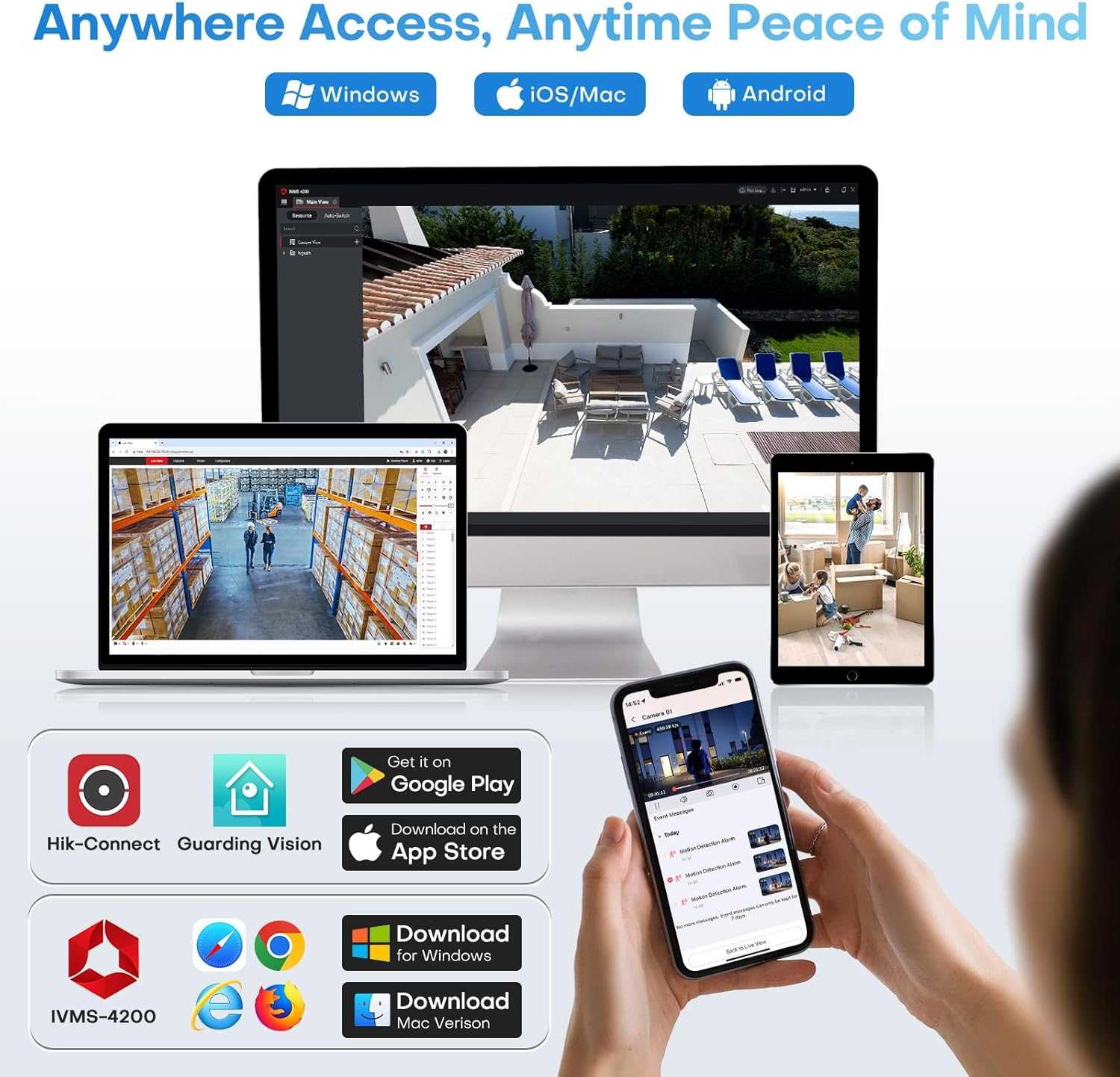
Image: Remote access options via mobile apps and desktop software.

Image: Accessing camera feeds from various devices.
5.6 Local Storage (Micro SD Card Slot)
The camera features a built-in microSD card slot, supporting cards up to 512GB (card not included). This allows for standalone recording without the need for a separate NVR or cloud subscription, providing a cost-effective storage solution.

Image: Built-in Micro SD card slot for local storage.
6. Entretien
Un entretien régulier garantit des performances optimales et une longue durée de vie à votre appareil photo.
- Nettoyage: Essuyez délicatement l'objectif et le boîtier de l'appareil photo avec un chiffon doux et sec.amp Chiffon. Évitez les nettoyants abrasifs ou les solvants.
- Mises à jour du micrologiciel : Periodically check the HITOSINO official website or your Hik-Connect/IVMS-4200 application for available firmware updates. Keeping the firmware updated ensures access to the latest features and security enhancements.
- Inspection des câbles : Regularly inspect all cables and connections for any signs of wear, damage, or corrosion, especially for outdoor installations.
- Protection de l'environnement : While the camera is IP67 rated, ensure it is not submerged in water or exposed to extreme conditions beyond its specified operating temperature range.
7. Dépannage
Cette section aborde les problèmes courants que vous pourriez rencontrer.
| Problème | Cause possible | Solution |
|---|---|---|
| Aucun flux d'images/vidéos | No power; Network cable disconnected; Incorrect IP address; NVR/software issue. | Check power supply/PoE connection. Ensure Ethernet cable is securely connected. Verify camera's IP address is in the same network segment as your NVR/router. Restart camera, NVR, or viewlogiciel de gestion. |
| Mauvaise qualité d'image | Dirty lens; Insufficient lighting; Network bandwidth issues; Incorrect settings. | Clean the lens. Ensure adequate lighting for the chosen night vision mode. Check network connection speed. Adjust image settings (e.g., WDR, 3D DNR) in the camera's web interface ou NVR. |
| La détection de mouvement ne fonctionne pas ou il y a trop de fausses alarmes. | Incorrect detection zone setup; Sensitivity too high/low; Environmental factors. | Adjust motion detection zones to exclude irrelevant areas. Modify sensitivity settings. Ensure Motion Detection 2.0 (Human/Vehicle Detection) is enabled for reduced false alarms. |
| Impossible d'accéder à la caméra à distance | Network configuration issues (port forwarding, UPnP); App not configured correctly. | Ensure your router's port forwarding is correctly set up for the camera/NVR, or UPnP is enabled. Verify app settings and account login. Check internet connectivity. |
| L'audio bidirectionnel ne fonctionne pas | Microphone/speaker disabled; Volume too low; App permissions. | Check audio settings in the camera's web interface or app to ensure microphone and speaker are enabled and volume is adequate. Grant necessary microphone permissions to the app on your smartphone. |
If you encounter issues not listed here or require further assistance, please contact HITOSINO customer support.
8. Garantie et assistance
HITOSINO is committed to providing reliable security solutions and excellent customer service.
- Garantie limitée de 1 ans : Your HITOSINO 4K Outdoor Bullet PoE Camera is covered by a 1-year limited warranty from the date of purchase, covering manufacturing defects.
- Garantie de remboursement de 30 jours : Si vous n'êtes pas satisfait de votre achat, vous pouvez avoir droit à un remboursement dans les 30 jours.
- Assistance technique à vie : HITOSINO provides lifetime technical support for this product.
For warranty claims, technical assistance, or any inquiries, please visit the official HITOSINO webou contactez leur service client via les informations de contact fournies sur leur site. website ou votre plateforme d'achat.

Image: HITOSINO's commitment to customer satisfaction and support.
Ask a question about this manual
Ask about setup, troubleshooting, compatibility, parts, safety, or missing instructions. Manuals+ will review the question and use this page’s manual context to help answer it.