
1. Introduction
Thank you for choosing the Zeblaze Crystal 3 Smartwatch. This manual provides essential information for setting up, operating, maintaining, and troubleshooting your device. Please read it carefully to ensure proper use and optimal performance.
2. Produit terminéview
The Zeblaze Crystal 3 is a versatile smartwatch designed for fitness tracking and daily use. It features a vibrant HD color display and high-precision sensors to monitor various health metrics.
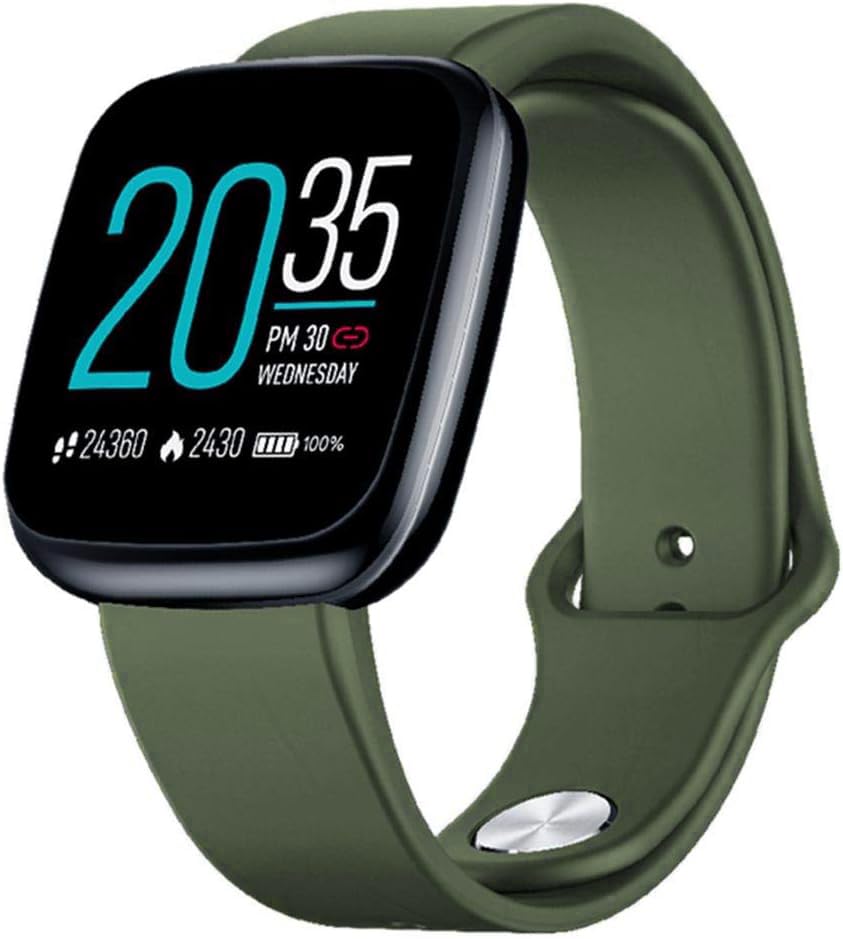
Image: Zeblaze Crystal 3 Smartwatch, showing the main display and green strap.
Caractéristiques principales :
- Écran couleur HD de 1.3 pouce : A vibrant IPS display with 240x240 pixel resolution for clear visuals.
- Capteurs de haute précision : Equipped with a heart rate sensor, proximity sensor, and accelerometer for accurate data collection.
- Étanchéité IP67 : Designed to withstand daily water exposure, such as splashes and rain.
- Longue durée de vie de la batterie : Up to 7 days of use on a single 2-hour charge, thanks to its 200 mAh battery.
- Suivi des activités : Monitors steps, distance, calories burned, and supports various sports modes.
- Surveillance de la santé : Inclut le suivi de la fréquence cardiaque et du sommeil.
- Compatibilité des smartphones : Works with Android 4.4 or newer and iOS 8.0 or newer devices.
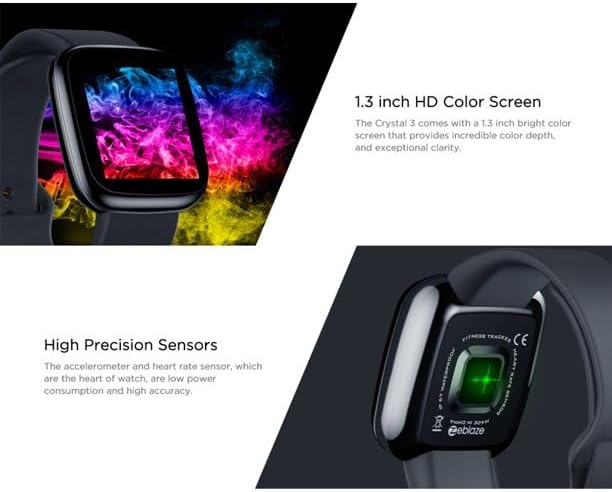
Image: Close-up of the 1.3-inch HD color screen and the high-precision heart rate sensor on the back of the watch.
3. Installation
3.1 Chargement de la montre connectée
Before first use, fully charge your Zeblaze Crystal 3. Connect the charging cable to the watch's charging port and a USB power source (e.g., computer USB port or a 5V/1A USB adapter). A full charge typically takes about 2 hours.
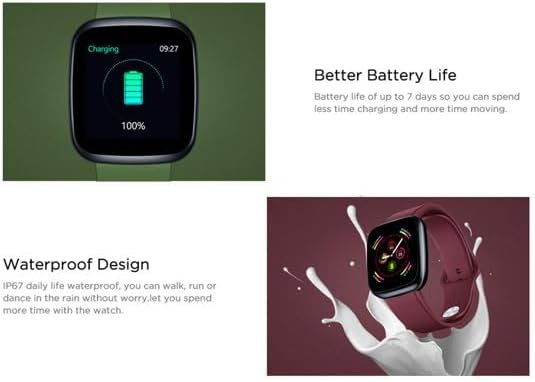
Image: Illustration showing how to connect the smartwatch to a USB port for charging.
3.2 Installation et appairage de l'application
- Téléchargez l'application : Rechercher the official Zeblaze companion app on your smartphone's app store (Google Play Store for Android or Apple App Store for iOS).
- Créer un compte: Ouvrez l'application et suivez les instructions à l'écran pour créer un compte ou vous connecter.
- Associer l'appareil : Ensure Bluetooth is enabled on your smartphone. In the app, navigate to the device pairing section and select "Zeblaze Crystal 3" from the list of available devices. Confirm the pairing request on both your phone and the smartwatch.
- Profile Installation: Complétez votre profil personnelfile within the app to ensure accurate tracking of health and fitness data.
4. Mode d'emploi
4.1 Navigation de base
- Écran de réveil : Levez le poignet ou appuyez sur le bouton latéral pour réveiller l'écran.
- Balayez vers le haut/bas : Accédez aux notifications ou aux paramètres rapides.
- Balayez vers la gauche/droite : Navigate through different functions and widgets (e.g., heart rate, activity data, weather).
- Robinet: Sélectionnez un élément ou confirmez une action.
- Appui long: On the main watch face, long press to change watch faces.
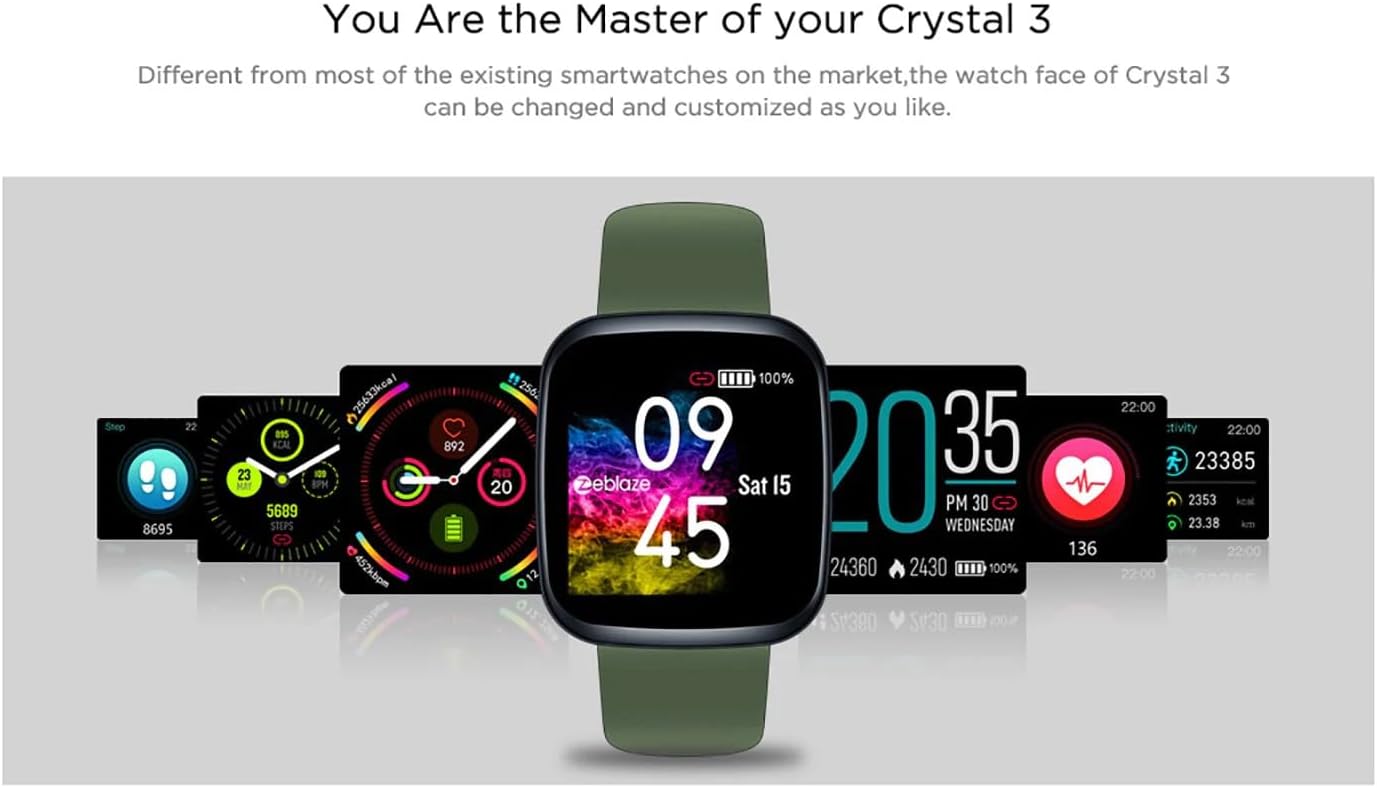
Image: The Zeblaze Crystal 3 displaying different customizable watch faces and data screens.
4.2 Suivi d'activité
La montre connectée suit automatiquement vos pas quotidiens, la distance parcourue et les calories brûlées. Vous pouvez view this data directly on the watch or in more detail within the companion app.
4.3 Surveillance de la fréquence cardiaque
The built-in heart rate sensor continuously monitors your heart rate. Ensure the watch is worn snugly on your wrist for accurate readings. View your current and historical heart rate data in the app.
4.4 Surveillance du sommeil
Wear the smartwatch to bed to track your sleep patterns. The device records sleep duration and quality, which can be reviewed in the app to help you understand and improve your sleep habits.
5. Entretien
5.1 Nettoyage de l'appareil
Nettoyez régulièrement votre montre connectée et son bracelet pour éviter les irritations cutanées et préserver son bon fonctionnement. Utilisez un chiffon doux et sec.amp Utilisez un chiffon pour essuyer l'écran et la dragonne. Évitez d'utiliser des produits chimiques agressifs ou des matériaux abrasifs.
5.2 Résistance à l'eau (IP67)
The Zeblaze Crystal 3 is IP67 water-resistant, meaning it is protected against dust and can withstand immersion in water up to 1 meter for up to 30 minutes. It is suitable for daily use, such as washing hands, rain, or light splashes. It is not recommended for swimming, showering with hot water, or diving.

Image: Illustration highlighting the waterproof design of the Zeblaze Crystal 3 Smartwatch.
5.3 Entretien de la batterie
- Évitez les températures extrêmes, qui peuvent réduire la durée de vie de la batterie.
- Ne laissez pas l'appareil complètement déchargé pendant des périodes prolongées.
- Utilisez uniquement le câble de chargement fourni ou un équivalent certifié.
6. Dépannage
6.1 L'appareil ne s'allume pas
- Assurez-vous que l'appareil est complètement chargé. Branchez-le au chargeur pendant au moins 30 minutes.
- Essayez d'appuyer sur le bouton latéral et de le maintenir enfoncé pendant 10 à 15 secondes pour forcer un redémarrage.
6.2 Impossible de jumeler avec le smartphone
- Make sure Bluetooth is enabled on your phone and the smartwatch is within range.
- Redémarrez votre smartphone et votre montre connectée.
- Vérifiez si l'application est mise à jour vers la dernière version.
- Forget the device from your phone's Bluetooth settings and try pairing again through the app.
6.3 Inaccurate Heart Rate/Activity Data
- Veillez à ce que la montre soit bien ajustée à votre poignet, ni trop serrée ni trop lâche.
- Nettoyez le capteur situé à l'arrière de la montre.
- Update the smartwatch firmware via the companion app if an update is available.
7. Spécifications
| Fonctionnalité | Détail |
|---|---|
| Marque | Zéblaze |
| Nom du modèle | Cristal 3 |
| Afficher | Écran couleur IPS de 1.3 pouce |
| Résolution | 240*240 pixels |
| Capteurs | Heart Rate Sensor, Proximity Sensor, Accelerometer |
| Résistance à l'eau | IP67 |
| Capacité de la batterie | 200 mAh |
| Temps de charge | Environ 2 heures |
| Autonomie de la batterie | Jusqu'à 7 jours |
| Compatibilité | Android 4.4+ / iOS 8.0+ |
| Dimensions | 4.05 x 3.55 x 1.2 cm (1.59 x 1.39 x 0.47 pouces) |
| Poids | 27 grammes (0.95 onces) |
| Connectivité | Bluetooth (for app pairing), USB (for charging) |
| Caractéristiques spéciales | Activity Tracker, Heart Rate Monitor, Sleep Monitor |
8. Garantie et assistance
For warranty information and customer support, please refer to the documentation included with your purchase or visit the official Zeblaze website. If you encounter any issues not covered in this manual, please contact Zeblaze customer service for assistance.